

Remove Person from Video. Take someone out of your shot.
A stranger who walked through your shot, someone in the background of your travel clip: describe them and Treza follows them on every frame and fills the space with what would be behind them. The sound and the rest of the picture stay as you shot them.
Everything on this page was made on Treza.
Describe them, don't mask them
Say who goes, like the man in the red jacket walking behind me. They are found on a frame of each shot and followed on every frame after.
Painted out as they move
Someone walking through the shot moves on their own, not with the background, so each frame they are in is painted out on its own.
Their shadow goes too
The tracker looks for the shadow a person casts and takes it with them, so no dark shape is left walking across the ground.
Only those pixels change
Everything else in the frame and the whole soundtrack stay your clip's own, and only the stretches where the person shows are edited.
Checked when it's done
Afterwards it looks for the person again and tells you if any of them is still there, so you know before you post.
Use a person mask instead
On the pipeline canvas, wire the Mask from Remove Video Background into Remove Object and the person is taken out by that mask instead of by words.
Made on this platform
Real output, credited under every frame.

Architectural
A dolly through a sunlit room.
Seedance 2.5

Product
A macro turn under a sweeping light.
Kling 3.0 Pro

A channel cut
Written, voiced, captioned, and published on a schedule.
Seedance 2.5
From idea to finished video
- Step 01
Upload your clip
Drop footage you shot or own into chat, or use a clip Treza already made for you.
- Step 02
Say who goes
Name only the person, by what they wear and where they are. For a long video, say roughly when they appear; up to 20 seconds are edited per run.
- Step 03
See the price
Finding, cleaning and checking cost a few cents, and chat shows the price before it runs.
- Step 04
Download the clean cut
The same length and sound as your clip, with the person gone. A few minutes per clip.
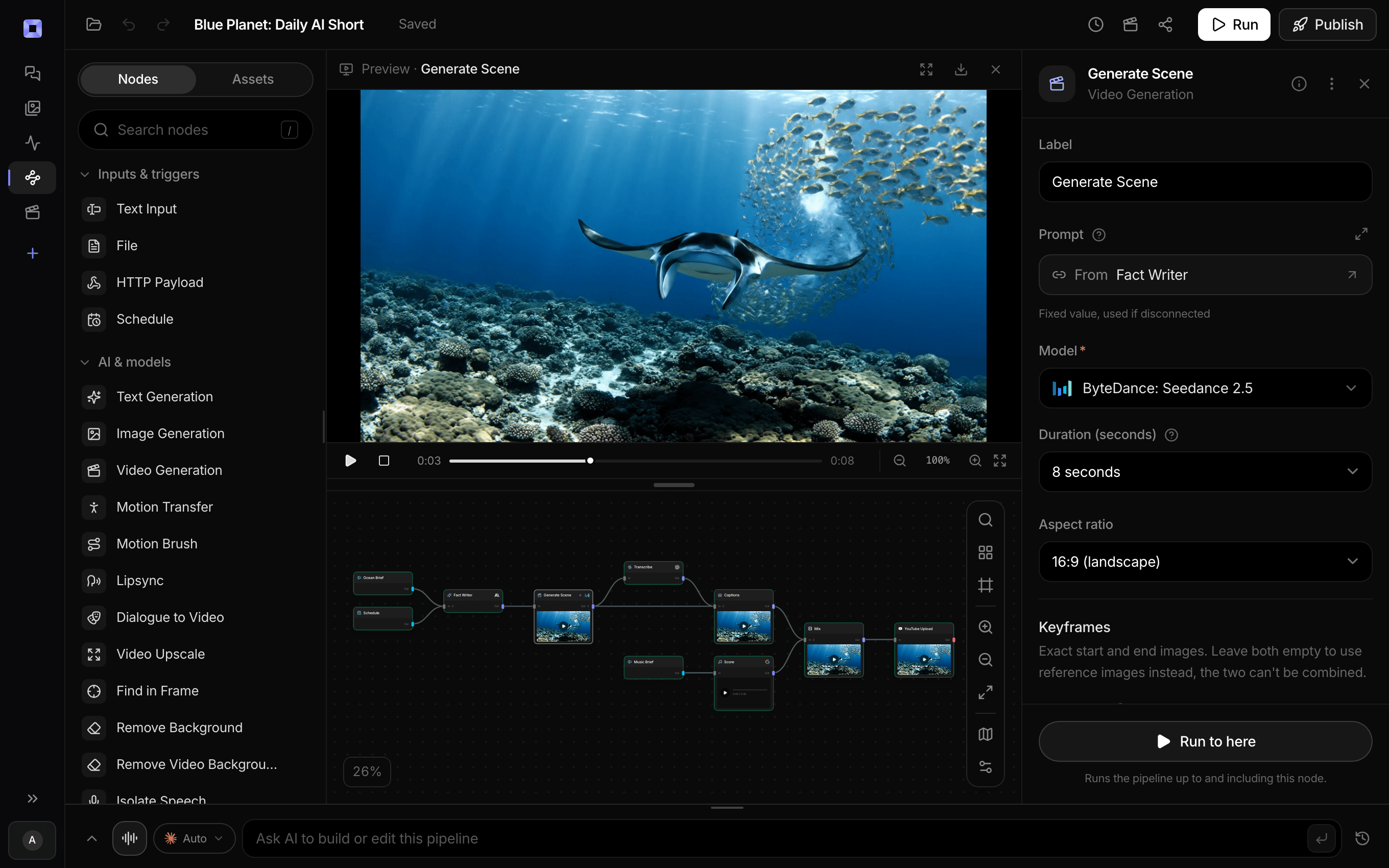
Ask for the pipeline in the composer, or send it from Claude over MCP.
What people build with it
Remove a stranger from the background
Someone who wandered behind you in a travel or vlog clip, gone without a reshoot.
Remove a person walking through the shot
A passer-by who crossed the frame in the middle of your best take.
Remove a crew member from the frame
The friend holding the reflector or the phone light who stepped into the edge of the shot.
Clean up a property or venue walkthrough
A person standing in the room or the doorway of footage you shot for your own listing.
Fix a generated clip
An extra figure a video model added to the background, removed instead of paying to render the shot again.

Generate it, cut it, publish it, in one place.
Prepaid credits, no subscription.
Remove person from video, answered
How do I remove a person from a video?
Upload your clip to Treza chat and describe who should go, like "the man in the red jacket walking behind me". Treza finds them, follows them on every frame, and fills the space with what would be behind them. The sound and everything else in the picture stay as they were, at the same length.
Can AI remove a person who is moving?
Yes. A person who moves on their own is painted out of each frame they are in, and the check afterwards looks for them again. Where the shot moves in a way the fill cannot be trusted to cover, it is flagged; where the camera cannot be followed at all, that stretch is left as it was and the notes say so.
What if words don't find the right person?
Describe them by what sets them apart: clothes, where they stand, what they carry. If that still misses, draw a box around them on one frame with the Remove Object node's Area setting on the pipeline canvas, and they are followed from there.
Can I replace the person with something else?
Yes. Leave the fill empty for whatever would naturally be behind them, or say what goes in their place, like an empty bench or open sky.
Can it remove a watermark?
No. This is for footage you own or have the rights to edit. Taking a stock site's watermark or another creator's branding off their video breaks their terms, so don't use it for that.
How long can the video be?
Any length, but up to 20 seconds are edited per run. For a longer video, say the start and end of the part where the person shows, or run it once per stretch.
How much does it cost to make a person removal with Treza?
Treza runs on prepaid credits with no subscription. Each generation is charged at the model's own rate from your balance, and a failed generation costs nothing. A typical video generation settles around $1.06, and credit packs start at $5 and never expire.
Can I call this as an API instead of using the canvas?
Yes. Every pipeline can be published as a versioned HTTP endpoint. Call the typed /invoke endpoint with JSON in and JSON out, or point any OpenAI SDK at the OpenAI-compatible endpoint. Swap a model on a node later and the API your product calls does not change.
Do I need to know how to edit video?
No. Start from a template, change the topic, and run it. If you do want frame-level control, the timeline editor is there with multi-track video and audio, per-clip trims, fades, and volume, but nothing about the automated path requires opening it.
Related tools
Remove object from video
Erasing logos, signs and people from a clip without a mask
Remove logo from video
Taking a brand or sign off footage you shot yourself
Video background remover
Cutouts from video and photos, with new backdrops behind them
See every tool, compare the models, read what an AI video pipeline is, or earn 30% sharing these tools.
Your first video is one prompt away.
Generate your first video, image, or draft today. Prepaid credits, no subscription.