


AI countdown video generator
Countdown videos, ranked, narrated, and numbered on the cut
Give Treza a channel brief and it picks a theme, ranks three subjects, and gives each one its own generated shot, narrated and captioned. The rank digit slams in on every cut, and the finished Short can post itself to YouTube every day.
Everything on this page was made on Treza.
The ranking, written for you
A writer model reads your channel brief, picks one fresh theme and three subjects that fit it, and ranks them so the most surprising lands at number 1. It also writes the title, the narration, and a scene prompt for each entry.
Every entry gets its own shot
An image model draws a vertical still of each entry, then Seedance 2.5 animates that still into a 12 second clip with its own ambient sound. Three entries, three generated shots, nothing pulled from a stock library.
Rank numbers that land on the cut
Countdown numbers on the Captions node slam a big digit onto the screen when the narrator says "number three", timed to the cut the Sequence actually made. A whoosh, a bubble, or silence plays as each digit lands.
Narrated, with the clips ducked under it
A narrator voice reads the script, and the Sequence stitches the three clips in countdown order with their own sound pulled down 12 dB while the narrator speaks, then brought back between lines.
Captions for muted autoplay
Whisper times the narration word by word and checks it against the script, then the captions burn in three words at a time with the spoken word highlighted, sized for Shorts and TikTok.
A new countdown every day
A schedule trigger runs the template daily, and the writer remembers its last 30 runs so the channel does not rank the same theme twice. The YouTube node posts each one as a Short under its curiosity-gap title.
Countdowns this template made
Three entries, three generated shots, one narrator, and the rank digit on each cut. These ran on our own channels, written and posted by a schedule.

An ocean countdown
One creature per rank, each animated from its own still.
Top 3 Countdown

A lore countdown
The same graph with a fantasy brief and a different voice.
Seedance 2.5

A daily Short
Ranked, narrated, captioned, and posted to YouTube.
Seedance 2.5
From idea to finished video
- Step 01
Write the channel brief
Open the Top 3 Countdown template and describe the channel in a sentence or two: the niche, the kind of themes, how famous or obscure the subjects should be.
- Step 02
Run the first countdown
The writer picks the theme and the three subjects, the image and video models make a shot per entry, and the narrator, captions, and rank digits are laid over the stitched cut.
- Step 03
Tune what you want to change
Swap the video model on a clip node, pick another narrator voice, change the caption style or the countdown sound, or rerun a single clip node until that shot looks right.
- Step 04
Put it on a schedule
Connect a YouTube channel and leave the daily trigger on. Every run writes, renders, narrates, captions, and publishes a new countdown Short without you opening the app.
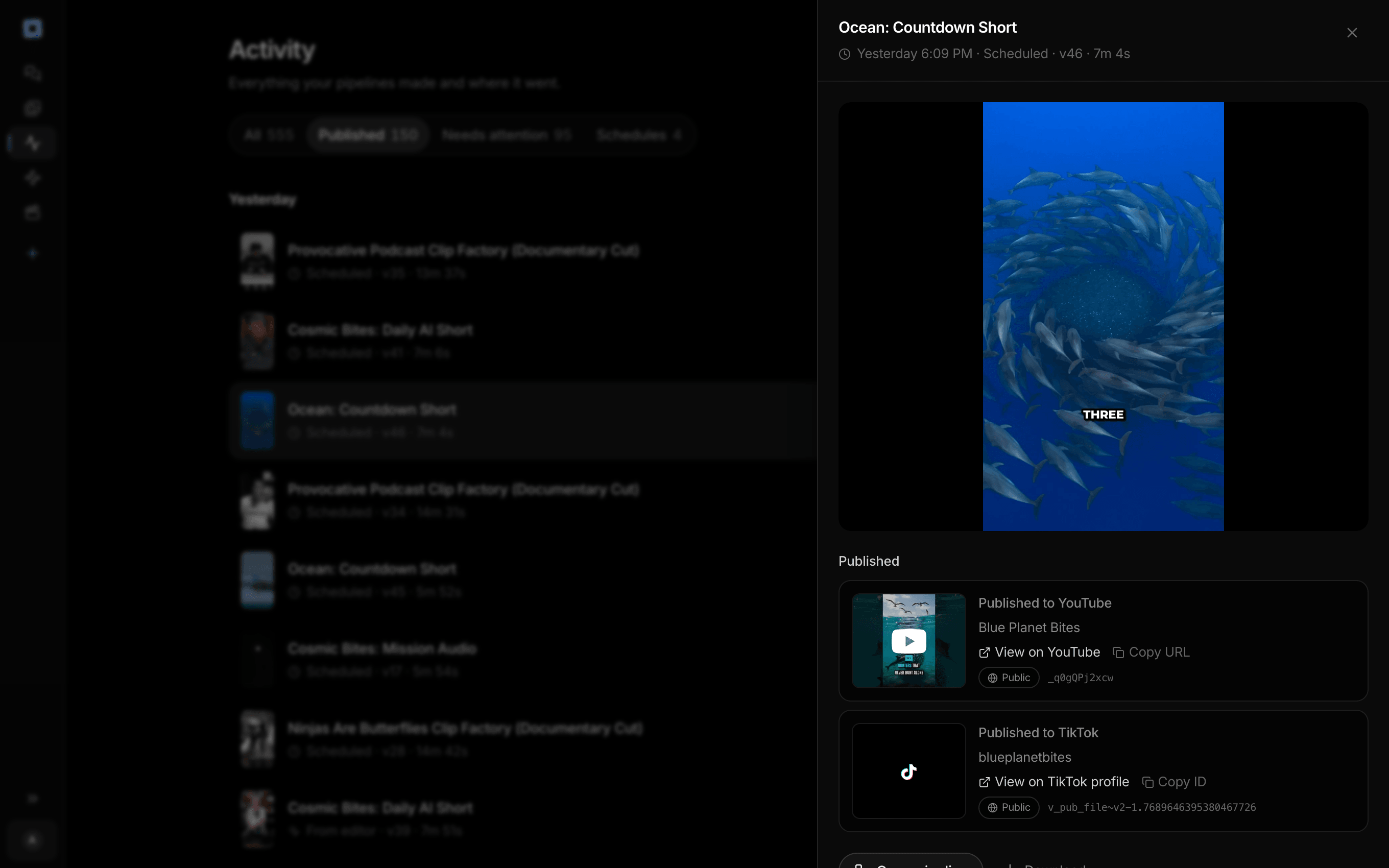
Every run the account has made, and what each one published.
What people build with it
Top 3 Shorts for a niche channel
Deadliest sea creatures, strangest legends, fastest machines. One ranked list per Short, posted daily, in whatever niche the brief describes.
Ranking videos without filming anything
Every shot is generated from the entry it illustrates, so a ranking channel needs no footage, no camera, and no clips you do not own.
Countdown Shorts with the number on screen
The digit for each rank appears as the narrator announces it, the format viewers expect from a countdown, without keyframing a number by hand.
Lore and fandom countdowns
Rank the oaths, the weapons, the betrayals of a fictional world. A lore brief turns the same graph into a fandom channel.
Animal and nature top lists
Weird creatures, best disguises, extreme survivors. The template's own example brief is an ocean countdown channel.
A longer list on the canvas
The template ships as a top 3. Countdown numbers read up to 10 and one Sequence stitches up to 12 shots, so a top 5 is more scene nodes and a longer brief on the same canvas.
Number three. Number two. Number one.
A new ranked Short every day, without a shoot day.
AI countdown video generator, answered
What is an AI countdown video generator?
An AI countdown video generator writes a ranked list on a theme, makes a shot for each entry, and narrates it in countdown order. On Treza, the Top 3 Countdown template does all of it in one run, with captions, a rank digit landing on each cut, and an optional daily post to YouTube. See a channel that runs on it
Can it make a top 5 or a top 10?
The template is a top 3, three entries of 12 seconds each, which fits a Short. The Captions node recognises rank numbers from one to ten and a Sequence stitches up to 12 shots, so a longer list means adding scene and clip nodes on the canvas and editing the writer's prompt to ask for more entries.
Do I need my own photos or clips?
No. Every shot is generated: a still of each entry from an image model, animated into a clip by a video model. You write the channel brief, and the writer picks the theme and the subjects from it.
How do the countdown numbers work?
Whisper times the narration word by word. When the narrator says "number three", or says the number as its own sentence, the Captions node slams that digit onto the screen, lined up with the Sequence's cut to the next entry, and plays the countdown sound you picked.
Will a daily countdown repeat itself?
The writer node has Avoid recent repeats switched on and looks back over its last 30 runs, so each day it is told which themes and subjects it already used and picks new ones.
Can I change the model or the voice?
Yes. Each clip is its own node, so you can pick a different video model there, and the narrator is a text to speech node with its own voice setting. Change them once and every scheduled run uses the new choice.
How much does it cost to make ai countdown video generator with Treza?
Treza runs on prepaid credits with no subscription. Each generation is charged at the model's own rate from your balance, and a failed generation costs nothing. A typical video generation settles around $1.06, and credit packs start at $5 and never expire.
Can I call this as an API instead of using the canvas?
Yes. Every pipeline can be published as a versioned HTTP endpoint. Call the typed /invoke endpoint with JSON in and JSON out, or point any OpenAI SDK at the OpenAI-compatible endpoint. Swap a model on a node later and the API your product calls does not change.
Do I need to know how to edit video?
No. Start from a template, change the topic, and run it. If you do want frame-level control, the timeline editor is there with multi-track video and audio, per-clip trims, fades, and volume, but nothing about the automated path requires opening it.
Related tools
AI shorts generator
Vertical short-form video for TikTok, Reels, and Shorts
Faceless video generator
Faceless YouTube and TikTok channels that publish on a schedule
AI video caption generator
Word-timed captions burned into every video
See every tool, compare the models, read what an AI video pipeline is, or earn 30% sharing these tools.
Your first video is one prompt away.
Generate your first video, image, or draft today. Prepaid credits, no subscription.