

AI commercial generator
An AI commercial generator that starts from your product
Describe the business and the offer, add a product photo and your logo, and get back a finished ad with a voiceover, music, and captions. Vertical for Reels and TikTok, square for the feed, or wide for YouTube and your website.
Everything on this page was made on Treza.
A short brief is enough to start
Say what you sell, who it is for, and what the offer is. A language model turns that into shot prompts and a voiceover script, so you start from a plan rather than a blank page.
Your product photo as the first frame
Attach the photo you already have and a clip starts on it, so the product on screen is the one you sell. On the canvas, Seedance and Wan also take reference images and build a whole scene around the product.
Your real logo, placed exactly
Video models draw logos and lettering only approximately. The Overlay step burns in your own logo file instead: pick the corner, the size, and the opacity, and it sits on every frame exactly as you designed it.
A voiceover in 82 voices
Write the script yourself or have it written from your brief, then pick a voice and preview it. The narration plays on top and the footage ducks underneath it automatically.
Music written for the ad
Describe the mood in one line and an audio generation node writes a bed for it, mixed quietly under the voice. There is no library to search through for something that almost fits.
Captions for sound-off feeds
Most feeds autoplay muted. The voiceover is transcribed with word-level timing and burned in as captions that land as each word is said, so the offer reads even with the sound off.
One brief, every placement
Render 9:16 for Reels, TikTok, and Shorts, 1:1 for the feed, and 16:9 for YouTube pre-roll or a website hero. Change the offer and run it again for the next promotion.
Ad footage from a written brief
A dish, a room, a product on a pedestal. Each one is a single brief and a single render, and the name under it is the model or the template that made it.

A restaurant promo
An overhead push-in with steam and a glossy sauce.
Wan 3.0

A showroom walk-through
A slow dolly through a sunlit room.
Seedance 2.5

A product shot
The template this page opens, run on a one-line brief.
Product Demo Video
From idea to finished video
- Step 01
Describe the business
Name what you sell, the offer, and the feeling you want. A bakery's morning rush, a new showroom, a weekend sale: one or two sentences is enough to start.
- Step 02
See the first shot
Your brief is written up as a cinematic shot prompt and rendered, so a real frame of your ad is on screen within a few minutes, before you plan the rest.
- Step 03
Add your photo and logo
Attach a product or storefront photo to start a shot from it, and attach your logo to place it with the Overlay step in the corner you choose.
- Step 04
Voice, music, captions
Ask for a voiceover and a music bed, and the shots are cut together into one ad with captions burned in. Download the MP4 for any ad platform, or run it again with next month's offer.
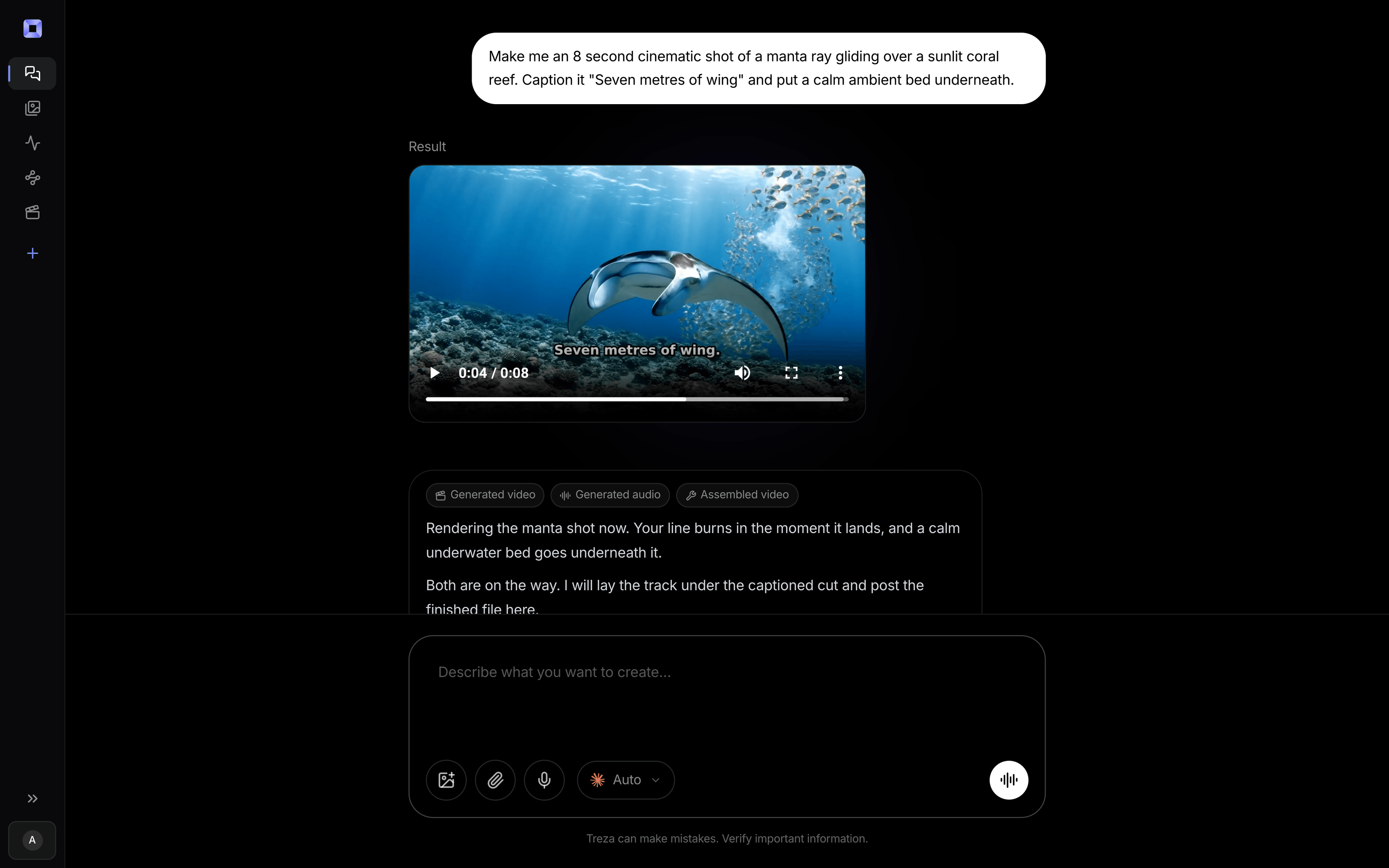
One sentence, in the words you would use out loud.
What people build with it
Restaurant and cafe promos
The dish, the pour, the room on a busy night, with the offer read over it. A new menu item is a new brief, not a new shoot.
Product reels for online stores
Start each reel on the product photo from your listing, so the item on screen is the one that ships.
Showroom and property ads
A slow move through a space that opens on your own photo of it, with a voice naming the address and the opening hours.
Local service ads
Salons, gyms, groomers, and clinics: a short spot that says what you do, where you are, and how to book.
Sales and seasonal offers
Same structure, new offer. A sale that needs an ad by Friday is a rerun with a different line in the brief.
Launches and grand openings
The new product revealed or the doors opening, with the date and the address read out and captioned at the end.

AI commercial generator, answered
What does an AI commercial generator make?
A finished video ad: generated shots of your product or business, a voiceover, a music bed, and captions, cut together in the shape each platform wants. On Treza you describe it in chat, see the first shot within a few minutes, and build up from there, so you settle the look before committing to every scene.
Can I use my own product photos?
Yes. Attach a photo and a clip can start on it as its first frame, so the opening matches your real product. The motion after that frame is generated, so for close-ups where every detail has to be exact, cut your own photo or footage into the ad beside the generated shots.
Can it put my logo and text on screen?
Your logo, exactly: the Overlay step burns your own logo file onto the video in the corner and at the size you pick. Lettering drawn by a video model is approximate, so keep prices, phone numbers, and addresses out of the generated picture. Have the voiceover say them and the captions show them word for word, or put them on an image and overlay it the same way as the logo.
Does it use AI presenters or stock footage?
Neither. There is no avatar library and no stock clips: every shot is generated for your brief. If the ad needs a person in it, describe them and a video model renders someone who fits. Some providers refuse reference photos of recognisable real people, so a real face is best filmed and cut in alongside the generated shots.
How long can a commercial be?
A single generated shot runs 4 to 15 seconds on the default model, which is a 6 or 15 second spot on its own. Longer ads are cut from several shots, up to 12 in one video, which covers 30 and 60 second spots with room to spare.
What sizes can I export?
Vertical 9:16 for Reels, TikTok, and Shorts, square 1:1 for feeds, and wide 16:9 for YouTube and websites. Shots that do not fill the frame are letterboxed rather than cropped, so nothing important is cut off.
Can I make versions for different offers?
Yes. Change the offer in the brief and run it again, or keep the shots you like and lay a new voiceover line over them. Each version is its own render, so testing two offers costs two runs, not two shoots.
How much does it cost to make ai commercial generator with Treza?
Treza runs on prepaid credits with no subscription. Each generation is charged at the model's own rate from your balance, and only successful runs are charged, so a failed generation costs nothing. A typical video generation settles around $1.06, and credit packs start at $5 and never expire.
Can I call this as an API instead of using the canvas?
Yes. Every pipeline can be published as a versioned HTTP endpoint. Call the typed /invoke endpoint with JSON in and JSON out, or point any OpenAI SDK at the OpenAI-compatible endpoint. Swap a model on a node later and the API your product calls does not change.
Do I need to know how to edit video?
No. Start from a template, change the topic, and run it. If you do want frame-level control, the timeline editor is there with multi-track video and audio, per-clip trims, fades, and volume, but nothing about the automated path requires opening it.
Related tools
AI product video generator
Product demos and ecommerce video, one pipeline per catalog
AI image to video generator
Motion from a photo, poster, or generated key frame
AI music generator
Music beds, scores, and sound effects mixed under your video
See every tool, compare the models, read what an AI video pipeline is, or earn 30% sharing these tools.

Your first video is one prompt away.
Generate your first video, image, or draft today. Prepaid credits, no subscription.