

AI Trail Cam Video Generator. Night-vision clips of animals up to something.
Describe what the camera catches and Treza writes the fixed-camera shot and renders it on Veo 3.1 Fast in infrared night vision, with the ambient sound generated alongside. You get an 8-second vertical clip, animals only.
Everything on this page was made on Treza.
A camera that never moves
The shot is written for a fixed wide-angle camera mounted a little above the ground on a tree, post, or wall and looking slightly down. It does not pan, tilt, or zoom.
Infrared night vision by default
Unless you say daytime, the footage is monochrome grey-green with glowing eye-shine, a pool of infrared light that falls off into black, and light grain. Daytime clips come out in flat, slightly washed colour.
Animals only
People never appear, even when the description asks for one: the writer rewrites the scene with animals. This template does not make look-alike camera footage of a person.
Ambient sound, generated with the clip
Crickets, wind, rustling, and the sounds the action makes are generated with the picture on Veo 3.1 Fast. There is no music and no speech.
No timestamp, no logo
The shot rules out text, timestamps, and logo overlays, so the clip does not imitate a camera brand and has no garbled lettering in the corner.
One continuous take
The animals are described by species and size and do one thing in a single take. The behaviour can be surprising; the footage is written to look like a camera caught it.
Made on this platform
Real output, credited under every frame.

Architectural
A dolly through a sunlit room.
Seedance 2.5

Product
A macro turn under a sweeping light.
Kling 3.0 Pro

A channel cut
Written, voiced, captioned, and published on a schedule.
Seedance 2.5
From idea to finished video
- Step 01
Say what the camera catches
Open the Trail Cam Clip template and describe the animals, the place, and what they do, like a bear cub trying out a garden swing.
- Step 02
Night or day
Leave it and you get infrared night vision. Add the word daytime for a colour clip.
- Step 03
Run it
Check the version and its price, then run. The shot is written and rendered with its sound, and the clip comes back in the chat.
- Step 04
Post it as what it is
The clip is generated. Use the AI label when you post it, and never present it as a real recording.
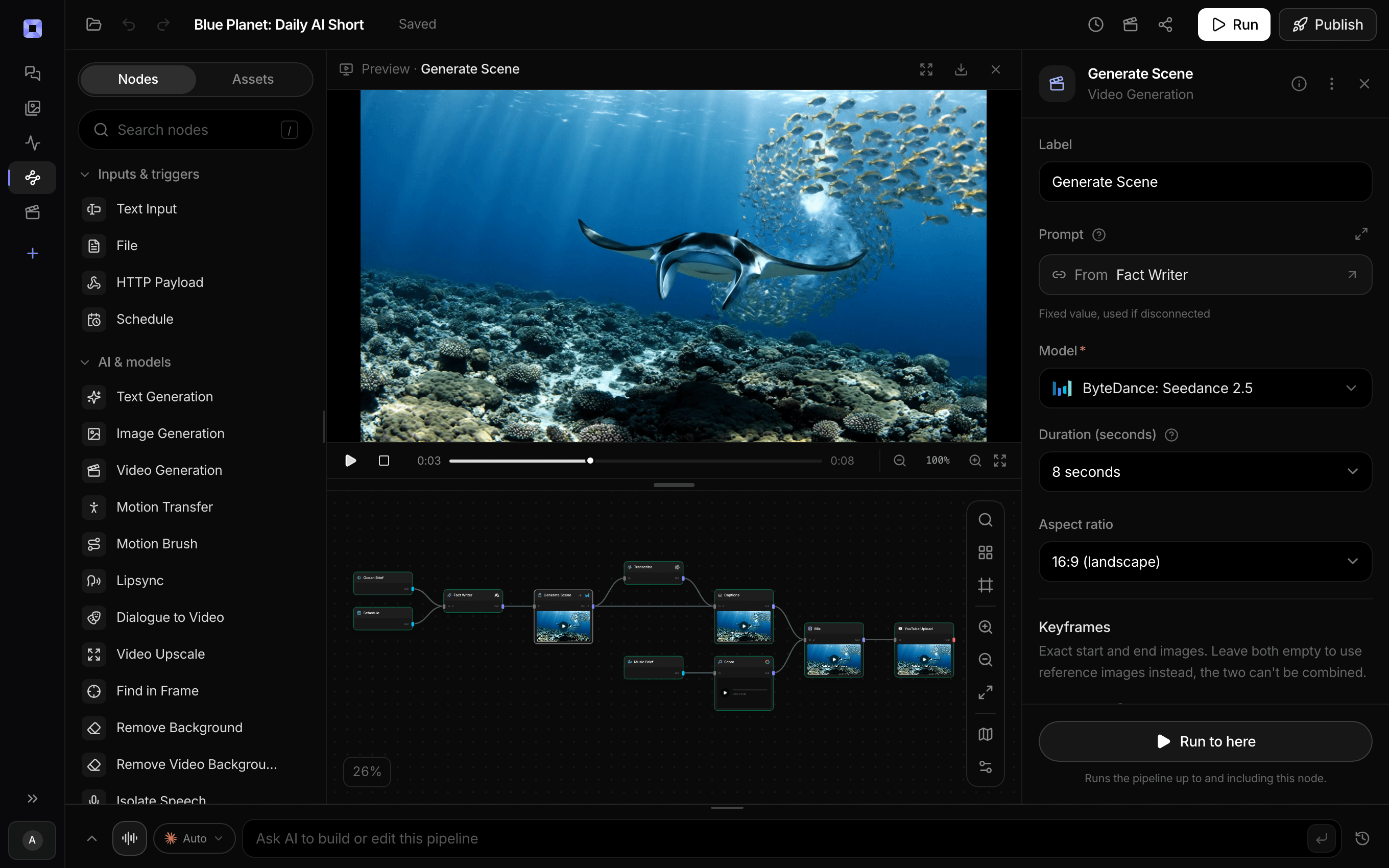
Ask for the pipeline in the composer, or send it from Claude over MCP.
What people build with it
Animals on the trampoline
Raccoons, rabbits, or a family of foxes discovering the trampoline after dark. The clip that made this format travel.
Late-night visitors at the pool
A bear testing the water with one paw, ducks queueing for the slide. A backyard is funnier when its owners are asleep.
Unlikely friends at the feeder
A deer and a cat sharing a salt lick, an owl landing beside a possum. One calm, strange moment, held for eight seconds.
Porch and garden moments
A skunk inspecting the doormat, hedgehogs crossing the patio in a line. Describe a camera by the door and what wanders past it.
Daytime pond and woodland clips
Say daytime and the same fixed camera records otters on a log or a heron mid-strike in flat natural colour.
A wildlife humour channel
One sentence makes one clip, so a channel is a list of animals and things they should not be doing.

Generate it, cut it, publish it, in one place.
Prepaid credits, no subscription.
AI trail cam video generator, answered
What is an AI trail cam video generator?
An AI trail cam video generator makes a clip that looks like motion-camera footage of animals from a text description. On Treza, the Trail Cam Clip template writes a fixed, wide-angle night-vision shot from your idea and renders it on Veo 3.1 Fast as an 8-second vertical clip with ambient sound.
Is the footage real?
No. Every frame is generated, and no camera or animal was involved. Label the clip as AI-generated when you post it, and do not pass it off as a real recording.
Why can't I put a person in the clip?
Realistic camera footage of a person is easy to mistake for evidence of something that never happened, so the template is animals only. If a description asks for a person, the scene is written without one.
Can I get a colour or daytime clip?
Yes. Say daytime in the description. Without it the clip is infrared night vision, which is the look most trail camera clips are known for.
Can it add a timestamp like a real trail camera?
Not in the template. Video models garble small lettering, so the shot rules out text and overlays. If you want one, add it yourself in an editor after you download the clip.
How long is the clip?
Standard is 8 seconds on Veo 3.1 Fast and the budget version is 4 seconds on Veo 3.1 Lite. Each run makes one clip, and several can be joined in the timeline editor.
How much does it cost to make a trail cam video with Treza?
Treza runs on prepaid credits with no subscription. Each generation is charged at the model's own rate from your balance, and a failed generation costs nothing. A typical video generation settles around $1.06, and credit packs start at $5 and never expire.
Can I call this as an API instead of using the canvas?
Yes. Every pipeline can be published as a versioned HTTP endpoint. Call the typed /invoke endpoint with JSON in and JSON out, or point any OpenAI SDK at the OpenAI-compatible endpoint. Swap a model on a node later and the API your product calls does not change.
Do I need to know how to edit video?
No. Start from a template, change the topic, and run it. If you do want frame-level control, the timeline editor is there with multi-track video and audio, per-clip trims, fades, and volume, but nothing about the automated path requires opening it.
Related tools
AI animal video generator
Cute 20 second animal reels from one written idea
AI ASMR video generator
Satisfying ASMR clips with their own generated sound, from one sentence
AI vlog generator
Selfie vlog clips of a character you describe, spoken and captioned
AI shorts generator
Vertical short-form video for TikTok, Reels, and Shorts
See every tool, compare the models, read what an AI video pipeline is, or earn 30% sharing these tools.
Your first video is one prompt away.
Generate your first video, image, or draft today. Prepaid credits, no subscription.