
AI Restoration Video Generator. From abandoned to restored, from one camera.
Describe something neglected and Treza draws it restored, works back through five stages of decay as edits of that one picture, and animates the work between each pair on Veo 3.1. You get a vertical timelapse from ruin to finished.
Everything on this page was made on Treza.
The restored result is drawn first
Nano Banana Pro draws the finished result, and every earlier stage is an edit of that one still, told to keep the camera, the framing, and the subject exactly where they are.
Decay is put back, stage by stage
A language model plans five earlier stages, from the neglected state as found to the step just before finished. Each edit describes the damage still there and removes later work: fresh paint, new glass, new fittings, planting.
The subject never changes shape
The plan holds the subject to the same shape, size, and position in every stage. Nothing is rebuilt to a different design or moved, which is what makes it read as one thing being repaired.
A working site in the middle
From the second stage on the scene carries dust sheets, tools, ladders, scaffolding, or materials where the work is happening. In the finished stage they are gone.
First frame to last frame on Veo 3.1
Each neighbouring pair of stages goes to Veo 3.1 as a first and a last frame, so the model only invents the work in between: people in fast motion, the light shifting. Five clips at 1080p vertical.
Joined with crossfades
A Sequence node cuts the five clips in order with short crossfades, so the joins read as one continuous restoration from a camera that never moved.
Fix one stage, not the whole video
Every stage and every clip is its own node on the canvas. Rerun the one stage that drifted or the one clip that morphed and the rest stays as it is.
A restoration this template made
One Victorian house on an overgrown lot, from derelict to lived-in. The restored house was drawn first and every earlier stage is an edit of it, so the camera and the house never move.
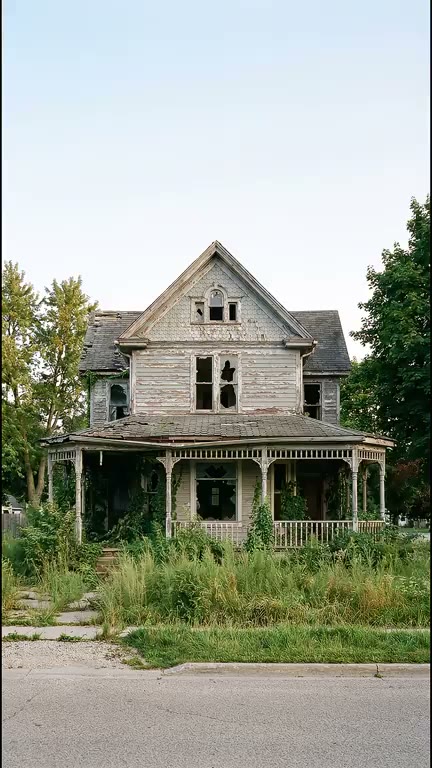
Derelict, as found
The first clip starts from the neglected state.
Restoration Timelapse
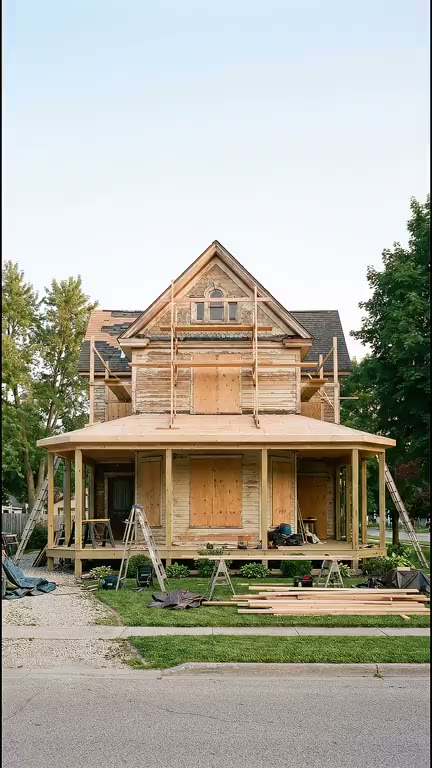
Scaffolding and raw timber
The same house in the same spot, mid-repair.
Restoration Timelapse
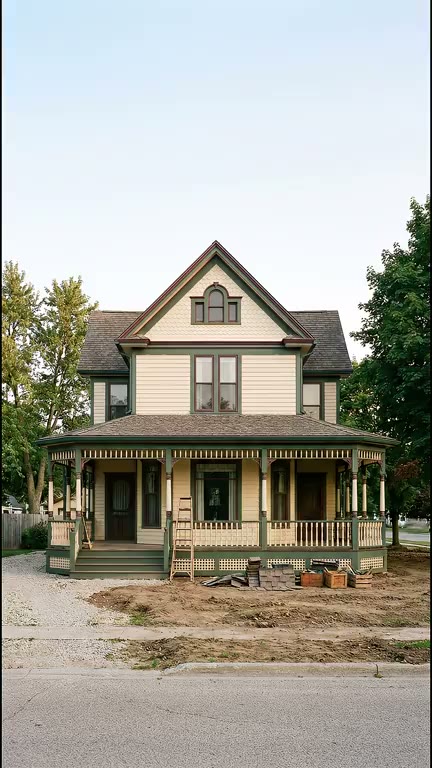
Painted, then the lawn
The grounds come back on the last stage.
Restoration Timelapse
From idea to finished video
- Step 01
Describe what gets restored
Open the Restoration Timelapse template and say what it is, where it stands, and the state it is in, like a rusted 1960s pickup truck in a barn.
- Step 02
Pick a version
Standard animates five clips on Veo 3.1. The budget version shows the same six stages as stills with a slow camera push. The price of each is on screen before it runs.
- Step 03
Run it
The plan, the restored still, the five stage edits, the five clips, and the cut all run in one go, and the timelapse comes back in the chat.
- Step 04
Fix what drifted and add sound
Rerun a single stage or clip node on the canvas until it looks right. The clips render silent, so add a music node under the cut for one continuous bed.
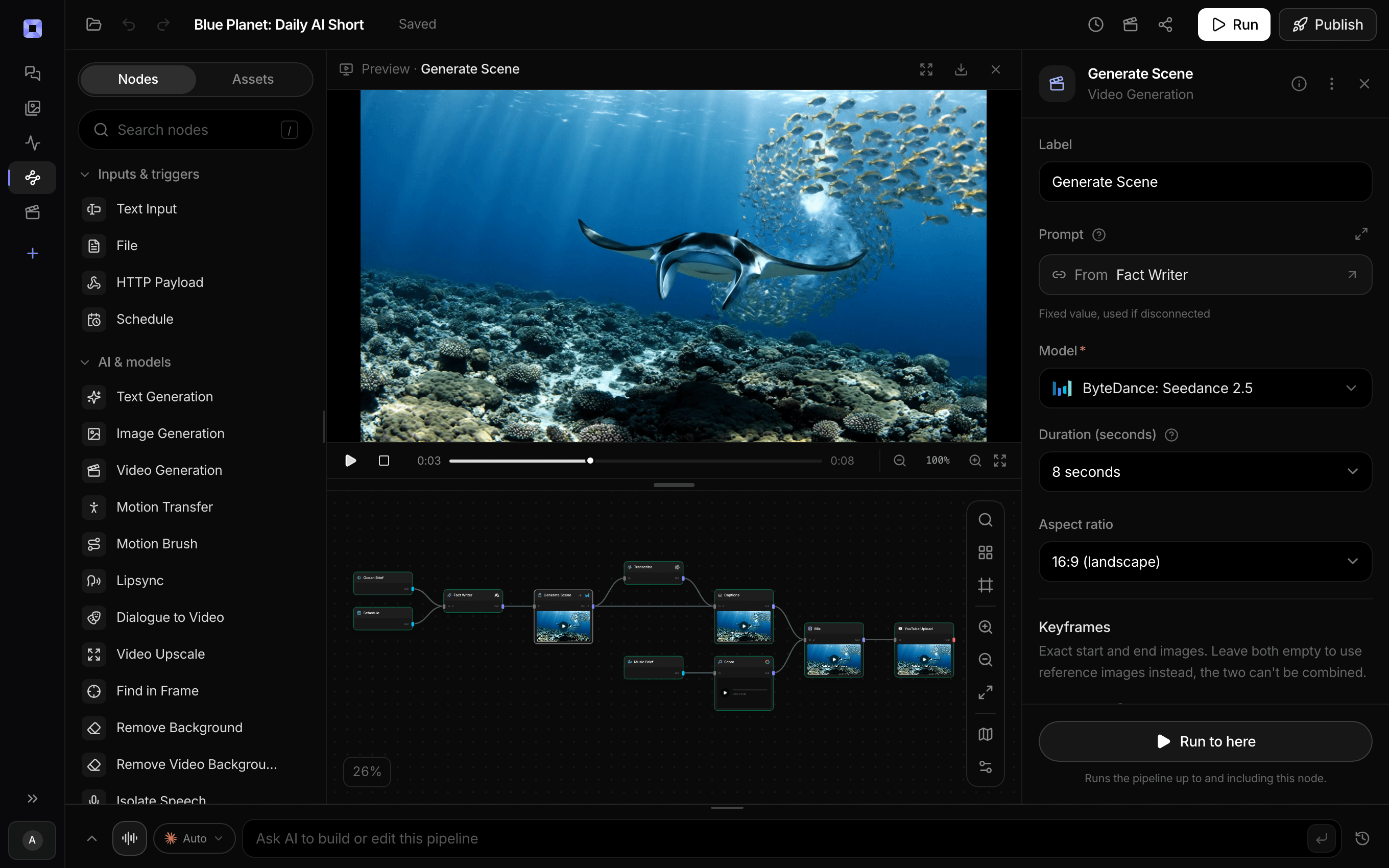
Ask for the pipeline in the composer, or send it from Claude over MCP.
What people build with it
Abandoned house restorations
A derelict house with broken windows and a collapsing porch, brought back to lived-in. The most watched kind of restoration video, without a house or a crew.
Barn finds and rusted machines
A pickup under forty years of dust, a seized-up tractor, a motorcycle pulled out of a shed. Rust to paint from one fixed camera.
Furniture and antiques
A water-stained dresser, a cracked leather armchair, a grandfather clock with a missing face. Small subjects work the same way as buildings.
Overgrown gardens
A walled garden lost under brambles, cleared, replanted, and in flower. The planner writes the stages for whatever you describe.
Room makeovers
A dated kitchen or a damp attic taken back to bare walls and finished. Indoors, the plan uses window light and leaves the sky out of the clips.
A restoration channel for Shorts
Put a YouTube or TikTok node after the cut and each finished timelapse posts as a Short, so a channel is one sentence per video.
Abandoned. Restored. One camera.
Describe what gets brought back and watch it happen.
AI restoration video generator, answered
What is an AI restoration video generator?
An AI restoration video generator makes a timelapse of something neglected being brought back, without filming anything. On Treza, the Restoration Timelapse template draws the restored result first, works back through five stages of decay as edits of that picture, and animates the work between them on Veo 3.1 into a vertical video.
How is this different from the Build Timelapse?
The method is the same and the direction of the story is different. A build starts from an empty site and adds. A restoration starts from something that exists and is in a bad way, so every stage keeps the subject's shape and changes its condition. See the build timelapse
Does it work for interiors?
Yes. The planner is told that a restoration can be a room and to light an interior with soft window light, and the clips describe the light shifting through the scene instead of clouds and sky.
Can it restore a photo of my real house or car?
The template draws every stage from your description, so the result is an illustration of a restoration, not a record of real work on a real object.
Does the restoration video have sound?
The template renders its clips without audio. Add a music node on the canvas and the Sequence mixes the track under the cut as one continuous bed across all five clips.
Can I present the video as my own restoration work?
No. Nothing in it happened. It is generated from a description, so label it as AI-generated when you post it and do not use it as a before and after of a real job.
How much does it cost to make a restoration video with Treza?
Treza runs on prepaid credits with no subscription. Each generation is charged at the model's own rate from your balance, and a failed generation costs nothing. A typical video generation settles around $1.06, and credit packs start at $5 and never expire.
Can I call this as an API instead of using the canvas?
Yes. Every pipeline can be published as a versioned HTTP endpoint. Call the typed /invoke endpoint with JSON in and JSON out, or point any OpenAI SDK at the OpenAI-compatible endpoint. Swap a model on a node later and the API your product calls does not change.
Do I need to know how to edit video?
No. Start from a template, change the topic, and run it. If you do want frame-level control, the timeline editor is there with multi-track video and audio, per-clip trims, fades, and volume, but nothing about the automated path requires opening it.
Related tools
AI timelapse video generator
Construction timelapses from an empty site to finished, from one camera
AI abandoned house restoration video
Abandoned house restoration timelapses, derelict to lived-in
AI room makeover video generator
Room makeover timelapses from a tired room to a finished one
AI car restoration video generator
Car and machine restoration timelapses, rust to restored
See every tool, compare the models, read what an AI video pipeline is, or earn 30% sharing these tools.
Your first video is one prompt away.
Generate your first video, image, or draft today. Prepaid credits, no subscription.