

Remove background noise from video
Remove background noise from video and keep the voice clear
Audio Repair reduces hiss, rumble, mains hum, and harsh sibilance in a video's soundtrack and hands back the same picture with cleaner sound. Isolate Speech keeps only the voice, and Audio Normalize lands the result at the loudness Shorts, podcasts, or broadcast expect.
Everything on this page was made on Treza.
Five repairs in one node
Reduce Noise, Reduce Rumble, DeHum, DeEss, and Reduce Reverb, each with its own switch and a 0 to 10 amount. Noise and rumble are on by default, so wiring the node in is already a useful first pass.
The picture is never re-encoded
Wire in a video and only the soundtrack is processed: the picture is copied through untouched and comes back with the repaired audio. Wire in an audio file and you get a cleaned MP3.
Hiss and fan noise, tracked as it goes
Reduce Noise keeps re-measuring the noise floor, so it works even when someone is already talking in the first second. The amount runs from a light 4 dB touch to a heavy 28 dB reduction.
Hum, rumble, and harsh esses
DeHum notches mains hum and its harmonics at 50 or 60 Hz. Reduce Rumble is a high-pass from 40 to 200 Hz for wind, handling, and desk thumps. DeEss tames the whistle a close mic puts on s, sh, and t sounds.
An AI voice isolator
When a music bed, a crowd, or a busy room sits under the speaker, Isolate Speech keeps only the voice. Wire in any audio or video and get the speech back as its own clean MP3 track.
Loudness matched to where it is going
Audio Normalize measures integrated loudness, true peak, and loudness range, then applies one gain with a true-peak limiter so nothing clips. Presets for Shorts and TikTok at -14 LUFS, podcasts at -16, and broadcast dialogue at -23, or type your own target.
Per clip in the timeline editor
Select a clip's audio in the editor and switch on Repair and Match loudness in its properties, for one clip or a whole selection. The monitor plays the processed sound once it renders, and the export applies it exactly.
Everything downstream hears the soundtrack
Transcripts, captions, clip picks, and the final mix all start from the sound. These came out of our own runs; put Audio Repair or Isolate Speech first and every one of those steps works from a cleaner voice.

A recording, clipped by its words
The cut points came from the transcript of a webcast.
Whisper Large v3

Captions from the spoken line
Each caption is timed to a word the transcript heard.
Captioned AI Short

A narrator over a music bed
The kind of finished mix Normalize goes after, last in the chain.
Fact of the Day
From idea to finished video
- Step 01
Bring the recording
Upload a video or audio file onto a File node, or wire in any node that outputs one: a download, an extracted clip, a finished Sequence.
- Step 02
Pick the fix
Audio Repair for hiss, rumble, hum, sibilance, and room ring between words. Isolate Speech when music or crowd noise sits under the voice. Both take video or audio.
- Step 03
Match the loudness last
Wire Audio Normalize at the end of the chain, after the repair and after any music mix, so the level it measures is the level that gets published.
- Step 04
Run it and use the clean file
Each node reports which fixes ran and, for Normalize, what the clip measured and how far it moved. Caption the result, publish it, or open it in the timeline editor.
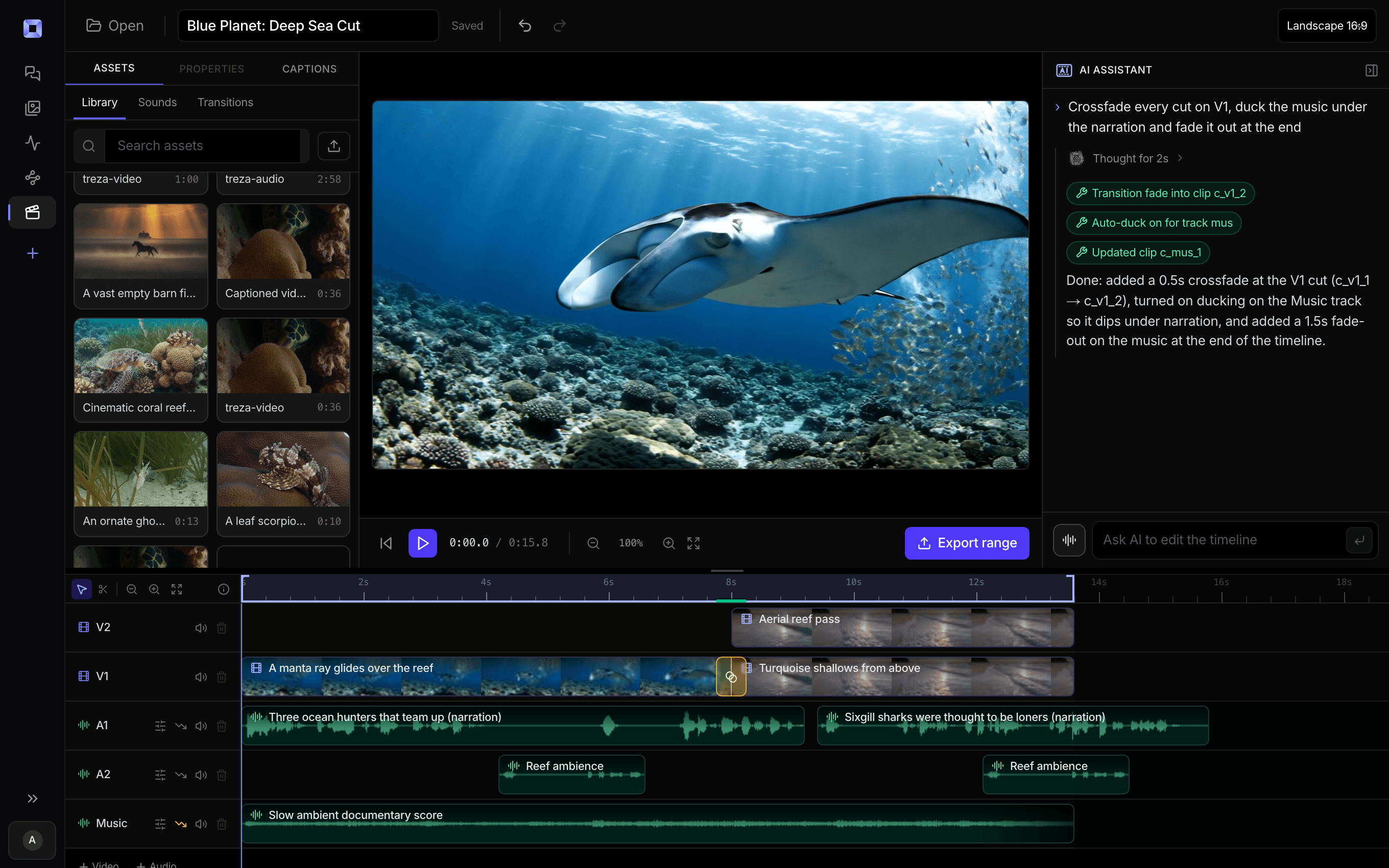
The same video, open in the built-in timeline editor.
What people build with it
Interviews shot on location
A lav in a busy room or a camera mic outdoors. Reduce Rumble handles wind and handling noise, Reduce Noise brings down the air conditioning, and the interview keeps its picture exactly as shot.
Video podcast episodes
Clean up each recording, then match the finished episode to -16 LUFS so it sits at the level podcast feeds expect.
Dialogue out from under the music
When a clip has a music bed or crowd sound under the speaker, Isolate Speech returns just the voice, ready to transcribe or to mix under new music.
Captions from a cleaner track
Transcripts, captions, titles, and clip picks all work from the soundtrack. Put Audio Repair or Isolate Speech before Transcribe and every one of those steps works from a cleaner voice.
Shorts at the right volume
Match to -14 LUFS, where Shorts, Reels, and TikTok normalize, and the platform leaves your level alone.
Cleaning at volume
Put Audio Repair in a pipeline that runs on a schedule or behind an API, and every recording that passes through gets the same treatment without anyone opening an editor.

Clean the voice before anything else reads it.
Repair, isolate, and match loudness, on the canvas or per clip in the editor.
Remove background noise from video, answered
How do I remove background noise from a video?
Add an Audio Repair node to a pipeline, wire the video into it, and run. Reduce Noise and Reduce Rumble are on by default; switch on DeHum, DeEss, or Reduce Reverb when the recording needs them, and set each amount from 0 to 10. The node returns the same picture with the repaired soundtrack.
What is the difference between Audio Repair and Isolate Speech?
Audio Repair is a chain of audio filters. It reduces steady problems like hiss, fans, rumble, hum, and harsh sibilance, keeps everything else in the mix, and returns your video with its picture intact. Isolate Speech is an AI model that keeps only the voice and drops music beds, room noise, and crowd sound, returning the speech as an MP3 track. Use Repair when the recording is good but noisy, and Isolate Speech when something else is competing with the speaker.
Can it isolate vocals from a video?
It isolates speech. Wire any audio or video into Isolate Speech and it returns the spoken voice as its own track, with music beds, room noise, and crowd sound stripped out. Wire that track into Transcribe for cleaner captions, or bring it into the timeline editor and lay it under the picture in place of the original sound.
Can it take the echo out of a room?
Reduce Reverb pulls the room ring down in the gaps after each phrase: 5 is a gentle 4 dB and 10 closes to about 8 dB. It shortens the room rather than removing reverb under the words themselves, so start at the default of 5 and raise it only as far as the room needs.
What loudness should I normalize to?
-14 LUFS for Shorts, Reels, and TikTok, -16 for podcasts, and -23 for broadcast dialogue. Those are the three presets on Audio Normalize, and Custom takes your own target from -40 to -5 LUFS. The true-peak ceiling defaults to -1 dBTP so lossy encoding on upload does not push the peaks into clipping.
Can I clean up one clip without building a pipeline?
Yes. Upload the clip in chat and ask for the background noise to be removed: chat runs the same nodes on a single file and posts the cleaned version back into the conversation. Or drop it into the timeline editor, select its audio, and switch on Repair and Match loudness in the clip's properties.
Does cleaning the audio change the video quality?
No. Audio Repair and Audio Normalize copy the picture stream through without re-encoding it and rebuild only the soundtrack, so a video comes back at the same resolution and quality it went in at.
How much does it cost to make remove background noise from video with Treza?
Treza runs on prepaid credits with no subscription. Each generation is charged at the model's own rate from your balance, and only successful runs are charged, so a failed generation costs nothing. A typical video generation settles around $1.06, and credit packs start at $5 and never expire.
Can I call this as an API instead of using the canvas?
Yes. Every pipeline can be published as a versioned HTTP endpoint. Call the typed /invoke endpoint with JSON in and JSON out, or point any OpenAI SDK at the OpenAI-compatible endpoint. Swap a model on a node later and the API your product calls does not change.
Do I need to know how to edit video?
No. Start from a template, change the topic, and run it. If you do want frame-level control, the timeline editor is there with multi-track video and audio, per-clip trims, fades, and volume, but nothing about the automated path requires opening it.
Related tools
AI video caption generator
Word-timed captions burned into every video
AI video transcriber
Transcripts, SRT files, and captions from your recordings
AI podcast clip generator
Captioned Shorts cut from your podcast feed
See every tool, compare the models, read what an AI video pipeline is, or earn 30% sharing these tools.

Your first video is one prompt away.
Generate your first video, image, or draft today. Prepaid credits, no subscription.