

AI Explainer Video Maker. One idea, explained out loud in a vertical short.
Give Treza a topic, how an engine works or why a plane can glide, and it writes a short spoken explanation, reads it with a text to speech voice over generated vertical footage, and burns in captions. Every word is in the script node, so you can fix a term before the voice reads it.
Everything on this page was made on Treza.
A script written for the ear
A writer model turns your topic into one spoken passage of 30 to 45 words: conversational, built around one surprising point, with no filler and no stage directions. Only the words to be spoken come out, so nothing odd gets read aloud.
A voice you choose and can correct
The narration comes from a text to speech node, not from the video model, so the pronunciation is under your control. Pick any of 82 voices, and if a term comes out wrong, try another voice or tell the writer in the brief how to spell it out.
Footage that matches the words
A second writer reads the narration and describes the scene, the camera move, and the light that should play under it. Veo 3.1 Fast renders that as a vertical clip, so the picture follows what is being explained.
Ambient sound under the voice
The clip is told to carry ambient sound and music and never speech. The Sequence node lays the narration over it at 1080p portrait and ducks the bed 12 dB under the voice.
Captions spelled like your script
A transcription model times every word, then checks it against the written script, so names and technical terms are captioned the way you wrote them rather than how they sounded. Captions burn in four words at a time in the lower third.
Room for a longer lesson
The template is one shot, and the canvas is open. Add more clip nodes to the Sequence for a multi-step explanation, up to 12 shots in one cut, or swap the video model on a clip node.
Made on this platform
Real output, credited under every frame.

Architectural
A dolly through a sunlit room.
Seedance 2.5

Product
A macro turn under a sweeping light.
Kling 3.0 Pro

A channel cut
Written, voiced, captioned, and published on a schedule.
Seedance 2.5
From idea to finished video
- Step 01
Start the Narrated Short
Open the Narrated Short template from chat. Left as it is, the example brief runs: one surprising fact about deep-sea creatures, so you see the whole format before you change anything.
- Step 02
Write your topic in the brief
Open the pipeline and replace the brief with the thing to explain: a machine, a process in nature, a rule in a language, a step in your product. A sentence or two is enough.
- Step 03
Run it and read the script
The writer scripts the explanation, the voice reads it, the video model renders the footage, and the captions land on the finished cut. Check the script node first: it holds every word the viewer hears.
- Step 04
Tune and post
Change the voice, the caption style, or the video model, run it again, and download the finished short.
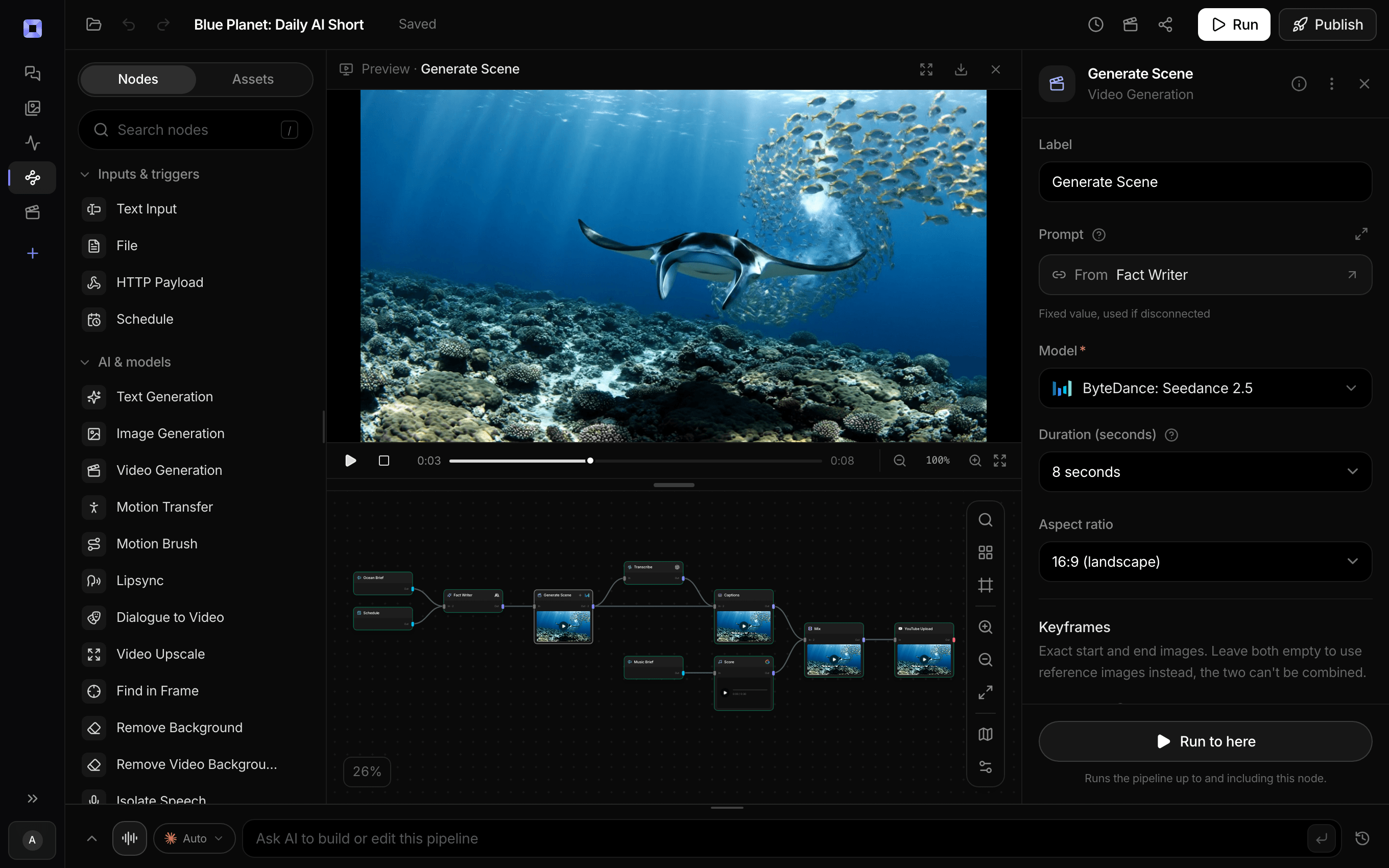
Ask for the pipeline in the composer, or send it from Claude over MCP.
What people build with it
How a machine works
An engine, a lock, a turbine, a printer. One mechanism, explained in plain words over footage of it in motion.
Science explainers for Shorts
Why the sky is blue, why a plane can glide, how a jellyfish moves. One idea per video, narrated and captioned for muted autoplay.
Short language lessons
A word, a phrase, or a grammar rule explained by a narrator, with the captions spelled exactly as the script writes them.
Explain a step in your product
A feature, a setup step, or a term your customers keep asking about, turned into a vertical clip for a help page or a social post.
Faceless educational channel
A narrated explainer series with no presenter on camera and no footage to film. Every shot is generated from the narration.
Classroom and training clips
A concept boiled down to one clear passage, read slowly by the voice you pick, for a lesson opener or an onboarding module.

Generate it, cut it, publish it, in one place.
Prepaid credits, no subscription.
AI explainer video maker, answered
What is an AI explainer video maker?
An AI explainer video maker turns a topic into a short video that explains it out loud. On Treza, the Narrated Short template writes a spoken script from your topic, reads it with a text to speech voice, generates vertical footage that matches the words, and burns in captions checked against the script.
Do I need footage, a presenter, or a microphone?
No. The footage is generated by a video model from the narration, the voice is a text to speech voice, and there is no presenter on camera. You write the topic; the template writes the script and the shot from it.
Can I write the script myself?
Yes. The script node is an ordinary language model step, so you can tell it in the brief exactly what to say, or edit its instructions to read your text as written. The voice, the shot, and the captions all follow that one script.
What if the voice says a technical term wrong?
Try another voice, or tell the writer in the brief how the term should be spelled out for the voice. The captions are checked against the written script rather than only the audio, so they show the words the script holds.
How long is the explainer?
The template writes 30 to 45 spoken words, the length of one clear point in a Short. For a longer, multi-step explanation, add more clip nodes to the Sequence; one Sequence stitches up to 12 shots.
Can I make explainers in other languages?
Write the brief in the language you want and tell the writer to answer in it, then pick a voice that speaks that language. The captions follow the written script, so they come out in the same language.
How much does it cost to make an explainer video with Treza?
Treza runs on prepaid credits with no subscription. Each generation is charged at the model's own rate from your balance, and a failed generation costs nothing. A typical video generation settles around $1.06, and credit packs start at $5 and never expire.
Can I call this as an API instead of using the canvas?
Yes. Every pipeline can be published as a versioned HTTP endpoint. Call the typed /invoke endpoint with JSON in and JSON out, or point any OpenAI SDK at the OpenAI-compatible endpoint. Swap a model on a node later and the API your product calls does not change.
Do I need to know how to edit video?
No. Start from a template, change the topic, and run it. If you do want frame-level control, the timeline editor is there with multi-track video and audio, per-clip trims, fades, and volume, but nothing about the automated path requires opening it.
Related tools
Script to video AI
Scripts, screenplays, and outlines turned into narrated multi-scene video
Fact video generator
Daily one-fact documentary Shorts with narration and callout labels
Faceless video generator
Faceless YouTube and TikTok channels that publish on a schedule
AI voiceover generator
Narration for faceless videos, shorts, demos, and multilingual versions
See every tool, compare the models, read what an AI video pipeline is, or earn 30% sharing these tools.
Your first video is one prompt away.
Generate your first video, image, or draft today. Prepaid credits, no subscription.