
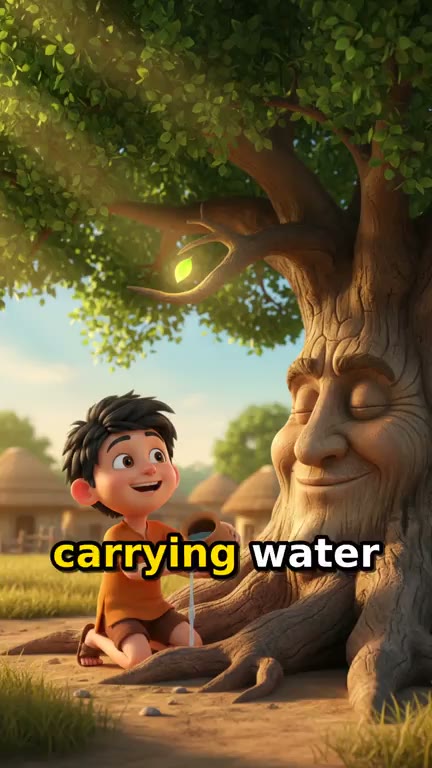
AI Picture Book Video Maker. Your children's book, illustrated and read aloud.
Paste the text of a children's book you wrote and get back a read-aloud video about a minute long: five illustrated scenes with a slow camera drift, a calm narrator, music, and captions that follow the words. The pictures are drawn new from your text, in the look you describe.
Everything on this page was made on Treza.
Your words, kept
The writer keeps your characters, their names, your plot and your ending. A book that runs past a minute is told in condensed form: the beginning, the turning point and the ending.
Five illustrated scenes
Each scene is a full-frame vertical picture with a slow camera push across it, like turning the pages while someone reads aloud.
Illustrated in your book's style
Describe the look, such as soft watercolor, flat 2D or a bright 3D cartoon, and every scene is drawn in it, with each character described once so they read the same from page to page.
A calm narrator
One narrator reads the whole book over the pictures at a calm pace, in the language you wrote it in, with music underneath.
Words on screen
The reading is captioned as it is spoken, which helps early readers follow along and lets the video play with the sound off.
Children drawn as cartoons
Children in your book are drawn as cartoon characters, never as realistic kids, and no photo of a real child is needed or used.
Priced before it runs
One run is about $0.78 in credits, shown before it starts, with no subscription. A failed run costs nothing.
Pictures and a reading, from words alone
Real output of the Story Video template, the one this page opens. Only the words went in: a children's story written in English came back as five illustrated scenes with a slow camera push, read aloud and captioned. Write yours in any of 29 languages and it is read in that language.
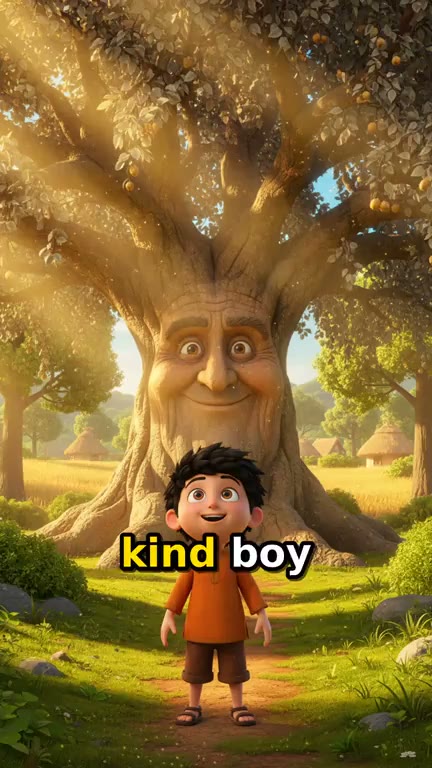
The first page
A boy meets a smiling old tree as the narrator begins.
Story Video
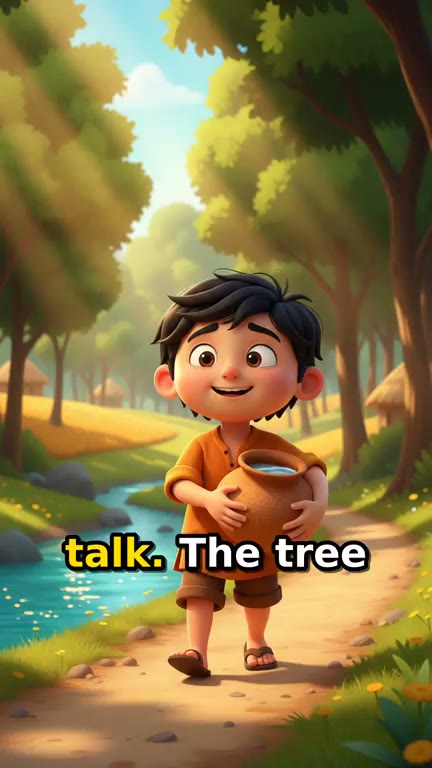
The middle of the book
Each picture holds while the narrator reads, with the words on screen.
Story Video
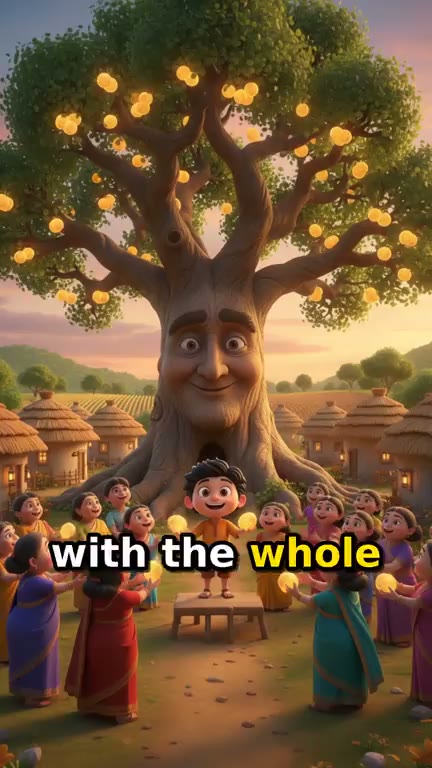
The last page
The story's ending, drawn and read to close the video.
Story Video
From idea to finished video
- Step 01
Paste your book's text
Type or paste the pages in order. Keep the character names and the ending you wrote.
- Step 02
Describe the illustrations
One line on the look, like soft watercolor with pastel colours, and a line on how the main character looks.
- Step 03
Check the price and run it
The checkout asks for the text and shows the price first. The scenes are drawn, read aloud, scored and captioned.
- Step 04
Review, then share
An adult watches every scene before it is shared. Download the video for a class, a book page or a channel.
One sentence, in the words you would use out loud.
What people build with it
Share a book you self-published
A one-minute read-aloud of your story for YouTube, Instagram or your book's own page.
A family story, written down
The story a grandparent tells at every visit, turned into a narrated picture book the whole family can watch.
A book the class wrote
A story children wrote together, illustrated and read aloud for the end of term.
Read-alongs for early readers
Words on screen with every line, read at a calm pace, for children learning to read.
Two languages, two editions
Run the English text, then your Spanish translation, for two narrated versions of the same book.
Your book, read aloud.
Illustrated from your words, in the look you describe.
AI picture book video maker, answered
How do I make a picture book video with AI?
Paste your book's text into Treza's Story Video template and add a line about the illustration style. It splits the story into five scenes, draws each one as a picture, has a narrator read the book over them with music, and captions the words. One run makes a video about a minute long.
Can I use my own illustrations?
Story Video draws new pictures from your text; it does not lay out pages you upload. To use your own artwork, upload a page in chat and it can become the first frame of an animated clip, priced before it runs. Describing your illustrations' style in the brief keeps the drawn scenes close to your book. Image to video
My book is longer than a minute. What happens?
The writer tells it in condensed form, keeping the beginning, the turning point and the ending. For a fuller reading, split the book into parts of about a minute and run each part with the same look line; each part is about $0.78.
Will the characters look the same on every page?
The writer describes each character once (face, hair, colours, clothes) and every scene is drawn with that description, so they read as the same character throughout. Small details can still vary between pictures, so check each scene, and a simple design with strong colours holds best.
Can it read my book in another language?
Yes. Paste the text in any of 29 languages, including Spanish, Hindi, Portuguese, Arabic, Japanese and Tamil, and the narration and captions stay in it, in that language's own script. The sample on this page was written in English.
Is it safe to share with children?
Children are drawn as cartoon characters, a real person named in the book is replaced with a fictional one, and the pictures carry no text or logos. The pictures are AI generated, so an adult should watch every scene before it is shared and run it again if anything looks wrong.
How much does it cost to make a picture book video with Treza?
Treza runs on prepaid credits with no subscription. Each generation is charged at the model's own rate from your balance, and a failed generation costs nothing. A typical video generation settles around $1.06, and credit packs start at $5 and never expire.
Can I call this as an API instead of using the canvas?
Yes. Every pipeline can be published as a versioned HTTP endpoint. Call the typed /invoke endpoint with JSON in and JSON out, or point any OpenAI SDK at the OpenAI-compatible endpoint. Swap a model on a node later and the API your product calls does not change.
Do I need to know how to edit video?
No. Start from a template, change the topic, and run it. If you do want frame-level control, the timeline editor is there with multi-track video and audio, per-clip trims, fades, and volume, but nothing about the automated path requires opening it.
Related tools
AI cartoon video generator
Narrated cartoon stories and animated Shorts, in any language
Fairy tale video maker
Fairy tales retold as narrated storybook videos
AI bedtime story video generator
Animated bedtime stories with the same characters every night
AI kids story video generator
Bedtime and moral stories for kids, narrated in any language
See every tool, compare the models, read what an AI video pipeline is, or earn 30% sharing these tools.
Your first video is one prompt away.
Generate your first video, image, or draft today. Prepaid credits, no subscription.