
AI Skit Generator for a Recurring Cast
Give your recurring characters a new situation. Turn a quick setup, reaction, and payoff into an 8-second vertical scene with generated dialogue audio.
Everything on this page was made on Treza.
Your recurring cast
Describe each character’s appearance, clothes, personality, and vocal delivery. Reuse the same descriptions when making the next skit.
Three simple story beats
Build around a setup, reaction, and payoff. Keep actions simple and spoken lines brief enough for one short scene.
Dialogue inside the clip
The video model generates dialogue and scene audio together. Review who speaks each line, the timing, and pronunciation after the run.
Realistic or illustrated
Choose a realistic cinematic look, 3D cartoon, or cel-shaded anime. The selection goes into the generation prompt with your cast and setting.
Vertical from the start
Standard uses an 8-second, 9:16 video at 720p; the budget version is a 4-second quick reaction. For a longer scene, another model, or added captions, continue in chat and review the new price.
Ready for the next joke
Your cast, setting, and style are saved on this browser. Change the situation for the next run and check character appearance and voice continuity before publishing.
Three original skits. Three recurring casts.
Original 8-second scenes generated on Treza with Veo 3.1 Lite and native dialogue audio. Each starts with a cast, setting, and short script. Review voices, lip movement, props, and continuity before publishing.
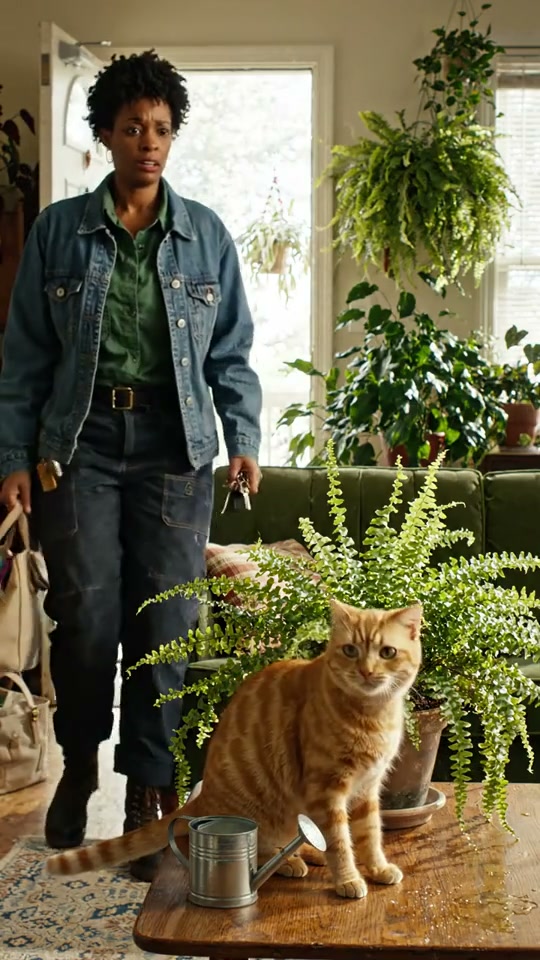
Late Shift
Jules is late for work. Her deadpan cat roommate has the plants under control. An original apartment sitcom.
Watch with soundVeo 3.1 Lite
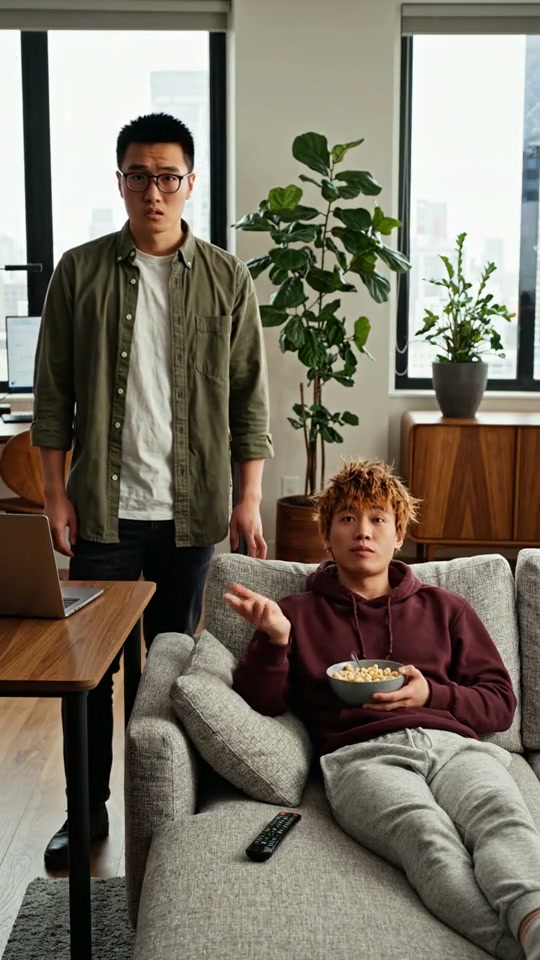
Terms of Friendship
A tech worker asks about job applications. His high-school friend has already claimed the sofa and its benefits.
Watch with soundVeo 3.1 Lite
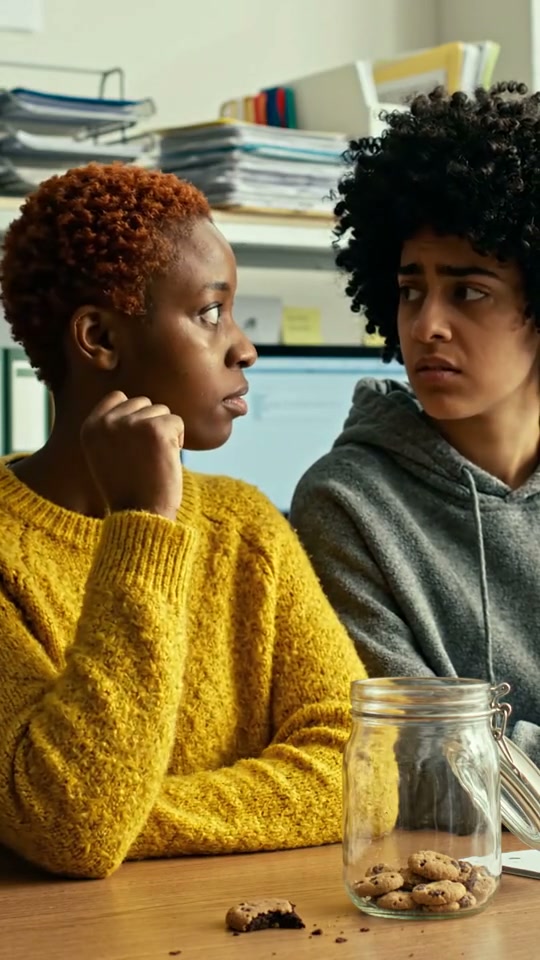
Cookie investigation
An office misunderstanding with generated dialogue and a small visual payoff.
Watch with soundVeo 3.1 Lite
From idea to finished video
- Step 01
Describe the cast and setting
Use original characters with distinct appearances and voices. Choose a setting that works for a short interaction.
- Step 02
Write the setup and payoff
Enter a quick situation or a few short lines of dialogue. Longer scripts are condensed to fit eight seconds.
- Step 03
Review the estimate
Check the displayed price and generate the short scene. The starter uses Veo 3.1 Lite with native audio.
- Step 04
Check the joke and make another
Watch the result, check the dialogue and faces, and download it. Reopen Character Skit to reuse your cast with another idea.
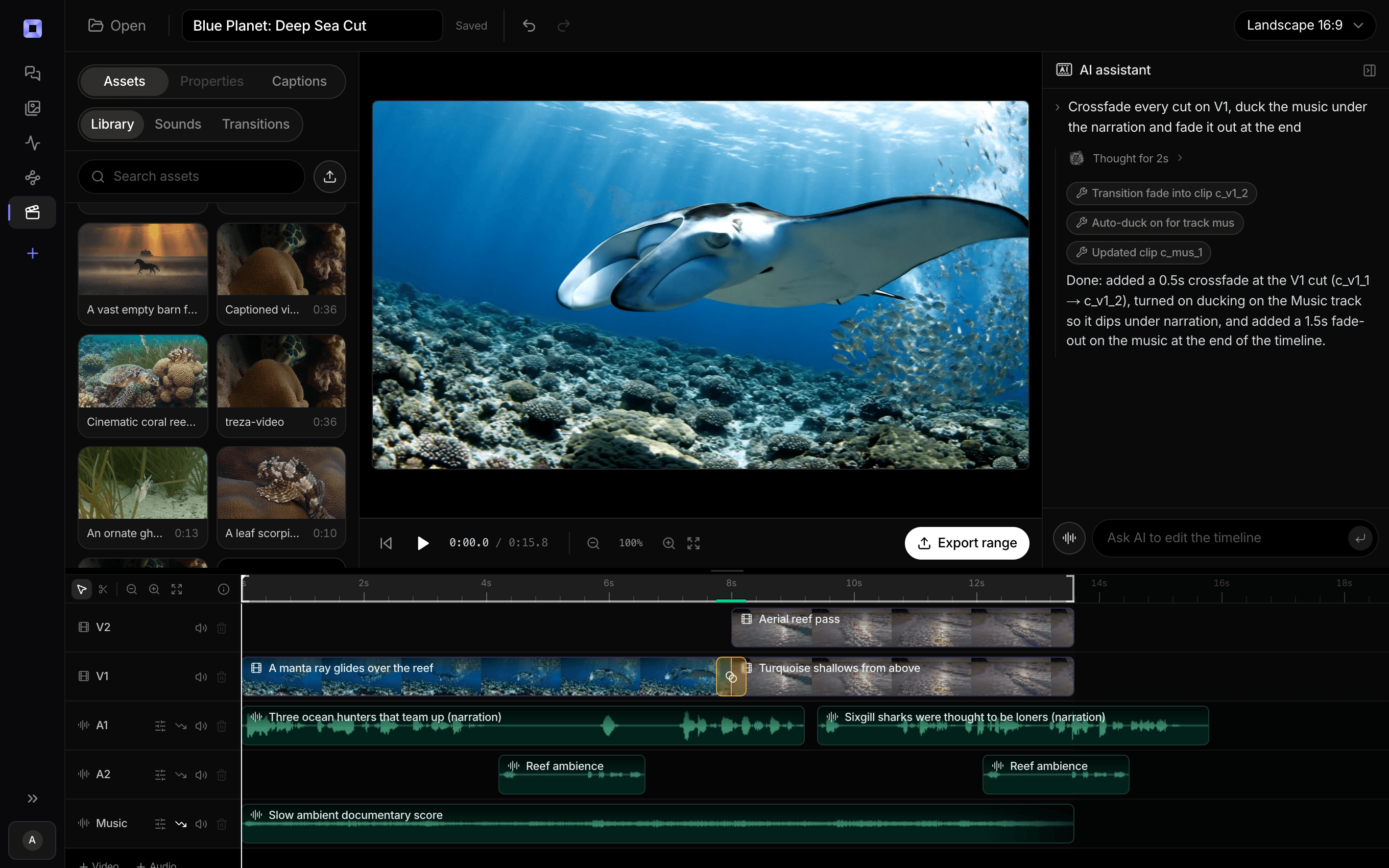
The same video, open in the built-in timeline editor.
What people build with it
Recurring character comedy
Give your own pair of characters a different misunderstanding or everyday problem in each episode.
Modern folklore skits
Reimagine a public-domain tale in an everyday setting using your own character designs and original dialogue.
Office and roommate Shorts
Build a familiar cast around quick reactions, small conflicts, and simple visual payoffs.
Japanese dialogue skits
Write short lines in Japanese or another language, then review the generated speech before sharing.
Same cast. A new situation.
A setup, a reaction, and a payoff. Start your next character skit.
AI skit generator, answered
What is an AI skit generator?
An AI skit generator turns a short situation or script into a video scene. Treza’s Character Skit starter combines your cast, setting, and visual style into an 8-second vertical clip with generated dialogue audio.
Can I make a series with the same characters?
Yes. Save cast descriptions, setting, and style on this browser and reuse them with a new skit idea. These descriptions guide the model; they do not guarantee identical faces or voices between runs.
Does it clone a character’s voice?
No voice cloning is included. Describe vocal delivery in the cast field, then review the model-generated voices. Exact voice identity and perfect dialogue timing are not guaranteed.
How long should my skit script be?
Standard makes eight seconds; budget makes four. Aim for at most about 16 spoken English words, or a comparable speaking time in another language, with one simple joke. For four seconds, use at most six spoken English words or comparable speaking time. Longer scripts are condensed.
Does the starter include captions?
Timed captions and background music can be added afterward in chat at a separate price. The skit model generates dialogue audio; review any text the model adds to the picture before publishing.
How much does an AI skit cost?
The checkout shows the current estimate before a run. The starter combines a short prompt-writing step with an 8-second Veo 3.1 Lite video at 720p with audio. Different models, durations, captions, and edits have separate prices. See credit pricing
Can I publish the result automatically?
This starter creates the video without posting it. Review the finished scene first. You can download it or use Treza’s supported publishing tools in chat after connecting your channel.
How much does it cost to make a character skit with Treza?
Treza runs on prepaid credits with no subscription. Each generation is charged at the model's own rate from your balance, and a failed generation costs nothing. A typical video generation settles around $1.06, and credit packs start at $5 and never expire.
Can I call this as an API instead of using the canvas?
Yes. Every pipeline can be published as a versioned HTTP endpoint. Call the typed /invoke endpoint with JSON in and JSON out, or point any OpenAI SDK at the OpenAI-compatible endpoint. Swap a model on a node later and the API your product calls does not change.
Do I need to know how to edit video?
No. Start from a template, change the topic, and run it. If you do want frame-level control, the timeline editor is there with multi-track video and audio, per-clip trims, fades, and volume, but nothing about the automated path requires opening it.
Related tools
AI anime video generator
Original anime story series, recurring characters, and narrated Shorts
AI cartoon video generator
Narrated cartoon stories and animated Shorts, in any language
AI lip sync generator
Talking-head videos and clips synced to a new voice
See every tool, compare the models, read what an AI video pipeline is, or earn 30% sharing these tools.
Your first video is one prompt away.
Generate your first video, image, or draft today. Prepaid credits, no subscription.