
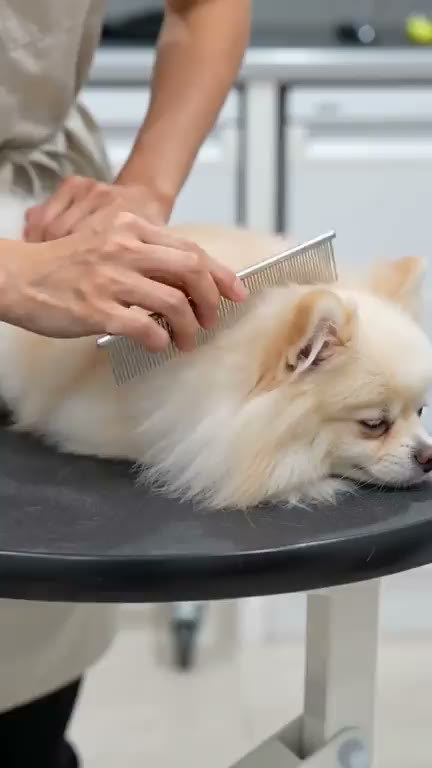
AI Animal Video Generator. A 20 second reel from one idea.
Describe an animal and what it gets up to, and Treza storyboards five short shots that tell a tiny story, renders each one, and cuts them over a playful music bed. You get a vertical reel back, ready for Shorts, Reels and TikTok.
Everything on this page was made on Treza.
A tiny story in five shots
A writer model turns your idea into a storyboard of five shots in order: arriving, the main moment, a funny or tender beat, a close-up, and a happy ending. Each shot is one simple action with one gentle camera move.
The same animal in every shot
When your idea names one animal, the storyboard keeps its species, breed, colour, markings and size the same from shot to shot. When it is about a place, like a day at the groomer or a farm, different animals are fine.
Photoreal clips, rendered for vertical
Each shot is its own 4 second 9:16 clip, on Seedance 2.0 in the standard version, photoreal in soft natural light. Every frame is generated from the storyboard, nothing comes from a stock library.
Music written for the mood
The storyboard also writes a one-line brief for a light, playful instrumental with no vocals, and a music model scores it. The bed runs under the whole reel.
Cut together for you
The Sequence node joins the five shots in storyboard order with the music laid under them and renders a 1080p vertical file, about 20 seconds long.
Animals front and centre
People only ever appear as hands or from behind, and the storyboard keeps text, logos, captions and watermarks out of the frame, so the animals carry the reel.
Reels made the way this template runs
A day at the groomer and a golden retriever's bath: short photoreal shots, each one simple action, cut together over a playful music bed.
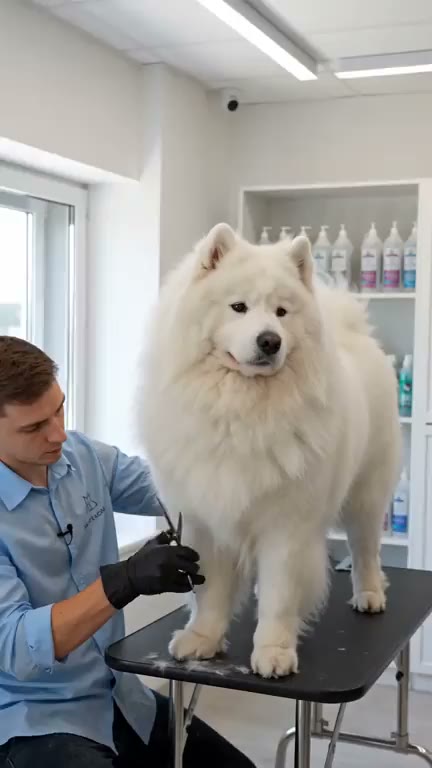
Arriving at the groomer
Different animals are fine when the idea is a place.
Cute Animal Reel
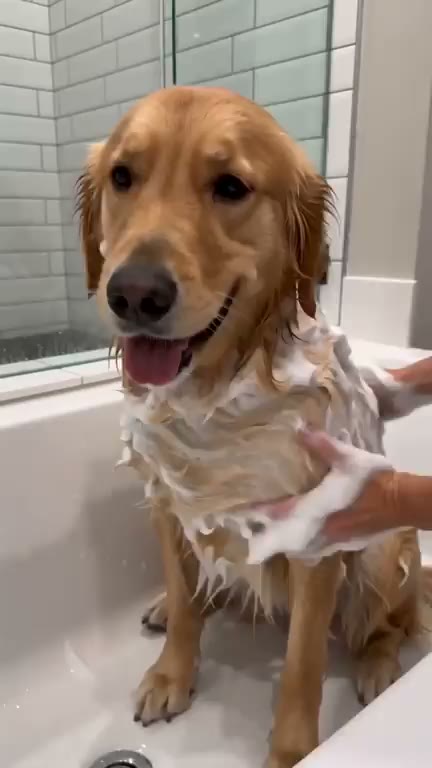
Bath time
One simple action and one gentle camera move per shot.
Cute Animal Reel
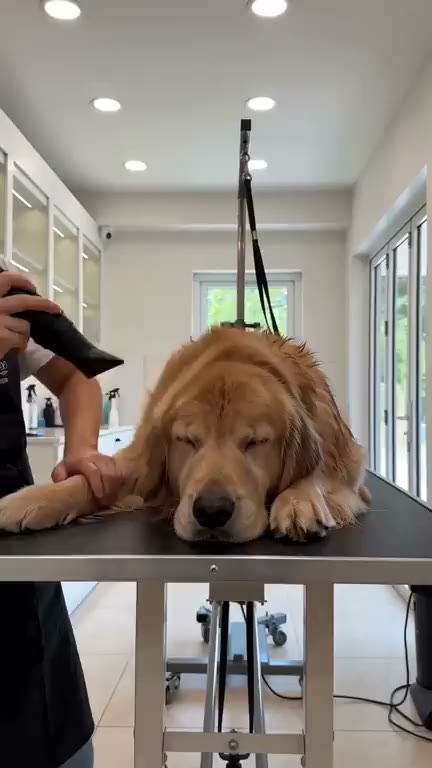
A sleepy beat
The tender moment the storyboard plans into every reel.
Cute Animal Reel
From idea to finished video
- Step 01
Describe the animal idea
Open the Cute Animal Reel template and write the idea in a sentence: a corgi puppy's first trip to the beach, a kitten meeting snow, a day at the groomer.
- Step 02
Pick the version
Run the five shots on the video model the template is built with, or pick the lighter version, which keeps the same storyboard and music on a cheaper video model.
- Step 03
Let it render
The storyboard, the five clips and the music are made in one run, then cut into the finished reel.
- Step 04
Download or tweak a shot
Download the vertical reel and post it. If one shot is off, open the pipeline, swap the video model on that clip node, or rerun that one shot until it looks right.
One sentence, in the words you would use out loud.
What people build with it
Cute animal Shorts for a pet channel
A puppy, a kitten, a duckling, a fox cub. One idea per reel, each a small story with a beginning and an ending, sized for YouTube Shorts.
Reels for groomers, vets and pet shops
A bath, a blow-dry, a careful trim, a proud reveal. The reels on this page are a groomer's day, made the same way the template runs.
Funny animal videos without filming
The storyboard plans a funny or tender beat into every reel, and no animal has to sit still for a camera.
Farm, zoo and wildlife moments
Write a place instead of one animal and the shots can move between animals, like a morning on a farm or feeding time at a sanctuary.
Animal clips for kids' content
Gentle, warm, photoreal reels with no text in the frame and a playful bed, easy to drop into a story or a lesson.
AI animal video generator, answered
What is an AI animal video generator?
An AI animal video generator turns a written idea about an animal into a video. On Treza, the Cute Animal Reel template storyboards your idea into five shots, renders each as a photoreal vertical clip, and cuts them together over a generated music bed, giving you a 20 second reel.
Can I use a photo of my own pet?
This template works from a written idea, so every shot is generated. To animate a photo you took, the image to video generator starts from your picture instead and moves it into a clip.
Does the reel have narration or captions?
No. It is music only, with no voice and no captions, and the storyboard keeps text out of the frame. The animals and the music carry it.
Will the animal look the same in every shot?
The storyboard is told to describe a named animal the same way in all five shots: species, breed, colour, markings and size. Each shot is rendered separately, so check the reel, and rerun one clip node if a shot drifts.
Can I make it longer or change the model?
Yes. Each shot is its own video node on the canvas, so you can pick a different video model there or add shots, and one Sequence stitches up to 12 shots.
How much does it cost to make an animal video with Treza?
Treza runs on prepaid credits with no subscription. Each generation is charged at the model's own rate from your balance, and a failed generation costs nothing. A typical video generation settles around $1.06, and credit packs start at $5 and never expire.
Can I call this as an API instead of using the canvas?
Yes. Every pipeline can be published as a versioned HTTP endpoint. Call the typed /invoke endpoint with JSON in and JSON out, or point any OpenAI SDK at the OpenAI-compatible endpoint. Swap a model on a node later and the API your product calls does not change.
Do I need to know how to edit video?
No. Start from a template, change the topic, and run it. If you do want frame-level control, the timeline editor is there with multi-track video and audio, per-clip trims, fades, and volume, but nothing about the automated path requires opening it.
Related tools
AI image to video generator
Motion from a photo, poster, or generated key frame
AI shorts generator
Vertical short-form video for TikTok, Reels, and Shorts
Fact video generator
Daily one-fact documentary Shorts with narration and callout labels
See every tool, compare the models, read what an AI video pipeline is, or earn 30% sharing these tools.
Your first video is one prompt away.
Generate your first video, image, or draft today. Prepaid credits, no subscription.