
AI Garden Build Video Generator. Bare ground to a finished garden, from one camera.
Describe the garden and the bare plot it goes on, and Treza plans six stages from untouched ground to the finished garden, drawn from one camera that never moves. The work between them is animated into one vertical landscaping timelapse.
Everything on this page was made on Treza.
A garden is one of the builds it plans
The planner is told a garden is one of the things it builds. Describe the beds, paths, lawn and patio, and it writes the finished garden plus five earlier stages, each a believable step for that build.
It starts from bare ground
The first stage is the untouched site you describe, like a plot of packed dirt behind a new house, and the first clip starts there. It is a new garden going in, not a makeover of a yard that already has one.
Green arrives last
Each stage lists what is not there yet, the lawn, the planting, the lights, and removes it, so the ground stays a working site and the garden only looks finished on the last stage.
The same plot every stage
The finished garden is drawn first, and every earlier stage is an edit of that still with the framing, the horizon and the surroundings held: the same fence, the same house wall, the same trees beyond.
Days pass in seconds on Veo 3.1
Each pair of neighbouring stages becomes a first and a last frame for Veo 3.1, prompted as a locked-off timelapse with shadows sweeping, clouds racing and crews in fast motion.
One cut, open in the timeline
A Sequence node joins the five clips with short crossfades into one 1080p vertical video, and the finished run opens in the timeline editor for a music track, trims and fades.
A house this template built, with the landscaping last
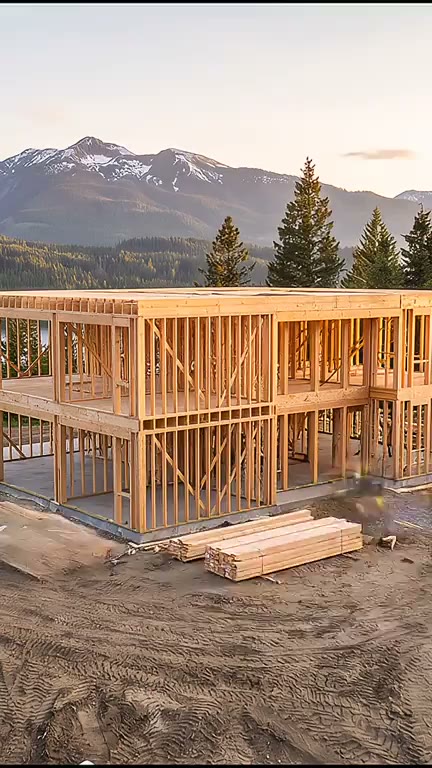
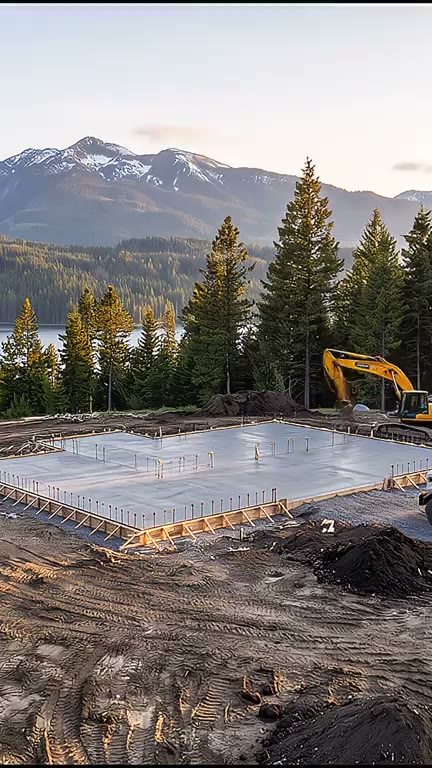
There is no garden run to show yet. In the template's one real run, a timber house above a mountain lake, the ground stays bare earth through every stage and the lawn comes back only at the end. In a garden build, that green is the build.
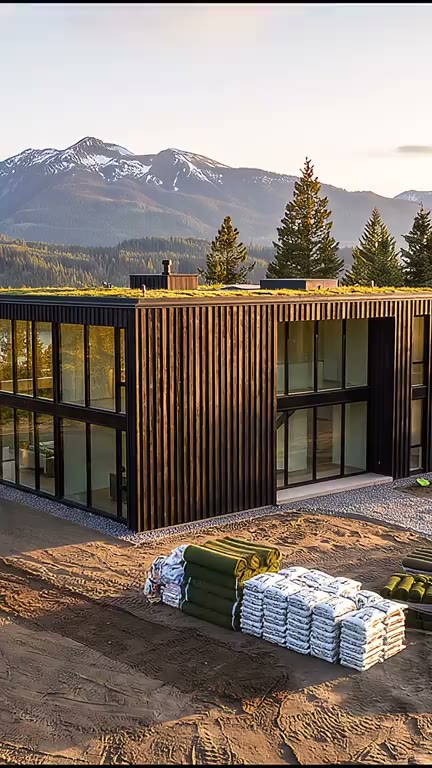
The lawn lands last
Finishes and landscaping come back on the house's finished stage.
Build Timelapse
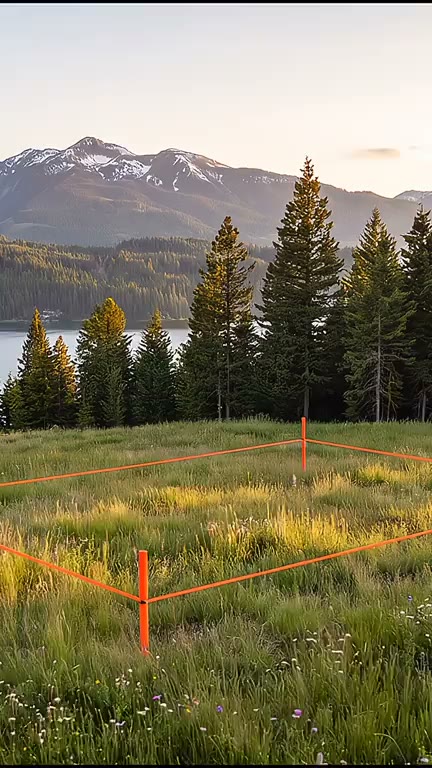
Untouched ground first
A staked meadow, then bare earth and a slab: the site goes to work before anything is built.
Build Timelapse
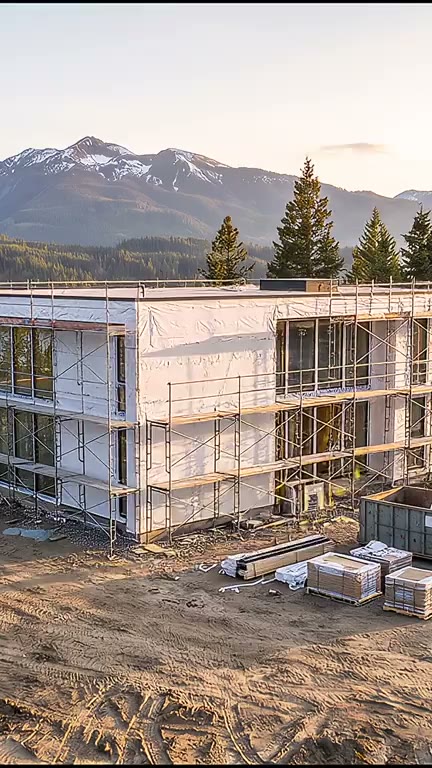
Still bare earth
With the cladding going on, the yard around the house is still a working site.
Build Timelapse
From idea to finished video
- Step 01
Describe the garden
Open the Build Timelapse template and say what gets built and where: the beds, paths, lawn, patio and planting, on a bare plot of packed dirt behind a new house.
- Step 02
Run it
The plan, the finished garden, the five stage edits, the five clips and the cut run in one go, and the garden build video comes back in the chat.
- Step 03
Open it in the timeline
The clips render silent. Open the finished run in the timeline editor to lay a music track under the whole build, trim a clip or set its fades.
- Step 04
Export or post
Export the cut from the editor, or put a YouTube or TikTok node after the cut on the canvas so each new garden posts when its run ends.
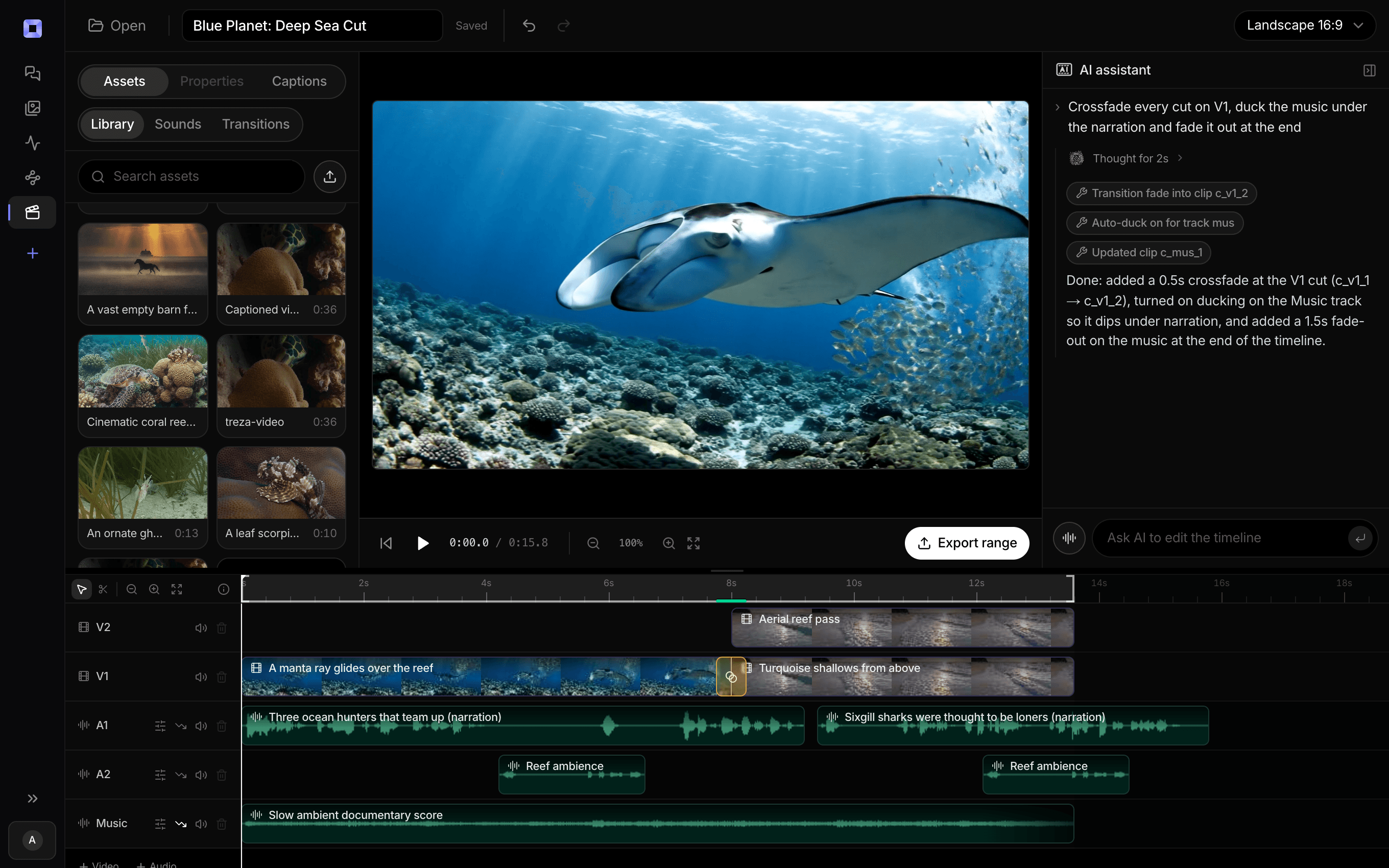
The same video, open in the built-in timeline editor.
What people build with it
New-build backyards
A bare plot of dirt behind a new house to a lawn, a patio and planted borders. The house and the fence stay put while the garden goes in around them.
Vegetable gardens and raised beds
Describe a grid of timber beds, gravel paths and a small shed, and the stages run from levelled ground to every bed full and green.
Landscaping timelapse Shorts
Vertical 1080p, made for Shorts, Reels and TikTok, so a landscaping channel can post a new garden from bare ground every time it writes one.
A design before the first spade
Show a client a garden rising from bare ground to finished before work starts. It is generated from your description, so present it as a concept, and wire your own render in on the canvas to end on your design.
Courtyards and gravel gardens
A courtyard of gravel, stone and a single tree, a terrace of olive trees and lavender. Any style, as long as it goes in on bare ground.
Bare earth to green, one camera.
Shown here on a lake house this template built. Describe a garden and it builds that.
AI garden build video generator, answered
How do I make a garden build video with AI?
Describe the garden and the bare ground it goes on. Treza's Build Timelapse template plans six stages from the untouched plot to the finished garden, draws them from one fixed camera, animates the work between each pair on Veo 3.1, and joins the clips into a vertical landscaping timelapse you can post as a Short. Copy the garden prompt
Can it make over my existing yard?
No. It builds a new garden on bare ground: the first stage is an untouched site it draws from your description, not a photo of your yard as it is today. Describe the plot as bare dirt or a cleared lot, and the garden as you want it finished.
Do the plants grow in the video?
The planting arrives with the stages. The plan keeps the lawn and the plants out until their stage, and Veo 3.1 animates each change as days passing in seconds. Describe the planting at the size you want it on the last stage.
Will the lawn show up on the empty plot?
It should not. Each stage edit lists what is not there yet and removes it, and once work starts the ground is a working site until the finished stage. If a stage still shows green too early, describe the bare plot more exactly in your sentence and rerun that stage.
Can I add music or birdsong?
Yes. Open the run in the timeline editor and lay a music track under the whole build, or add an Audio Generation node on the canvas set to ElevenLabs SFX for birdsong, wind and a wheelbarrow, and wire it into the cut.
Can the garden end on my own design?
On the canvas. Run the template once with a sentence that describes your design closely, then put your render in a File node and wire it where the finished garden went. Every earlier stage is then edited backwards from your design. Keep the render vertical.
How much does it cost to make a garden build video with Treza?
Treza runs on prepaid credits with no subscription. Each generation is charged at the model's own rate from your balance, and a failed generation costs nothing. A typical video generation settles around $1.06, and credit packs start at $5 and never expire.
Can I call this as an API instead of using the canvas?
Yes. Every pipeline can be published as a versioned HTTP endpoint. Call the typed /invoke endpoint with JSON in and JSON out, or point any OpenAI SDK at the OpenAI-compatible endpoint. Swap a model on a node later and the API your product calls does not change.
Do I need to know how to edit video?
No. Start from a template, change the topic, and run it. If you do want frame-level control, the timeline editor is there with multi-track video and audio, per-clip trims, fades, and volume, but nothing about the automated path requires opening it.
Related tools
AI timelapse video generator
Construction timelapses from an empty site to finished, from one camera
AI pool construction video generator
Backyard pool construction timelapses, from the dig to a filled pool
AI house building video generator
House construction timelapses, from a marked-out lot to lights on
AI cabin build video generator
Log cabin and A-frame build timelapses from a bare clearing
See every tool, compare the models, read what an AI video pipeline is, or earn 30% sharing these tools.
Your first video is one prompt away.
Generate your first video, image, or draft today. Prepaid credits, no subscription.