

Video background remover
Remove the background from video, then choose what goes behind it
Upload a clip or a photo in Treza chat and ask for the background removed, or put the node in a pipeline. Video comes back as an MP4 on black or a transparent WebM or ProRes 4444, and images come back as a transparent PNG.
Everything on this page was made on Treza.
Transparent where you need it
Images come back as a PNG with a real alpha channel. For video, pick WebM or ProRes 4444 to keep transparency for layering in an editing app, or MP4 with the subject on black for anything that stays on the canvas.
A mask with every cutout
Every run also returns the black and white mask it used, white where the subject is and black where the background was, so the matte is yours to reuse in a composite of your own.
Models for people, products, and hair
General use handles most footage and photos. Portrait is tuned for people, and Matting for fine edges like hair and fur. Raise the working resolution to 2048 or 2304 when the source is large.
New backdrops, swapped on a timer
Wire the cutout and its mask into the Composite node with one backdrop, or up to 12 images or videos. Each gets a slow push in or pull out, and they change every few seconds with a crossfade or a cut.
The original sound, laid back in
The cutout itself is silent. The Composite node takes the original clip's audio on its own input and plays it under the finished video, so the speaker keeps their voice.
Cutouts for thumbnails and stickers
Wire image cutouts into the Thumbnail node's Art style and the people stand in front of a backdrop, lit from behind. Or place a transparent PNG over a video with the Element node, at any of nine anchors.
Straight from chat
Ask Treza chat to remove the background from a clip or photo you uploaded, or to render a new clip with the background already removed. The file comes back in the thread.
Subjects worth cutting out
A cutout is only as useful as what you put it in front of. These are real runs from this platform with the kind of subject people lift out of a frame: a product, a presenter, a performer.

A product on black
Cut it out once, then set it over any backdrop you wire in.
Veo 3.1 Fast

A presenter to camera
Swap the rooftop for a new backdrop, with the original audio laid back in.
Veo 3.1 Fast

A performer in motion
Matting is the model for hair and fine edges.
Veo 3.1 Fast
From idea to finished video
- Step 01
Bring the clip or photo
Upload it in chat, drop it on a File node, or wire in a video generation, Extract Clip, or image generation node.
- Step 02
Pick the model and the format
General use for most sources, Portrait for people, Matting for hair. MP4 on black for the canvas, WebM or ProRes 4444 for transparency, PNG for images.
- Step 03
Run it
An image usually finishes in a few seconds. Video runs as a background job, so expect a minute or two per ten seconds of footage.
- Step 04
Put something behind it
Wire the cutout, the mask, and the original audio into Composite with your backdrops, or take the transparent file into your editor. Captions and publishing follow in the same run.
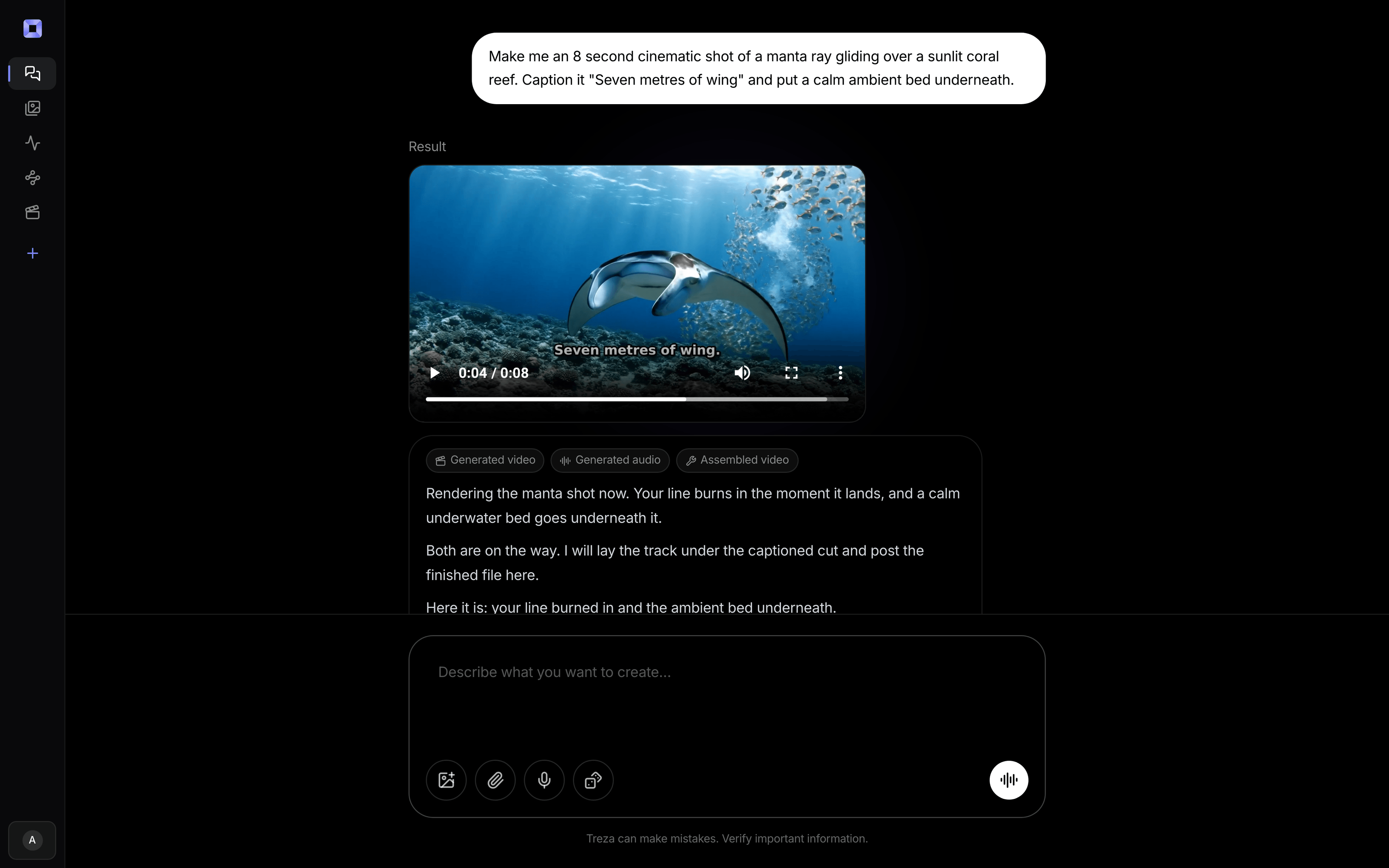
One sentence, in the words you would use out loud.
What people build with it
Green screen without a green screen
Film a presenter against the wall you have, remove it, and put them in front of a generated set or a branded backdrop instead.
Talking heads over changing backdrops
The background-replacement look from explainer and podcast Shorts: the speaker stays put while the scene behind them changes every few seconds.
Product cutouts
Remove the background from a product photo for a clean transparent PNG, or from a turntable clip to set the product over a new scene.
Transparent overlays for editors
Export a WebM or ProRes 4444 with a real alpha channel and layer the subject over anything in your own editing app.
Thumbnails with the subject cut out
Cut the host and guest out of their frames and stand them over bold art with a headline, the two-up layout podcast clip channels use.
Background removal at volume
Put the node in a pipeline behind an API or a schedule and every clip or photo that arrives comes out cut. Only successful runs are charged.

Keep the subject. Change the room.
Cut it out once, then put a new scene behind it.
Video background remover, answered
How do I remove the background from a video?
Upload the clip in Treza chat and ask for the background removed, and the cutout comes back in the thread. In a pipeline, wire the video into a Remove Video Background node, pick the model and output format, and run it. The node returns the subject and a matching mask video.
Can it export a transparent video?
Yes. Choose WebM or ProRes 4444 as the output format and the cutout keeps a real alpha channel. The default is MP4 with the subject on black, because every node on the canvas can take an MP4, and the Composite node pairs it with the mask rather than keying out the black.
Can I remove the background from an image too?
Yes. The Remove Background node cuts the subject out of a photo or a generated image and returns a transparent PNG, with WebP and GIF as options, plus the mask. It usually takes a few seconds.
Can I replace the background, not just remove it?
Yes. The Composite node takes the cutout, its mask, and your backdrop images or videos, one wire each. A single backdrop sits behind the whole clip; several swap on a timer anywhere from 2 to 60 seconds, with a crossfade or a cut and a slow move on each.
Does the audio come through?
The cutout file is silent, so the sound comes from the original clip. Wire that clip's audio into the Composite node and it plays under the finished video from the first frame.
How do I get clean edges on hair?
Pick the Matting model, which is built for fine edges like hair and fur, and raise the working resolution for large footage. Refine edges is on by default and cleans up the cutout on every frame. In the Composite node, a one pixel edge feather hides the matte's stair-steps.
What model removes the background?
BiRefNet v2, a matting model, run on a single image or on every frame of a video. The node exposes its variants: general use in light, light 2K, heavy, and dynamic, plus Portrait and Matting.
How much does it cost to make video background remover with Treza?
Treza runs on prepaid credits with no subscription. Each generation is charged at the model's own rate from your balance, and only successful runs are charged, so a failed generation costs nothing. A typical video generation settles around $1.06, and credit packs start at $5 and never expire.
Can I call this as an API instead of using the canvas?
Yes. Every pipeline can be published as a versioned HTTP endpoint. Call the typed /invoke endpoint with JSON in and JSON out, or point any OpenAI SDK at the OpenAI-compatible endpoint. Swap a model on a node later and the API your product calls does not change.
Do I need to know how to edit video?
No. Start from a template, change the topic, and run it. If you do want frame-level control, the timeline editor is there with multi-track video and audio, per-clip trims, fades, and volume, but nothing about the automated path requires opening it.
Related tools
AI video upscaler
Sharper, higher resolution versions of the clips you keep
AI YouTube thumbnail generator
YouTube thumbnails built from the video's own frames
AI product video generator
Product demos and ecommerce video, one pipeline per catalog
AI shorts generator
Vertical short-form video for TikTok, Reels, and Shorts
See every tool, compare the models, read what an AI video pipeline is, or earn 30% sharing these tools.

Your first video is one prompt away.
Generate your first video, image, or draft today. Prepaid credits, no subscription.