


AI YouTube Shorts Generator. Made and posted on a schedule.
Give Treza a niche and it writes, narrates, illustrates and captions a YouTube Short, then posts it to your channel. Put it on a schedule and a new one goes up every day.
Everything on this page was made on Treza.
Posts straight to YouTube
Connect a channel once and the YouTube node uploads the finished Short, public, unlisted or private, the setting you pick.
Titles and tags written for you
Leave them blank and a language model writes them from the transcript: a hook title around 70 characters and 12 to 18 tags.
On a schedule
A schedule trigger runs it daily, hourly, or on any cron, and the script remembers what it already made so it doesn't repeat itself.
Vertical, captioned, narrated
9:16 scenes, a narrator, and word-timed captions, the shape the Shorts feed plays with the sound off.
Your niche, your voice
One prompt sets the channel's topic and tone, and every future Short follows it.
Views back in the app
Views, watch time and revenue come back from YouTube every six hours, next to the run that made each Short.
Shorts this made and posted
Template runs with the captions burned in, the same shape that goes up on YouTube. Nobody edited them.

Faceless Channel Short
Written, narrated, illustrated and captioned from a niche.
Faceless Channel Short

Top three countdown
The Blue Planet Bites format, posted three times a day.
Top 3 Countdown

Fact of the day
One fact, four scenes, one voice, on a daily schedule.
Fact of the Day
From idea to finished video
- Step 01
Pick the niche
Ocean facts, history, space, motivation: the topic and the tone, in a line or two.
- Step 02
Make the first Short
The Faceless Channel Short template is about $0.78 a run, priced before it starts.
- Step 03
Connect your channel
Sign in to YouTube once. Choose Short, visibility, and whether titles are written for you.
- Step 04
Schedule it
Add a daily schedule and the channel posts without you opening the app.
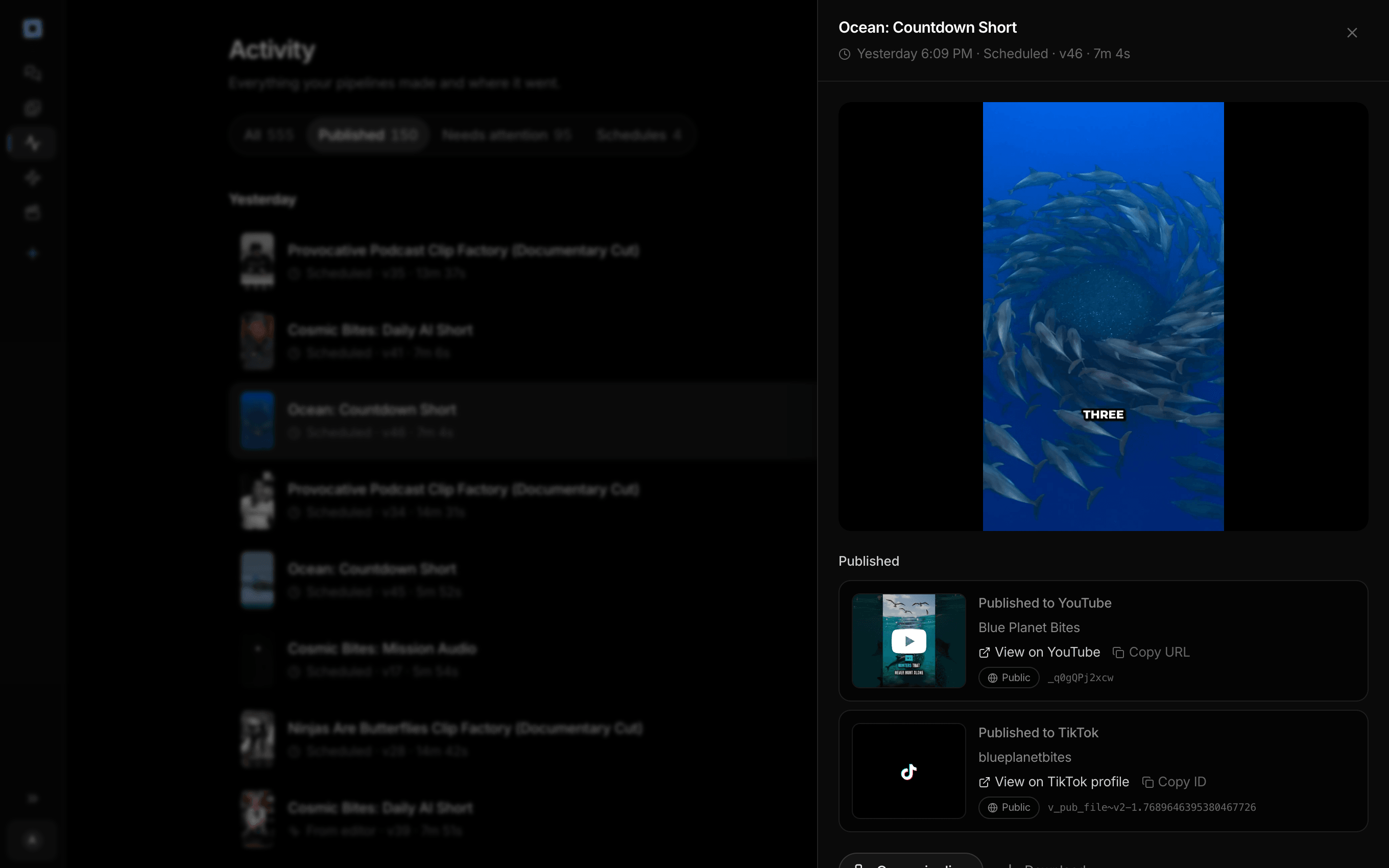
Every run the account has made, and what each one published.
What people build with it
Faceless Shorts channels
No camera and no presenter, a new Short in the same format every day.
Fact and countdown Shorts
One surprising fact or a top three, narrated over generated scenes.
Story Shorts
A short tale per episode, illustrated and narrated.
Shorts for an existing channel
A steady stream of Shorts beside your long videos, without editing them yourself.

A Short a day, posted while you sleep.
Pick the niche once. The schedule does the rest.
AI YouTube Shorts generator, answered
What is the best AI YouTube Shorts generator?
If you want the Short posted for you on a schedule, pick one that uploads to YouTube directly; Treza does, with titles and tags written from the video. If you want to clip Shorts out of your own long videos, the clip generator is the better fit. AI clip generator
Does it really post to my channel?
Yes. Treza runs Blue Planet Bites, an ocean Shorts channel that one pipeline writes, renders and posts three times a day. See the channel
How much does a Short cost?
The Faceless Channel Short template is about $0.78 a run. Templates with animated scenes cost more, and every run is priced first.
Can I post to TikTok too?
Yes. Add the TikTok node and the same video posts to a connected TikTok account. Shorts for TikTok and Reels
How much does it cost to make a YouTube Short with Treza?
Treza runs on prepaid credits with no subscription. Each generation is charged at the model's own rate from your balance, and a failed generation costs nothing. A typical video generation settles around $1.06, and credit packs start at $5 and never expire.
Can I call this as an API instead of using the canvas?
Yes. Every pipeline can be published as a versioned HTTP endpoint. Call the typed /invoke endpoint with JSON in and JSON out, or point any OpenAI SDK at the OpenAI-compatible endpoint. Swap a model on a node later and the API your product calls does not change.
Do I need to know how to edit video?
No. Start from a template, change the topic, and run it. If you do want frame-level control, the timeline editor is there with multi-track video and audio, per-clip trims, fades, and volume, but nothing about the automated path requires opening it.
Related tools
AI shorts generator
Vertical short-form video for TikTok, Reels, and Shorts
Faceless video generator
Faceless YouTube and TikTok channels that publish on a schedule
AI YouTube title and tag generator
Titles, descriptions, and tags written per upload from the transcript
See every tool, compare the models, read what an AI video pipeline is, or earn 30% sharing these tools.
Your first video is one prompt away.
Generate your first video, image, or draft today. Prepaid credits, no subscription.