


AI YouTube title and tag generator
Titles, descriptions, and tags written from what is actually in the video
Leave the title, description, and tags blank on the YouTube publisher and every upload gets an optimized title, an SEO description with hashtags, and search-oriented tags written from the video's own transcript, then publishes. Per upload, on a schedule, with no copy and paste.
Everything on this page was made on Treza.
A title written from the transcript
The publisher reads the spoken transcript and asks a language model for one hook under 70 characters that front-loads the topic and matches what the video actually says, with no quotes, no caps spam, and no misleading clickbait. It is capitalized like a headline and trimmed to YouTube's 100 character limit.
A description that ends in hashtags
Two to four short sentences that expand on the hook and weave in search keywords from the transcript, then a closing line of five to eight descriptive hashtags. If the model forgets the hashtag line, it is rebuilt from the tags, and Shorts always carry #Shorts.
Tags in three layers
12 to 18 lowercase tags per upload: the specific subject as multi-word phrases, broader topic and category terms, and a couple of format tags, so the video ranks for narrow and wide searches. Hashtags from the description are merged in, Shorts get a shorts tag, and the list is capped at YouTube's limit.
Transcribes the video itself when nothing is wired
Wire a Transcribe or Captions node in and the publisher uses that text. Wire in only the video and it transcribes the audio with Whisper first, then writes the metadata from what it heard. The run note tells you which happened.
Silent clips get metadata from the prompt
A music or ambient clip has no narration to read, so the publisher falls back to the prompt the video was generated from and writes a title and description about what the viewer will see, without inventing dialogue or facts the picture cannot show.
Your channel's voice as a standing rule
The Metadata style rules field takes plain-language instructions that override the defaults: write in third person, credit the source show, never say tune in. Set a fixed title or a fixed tag list and only the blank fields are generated; wire an exact title in and it is used verbatim.
Titles written from the video itself
Not from a topic you typed. The metadata node reads the transcript of the cut it is about to upload, so the title describes what is actually in it. These three are as published.

3 Ocean Hunters That Team Up in the Dark to Kill
Written from the transcript, then uploaded, in one run.
Seedance 2.5

3 Middle-earth Oaths That Trapped Their Makers Forever
The same node, a different channel voice.
Seedance 2.5

3 Sea Creatures So Wrong They Look Like Design Mistakes
Title, description, and tags, all from the words said.
Seedance 2.5
From idea to finished video
- Step 01
Wire the video into the YouTube publisher
From a Video Generation, Sequence, Captions, or File node. Pick the connected channel, choose Short or Video, and set the visibility.
- Step 02
Leave the metadata fields blank
Title, description, and tags all read Auto-generated when blank. Fill in any one of them to fix it and the other two are still generated per upload.
- Step 03
Add style rules if the channel needs them
One or two sentences in Metadata style rules shape every title and description the node writes, which is how a clips channel credits the show instead of sounding like it made the episode.
- Step 04
Run it, or schedule it
Each run transcribes, writes the title, description, and tags, and publishes. Put a schedule trigger in front and every upload from then on gets its own metadata without anyone opening Studio.
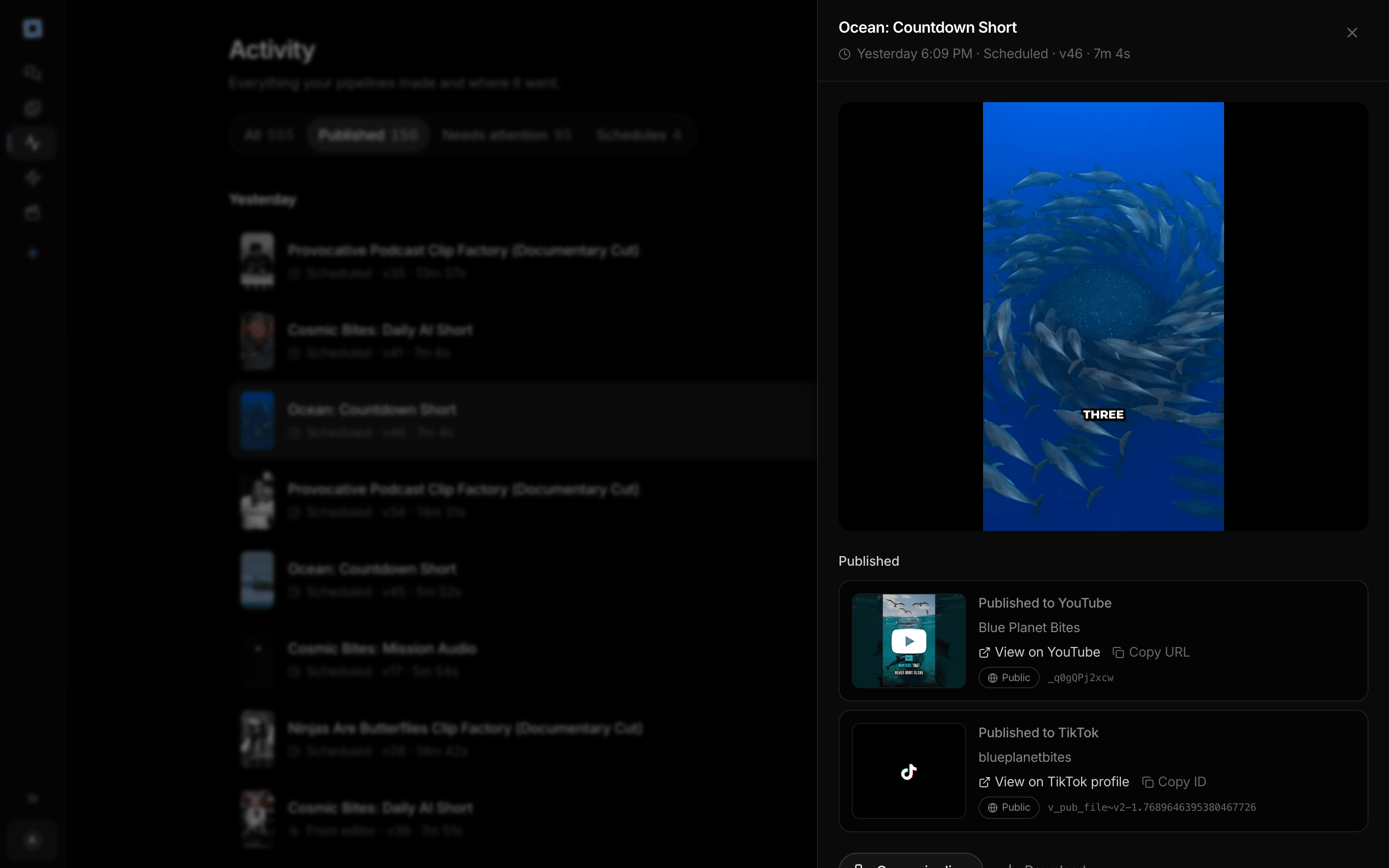
Every run the account has made, and what each one published.
What people build with it
Faceless channels that post daily
The narration is generated, so the transcript is exact, and the title and tags are written from it on every scheduled run. No morning spent typing metadata into Studio.
Podcast and clip channels
Each clip gets a title written from what the guest said, not the episode name, and a style rule tells the writer to credit the source show in third person.
Series that need exact titles
Wire a Code or AI node into the Title input for an exact episode title, and the description and tags are still generated from the transcript underneath it.
Ambient and music videos
Clips with no speech are described from the generation prompt, so a nature loop or a synthwave visual gets a title about what is on screen rather than a blank one.

The title, the description, and the tags, before it posts.
Leave them blank and the pipeline writes them from the transcript.
AI YouTube title and tag generator, answered
How does Treza generate a YouTube title?
When the YouTube publisher's title field is blank, it takes the transcript, from an upstream Transcribe or Captions node or from transcribing the video itself, and asks a language model for one compelling hook under 70 characters that front-loads the topic and matches what the video says. The result is capitalized like a headline, dashes are swapped for commas, and it is trimmed to YouTube's 100 character limit. If the model returns nothing usable twice, the first sentence of the transcript becomes the title and the run note says so.
Can I write my own title and still get a generated description and tags?
Yes. The three fields are independent. Fill in the title and leave description and tags blank, or fix the tags for a channel and let the title and description be written per upload. Wiring text into the Title input uses it verbatim and still generates the rest.
What goes into the description?
Two to four sentences that expand on the title with natural search keywords from the transcript, a closing line of descriptive hashtags, and #Shorts on a Short. Treza also appends a short Made with Treza line linking to the site, unless your own description already links it.
What if the video has no narration?
The publisher looks for the prompt the video was generated from and writes the title and description about what the viewer will see. If there is no prompt either, it tries transcribing the audio, and a truly silent clip is published with whatever you set in the node rather than failing the run.
Does it work for regular videos as well as Shorts?
Yes. Set the format to Video and the same title, description, and tag generation runs without the #Shorts hashtag or the shorts tag. Set it to Short and both are added automatically.
How much does it cost to make ai youtube title and tag generator with Treza?
Treza runs on prepaid credits with no subscription. Each generation is charged at the model's own rate from your balance, and a failed generation costs nothing. A typical video generation settles around $1.06, and credit packs start at $5 and never expire.
Can I call this as an API instead of using the canvas?
Yes. Every pipeline can be published as a versioned HTTP endpoint. Call the typed /invoke endpoint with JSON in and JSON out, or point any OpenAI SDK at the OpenAI-compatible endpoint. Swap a model on a node later and the API your product calls does not change.
Do I need to know how to edit video?
No. Start from a template, change the topic, and run it. If you do want frame-level control, the timeline editor is there with multi-track video and audio, per-clip trims, fades, and volume, but nothing about the automated path requires opening it.
Related tools
AI shorts generator
Vertical short-form video for TikTok, Reels, and Shorts
Faceless video generator
Faceless YouTube and TikTok channels that publish on a schedule
AI podcast clip generator
Captioned Shorts cut from your podcast feed
See every tool, compare the models, read what an AI video pipeline is, or earn 30% sharing these tools.
Your first video is one prompt away.
Generate your first video, image, or draft today. Prepaid credits, no subscription.