

AI lip sync generator
Lip sync any video to a new voice track
Wire in a clip of someone talking and any audio, and the Lipsync node reshapes the mouth to match the words. Or start from a prompt: the Talking Head Short template makes the presenter, the voice, the sync, and the captions in one run.
Everything on this page was made on Treza.
Any clip, any voice track
Wire a video into Video and audio into Audio: narration from a text to speech node, a recording of your own read, or a translated dub. The node reshapes the speaker's mouth to match and returns a new video.
Two models for two kinds of job
VEED Lipsync is fast and inexpensive, and it is the default. Sync v3 costs more and handles multiple speakers and emotion. Switch between them in the node's model picker and rerun.
A presenter from one prompt
The Talking Head Short template draws a photoreal presenter who does not exist from a written description, animates the portrait into a short clip, and lip syncs it to a voice reading your line. No camera and no actor.
A voice that fits the face
A vision model looks at the portrait the image model actually drew, and the template picks a woman's or a man's voice to match. Each new presenter usually gets a different voice, and rerunning the same one keeps it.
Captions spelled the way you wrote them
Whisper times the lip-synced clip against the written line, so the burned-in captions carry the script's spelling of every name, grouped a few words at a time with the spoken word highlighted.
Length mismatches, handled your way
When the audio and the video run different lengths, Sync v3 can cut off at the shorter one, loop the video, bounce it back and forth, hold it in silence, or retime the video to fit.
Lip sync from chat
Already have the clip and the audio? Give both to Treza chat and it runs the Lipsync node over them, then posts the synced video back into the conversation when it lands.
A face, a voice, and the sync between them
The first tile is a Talking Head Short run, lip synced and captioned end to end. Beside it, the kind of presenter clip the node takes in, and Motion Transfer for when the whole performance should follow a take.

Lip synced to a generated voice
Portrait, clip, voice, sync, and captions in one run.
Talking Head Short

The kind of clip it takes in
A generated presenter to camera, ready for a new line.
Veo 3.1 Fast

The whole performance
Movement and expression carried over from a filmed take.
Motion Transfer
From idea to finished video
- Step 01
Bring the face
Wire in a video of someone talking to camera, or let the Talking Head Short template make one: a portrait from your description, animated into a short clip.
- Step 02
Bring the voice
Generate it with a text to speech node from a script, or wire in audio you recorded. In the template, a language model writes the line and a matched voice reads it.
- Step 03
Pick the model and run
VEED Lipsync when you want it fast and inexpensive, Sync v3 for multiple speakers, emotion, and control over length. The synced clip renders as its own node output.
- Step 04
Caption, upscale, publish
Burn in word-timed captions, add a Video Upscale node for 1080p, 2K, or 4K, and download the video or hand it to the YouTube or TikTok upload node.
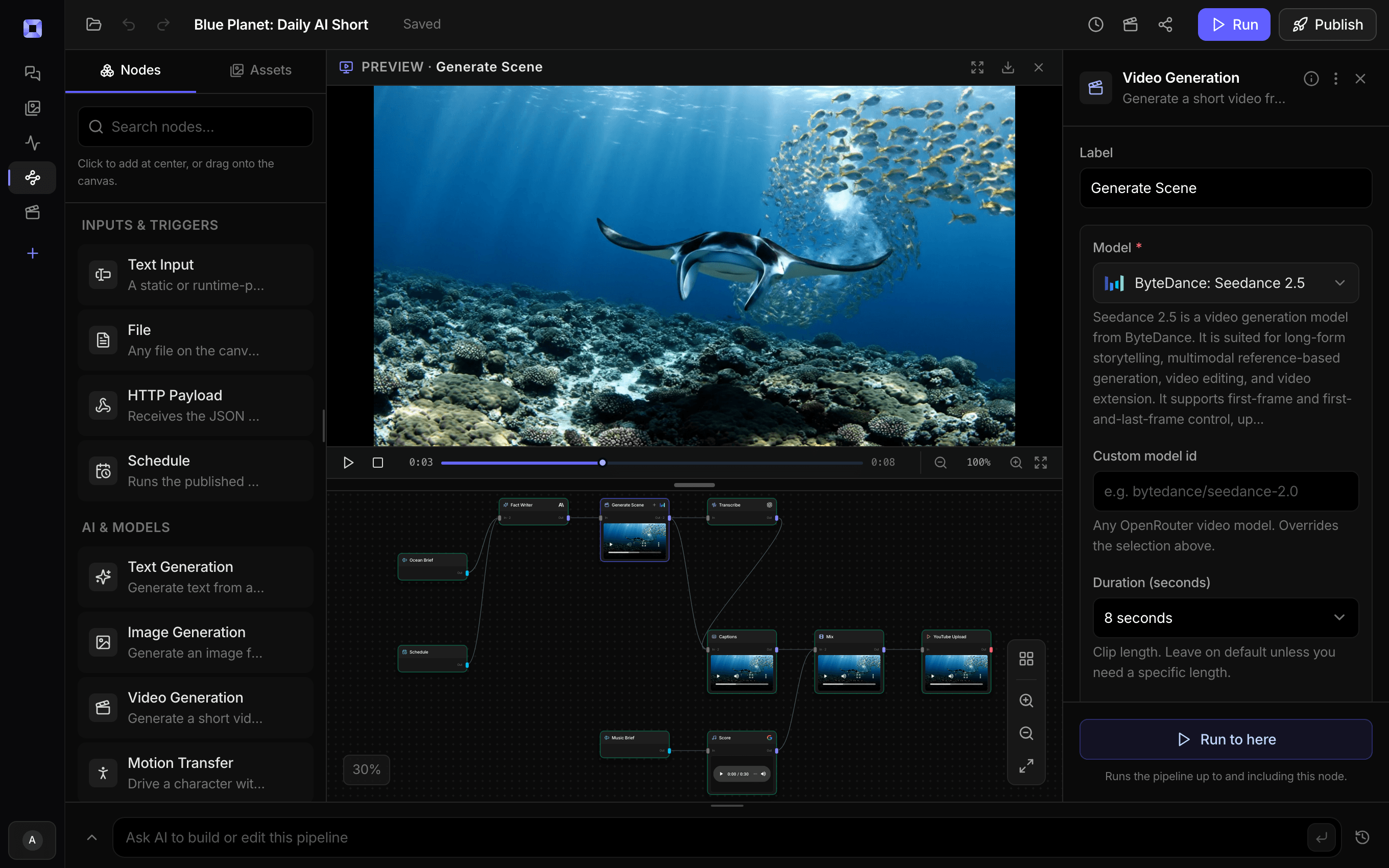
Ask for the pipeline in the composer, or send it from Claude over MCP.
What people build with it
Talking-head Shorts without a shoot
A presenter who does not exist says your line to camera, captioned for the feed. Change the brief and the next run is a new video.
Announcements and explainers
App updates, launches, and one-line explainers delivered to camera, written from a one-sentence brief.
Ad hooks to test
Change the line and rerun to get a new read of the same offer for every hook you want to test. Lock the portrait and the clip you like, and only the line, the voice, and the sync render again.
Your own voice on a generated face
Record the line yourself and wire the file into Audio. The presenter's mouth follows your read instead of a synthetic one.
Dubs where the mouth matches
Wire a translated voice track into Audio and an on-camera speaker mouths the new language instead of the one they filmed in.
Fixing a line after the fact
Change a word in the script, regenerate the voice, and sync the same clip to it, rather than rendering the video again.

No camera, no actor, no studio day.
Write the line. The pipeline makes the face that says it.
AI lip sync generator, answered
How does AI lip sync work in Treza?
Lipsync is a node. It takes a video of someone talking and an audio track, and the model reshapes the mouth in the video to match the audio, returning a new clip. Because it is a node on a canvas, the audio can come from a text to speech node in the same run, and the synced clip can flow straight into captions, an upscale, or a publisher.
Can I make a photo talk?
Yes. Lip sync works on video, so a still is animated first, and the Talking Head Short template does both: it generates a portrait, turns it into a short clip with an image-to-video model, and lip syncs that clip to the voice. To start from your own photo instead, put it on a File node wired into the video step's first frame, or attach it in chat and ask for it to say your line.
Which lip sync model should I use?
Start on VEED Lipsync, the default: it is fast and inexpensive, and the Talking Head Short template runs on it. Sync v3 costs more, and it is the one to move to when a scene has more than one speaker, when you want emotion carried through, or when the audio runs longer than the clip and you want to loop or retime the video to fit.
How long can the spoken line be?
The template writes one sentence of 14 to 20 words to fit the eight second clip it animates. For a longer script, switch the Lipsync node to Sync v3 and set Length mismatch to Loop the video or Retime the video to fit, so a short clip carries a longer read.
Can I use my own voice?
Yes. Record your read and wire the file into the Lipsync node's Audio input, and the mouth follows your recording. For a line you have not recorded, pick a voice from the text to speech catalog and preview it before the run.
What resolution does the lip-synced video come out at?
The template's lip sync pass returns a 720p vertical video. When a channel wants more, add a Video Upscale node after the Lipsync node and take it to 1080p, 2K, or 4K.
Who is the presenter in the template?
Nobody real. The Presenter look asks the image model for a photoreal person in their thirties who is not a real or famous person, head and shoulders against a plain background. Rewrite that description to change the age, style, wardrobe, or setting, and the voice pick follows whoever gets drawn.
How much does it cost to make ai lip sync generator with Treza?
Treza runs on prepaid credits with no subscription. Each generation is charged at the model's own rate from your balance, and only successful runs are charged, so a failed generation costs nothing. A typical video generation settles around $1.06, and credit packs start at $5 and never expire.
Can I call this as an API instead of using the canvas?
Yes. Every pipeline can be published as a versioned HTTP endpoint. Call the typed /invoke endpoint with JSON in and JSON out, or point any OpenAI SDK at the OpenAI-compatible endpoint. Swap a model on a node later and the API your product calls does not change.
Do I need to know how to edit video?
No. Start from a template, change the topic, and run it. If you do want frame-level control, the timeline editor is there with multi-track video and audio, per-clip trims, fades, and volume, but nothing about the automated path requires opening it.
Related tools
AI video translator
Dubbed, captioned versions of your videos in another language
AI voiceover generator
Narration for faceless videos, shorts, demos, and multilingual versions
AI UGC ad generator
Performance creative and social video ads at volume
AI motion transfer
A character that performs your filmed take, or replaces the performer in it
See every tool, compare the models, read what an AI video pipeline is, or earn 30% sharing these tools.

Your first video is one prompt away.
Generate your first video, image, or draft today. Prepaid credits, no subscription.