

AI ASMR Video Generator. One satisfying clip, with its own close-mic sound.
Describe what gets cut, squeezed or poured and Treza writes the macro shot and renders it on Veo 3.1 Fast, with the sound generated alongside the picture. You get an 8-second vertical ASMR clip with no music and no voice over it.
Everything on this page was made on Treza.
One idea in, one finished shot out
A language model turns your idea into a single shot: one slow, continuous action in extreme macro close-up, a locked-off camera, a clean surface, and soft studio light against a dark or neutral background.
The sound is generated with the picture
Veo 3.1 Fast renders the clip with its own audio, so the tap of the blade, the crack, and the pieces landing belong to what is on screen. Nothing is dubbed on afterwards.
Impossible materials, described exactly
Ask for a strawberry made of glass or a bar of soap made of honey and the writer spells out how that material catches the light and how it cracks, gives, or flows when the tool meets it.
No music, no voice, no text
Every shot prompt ends by ruling out music, speech, narration, and text on screen. In this format anything laid over the sound is noise, so nothing is.
Vertical and sized for Shorts
The clip renders at 9:16 and 8 seconds, the shape and length these clips are posted in on TikTok, Reels, and YouTube Shorts. The budget version is 4 seconds.
Rerun the clip, keep the shot
The written shot and the rendered clip are separate nodes on the canvas. Rerun the clip for a new take of the same shot, or edit the written shot by hand before you pay for another render.
Made on this platform
Real output, credited under every frame.

Architectural
A dolly through a sunlit room.
Seedance 2.5

Product
A macro turn under a sweeping light.
Kling 3.0 Pro

A channel cut
Written, voiced, captioned, and published on a schedule.
Seedance 2.5
From idea to finished video
- Step 01
Describe the sound
Open the ASMR Clip template and say what gets cut, squeezed, poured, scooped, or tapped, and what it is made of.
- Step 02
Pick a version
Standard is 8 seconds on Veo 3.1 Fast and the budget version is 4 seconds on Veo 3.1 Lite. Both carry their own sound, and the price is on screen before anything runs.
- Step 03
Run it
The shot is written and rendered in one go, and the clip comes back in the chat with its sound.
- Step 04
Check the take
Watch it with the sound on. If the material bent where it should have cracked, rerun the clip. Join several takes in the timeline editor for a longer cut.
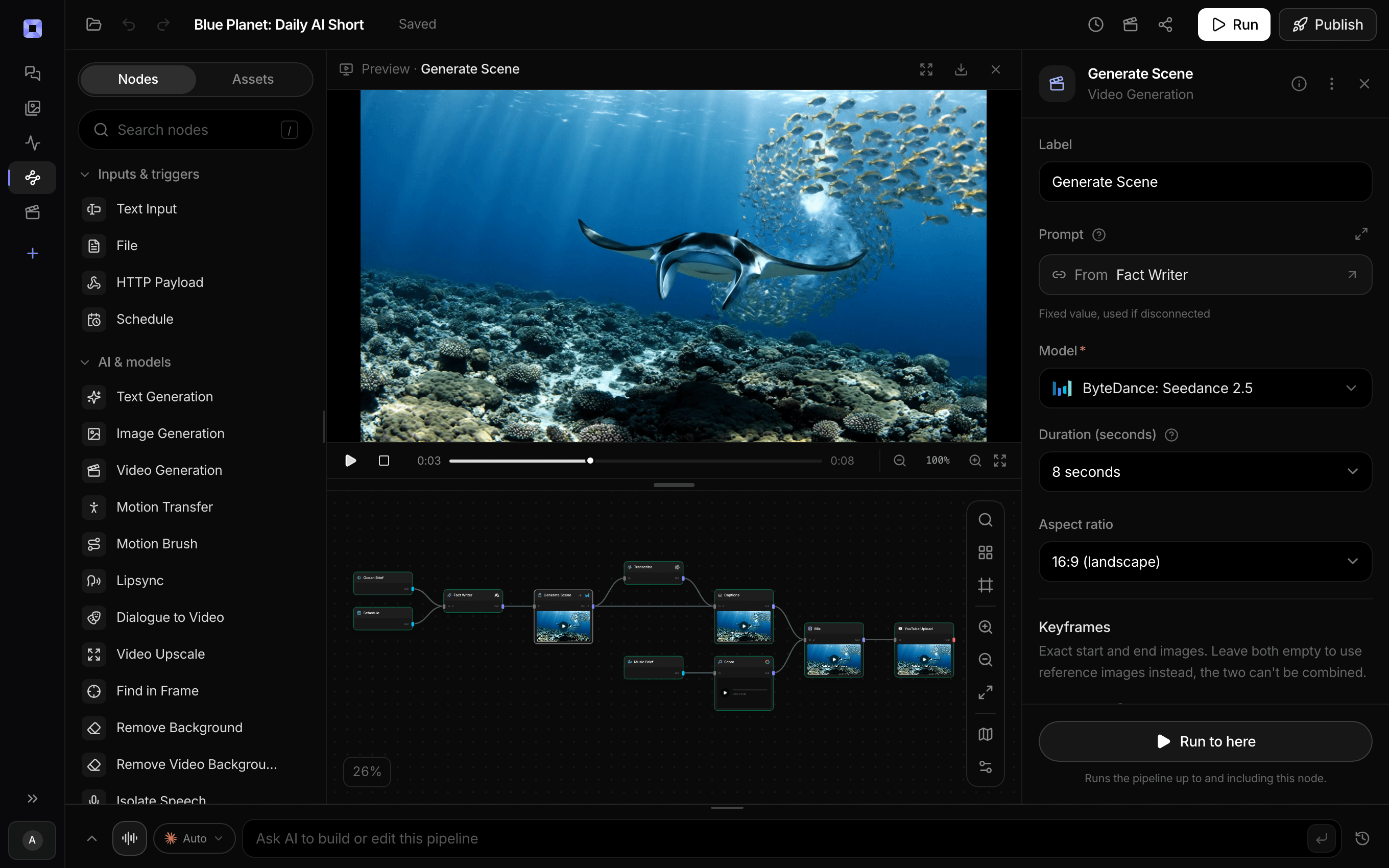
Ask for the pipeline in the composer, or send it from Claude over MCP.
What people build with it
Glass fruit cutting clips
A knife through a glass strawberry, kiwi, or watermelon, with the crack and the chime of the pieces. The clip no camera could shoot is the one this format is built on.
Soap, sand, and slime
Soap carved into curls, kinetic sand sliced into clean blocks, slime pressed flat. Say the material and the tool and the writer keeps the action slow and close.
Impossible food ASMR
A spoon cracking a sugar crust that glows like lava, honey that pours like liquid gold. Describe what it is made of and how it should give.
A daily satisfying Short
One sentence makes one clip, so a channel is a list of ideas. Put a YouTube or TikTok node after the clip on the canvas and each one posts as it finishes.
Sound-first cutaways
Use a clip as a texture shot inside a longer edit: a pour, a tear, a crunch, with sound that already matches the picture.
Compilations
Make several clips on one theme and join them in the timeline editor, so a 30-second compilation is four takes in a row.

AI ASMR video generator, answered
What is an AI ASMR video generator?
An AI ASMR video generator makes a short sensory clip, like a knife slicing glass fruit, from a text description, with the sound generated along with the picture. On Treza, the ASMR Clip template writes one macro shot from your idea and renders it on Veo 3.1 Fast as an 8-second vertical clip.
Does the ASMR clip come with sound?
Yes. The video model generates the audio with the picture, so the sounds are the ones the action on screen would make. The shot is written with a close-mic sound description and rules out music, speech, and narration.
Why are AI ASMR videos full of glass fruit?
Because it cannot be filmed. A real strawberry does not shatter and real glass does not slice, so the clip shows something a viewer has never seen with a sound they recognise. The template handles any material you name, real or not.
How long is the clip?
Standard is 8 seconds and the budget version is 4. Each run makes one clip. For something longer, make several takes and join them in the timeline editor.
Can I write the shot myself?
Yes. Open the pipeline on the canvas and edit what the writer node produced, or replace the writer with your own prompt, then rerun only the clip node.
Do I need to label an AI ASMR video?
The clip is generated, not recorded. TikTok and YouTube both have a label for realistic AI-made content, so use it when you post.
How much does it cost to make an ASMR video with Treza?
Treza runs on prepaid credits with no subscription. Each generation is charged at the model's own rate from your balance, and a failed generation costs nothing. A typical video generation settles around $1.06, and credit packs start at $5 and never expire.
Can I call this as an API instead of using the canvas?
Yes. Every pipeline can be published as a versioned HTTP endpoint. Call the typed /invoke endpoint with JSON in and JSON out, or point any OpenAI SDK at the OpenAI-compatible endpoint. Swap a model on a node later and the API your product calls does not change.
Do I need to know how to edit video?
No. Start from a template, change the topic, and run it. If you do want frame-level control, the timeline editor is there with multi-track video and audio, per-clip trims, fades, and volume, but nothing about the automated path requires opening it.
Related tools
Glass fruit ASMR video generator
Glass fruit cutting clips with the slicing sound generated alongside
AI trail cam video generator
Night-vision trail camera clips of animals, with generated ambient sound
AI shorts generator
Vertical short-form video for TikTok, Reels, and Shorts
Text to video AI
Single clips from a prompt, on any top video model
See every tool, compare the models, read what an AI video pipeline is, or earn 30% sharing these tools.
Your first video is one prompt away.
Generate your first video, image, or draft today. Prepaid credits, no subscription.