
AI Room Makeover Video Generator. A tired room to a finished one, from one camera.
Describe the room and how it should end up, and Treza draws the finished room, works back to the neglected one in five edits, and animates the work in between. You get a vertical makeover timelapse from one fixed camera.
Everything on this page was made on Treza.
Describe the before and the after
Say what the room is, what state it is in, and how it should finish. The planner writes the stages in between for that kind of room.
The finished room is drawn first
Nano Banana Pro draws the finished room, and each earlier stage is an edit of that still. The walls, the window, and the camera stay where they are while the condition changes.
Interiors get interior light
The planner lights a room with soft window light, and the clips describe the light shifting through the scene from morning to evening. No clouds, no sky.
Dust sheets, ladders, and tools
The middle stages are dressed as a room being worked on, with dust sheets, ladders, tools, and materials, and all of it is cleared for the finished stage.
Nothing from the after leaks into the before
Each stage edit lists what has not been done yet and keeps it out: fresh paint, new fittings, furniture, lights.
A stills version at a lower price
The budget version shows the same six stages as stills with a slow camera push instead of five animated clips, for a first look before the full render.
A house this template restored, the way it would a room
There is no room makeover run to show yet. This is the template's one real run, an abandoned Victorian house: the finished result drawn first, each earlier stage an edit of it. A room is planned the same way, lit by its window instead of the sky.
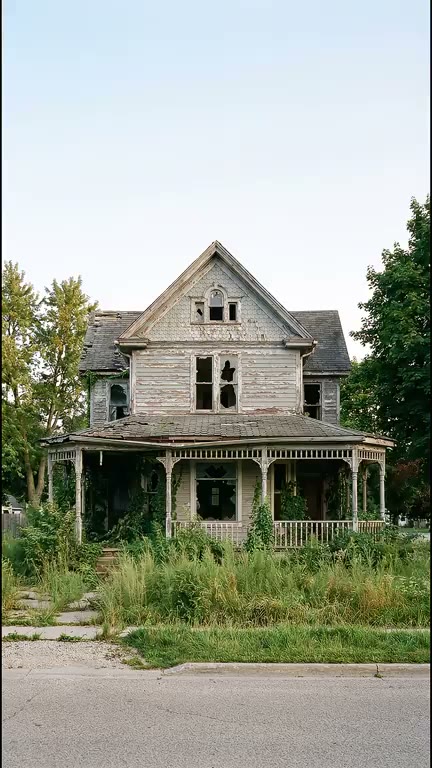
It starts from the neglected state
In a room, that is the peeling wallpaper and the stained carpet.
Restoration Timelapse
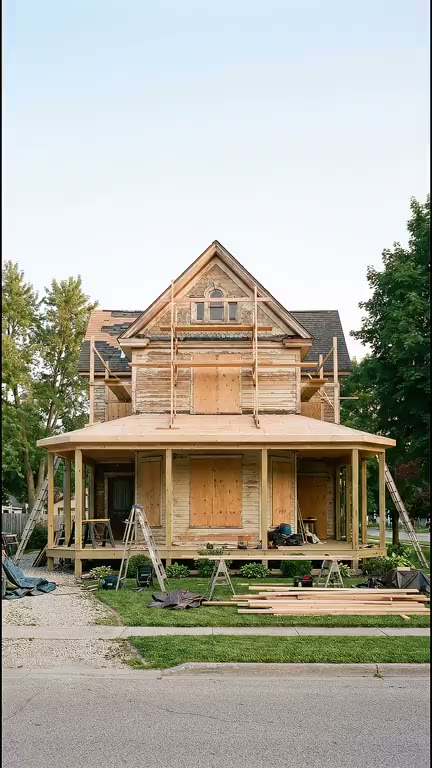
A working site in the middle
Indoors, dust sheets, ladders and tools stand in for the scaffolding.
Restoration Timelapse
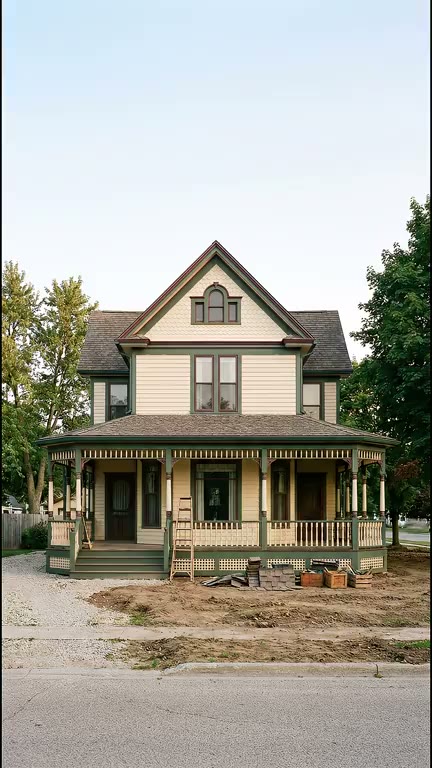
Finished, and cleared
The tools go and the last touches arrive.
Restoration Timelapse
From idea to finished video
- Step 01
Describe the room
Open the Restoration Timelapse template and say which room, its layout, where the window and the door are, and how it looks now.
- Step 02
Describe the finish
Name the look you want at the end: the colours, the materials, the kind of furniture, the mood.
- Step 03
Run it
Check the version and its price, then run. The finished room, the five earlier stages, the clips, and the cut come back as one timelapse.
- Step 04
Adjust a stage
If one stage jumps too far, rerun that stage node on the canvas and the clips either side of it. Add a music node for sound.
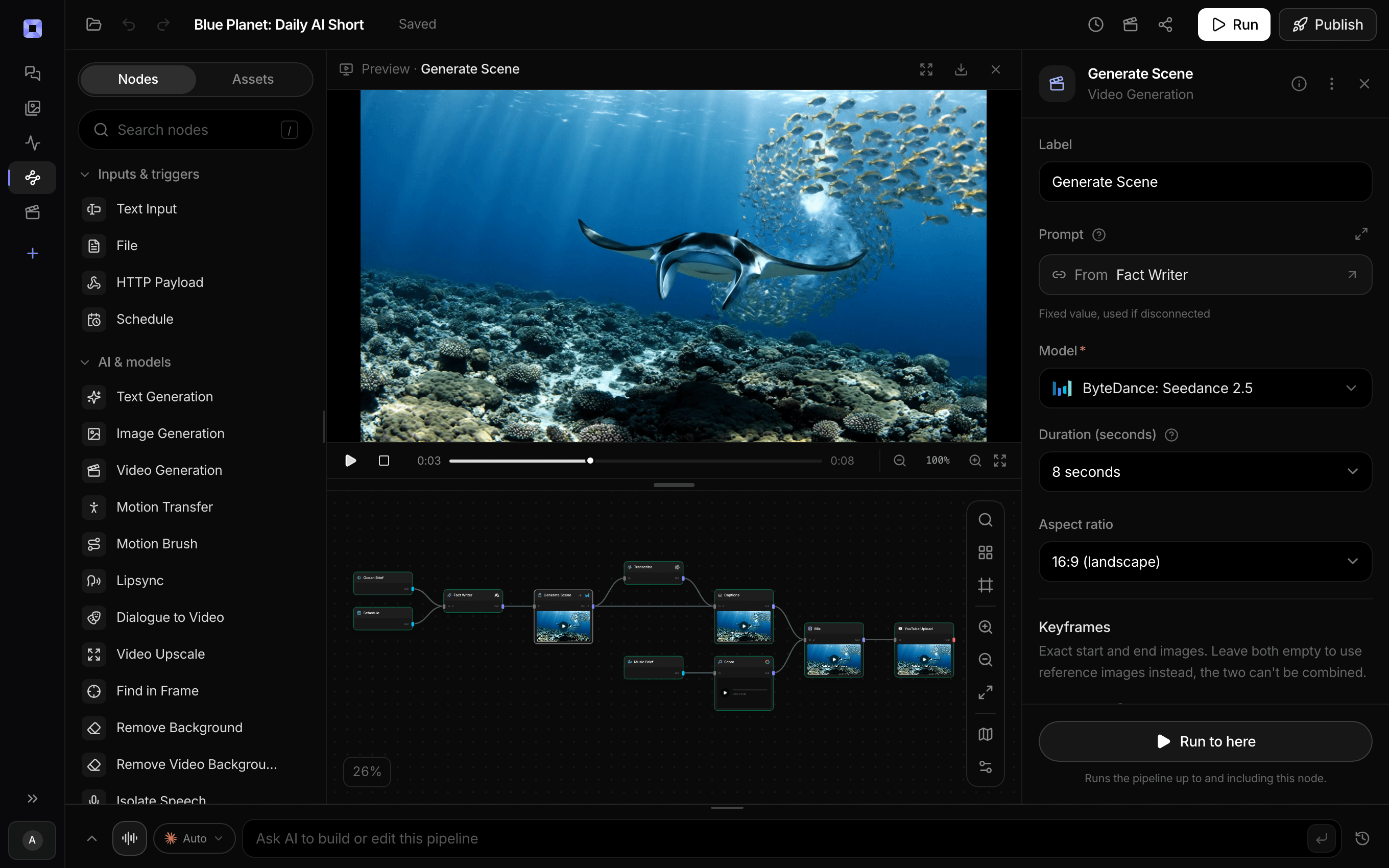
Ask for the pipeline in the composer, or send it from Claude over MCP.
What people build with it
Kitchen makeovers
Brown cabinets and cracked lino to a bright kitchen with stone counters. Cabinets coming out and going in give the middle stages plenty to show.
Bedroom and living room makeovers
Peeling wallpaper and a stained carpet to a calm, finished room. Stripping, painting, and flooring each get their own stage.
Bathroom renovations
A mouldy, avocado-green bathroom taken back to bare walls and retiled. A small room fills a vertical frame well.
Attics, garages, and basements
A cluttered garage cleared and finished as a workshop, a bare attic turned into a reading room.
Interior design content for Shorts
A makeover a day in a different style: the same shot of the same kind of room, a new finish each time.
A mood visual for a renovation idea
Show a direction before any work starts. It is an illustration from a description, not a plan of your actual room.
Tired room. Finished room. One camera.
Describe the room and how it should end up.
AI room makeover video generator, answered
How do I make a room makeover video with AI?
Describe the room, its current state, and the finish you want. On Treza, the Restoration Timelapse template draws the finished room first, edits that picture back to the neglected room in five stages, and animates the work between them on Veo 3.1 into a vertical timelapse from one fixed camera.
Can it use a photo of my actual room?
No. The template draws every stage from your description, so the result is an illustration of a makeover. Describe the layout, including where the window and the door are, to get close to your room.
Does the furniture stay in the same place?
The room's layout comes from the finished still, and earlier stages remove what has not arrived yet rather than moving it. If a piece jumps between two stages, rerun that stage.
Can I choose the design style?
Yes. Describe the finish in plain words, such as pale wood, white walls, and brass fittings, or a dark green kitchen with open shelving. The planner writes it into the finished still.
How long is the makeover video?
The standard version is five 6-second clips joined with short crossfades, so a little under half a minute. It is vertical and renders without sound.
How much does it cost to make a room makeover video with Treza?
Treza runs on prepaid credits with no subscription. Each generation is charged at the model's own rate from your balance, and a failed generation costs nothing. A typical video generation settles around $1.06, and credit packs start at $5 and never expire.
Can I call this as an API instead of using the canvas?
Yes. Every pipeline can be published as a versioned HTTP endpoint. Call the typed /invoke endpoint with JSON in and JSON out, or point any OpenAI SDK at the OpenAI-compatible endpoint. Swap a model on a node later and the API your product calls does not change.
Do I need to know how to edit video?
No. Start from a template, change the topic, and run it. If you do want frame-level control, the timeline editor is there with multi-track video and audio, per-clip trims, fades, and volume, but nothing about the automated path requires opening it.
Related tools
AI restoration video generator
Restoration timelapses from abandoned to restored, from one fixed camera
AI abandoned house restoration video
Abandoned house restoration timelapses, derelict to lived-in
AI timelapse video generator
Construction timelapses from an empty site to finished, from one camera
AI house building video generator
House construction timelapses, from a marked-out lot to lights on
See every tool, compare the models, read what an AI video pipeline is, or earn 30% sharing these tools.
Your first video is one prompt away.
Generate your first video, image, or draft today. Prepaid credits, no subscription.