
AI Horror Story Video Generator. A narrated 30 second scary short.
Four dark scenes, each rendered with its own whispered narration and sound, joined into one vertical short and captioned. It runs as a ready made haunted house story, and you rewrite any scene to tell your own.
Everything on this page was made on Treza.
Four scenes, one story
The template is four scene prompts in order, each its own text node on the canvas: a setup, an escalation, a scare and a sting. The clips are joined in that order, so the four beats read as one story.
Narration and sound in every shot
Each scene renders as a vertical clip with audio on, so the narrator's line and the room tone come out of the video model with the picture. Write the line and its delivery, like a tense whisper, into the scene.
Built for vertical
Every clip renders at 9:16 and the Sequence node outputs a 1080p portrait file at 30 frames per second, sized for YouTube Shorts and TikTok.
Captions from what was said
The finished short is transcribed and the captions are burned in, bold, in the lower third, four words at a time. Horror gets watched on mute, and the story still lands.
A ready made story to start from
Run it as it comes and you get an abandoned house at midnight: a music box that opens on its own, a shadow with no one to cast it, and a door that slams at the end of the hall.
Longer when you want it
A 60 second version strings eight scenes into one slow-burn story, built the same way: shots with sound, stitched in order, then captioned.
Scenes from a horror short this template made
The built-in haunted house story: each scene rendered with its own whispered line and room tone, then joined and captioned.
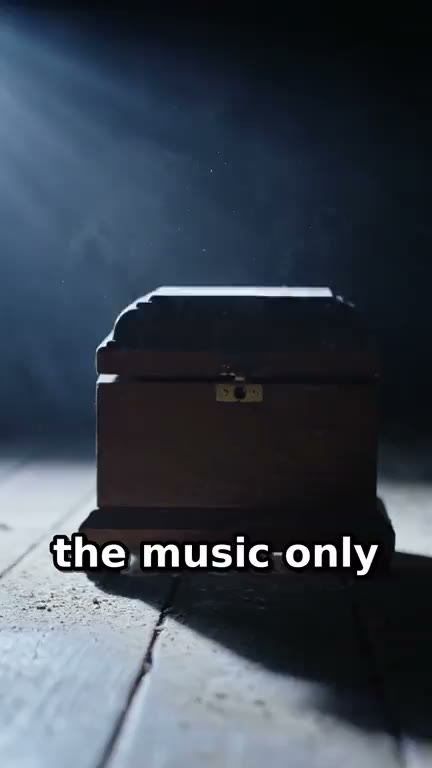
The setup
A music box that starts on its own at 3 a.m.
Faceless Horror Short
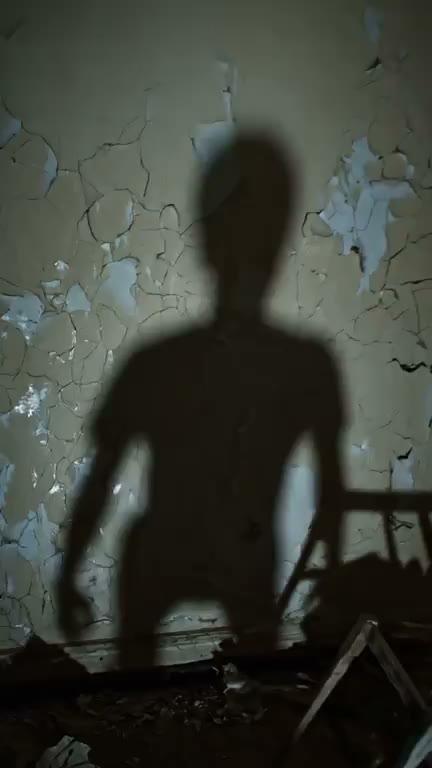
The escalation
A shadow with no one in the room to cast it.
Faceless Horror Short
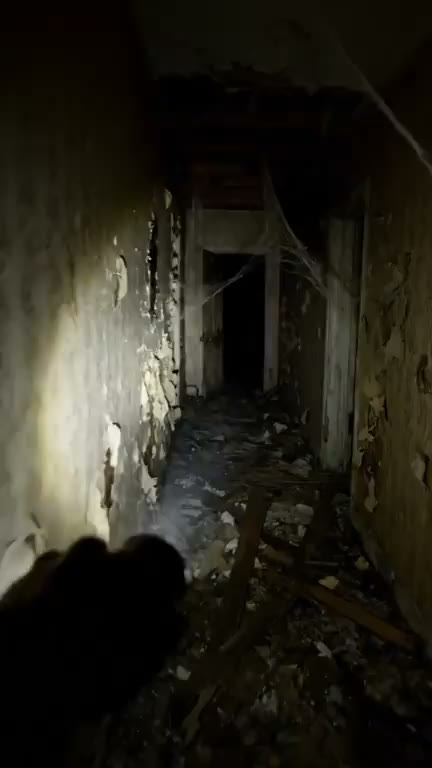
The walk in
A flashlight down the hall of a house that was meant to be empty.
Faceless Horror Short
From idea to finished video
- Step 01
Open the horror template
Start the Faceless Horror Short template. It arrives with four scenes written and wired from shots to captions.
- Step 02
Pick the version
Run the scenes on the video model the template is built with, or pick the lighter version, which keeps the four scenes on a cheaper video model with shorter takes.
- Step 03
Let it render
The four clips, the stitch, the transcript and the captions all happen in one run, and the short appears in the chat when it finishes.
- Step 04
Rewrite a scene and rerun
Open the pipeline, change the text in any scene node to your own setting and narrator line, and run it again. Download the vertical short and post it.
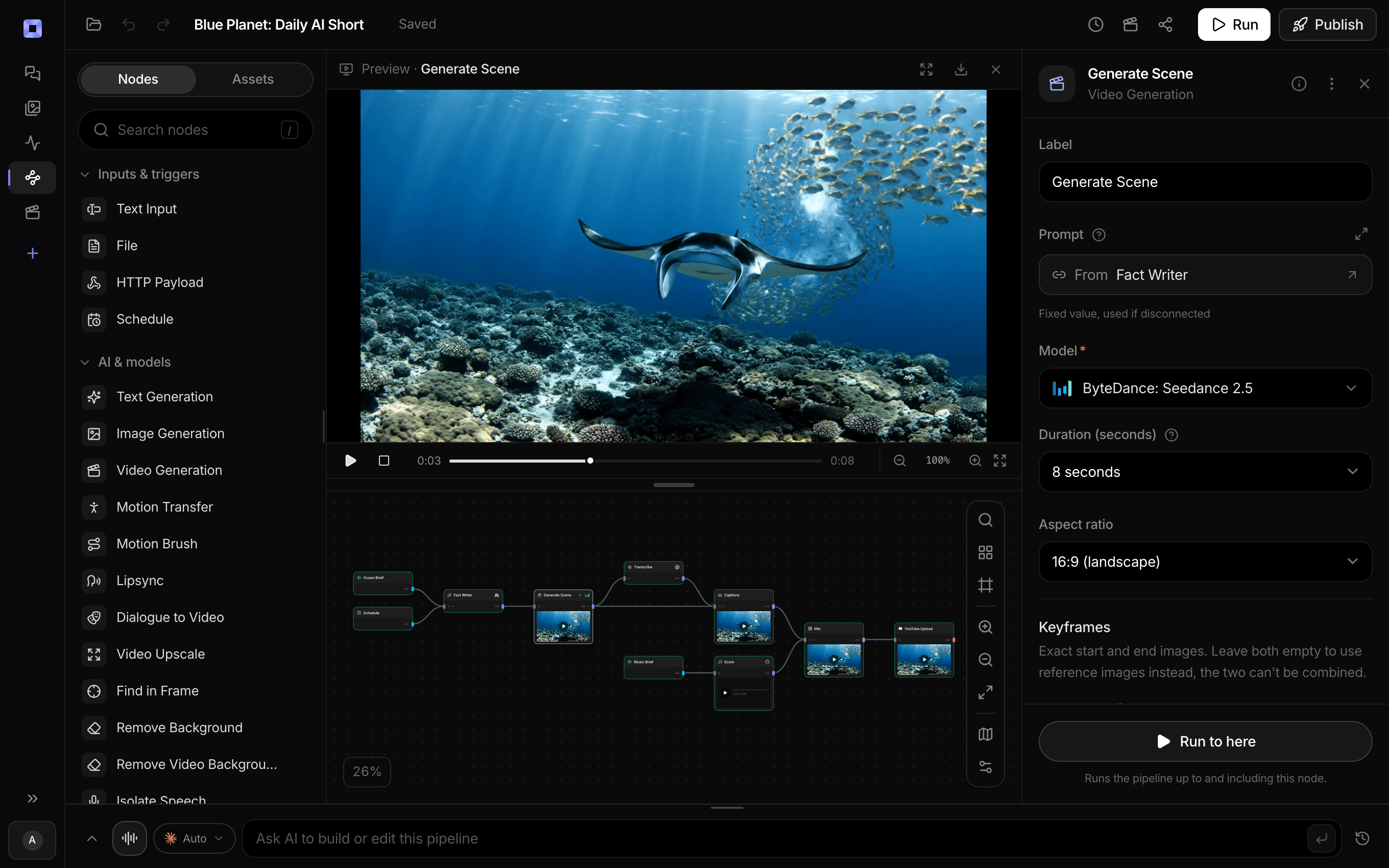
Ask for the pipeline in the composer, or send it from Claude over MCP.
What people build with it
Scary story Shorts for a faceless channel
One haunted place per short, four beats from calm to sting, with captions for the people watching in bed with the sound off.
Creepypasta and campfire stories
Write each beat of the story into its own scene, with the line the narrator says, and the template turns the four into one captioned video.
Folklore and urban legend videos
Retell a local legend in four scenes: where it happened, what people saw, what went wrong, and the line that stays with you.
Halloween posts without a shoot
Abandoned houses, flooded basements and cracked mirrors, all generated, nothing filmed and no actors to book.
A horror series on TikTok
Keep the narrator's delivery and the caption style the same from one short to the next and change only the scenes, so every episode feels like the same channel.
Four scenes. One scare.
A narrated, captioned horror short for Shorts and TikTok.
AI horror story video generator, answered
What is an AI horror story video generator?
An AI horror story video generator turns a written scary story into a video. On Treza, the Faceless Horror Short template renders four dark scenes as vertical clips with narration and sound, joins them into one short of about 30 seconds, and burns in captions transcribed from the narration.
Can I tell my own horror story?
Yes. Each of the four scenes is a text node on the canvas holding what the shot shows and the line the narrator says. Replace that text with your own story, one beat per scene, and run it again.
Where does the narrator's voice come from?
The video model generates it with each clip, from the narrator line and delivery written in that scene, along with the ambient sound. There is no separate voiceover step, so describe the voice you want in the scene text.
How long is the video?
About 30 seconds: four clips of roughly eight seconds each. The 60 second version runs eight scenes the same way.
Can I add more scenes?
Yes. Add another text and video node pair on the canvas and wire the clip into the Sequence node, which stitches up to 12 shots in order.
How much does it cost to make a horror story video with Treza?
Treza runs on prepaid credits with no subscription. Each generation is charged at the model's own rate from your balance, and a failed generation costs nothing. A typical video generation settles around $1.06, and credit packs start at $5 and never expire.
Can I call this as an API instead of using the canvas?
Yes. Every pipeline can be published as a versioned HTTP endpoint. Call the typed /invoke endpoint with JSON in and JSON out, or point any OpenAI SDK at the OpenAI-compatible endpoint. Swap a model on a node later and the API your product calls does not change.
Do I need to know how to edit video?
No. Start from a template, change the topic, and run it. If you do want frame-level control, the timeline editor is there with multi-track video and audio, per-clip trims, fades, and volume, but nothing about the automated path requires opening it.
Related tools
Faceless video generator
Faceless YouTube and TikTok channels that publish on a schedule
AI shorts generator
Vertical short-form video for TikTok, Reels, and Shorts
AI video caption generator
Word-timed captions burned into every video
See every tool, compare the models, read what an AI video pipeline is, or earn 30% sharing these tools.
Your first video is one prompt away.
Generate your first video, image, or draft today. Prepaid credits, no subscription.