
AI Car Restoration Video Generator. Barn find to showroom, from one camera.
Describe the car and the state it was found in, and Treza draws it restored, works back through five earlier stages as edits of that picture, and animates the work between each pair. You get a vertical restoration timelapse.
Everything on this page was made on Treza.
The restored car is drawn first
Nano Banana Pro draws the finished car in its workshop or barn, and every earlier stage is an edit of that still, so it is the same car from the same angle throughout.
Five believable stages back to rust
The planner writes the stages for the vehicle you describe, from the state it was found in to the step just before finished. Each one says what damage is still there and what has not been done yet.
The car never moves
The plan holds the car to the same place, size, and shape in every stage. Only its condition changes, which is what makes the timelapse read as one long job.
A workshop that fills and empties
From the second stage the scene is dressed as a working space, with tools, dust sheets, and materials around the car. They are cleared away in the finished stage.
No badges, no lettering
The plan never asks for logos, brand names, or text, so describe the car by era, body style, and colour instead of by badge.
The work, in fast motion
Veo 3.1 animates between each pair of stages from a first and a last frame, with people working at speed from a locked-off camera. Five clips at 1080p vertical, joined with crossfades.
A house this template restored, the way it would a car
There is no car restoration run to show yet. This is the template's one real run, an abandoned Victorian house. A car is planned the same way: drawn restored first, then edited back through five earlier stages without moving in the frame.
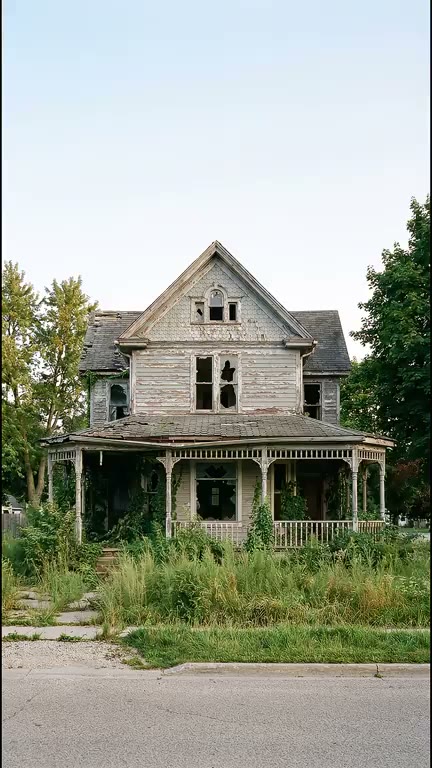
As it was found
For a car, that is the dust, the rust and the flat tyres.
Restoration Timelapse
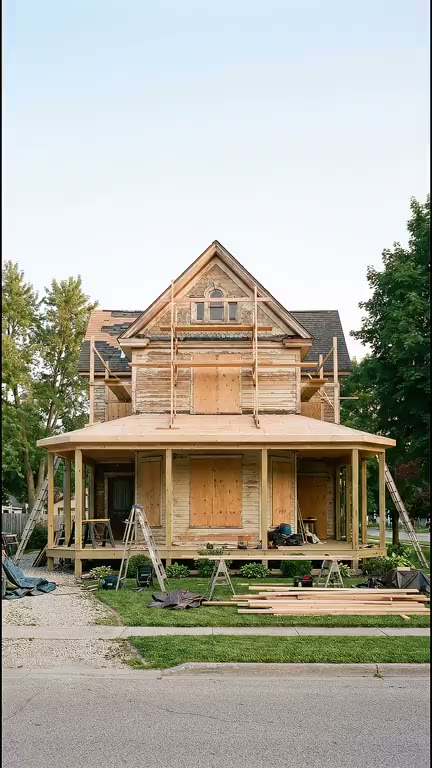
Stripped and repaired
The subject keeps its shape and its place while the work goes on.
Restoration Timelapse
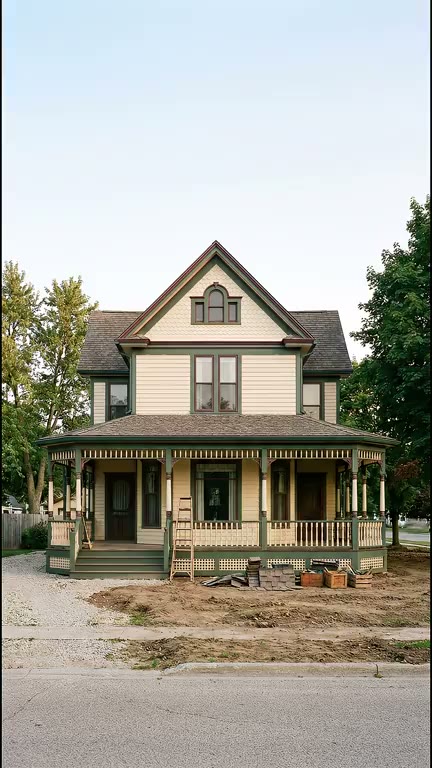
Finished
The working site clears and the paint is on.
Restoration Timelapse
From idea to finished video
- Step 01
Describe the vehicle
Open the Restoration Timelapse template and give the era, the body style, and the colour it should end up, like a 1960s pickup in pale blue.
- Step 02
Say how it was found
In a barn under dust, in a field with grass through the floor, in a garage with flat tyres. The starting state is the first stage.
- Step 03
Run it
Check the version and its price, then run. The plan, the stills, the five clips, and the cut finish in one go.
- Step 04
Rerun what drifted
If a stage changed the body shape or the wheels, rerun that stage node and its neighbouring clips. Add a music node for sound.
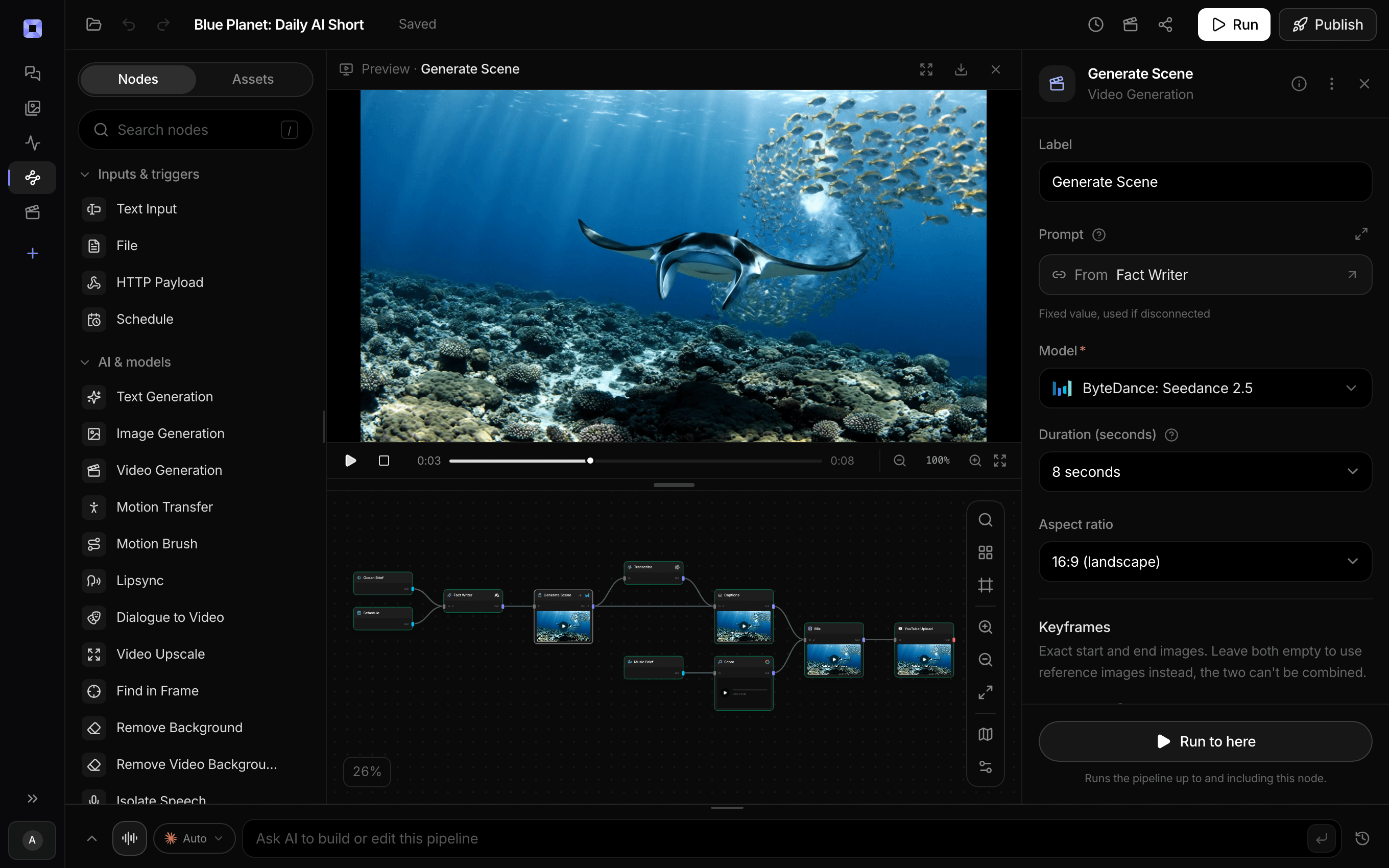
Ask for the pipeline in the composer, or send it from Claude over MCP.
What people build with it
Barn find pickups and coupes
A truck under decades of dust or a coupe with a caved-in roof, back to paint and chrome.
Motorcycles and scooters
A seized-up cafe racer or a scooter with a torn seat, stripped to the frame and rebuilt.
Tractors and farm machinery
A tractor left at the edge of a field, cleaned, repaired, and repainted where it stands.
Boats and caravans
A hull on a trailer with peeling varnish, a caravan green with moss. Anything on wheels or a cradle works from a fixed camera.
Tools and workshop machines
A rusted bench vice, a lathe, an anvil. Small restorations fill the frame and make the detail the story.
Barn find. Showroom. One camera.
Describe the car and how it was found.
AI car restoration video generator, answered
How do I make a car restoration video with AI?
Describe the car and the state it was found in. On Treza, the Restoration Timelapse template draws the restored car first, edits that picture back through five earlier stages of rust and repair, and animates the work between each pair on Veo 3.1 into a vertical timelapse from one fixed camera.
Can I name the exact make and model?
You can describe it, but badges and lettering are never drawn, and a generated car will not match a real model part for part. Era, body style, and colour give the most reliable result.
Does it stay the same car through every stage?
Yes, by construction: every stage is an edit of the one finished picture, with the car held in the same place and shape. If an edit changes the body, rerun that stage.
Can it show the engine or the interior being rebuilt?
One run is one fixed camera on one view. For an engine bay or a cabin, describe that as the subject and run it as its own video.
Is there engine sound or workshop noise?
No. The clips render silent. Add a music node on the canvas and the Sequence mixes it under the cut.
How much does it cost to make a car restoration video with Treza?
Treza runs on prepaid credits with no subscription. Each generation is charged at the model's own rate from your balance, and a failed generation costs nothing. A typical video generation settles around $1.06, and credit packs start at $5 and never expire.
Can I call this as an API instead of using the canvas?
Yes. Every pipeline can be published as a versioned HTTP endpoint. Call the typed /invoke endpoint with JSON in and JSON out, or point any OpenAI SDK at the OpenAI-compatible endpoint. Swap a model on a node later and the API your product calls does not change.
Do I need to know how to edit video?
No. Start from a template, change the topic, and run it. If you do want frame-level control, the timeline editor is there with multi-track video and audio, per-clip trims, fades, and volume, but nothing about the automated path requires opening it.
Related tools
AI restoration video generator
Restoration timelapses from abandoned to restored, from one fixed camera
AI abandoned house restoration video
Abandoned house restoration timelapses, derelict to lived-in
AI timelapse video generator
Construction timelapses from an empty site to finished, from one camera
AI room makeover video generator
Room makeover timelapses from a tired room to a finished one
See every tool, compare the models, read what an AI video pipeline is, or earn 30% sharing these tools.
Your first video is one prompt away.
Generate your first video, image, or draft today. Prepaid credits, no subscription.