

AI video translator
Translate a video into another language, dubbed and captioned
Drop in a video and get it back in another language: transcribed, translated as natural speech, read by a new voice over your picture, with captions in the new language burned in. Dub voices cover 14 languages.
Everything on this page was made on Treza.
Whisper reads the original
The source is transcribed with Whisper, which is multilingual and detects the spoken language on its own. That transcript is the script the rest of the dub works from, so nothing has to be typed up by hand.
Translated to be spoken, not read
A language model rewrites the transcript as narration a native speaker would actually say, never word for word. It keeps names, brands, and numbers accurate and keeps the length close to the original, so the dub fits the video.
14 dub languages
Dub voices speak English, Spanish, French, German, Italian, Portuguese, Dutch, Polish, Russian, Chinese, Japanese, Korean, Hindi, and Arabic. Each dub voice is labelled with its language in the picker, so matching the voice to the target is quick.
Mixed over the original, broadcast style
The new voice plays over your picture while the original soundtrack ducks far underneath it, then comes back up between lines, so the music and room tone of the original survive. The frame size and frame rate match the source.
Captions in the new language
The finished dub is transcribed again on its own timeline, with the written translation as a spelling guide. The burned-in captions are in the target language, spelled the way the translation wrote them, and land when the new voice says them.
A check before anything is burned in
If less than half of the spoken dub matches the written translation, the caption step stops the run rather than burning in the wrong words. The captions you publish are the words the voice said.
Every stage is a node you can change
Tell the translator to keep a formal register or leave product names in English, swap the voice, or restyle the captions. Lock the output of a step you are happy with and the next run redoes only the rest.
What a dub is made of
A transcript, a new voice mixed over the picture, and captions timed to that voice. Each tile is a real run that took one of those steps, credited to the model or template that made it.

It starts with a transcript
Whisper reads the source, the same model the dub uses.
Whisper Large v3

A new voice over the picture
Narration mixed over the shots, the rest ducked under it.
Fact of the Day

Captions timed to that voice
Word timings from the finished audio drive the highlight.
Captioned AI Short
From idea to finished video
- Step 01
Drop in the video
Upload a file to the Source Video node or paste a direct MP4 link. Any video with speech works: a tutorial, a product demo, an interview, a clip for the feed.
- Step 02
Name the language and pick a voice
Type the target language into the Target Language node and choose a Dub Voice that speaks it. The template starts on Spanish with a Spanish voice, so a first run works as it is.
- Step 03
Run it
Whisper transcribes the original, the translator writes the spoken version, the voice reads it, and a Sequence node mixes it over your picture with the original ducked underneath.
- Step 04
Check the dub and ship it
Preview the dubbed video with its translated captions on the canvas, then download the MP4 or wire it into the YouTube or TikTok upload node. For the next market, change the language and the voice and run it again.
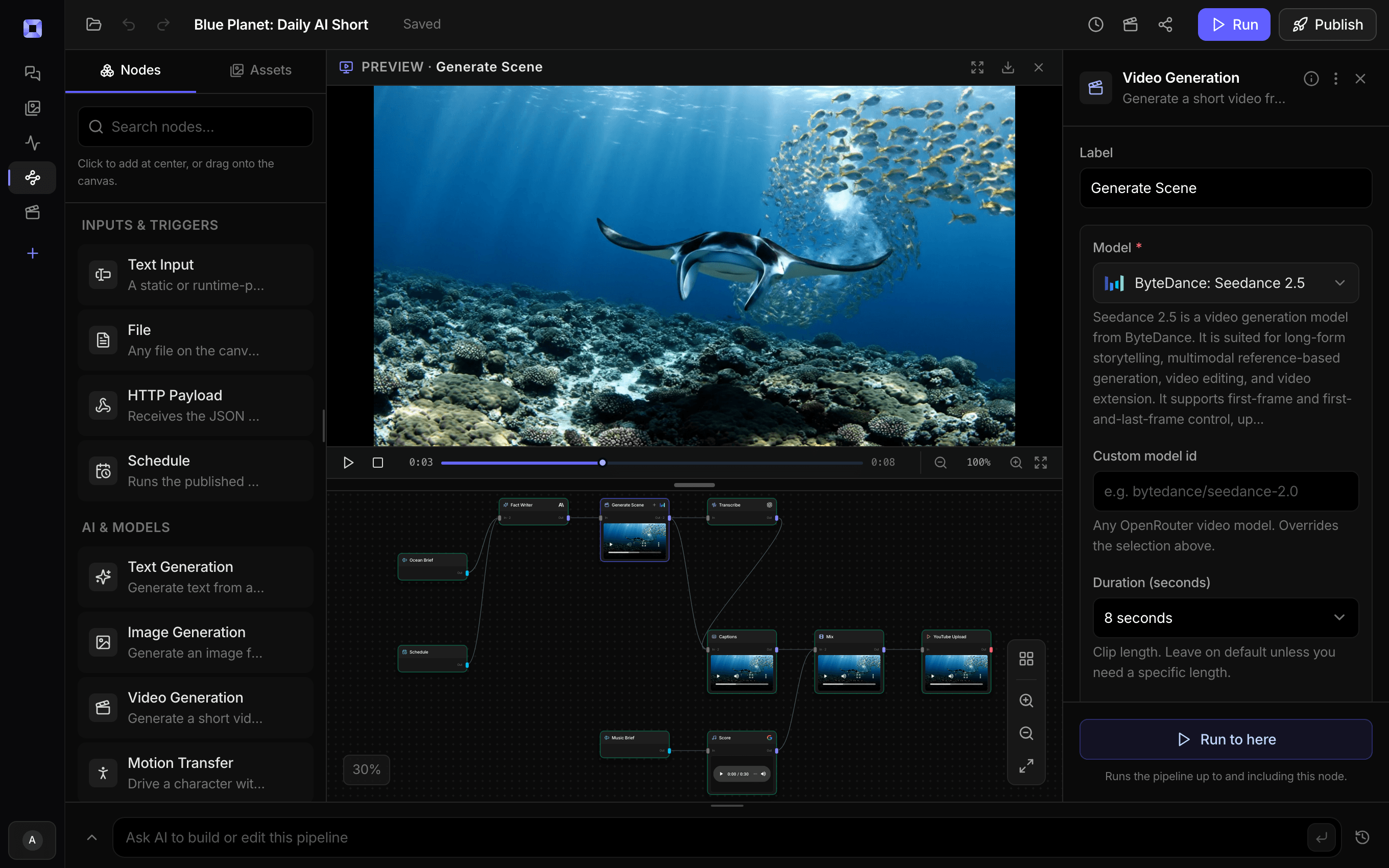
Ask for the pipeline in the composer, or send it from Claude over MCP.
What people build with it
Courses and tutorials for a new market
A lesson recorded once, in your language, becomes a Spanish, Japanese, or German version with captions, without recording anything again.
Product demos in the buyer's language
Walkthroughs and explainers read in the language of the market you sell to, with names and numbers kept exactly as the original said them.
A second-language YouTube channel
Dub each upload for a Spanish or Portuguese audience and publish it as its own video, from the same source file you already have.
Shorts and social clips in several languages
Short clips are the sweet spot: one continuous read over the whole clip, captioned in the new language for muted autoplay.
Interviews and talks, voice-over style
The way broadcasters translate a guest: the translated voice carries the meaning while the original ducks underneath and returns between lines.
Training and company updates
Record one update and send it to teams in several countries, each hearing and reading it in their own language.

One video. A version for every audience.
Change the language, pick a voice, and run it again.
AI video translator, answered
How does the AI video translator work?
It is the Video Dubbing template, one pipeline on one canvas. Whisper transcribes your video, a language model translates the transcript into natural spoken narration, a text to speech voice reads it, and a Sequence node mixes that voice over your original picture with the original soundtrack ducked underneath. The dub is then transcribed again so captions in the new language are burned in, timed to the new voice.
Which languages can I translate a video into?
The translation step takes any language you type. For the spoken dub you need a voice that speaks it, and the multilingual voice model covers 14 languages: English, Spanish, French, German, Italian, Portuguese, Dutch, Polish, Russian, Chinese, Japanese, Korean, Hindi, and Arabic. On the source side, Whisper is multilingual and handles major languages well, with English strongest.
Does it sync the speaker's lips to the new language?
The template dubs voice-over style, the way broadcast translation works: the new voice plays over the picture and the mouth stays as filmed. When the speaker is on camera and you want the mouth to follow the new words, add a Lipsync node, which reshapes a speaker's mouth to match whatever audio track you wire into it.
Whose voice reads the dub?
A voice you choose from the text to speech catalog, matched to the target language, and you can preview each one on the canvas before a run. The translation keeps the meaning, tone, and energy of the original. Pick the one closest in character to your speaker.
How long can the video be?
It does its best work on videos up to a few minutes long. The dub is one continuous read rather than a line-by-line match, so across a long video it drifts from the original speech timing. For longer material, cut it into sections with an Extract Clip node and dub each one.
Can I control how it translates?
Yes. The translator is a language model node with its instructions in plain view, running on Claude Sonnet 5 by default. Ask for a formal or casual register, give it a list of product terms to leave untranslated, or switch it to another model. Out of the box it keeps names, brands, and numbers exactly as the original said them.
What do I get back?
An MP4 of your original picture with the dubbed voice mixed in and translated captions burned in, at the source's frame size and frame rate. The transcript, the translation, and the voice track are node outputs too, so you can take any one of them on its own.
How much does it cost to make ai video translator with Treza?
Treza runs on prepaid credits with no subscription. Each generation is charged at the model's own rate from your balance, and only successful runs are charged, so a failed generation costs nothing. A typical video generation settles around $1.06, and credit packs start at $5 and never expire.
Can I call this as an API instead of using the canvas?
Yes. Every pipeline can be published as a versioned HTTP endpoint. Call the typed /invoke endpoint with JSON in and JSON out, or point any OpenAI SDK at the OpenAI-compatible endpoint. Swap a model on a node later and the API your product calls does not change.
Do I need to know how to edit video?
No. Start from a template, change the topic, and run it. If you do want frame-level control, the timeline editor is there with multi-track video and audio, per-clip trims, fades, and volume, but nothing about the automated path requires opening it.
Related tools
AI lip sync generator
Talking-head videos and clips synced to a new voice
AI voiceover generator
Narration for faceless videos, shorts, demos, and multilingual versions
AI video caption generator
Word-timed captions burned into every video
AI video transcriber
Transcripts, SRT files, and captions from your recordings
See every tool, compare the models, read what an AI video pipeline is, or earn 30% sharing these tools.

Your first video is one prompt away.
Generate your first video, image, or draft today. Prepaid credits, no subscription.