
AI Cartoon Series Maker. The same character in every episode, talking.
Describe your character once and Treza draws a character sheet from four angles, then uses it as the reference for every scene of every episode, so the same rabbit turns up in episode one and episode ten. Characters speak their own lines in their own voices, in Hindi, Hinglish, English or any language you write in.
Everything on this page was made on Treza.
One character sheet, every episode
Treza draws your character from the front, three-quarter, side and back on one sheet, then passes those views into each scene as the reference, so the model copies the picture instead of re-reading a description.
Saved for the next episode
The sheet lands in your assets, so episode two starts from the same picture as episode one, not from a fresh description, and the character comes back unchanged.
Characters who talk
Put a character's line in the scene and Veo 3.1 or Seedance 2.5 generates the voice with the picture, so each character speaks in a voice of its own. A narrator, when you want one, is a separate voice laid over the top.
The cartoon look you ask for
Soft 3D cartoon, flat 2D, cel-shaded anime or storybook watercolor. Name the look once with the sheet and every episode keeps it.
Any language
Write the episode in Hindi, Hinglish, Bengali, Tamil, Spanish or English. The dialogue and the captions stay in that language.
Priced before each episode
An 8 second talking scene with the Character Skit starter is about $0.56 in credits. A longer episode is quoted in chat before it renders, and a failed render costs nothing.
Scenes that cut into an episode
Up to 12 scenes join into one episode with music and captions, and the next scene can open on the last frame of the one before, so the cut holds together.
One sheet. Three episodes. The same Pip.
Real Treza output: Pip was drawn once on a character sheet, each episode's opening frame was drawn from that sheet, and Veo 3.1 Lite animated it with Pip speaking his own line. Three different scenes, one unchanged character.
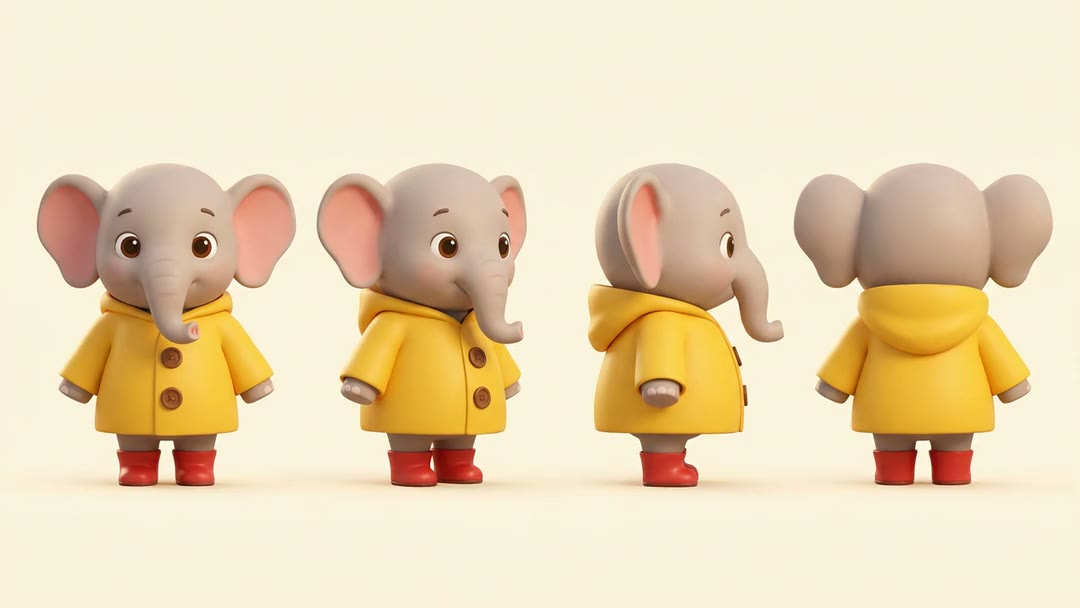
The sheet every episode starts from
Pip from the front, three-quarter, side and back. Every scene below was drawn from this picture.
See the character sheetCharacter sheet · Nano Banana Pro
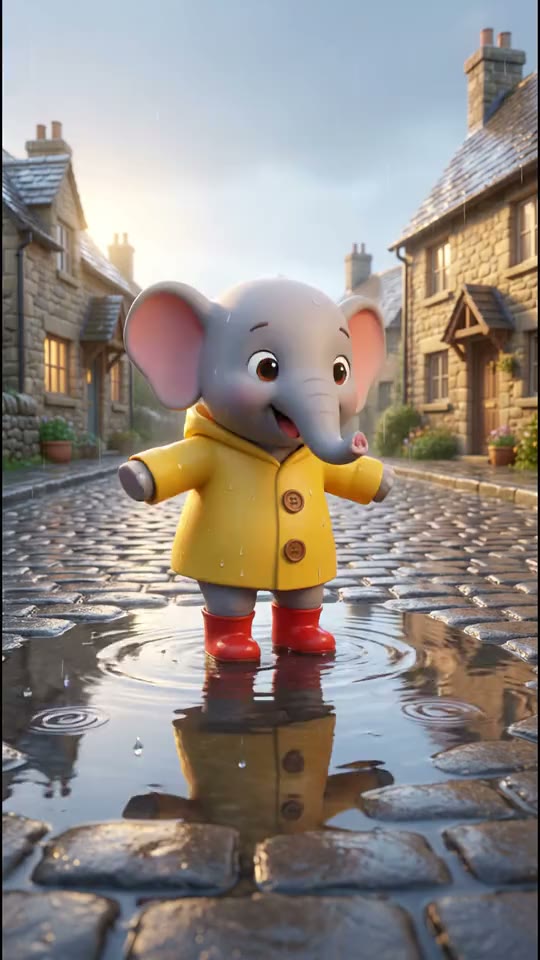
Episode 1: the puddle
Pip counts to three and jumps. His line is spoken in the clip, in his own voice.
Watch with soundVeo 3.1 Lite
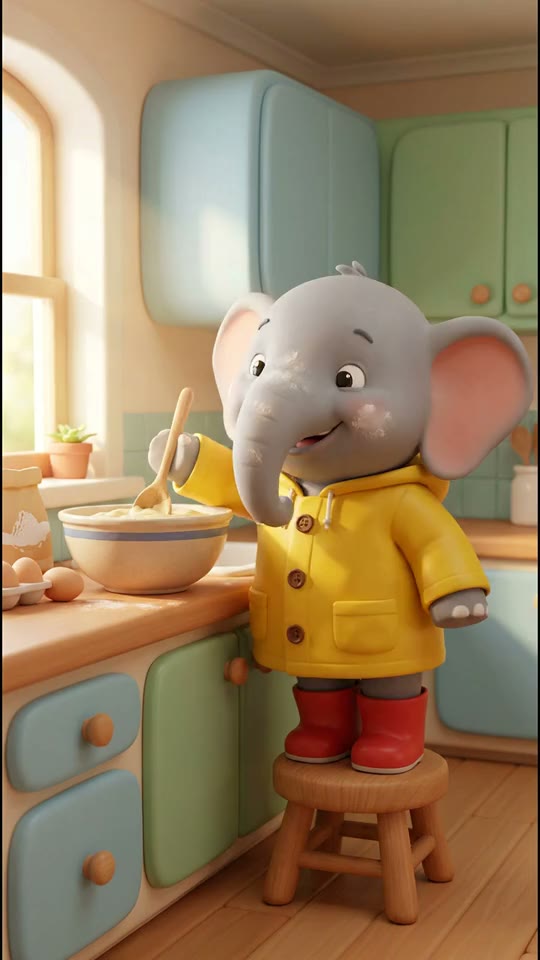
Episode 2: the kitchen
A different room, a different day, the same coat, buttons and boots.
Watch with soundVeo 3.1 Lite
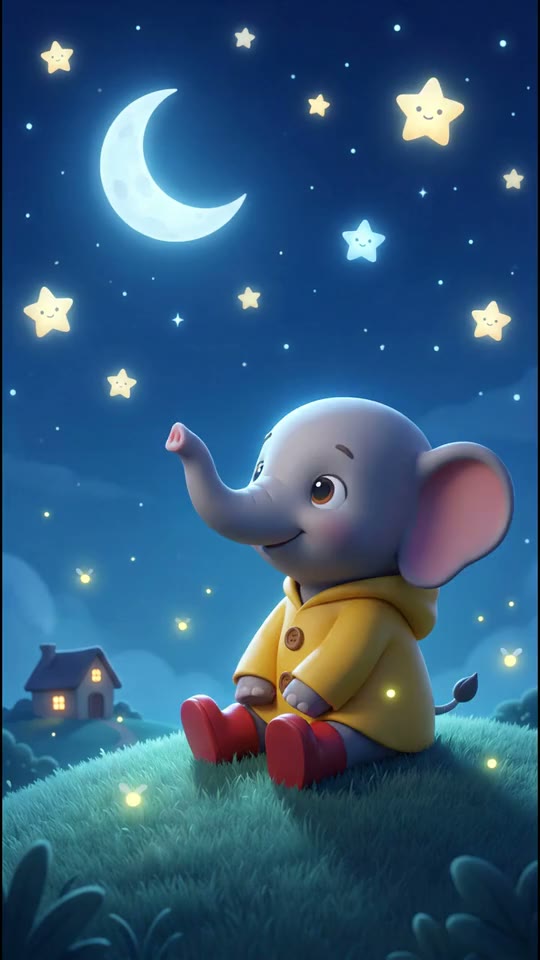
Episode 3: goodnight stars
Pip says goodnight to the stars. Same character, third scene.
Watch with soundVeo 3.1 Lite
From idea to finished video
- Step 01
Describe your character
Name them and give the look: a small elephant in a yellow raincoat and red boots. Treza draws the sheet.
- Step 02
Write episode one
A setup, what happens, and what each character says. Pick the cartoon look.
- Step 03
Check the price and render
The price shows first. The scenes render from the sheet, with the dialogue spoken in the picture.
- Step 04
Make episode two
Bring a new story. The same sheet is the reference again, so the character has not changed.
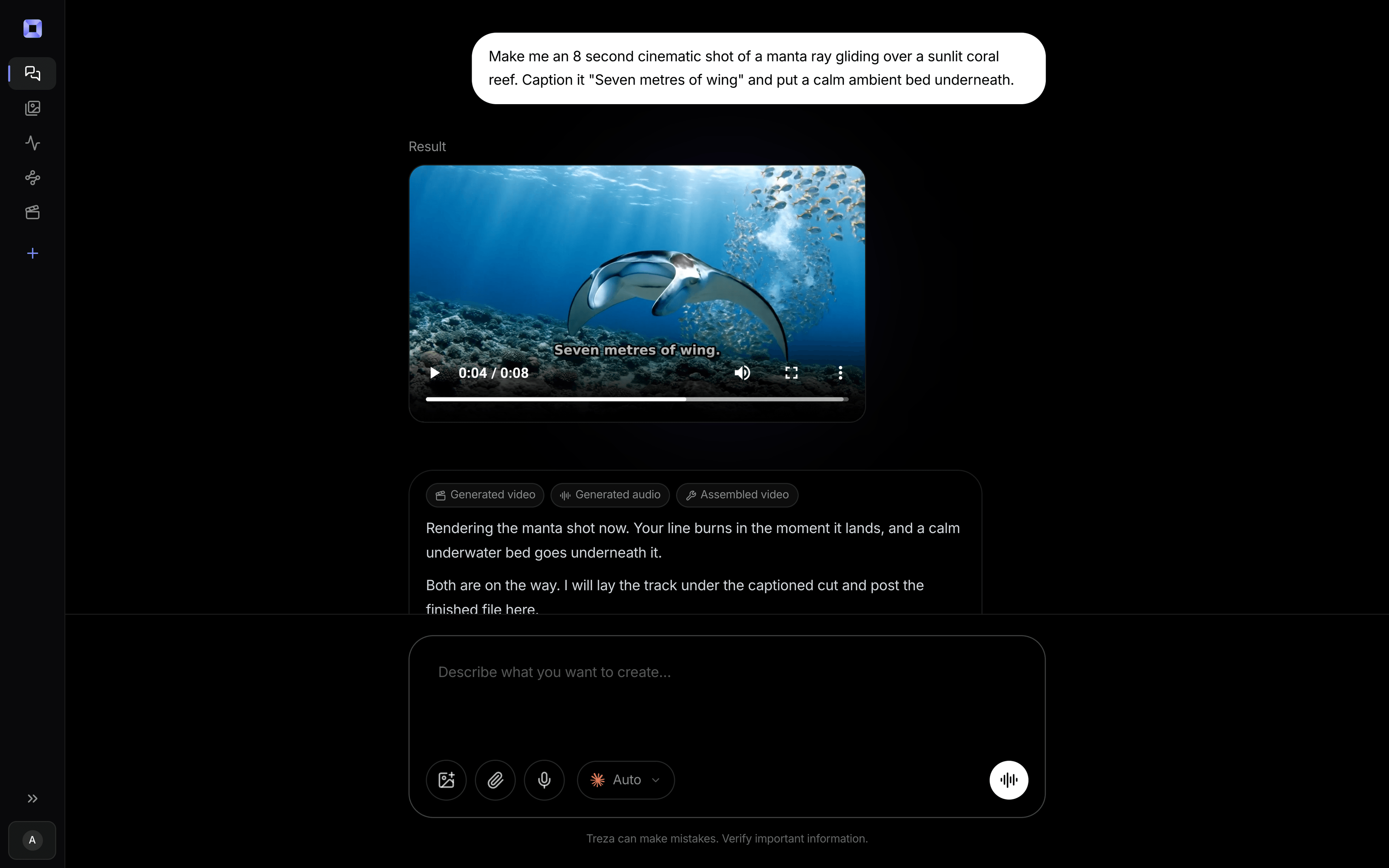
One sentence, in the words you would use out loud.
What people build with it
A kids' cartoon YouTube channel
One hero, one look, a new adventure every week, posted to the channel from the same chat.
Hindi and Hinglish cartoon series
Moral stories with the same boy, girl or animal in every episode, spoken and captioned in Hindi or Hinglish.
A talking animal duo
A fox and a crow who argue in every episode, each in a voice of their own.
Episodes from your own drawing
Upload a drawing of the character and the sheet is drawn from it, so the series looks like yours.
Classroom and bedtime series
The same friendly character explaining one thing an episode, short enough for the end of the day.
Same Pip. Next episode.
Drawn once. Back every time, with something to say.
AI cartoon series maker, answered
How can I make an animated cartoon series where the same character looks the same in every episode?
Describe the character once in chat. Treza draws a character sheet from four angles and uses those views as the reference for every scene, so the model copies the picture rather than re-reading a description. The sheet is saved with your assets, and the next episode is drawn from the same sheet, so the character looks the same in episode one and episode ten. Small details can still drift between renders, so a simple design with a few strong colours holds best, and a scene that wanders can be rerun on its own.
Cartoon series kaise banaye jisme character har episode mein same dikhe?
Apne character ko chat mein ek baar describe karo. Treza uska character sheet banata hai, chaar angles se, aur har scene aur har episode mein wahi sheet reference ki tarah use hota hai, isliye character badalta nahi. Story Hindi ya Hinglish mein likho, dialogue aur captions usi bhasha mein aate hain. Har episode ka daam render se pehle dikhta hai.
What is the best AI tool to make kids' story videos with consistent characters?
Treza draws the character once on a sheet and uses it as the reference in every scene of every episode, which is what keeps a kids' series recognisable. Children are always drawn as cartoon characters, the episode is spoken and captioned in the language you write in, and each run is priced before it starts, with no subscription. AI kids story video generator
Can each character have a different voice?
Yes. Put each character's lines in the scene and Veo 3.1 or Seedance 2.5 generates the voice with the picture, so the elephant and the mouse speak in voices of their own. A narrator, when the story has one, is generated separately and laid over the scenes, so it stays one voice across the whole series.
How long is an episode, and what does it cost?
The Character Skit starter makes one 8 second scene with dialogue for about $0.56. In chat, an episode can run to 12 scenes cut together with music and captions, about three minutes, and each render is quoted before it starts. A failed render costs nothing.
Can I start from my own drawing of the character?
Yes. Upload the drawing in chat and ask for a character sheet of it. The sheet is drawn from your picture, and every scene is drawn from the sheet.
Can I use a famous cartoon character?
Original characters work best. The image and video models decline recognisable characters from existing shows, so describe your own, which also gives you a character no other channel has.
Can I post the episodes to YouTube?
Yes. Connect a channel once and Treza posts the episode for you, or download it and upload it yourself. Mark it as made for kids in YouTube Studio when it is.
How much does it cost to make a cartoon series episode with Treza?
Treza runs on prepaid credits with no subscription. Each generation is charged at the model's own rate from your balance, and a failed generation costs nothing. A typical video generation settles around $1.06, and credit packs start at $5 and never expire.
Can I call this as an API instead of using the canvas?
Yes. Every pipeline can be published as a versioned HTTP endpoint. Call the typed /invoke endpoint with JSON in and JSON out, or point any OpenAI SDK at the OpenAI-compatible endpoint. Swap a model on a node later and the API your product calls does not change.
Do I need to know how to edit video?
No. Start from a template, change the topic, and run it. If you do want frame-level control, the timeline editor is there with multi-track video and audio, per-clip trims, fades, and volume, but nothing about the automated path requires opening it.
Related tools
AI kids story video generator
Bedtime and moral stories for kids, narrated in any language
AI cartoon video generator
Narrated cartoon stories and animated Shorts, in any language
AI skit generator
Recurring character skits, short comedy scenes, and dialogue Shorts
See every tool, compare the models, read what an AI video pipeline is, or earn 30% sharing these tools.
Your first video is one prompt away.
Generate your first video, image, or draft today. Prepaid credits, no subscription.