

AI video upscaler
Upscale your video to 1080p, 2K, or 4K
Upload a clip in Treza chat and ask for it sharper, or put the Video Upscale node in a pipeline behind a generated draft or an old recording. Pick the target, tell it what kind of footage it is, and choose how much of the original texture to keep.
Everything on this page was made on Treza.
Three targets, one setting
Choose 1080p, 2K, or 4K on the node. Cost scales with the target: 2K bills twice the 1080p rate and 4K four times, so a Short headed for phones and a master headed for a large screen each pay for what they need.
Tuned to the footage you have
Tell it what the source is: general, AI-generated, phone and UGC, short series, or old film. Then pick Fast, Standard, or Pro. Pro bills ten times Standard, so keep it for the shot everyone will see.
Sharper, not redrawn
At full strength a restorer can repaint a small face until the person looks slightly different. Blend the upscale back over the original at any strength from 0 to 100. Between 35 and 50 keeps people their own texture and borrows only the edge definition.
Pays only for footage that needs it
Set a minimum source size and anything already that large passes straight through, untouched and unbilled. One node can sit on every footage path in a pipeline where some sources are 1080p and some are 360p.
Draft cheap, upscale the keeper
Seedance 2.5 and Grok Imagine render at up to 720p. Iterate there, pick the take you like, and upscale only that one before captions and publishing, instead of paying for resolution on every attempt.
Grain for archive footage
An optional grain pass after the blend, from 0 to 30, makes a soft source read as archive footage rather than as a bad encode. Around 8 to 12 is subtle.
In chat, or in any pipeline
Ask Treza chat to upscale a clip you uploaded, or to render a new clip and upscale it as soon as it lands. On the canvas it is one node, wired between the footage and the captions.
Where the upscale goes
One node, placed after the take is chosen and before the captions are burned in. These are real runs from this platform, the kind of footage it sits behind.

A cut from a 720p model
Seedance 2.5 tops out at 720p. Upscale the cut you keep to 1080p or 4K.
Seedance 2.5

A draft from a fast model
Keep the take that works, then upscale just that one.
Veo 3.1 Fast

A finished countdown
Upscale before the captions node, so the words burn in at full size.
Top 3 Countdown
From idea to finished video
- Step 01
Bring the footage
Upload a clip in chat, drop a file on the canvas, or wire in the output of a video generation, Extract Clip, or Sequence node.
- Step 02
Set the target and the tier
Pick 1080p, 2K, or 4K, choose the footage type so the enhancement matches the source, and stay on Standard unless the shot is a hero asset.
- Step 03
Decide how much to keep
Leave strength at 100 to take the upscale as it comes, or lower it so real faces stay their own. Add a little grain if the source is meant to look old.
- Step 04
Caption and publish at full size
Place the upscale before the captions node so the words burn in at the final resolution, then publish to YouTube or TikTok, or take the file straight from the chat thread.
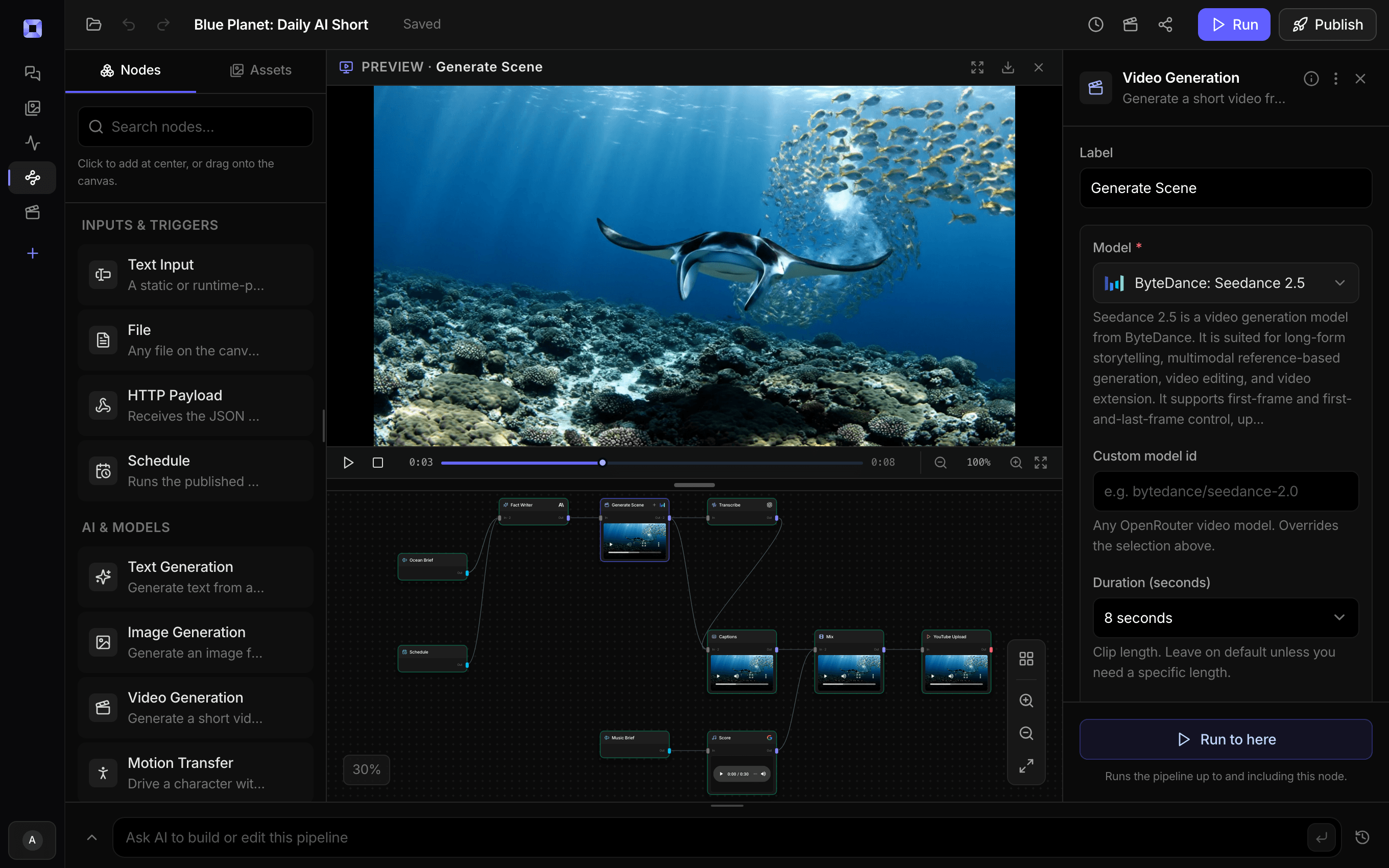
Ask for the pipeline in the composer, or send it from Claude over MCP.
What people build with it
Old uploads, reposted as Shorts
The Upscale and Repost template takes an old or low-res video, cuts its most shareable moment, crops it to vertical around the speaker, upscales that clip to 1080p, captions it, and publishes it.
AI-generated clips headed for 1080p and 4K
Draft on a 720p model, keep the take that works, and upscale it with the AI-generated preset before it goes out.
Vertical crops of widescreen footage
A 9:16 crop keeps only a slice of a 16:9 frame. Upscaling that slice before it fills a 1080x1920 frame is where an upscale earns its cost.
Phone and UGC footage
Creator clips shot on a phone get the Phone and UGC preset, so the enhancement is tuned to that kind of source rather than to a film scan.
Archive and old film
The old film preset plus a touch of grain for restoration pieces, with strength turned down so the people in them keep their own faces.
Upscaling at volume
Put the node in a scheduled pipeline or behind an API with the source-size gate on. Every low-res source is upscaled, every sharp one passes through unbilled, and only successful runs are charged.

Pick the take cheaply. Upscale the one you keep.
1080p, 2K, or 4K, one setting on one node.
AI video upscaler, answered
How do I upscale a video with Treza?
Upload the clip in Treza chat and ask for it upscaled, to 4K if that is what you need. Chat runs the Video Upscale node over it and the finished file comes back in the thread. In a pipeline, add a Video Upscale node after the footage, pick the target resolution, and run it. The Upscale and Repost template has one already wired between the crop and the captions.
What resolutions can it upscale to?
1080p, 2K, and 4K. The rate doubles from 1080p to 2K and doubles again to 4K, and the Pro quality tier bills ten times Standard. The node starts at 1080p on Standard; keep Pro for hero assets.
Will upscaling change how people look?
It can, on very small faces. The Pro tier restores detail by repainting it, and at full strength the person can come back looking slightly different. Lower the strength to 35 to 50 and the node blends the upscale over the original, so they keep their own texture and gain the edge definition.
Can it upscale AI-generated video?
Yes, and there is a preset for it. Several video models render at 720p or below, Seedance 2.5 and Grok Imagine among them. Generate at that resolution, choose the take you want, and upscale that one clip on the AI-generated preset. Chat can also render a clip and upscale it the moment it lands, in one request.
What happens if the video is already high resolution?
Set the node's minimum source size and it measures the clip first. Anything at or above that size on its shorter side passes through untouched and is not billed, which lets one node sit on every footage path in a pipeline and only work on the sources that need it.
Which upscaling model does it use?
The Video Upscale node runs the ByteDance Video Upscaler. Its model page goes deeper on how the tiers behave on very low-resolution footage and why the strength blend exists. This page is about putting it to work: in chat on a single clip, or as one node in a pipeline that cuts, captions, and publishes.
How much does it cost to make ai video upscaler with Treza?
Treza runs on prepaid credits with no subscription. Each generation is charged at the model's own rate from your balance, and only successful runs are charged, so a failed generation costs nothing. A typical video generation settles around $1.06, and credit packs start at $5 and never expire.
Can I call this as an API instead of using the canvas?
Yes. Every pipeline can be published as a versioned HTTP endpoint. Call the typed /invoke endpoint with JSON in and JSON out, or point any OpenAI SDK at the OpenAI-compatible endpoint. Swap a model on a node later and the API your product calls does not change.
Do I need to know how to edit video?
No. Start from a template, change the topic, and run it. If you do want frame-level control, the timeline editor is there with multi-track video and audio, per-clip trims, fades, and volume, but nothing about the automated path requires opening it.
Related tools
AI video generator
The full video pipeline, from prompt to published
AI clip generator
Clipping webinars, interviews, and talks into vertical shorts
AI video caption generator
Word-timed captions burned into every video
Video background remover
Cutouts from video and photos, with new backdrops behind them
See every tool, compare the models, read what an AI video pipeline is, or earn 30% sharing these tools.

Your first video is one prompt away.
Generate your first video, image, or draft today. Prepaid credits, no subscription.