
AI Cabin Build Video Generator. A log cabin rising in the woods, from one camera.
Describe the cabin and the clearing it stands in, and Treza plans the build in six stages, draws them from one camera that never moves, and animates the work between them. You get a vertical cabin build timelapse from the untouched clearing to the finished cabin.
Everything on this page was made on Treza.
Stages planned for a cabin
Tell it a log cabin, an A-frame or a timber cabin on stilts, and the planner writes six stages that fit that build, from the untouched clearing to the finished cabin, plus the work that turns each stage into the next.
The forest stays put
The finished cabin is drawn first, in its setting, and every earlier stage is an edit of that still with the framing, the horizon, the surroundings and the light direction held. The same trees and the same water frame every stage.
Nothing goes up early
Each stage edit lists what is not built yet, like the upper walls, the roof, the porch or the chimney, and removes it completely, so the cabin only looks finished on the last stage.
Fast-motion work on Veo 3.1
Each neighbouring pair of stages becomes a first and a last frame for Veo 3.1, prompted as a locked-off timelapse: workers and machines in fast motion, shadows sweeping across the clearing, clouds racing over the trees.
Crossfaded into one build
A Sequence node cuts the five clips in order with short crossfades into one 1080p vertical video, because the video model redraws its first and last frames rather than landing on them exactly.
Swap a clip, keep the cabin
Every stage and clip is its own node on the canvas. Rerun one clip that morphed, or move it to another video model that takes a first and a last frame, and the rest of the cabin stays as it was.
The lake house this template built
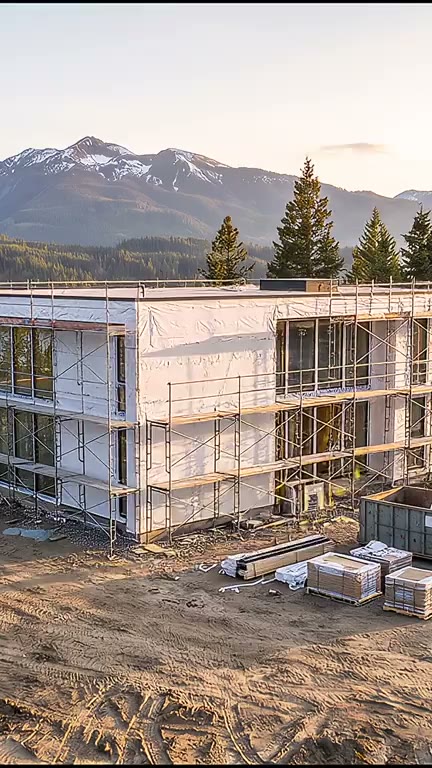
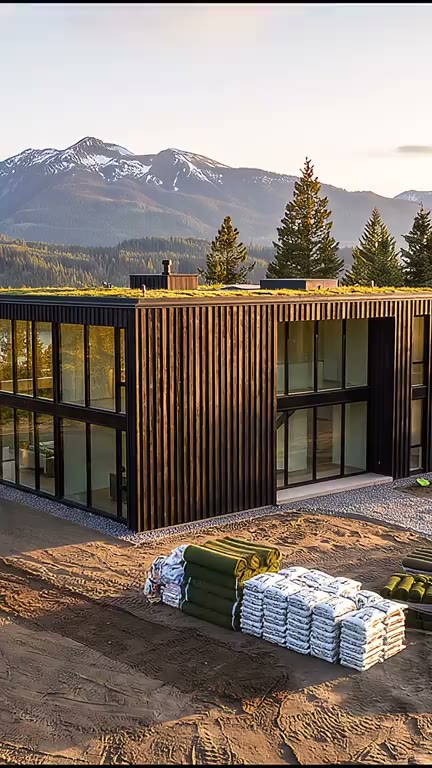
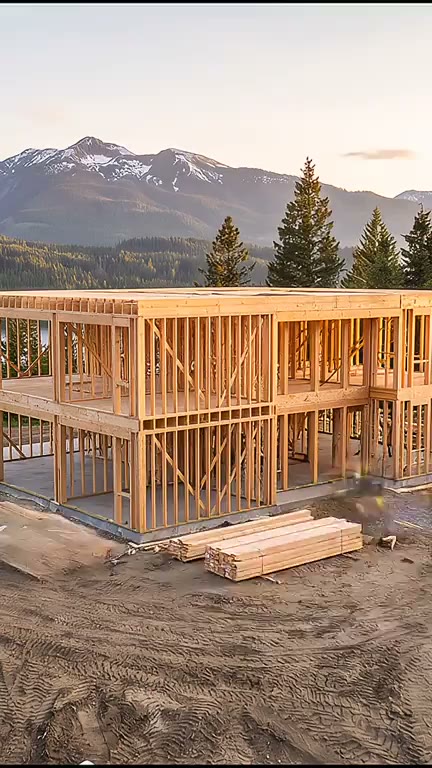
There is no cabin run to show yet. This is the template's one real run, a timber house above a mountain lake, and a cabin goes through the same method: the finished still first, five earlier stages edited from it, one camera.
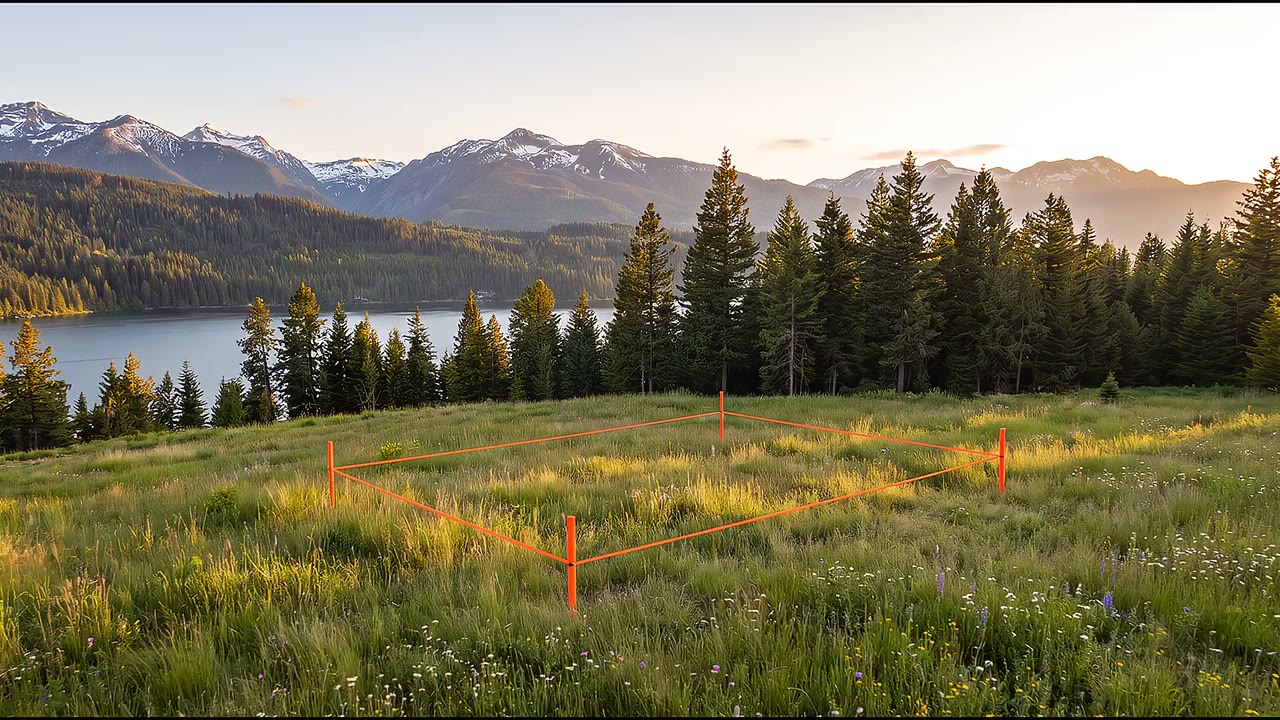
The whole house build
From a staked meadow to lights on, with the lake and the mountains held in every stage.
Watch the whole buildBuild Timelapse
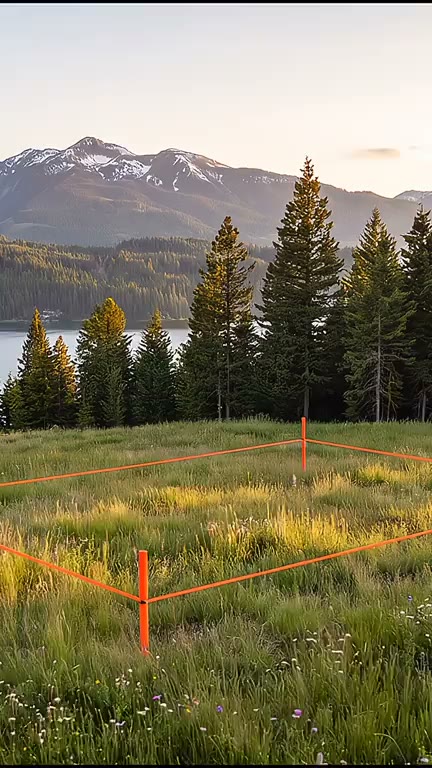
Untouched ground first
The first clip starts on the meadow, where a cabin would start in its clearing.
Build Timelapse
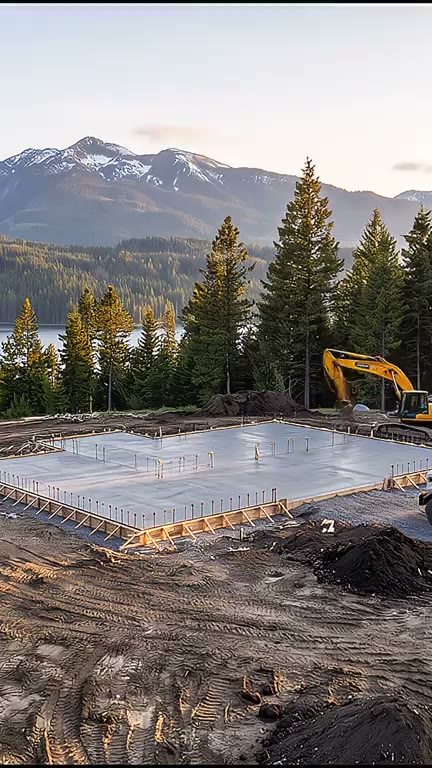
The frame on its footprint
The house's structure rises exactly where the finished house stands.
Build Timelapse
From idea to finished video
- Step 01
Describe the cabin and the clearing
Open the Build Timelapse template and say what kind of cabin and where: a log cabin with a stone chimney in a pine clearing, an A-frame on a snowy slope, a cabin on stilts by a river.
- Step 02
Run it
The plan, the finished cabin, the five stage edits, the five clips and the cut all run together, and the cabin build timelapse comes back in the chat.
- Step 03
Rerun what drifted
Open the pipeline on the canvas. If one stage put the chimney up early, rerun that stage node alone, then the clips that start or end on it. Everything else stays as it is.
- Step 04
Add sound and post
The clips are silent. Wire an Audio Generation node into the cut for a music bed, or set it to ElevenLabs SFX for axes, saws and wind in the pines, then post with a YouTube or TikTok node.
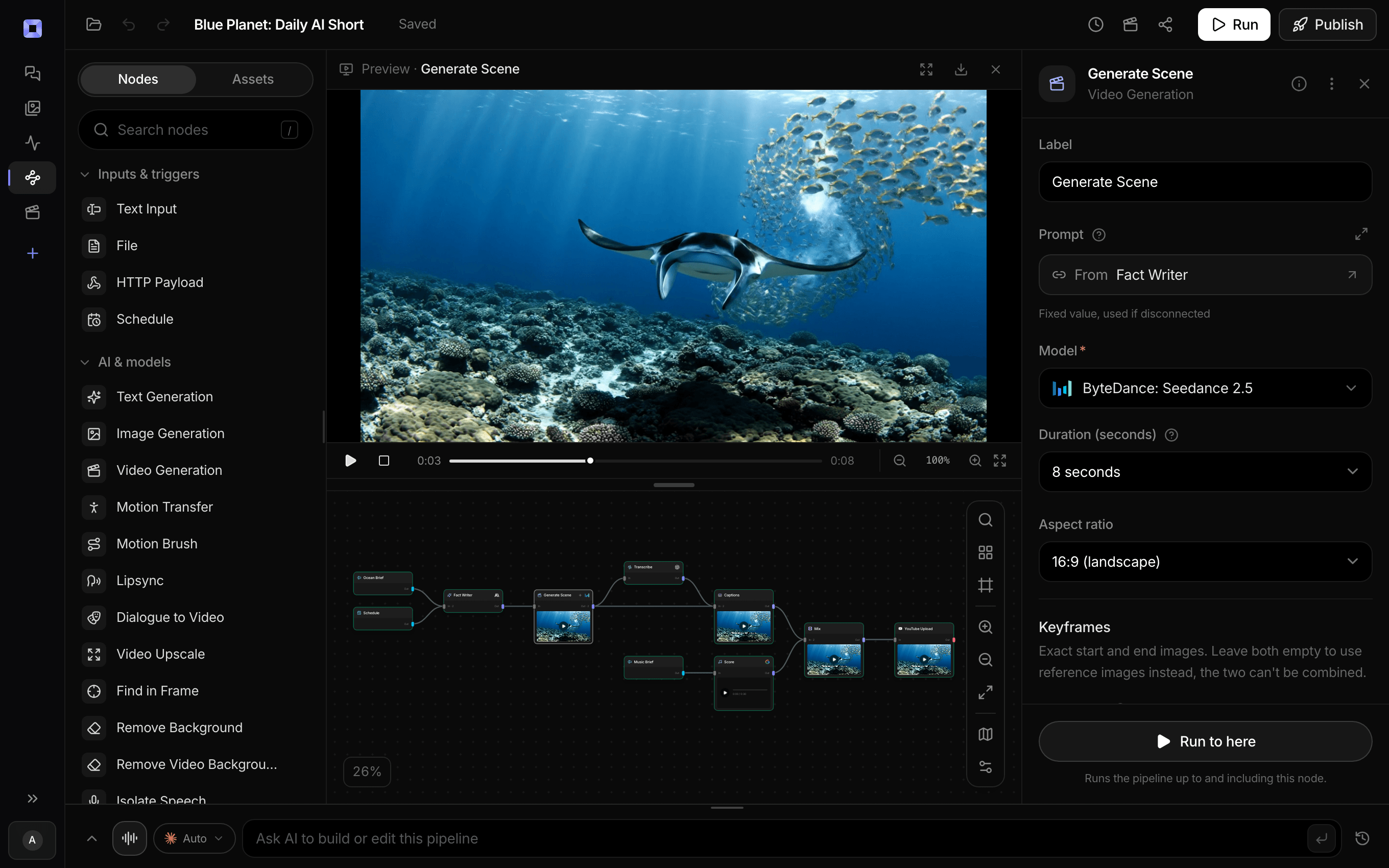
Ask for the pipeline in the composer, or send it from Claude over MCP.
What people build with it
Log cabin build timelapses
Stone piers, notched logs, gable ends, a metal roof and a chimney. Describe the cabin closely, and the plan stages that build from a bare clearing to the finished cabin.
A-frames and off-grid cabins
An A-frame on a snowy slope, a cabin on stilts over a river, a small off-grid hut on a ridge. A new cabin is a new sentence.
Cabin build Shorts for a channel
Vertical, 1080p, made for Shorts, Reels and TikTok. A cabin build channel needs no land, no logs and no season of filming.
The cabin you want to build
Planning a cabin on your land? Describe it and watch it go up before you order a single log. It is drawn from your words, so treat it as a sketch in motion, not a plan.
An ending that settles in
The landscaping comes back only on the last stage, so the timelapse ends on the cabin finished and settled into its clearing after five stages of bare, worked ground.
This one was a lake house.
Describe a cabin, and the same six stages build that instead.
AI cabin build video generator, answered
How do I make a cabin build video with AI?
Describe the cabin and where it stands, like a log cabin in a pine clearing by a lake. Treza's Build Timelapse template plans six stages from the untouched clearing to the finished cabin, draws them from one fixed camera, animates the work between each pair on Veo 3.1, and joins them into a vertical video. Copy the log cabin prompt
Can it make a log cabin build timelapse?
Yes. Say log cabin and describe it: the logs, the roof, the chimney, the porch. The planner is told a cabin is one of the builds it handles and writes stages for that kind of build. To fix the order yourself, write the stages into your sentence, from stone piers to the last round of logs.
Will the trees and the lake look the same in every stage?
Yes, because every stage is an edit of one still. The finished cabin is drawn first, and each earlier stage keeps the camera, the framing, the horizon and the surroundings where they are and only takes away what is not built yet.
Can I add the sound of the build?
Yes, on the canvas. The template renders silent clips. Add an Audio Generation node set to ElevenLabs SFX, describe the sound plainly, like axes, a chainsaw and wind in the pines, and wire it into the cut. Pick a music model on the same node for a bed instead.
Can I make a widescreen cabin build video for YouTube?
Yes, on the canvas. Set the image and clip nodes to 16:9, the Sequence resolution to 1080p, and ask the planner for a widescreen photograph instead of a vertical one. The same graph then renders a landscape cabin build, and a YouTube node set to Video posts it as a standard upload.
Can it start from a photo of my land?
The template draws the site from your description rather than from a photo. Describe the clearing as it is, the trees, the slope, the water, and the cabin as you want it finished, and both are generated from one fixed camera.
How much does it cost to make a cabin build video with Treza?
Treza runs on prepaid credits with no subscription. Each generation is charged at the model's own rate from your balance, and a failed generation costs nothing. A typical video generation settles around $1.06, and credit packs start at $5 and never expire.
Can I call this as an API instead of using the canvas?
Yes. Every pipeline can be published as a versioned HTTP endpoint. Call the typed /invoke endpoint with JSON in and JSON out, or point any OpenAI SDK at the OpenAI-compatible endpoint. Swap a model on a node later and the API your product calls does not change.
Do I need to know how to edit video?
No. Start from a template, change the topic, and run it. If you do want frame-level control, the timeline editor is there with multi-track video and audio, per-clip trims, fades, and volume, but nothing about the automated path requires opening it.
Related tools
AI timelapse video generator
Construction timelapses from an empty site to finished, from one camera
AI tiny house build video generator
Tiny house build videos, from an empty trailer or plot to finished
AI house building video generator
House construction timelapses, from a marked-out lot to lights on
AI garden build video generator
Garden and landscaping timelapses, from bare ground to finished
See every tool, compare the models, read what an AI video pipeline is, or earn 30% sharing these tools.
Your first video is one prompt away.
Generate your first video, image, or draft today. Prepaid credits, no subscription.