

AI motion transfer
Film a move once, and a character copies it
Wire a clip of a performance and a character image into the Motion Transfer node, and the character repeats the movement and expression frame for frame. Or switch to replace mode and put your character into the original footage in place of the performer.
Everything on this page was made on Treza.
Movement and expression, transferred
The node reads body movement and facial expression from the motion clip and drives your character image with them. Film yourself or use any clip you have, and the character performs your take instead of inventing its own.
Replace a character in a video
Wan 2.2 Animate in replace mode keeps the original footage and swaps your character in for the performer. The scene you shot stays the scene; only who is in it changes.
Kling and Wan, in one node
Kling 3.0 Motion Control in Standard and Pro animates your character image with the performance. Wan 2.2 Animate does the same in move mode, renders at 480p, 580p, or 720p, and adds the replace mode. The model is one setting on the node.
Up to 30 seconds of performance
On Kling, choose what leads. Image keeps the character exactly as pictured for clips up to 10 seconds; Video follows the performance more closely for clips up to 30. Longer footage trims down with an Extract Clip node wired in front.
Your original sound, kept
Kling carries the motion clip's audio into the result, on by default, so the character plays with your voice and your timing. Switch it off when you want to lay narration or music over the clip instead.
The character, generated on the same canvas
Describe the character in a text node and an image model draws it, so you can rerun that one node until the look is right before any motion renders. Or upload a mascot, artwork, or a character you already own.
No performance? Draw the motion
Motion Brush is the close cousin for a still. Paint up to six regions on a start image, drag a path for each, and those regions move along your paths in a 5 or 10 second shot, with an optional mask for anything that must stay put.
One take in, a character out
The filmed performance plays on top and the character it drove plays underneath, at the same instant. The movement and timing come from the take; the look comes from a generated image.

Performance in, character out
A filmed move, repeated frame for frame by a generated character.
Motion Transfer
From idea to finished video
- Step 01
Get the performance
Film a 5 to 15 second take on your phone, or bring any clip. One person, whole or upper body in frame, and a steady camera give the model the clearest read.
- Step 02
Describe the character
Open the Performance Transfer template and write your character into the text node. An image model draws it, and you approve the still before the transfer runs.
- Step 03
Transfer the performance
Drop your clip on the File node and run. Pick the model, choose whether the image or the video leads on Kling, and wire in a prompt there if you want extra direction.
- Step 04
Finish the shot
Caption it, stitch it into a Sequence with other shots, publish it to YouTube or TikTok, or publish the whole pipeline as an API that takes a clip and returns the character performing it.
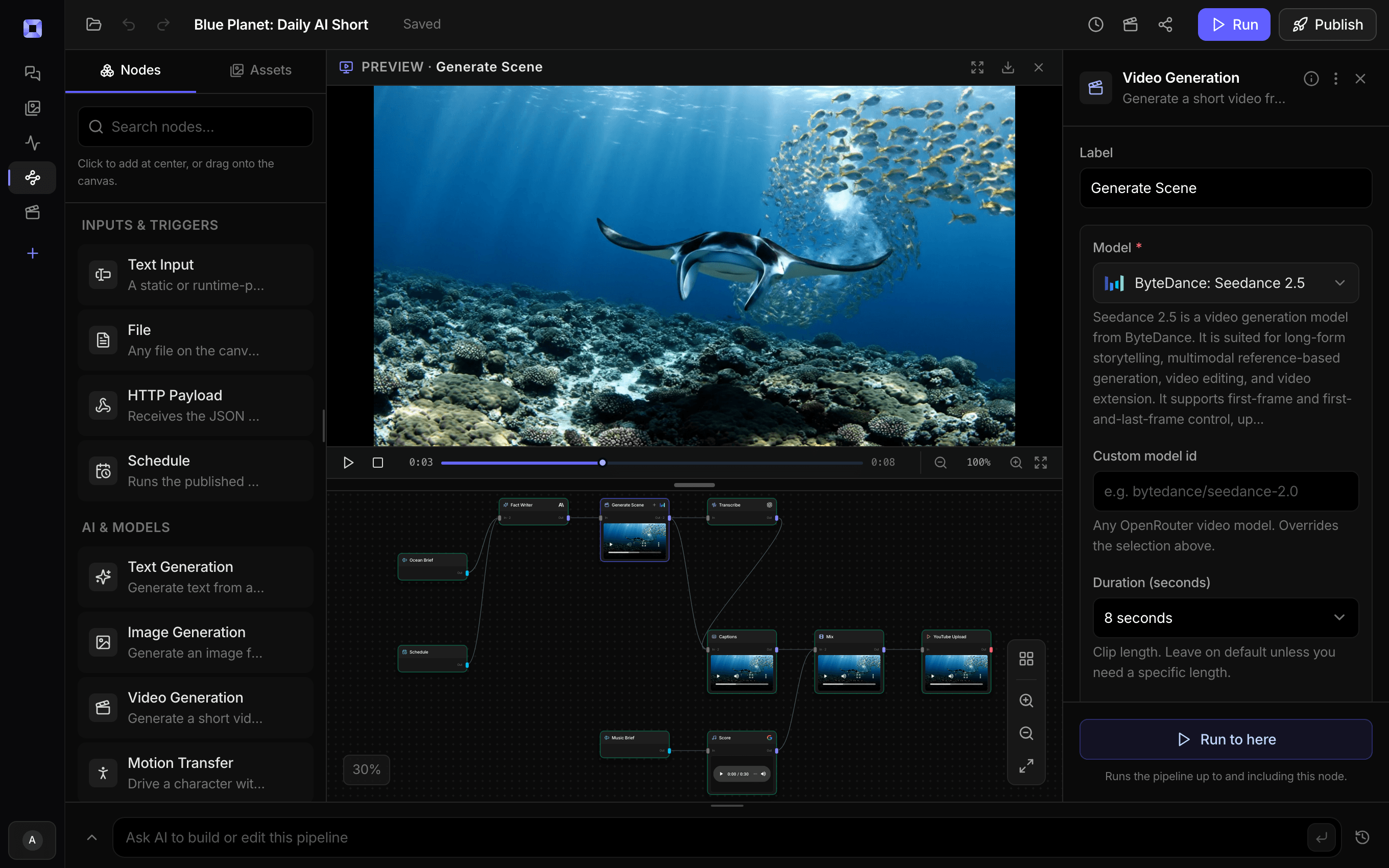
Ask for the pipeline in the composer, or send it from Claude over MCP.
What people build with it
Make a character copy my moves
Film yourself doing the move, describe the character, and get the character doing what you did. A wave, a walk-on, a reaction: acted once by you, performed by the character.
Replace a character in a video
Keep the footage you already shot and swap the person in it for a character, with the original scene carried through.
Motion capture from a plain video
No suit, no markers, no rig. The performance is an ordinary clip, and what comes back is a rendered video of your character, ready to cut, rather than animation data for a 3D package.
Mascots and brand characters
Put the brand's mascot through a real performance: someone on the team acts out the product reveal, and the mascot repeats it for the feed.
Previs and pitch shots
Act out a beat for a pitch or a storyboard and watch the character perform it, before anyone commits to animation or a shoot.
A recurring character across a series
Keep the same character image on every episode. With the image leading, the character stays exactly as pictured while each new take gives it something new to do.

Film the move once. Recast it as often as you like.
Swap the character image and rerun one node.
AI motion transfer, answered
What is AI motion transfer?
Motion transfer takes the movement and facial expression from one video and applies them to a different character. On Treza it is a node: wire in a character image and a clip of the performance, and the model returns a video of the character performing it. The Performance Transfer template has it wired from a written character description to the finished clip.
What kind of clip works best as the performance?
One person, whole or upper body in frame, a steady camera, and unhurried movement. Walking, turning, waving, reaching, and stretching all transfer cleanly. Fast spins, jumps, and limbs crossing the body are harder for the model to read and can pull the character toward the performer's shape, so a slower, frontal take of the same move is the one to film.
How long can the performance be?
On Kling 3.0 Motion Control, up to 10 seconds when the character image leads and up to 30 seconds when the video leads. If your footage runs longer, put an Extract Clip node in front of the transfer and cut out the part you want.
Can I replace a person in existing footage with a character?
Yes. Choose Wan 2.2 Animate in replace mode and the node keeps the original footage and puts your character in place of the performer. Kling and Wan's move mode work the other way round, animating your character image with the performance.
Does the result keep my audio?
On the Kling models, yes. Keep original sound is on by default and carries the motion clip's audio into the result. Turn it off for a silent clip you can narrate, score, or cut against other audio later in the same pipeline.
What makes a good character image?
A full-body character facing the camera on a plain background, which is how the template's character prompt is written. Stylized characters, mascots, and figures in suits or costumes hold together best, since a photoreal human face is the hardest thing for the model to track. Generate the character on the same canvas and you can iterate on the look before the transfer runs.
Does it export motion capture data?
It exports the finished video: your character performing the move, rendered and ready to caption, sequence, or publish. There is no skeleton or animation file to retarget, which for video work means there is also no rig to build and nothing left to render.
How much does it cost to make ai motion transfer with Treza?
Treza runs on prepaid credits with no subscription. Each generation is charged at the model's own rate from your balance, and only successful runs are charged, so a failed generation costs nothing. A typical video generation settles around $1.06, and credit packs start at $5 and never expire.
Can I call this as an API instead of using the canvas?
Yes. Every pipeline can be published as a versioned HTTP endpoint. Call the typed /invoke endpoint with JSON in and JSON out, or point any OpenAI SDK at the OpenAI-compatible endpoint. Swap a model on a node later and the API your product calls does not change.
Do I need to know how to edit video?
No. Start from a template, change the topic, and run it. If you do want frame-level control, the timeline editor is there with multi-track video and audio, per-clip trims, fades, and volume, but nothing about the automated path requires opening it.
Related tools
AI image to video generator
Motion from a photo, poster, or generated key frame
AI lip sync generator
Talking-head videos and clips synced to a new voice
Video background remover
Cutouts from video and photos, with new backdrops behind them
See every tool, compare the models, read what an AI video pipeline is, or earn 30% sharing these tools.

Your first video is one prompt away.
Generate your first video, image, or draft today. Prepaid credits, no subscription.