
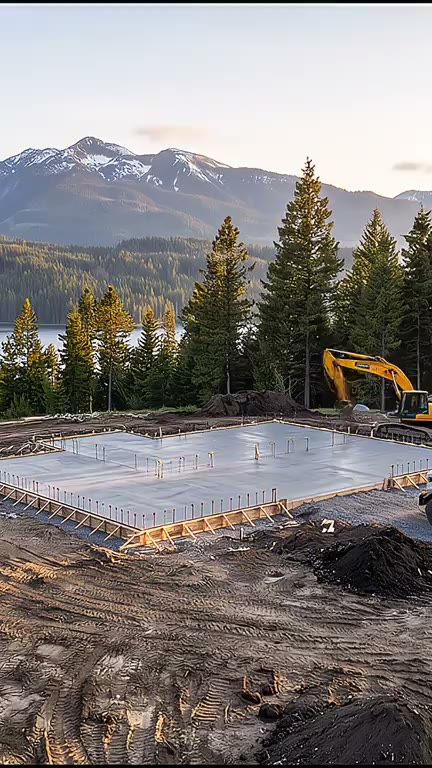
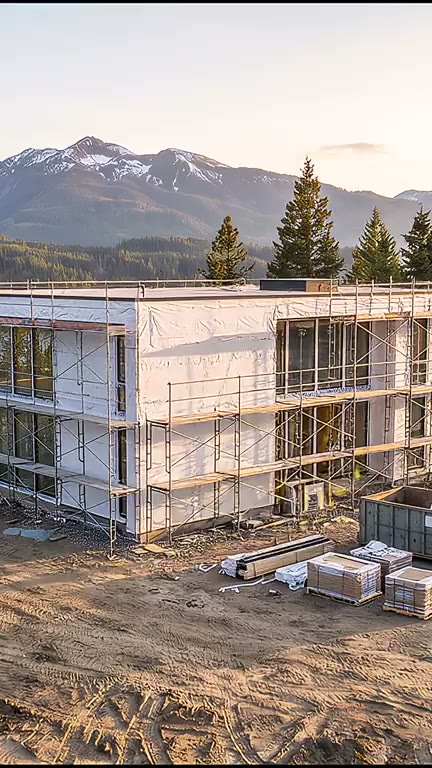
AI Timelapse Video Generator. From an empty site to finished, from one camera.
Describe something being built and Treza plans six stages, draws them as one scene from a camera that never moves, and animates the work between each pair. You get a vertical timelapse from the untouched site to the finished build.
Everything on this page was made on Treza.
One sentence in, six stages out
A language model reads what gets built and where, and plans the finished build plus five earlier stages, each a believable step for that kind of build, with the work that happens between each pair written out for the video model.
The finished build is drawn first
Nano Banana Pro draws the finished build, then every earlier stage is an edit of that one still, told to keep the camera, the horizon, and the footprint exactly where they are. That is what stops the building wandering between stages.
Nothing from later stages leaks in
Each stage edit lists what is not built yet and removes it: the unbuilt parts, the finishes, the lights, the lawn. Once work starts the ground stays a working site until the finished build, where the landscaping comes back.
First frame to last frame on Veo 3.1
Each neighbouring pair of stages goes to Veo 3.1 as a first and a last frame, so the model only invents the work in between: machines and workers in fast motion, shadows sweeping, clouds racing. Five clips at 1080p vertical.
Joined with crossfades
A Sequence node cuts the five clips in order with short crossfades, because the video model redraws its keyframes instead of landing on them exactly. The joins read as one continuous build.
Fix one stage, not the whole video
Every stage and every clip is its own node on the canvas. Rerun the one stage that drifted or the one clip that morphed, or move a clip to a different video model, and the rest of the build stays as it is.
A build this template made
One house above a mountain lake, from a staked meadow to the lights coming on. Every stage is an edit of the finished still, so the camera never moves.
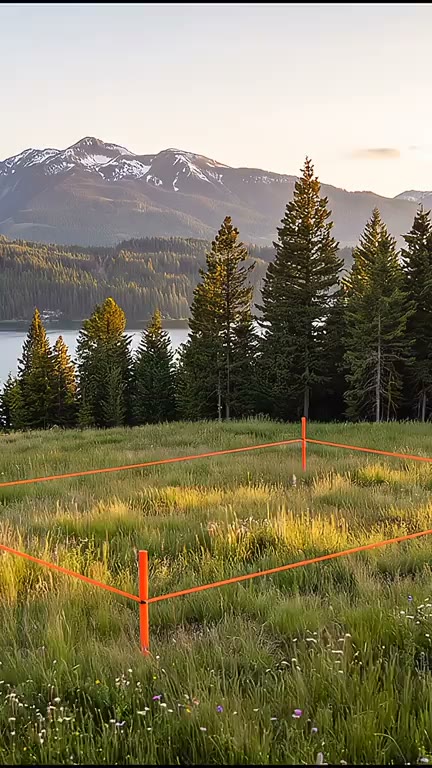
Meadow to slab
The first clip starts from the untouched site.
Build Timelapse
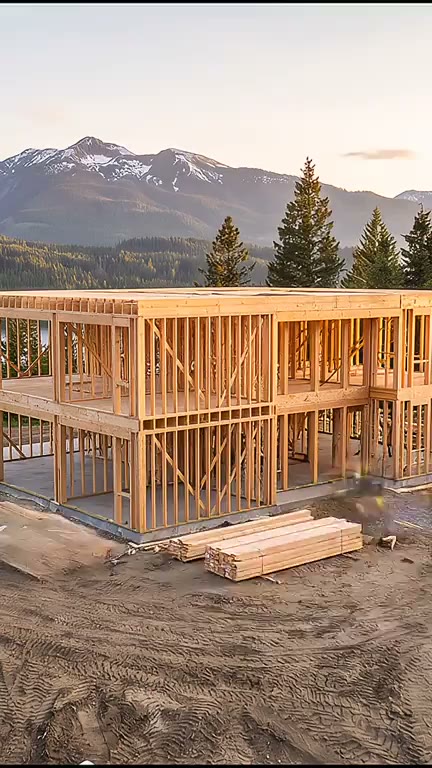
Framed and closed in
The same footprint, the same horizon, a stage later.
Build Timelapse
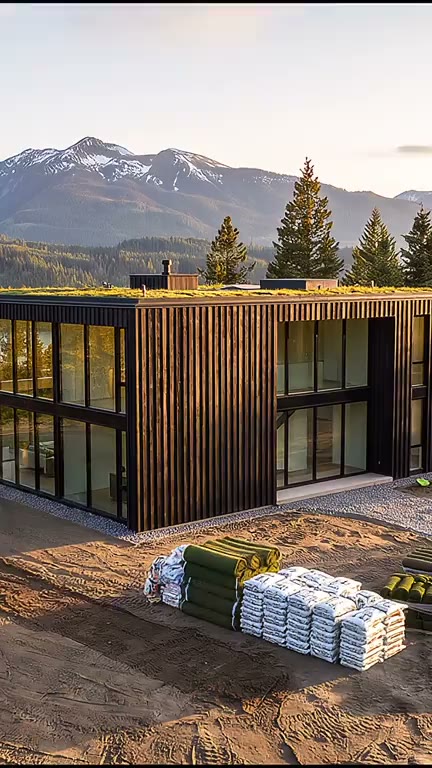
Finished, lights on
The landscaping comes back on the last stage.
Build Timelapse
From idea to finished video
- Step 01
Describe the build
Open the Build Timelapse template and say what gets built and where, like a treehouse in an old oak tree or a cabin on a lake shore.
- Step 02
Run it
The plan, the finished still, the five stage edits, the five clips, and the cut all run in one go, and the timelapse comes back in the chat.
- Step 03
Fix what drifted
Open the pipeline on the canvas and rerun a single stage or clip node until that step looks right.
- Step 04
Add sound and post it
The clips render silent. Add a music node under the cut for one continuous bed, then a YouTube or TikTok node to post the finished timelapse.
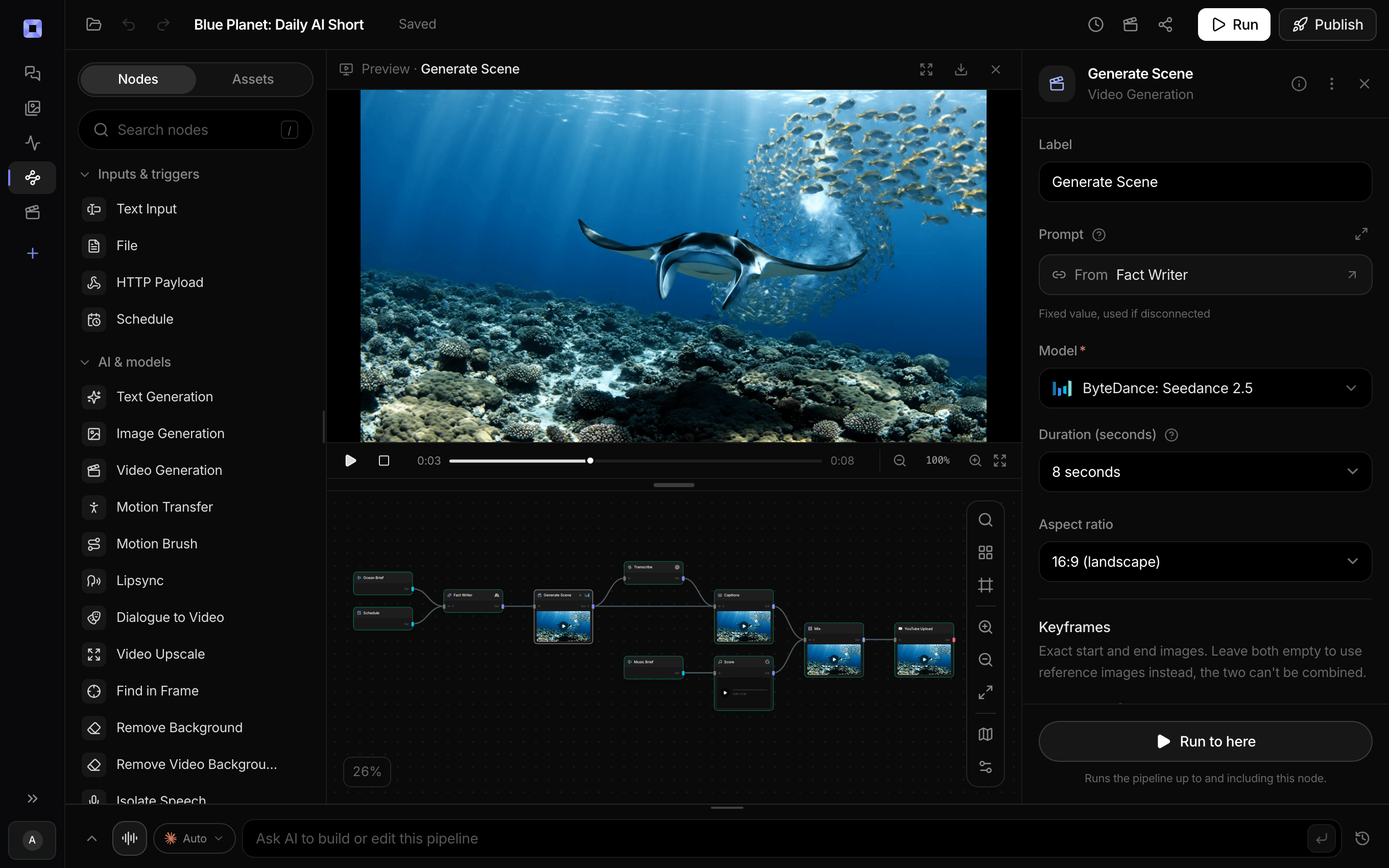
Ask for the pipeline in the composer, or send it from Claude over MCP.
What people build with it
Construction timelapse Shorts
A house rising from a staked meadow to a finished home with its lights on, in a vertical format made for Shorts, Reels, and TikTok.
Anything built in place
A cabin, a pool, a bridge, a garden. The planner works out the stages for whatever you describe, so a new build is a new sentence.
Satisfying build videos without a site
Nobody filmed it and nothing was built. Every stage is generated from your description, so a build channel needs no camera, no site access, and no months of waiting.
Restoration and renovation reveals
Make the restored building the finished still and edit the plan so the stages run back through decay, and the same graph animates from ruin to restored.
A design shown going up
Describe a concept and watch it rise from bare ground to finished, from one fixed eye-level camera, to show what a build would look like before it exists.
Build videos for a Shorts channel
Put a YouTube or TikTok node after the cut and each finished timelapse posts as a Short, so a build channel is one sentence per video.
Empty site. Finished build. One camera.
Describe the build and watch it go up.
AI timelapse video generator, answered
What is an AI timelapse video generator?
An AI timelapse video generator makes a video of something being built, from an empty site to finished, without filming anything. On Treza, the Build Timelapse template plans six stages from one sentence, draws them as one consistent scene from a fixed camera, and animates the work between each pair into a vertical video. See how the method was built
Why does the camera not move between stages?
Because every stage comes from the same picture. The finished build is drawn first, and each earlier stage is an edit of that still with the camera, the horizon, and the footprint held in place. Generating the stages separately is what makes a building drift or change shape.
Can it build things other than houses?
Yes. The planner is told it can be a house, a cabin, a bridge, a garden, anything built in place, and it writes stages that fit that kind of build. Describe the build and where it stands.
Does the timelapse have sound?
The template renders its clips without audio. Add a music node on the canvas and the Sequence mixes the track under the cut, so the sound runs as one continuous bed across all five clips.
Can I make a landscape version?
Yes, on the canvas. The template is vertical. Set the image and clip nodes to 16:9, the Sequence resolution to 1080p, and ask the planner for a widescreen photograph instead of a vertical one, and the same graph renders a landscape timelapse.
Can I start from a photo of a real place?
The template draws every stage from your description. On the canvas you can put your own photo in as a first frame and an edited version of it as the last, which is how a renovation of a real house is built.
How much does it cost to make a timelapse video with Treza?
Treza runs on prepaid credits with no subscription. Each generation is charged at the model's own rate from your balance, and a failed generation costs nothing. A typical video generation settles around $1.06, and credit packs start at $5 and never expire.
Can I call this as an API instead of using the canvas?
Yes. Every pipeline can be published as a versioned HTTP endpoint. Call the typed /invoke endpoint with JSON in and JSON out, or point any OpenAI SDK at the OpenAI-compatible endpoint. Swap a model on a node later and the API your product calls does not change.
Do I need to know how to edit video?
No. Start from a template, change the topic, and run it. If you do want frame-level control, the timeline editor is there with multi-track video and audio, per-clip trims, fades, and volume, but nothing about the automated path requires opening it.
Related tools
AI image to video generator
Motion from a photo, poster, or generated key frame
AI shorts generator
Vertical short-form video for TikTok, Reels, and Shorts
Faceless video generator
Faceless YouTube and TikTok channels that publish on a schedule
See every tool, compare the models, read what an AI video pipeline is, or earn 30% sharing these tools.
Your first video is one prompt away.
Generate your first video, image, or draft today. Prepaid credits, no subscription.