

Text to Video AI. Every top model, priced before you render.
Describe a shot and get the clip. Veo, Seedance, Kling, Wan, Hailuo and more on one account, each priced up front for the length and shape you ask for.
Everything on this page was made on Treza.
Every top video model
Veo 3.1, Seedance 2.5, Kling 3.0 Pro, Wan 3.0, MiniMax Hailuo 3 and more, on one balance. Name the model in chat, or let Treza pick one that renders the length you asked for.
The price before the render
Every clip is quoted before it starts: model, length, resolution, price. A 4 second Veo 3.1 Lite clip at 720p quoted $0.28. A failed generation costs nothing.
Vertical, wide, or square
Ask for 9:16 for Shorts, Reels and TikTok, 16:9 for YouTube, or 1:1 for a feed post.
Sound in the same render
Models with native audio, like Veo 3.1 and Seedance 2.5, generate dialogue, ambience and effects with the picture.
Continue the shot
Ask what happens next and the new clip opens on the last frame of the one before, so the two cut together as one take.
From one clip to a whole video
Chain shots into a Sequence of up to 12, add narration, music and captions, and post it, all from the same chat.
One prompt each, three models
Each of these is a single prompt and a single render. The name under it is the model that made it.

Veo 3.1
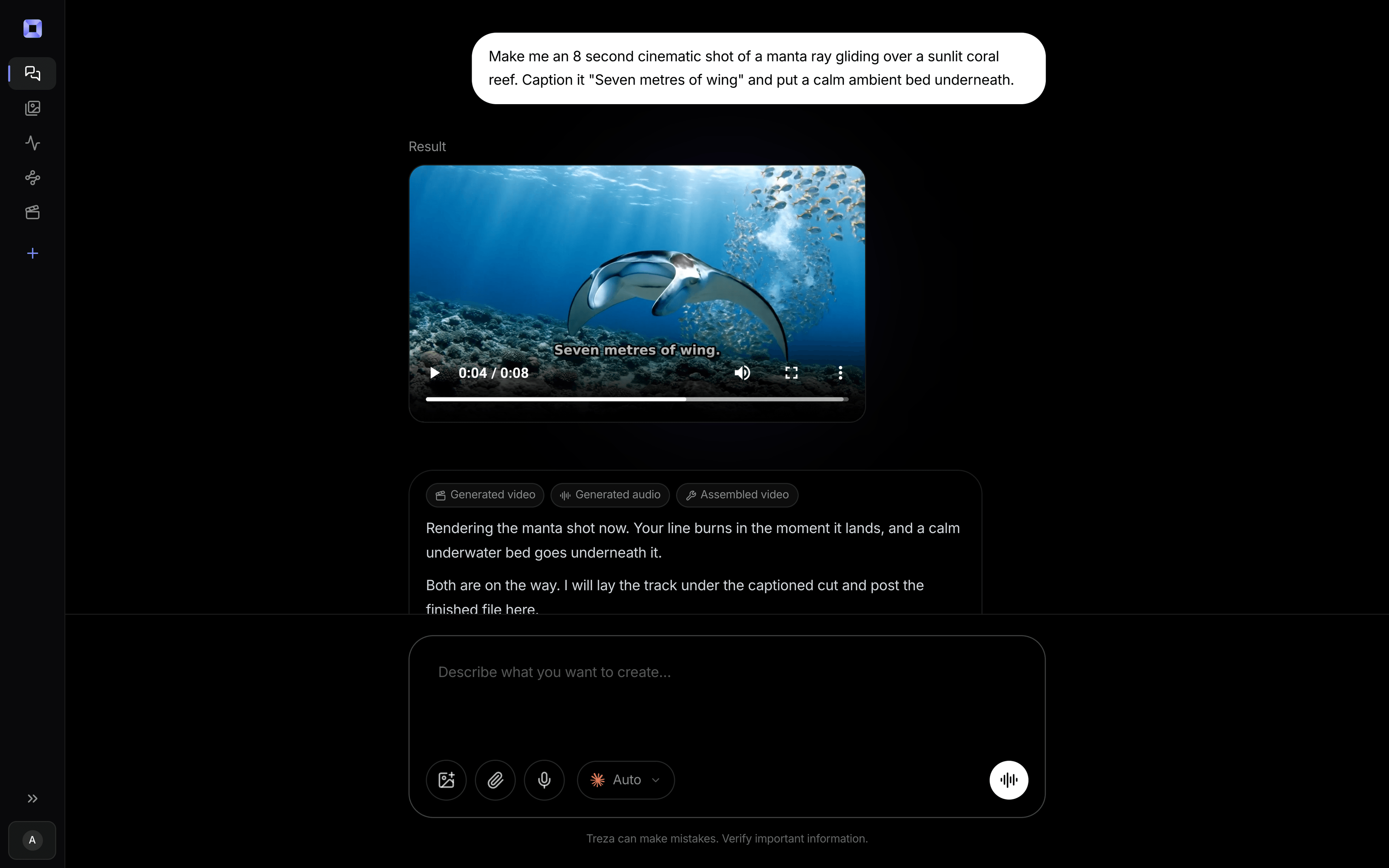
A manta ray over a reef, light falling through the water.
Veo 3.1

Seedance 2.5
A slow dolly through a sunlit room.
Seedance 2.5

Kling 3.0 Pro
A chronograph turning under a sweeping light.
Kling 3.0 Pro
From idea to finished video
- Step 01
Describe the shot
The subject, the action, the setting and the camera, in plain words.
- Step 02
Pick the shape and length
Say vertical or wide and how many seconds. Name a model, or leave it to Treza.
- Step 03
Accept the price
Chat shows what it will render and what it costs. Nothing runs until you say go.
- Step 04
Keep it, change it, or continue it
Download the clip, try it on another model, or extend it from its last frame.
One sentence, in the words you would use out loud.
What people build with it
Comparing models on one prompt
Render the same prompt on two or three models and keep the one that looks right.
B-roll for an edit
A city at dusk, a pour, a product turning, generated to the length the cut needs.
Shots for a Short
Vertical clips with sound, ready to post or to stitch into a longer video.
Text to video from your own app
The same render is one API call, so a product can generate video from its users' prompts.

Text to video AI, answered
What is the best text to video AI?
There is no single best model. Veo 3.1 leads on polish and sound, Seedance 2.5 on length and price, Kling 3.0 Pro on motion. The useful thing is to try a prompt on more than one, which is what one account across all of them is for. Compare the models
How much does text to video cost?
It depends on the model, the length and the resolution. Treza quotes the exact price before every render; a 4 second Veo 3.1 Lite clip at 720p quoted $0.28. Credits are prepaid with no subscription, and packs start at $5.
How long can a clip be?
Each model has its own range, from 4 seconds up to 30 on Seedance 2.5. For longer videos, continue a clip from its last frame or stitch shots in a Sequence.
How do I write a good text to video prompt?
Say who or what is in the shot, what they do, where it happens, the light, and how the camera moves. One shot per prompt works better than a whole story.
Can I call it from code?
Yes. The same render is available over the API and the MCP server, so an agent or an app can make a video from a prompt. Developer docs
How much does it cost to make a video from text with Treza?
Treza runs on prepaid credits with no subscription. Each generation is charged at the model's own rate from your balance, and a failed generation costs nothing. A typical video generation settles around $1.06, and credit packs start at $5 and never expire.
Can I call this as an API instead of using the canvas?
Yes. Every pipeline can be published as a versioned HTTP endpoint. Call the typed /invoke endpoint with JSON in and JSON out, or point any OpenAI SDK at the OpenAI-compatible endpoint. Swap a model on a node later and the API your product calls does not change.
Do I need to know how to edit video?
No. Start from a template, change the topic, and run it. If you do want frame-level control, the timeline editor is there with multi-track video and audio, per-clip trims, fades, and volume, but nothing about the automated path requires opening it.
Related tools
AI video generator
The full video pipeline, from prompt to published
AI image to video generator
Motion from a photo, poster, or generated key frame
Script to video AI
Scripts, screenplays, and outlines turned into narrated multi-scene video
See every tool, compare the models, read what an AI video pipeline is, or earn 30% sharing these tools.
Your first video is one prompt away.
Generate your first video, image, or draft today. Prepaid credits, no subscription.