
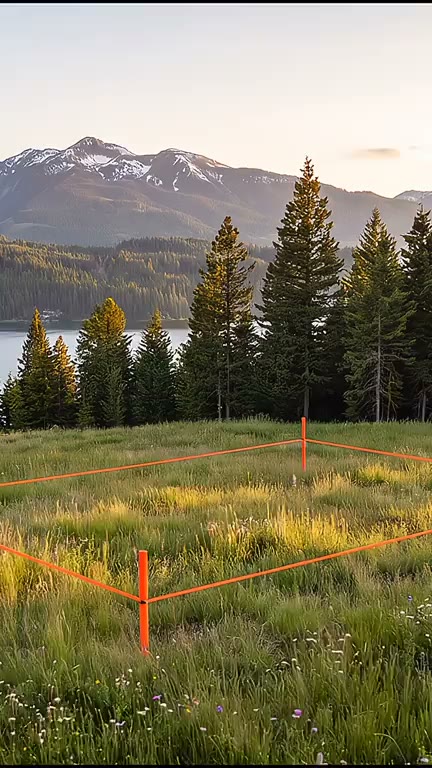
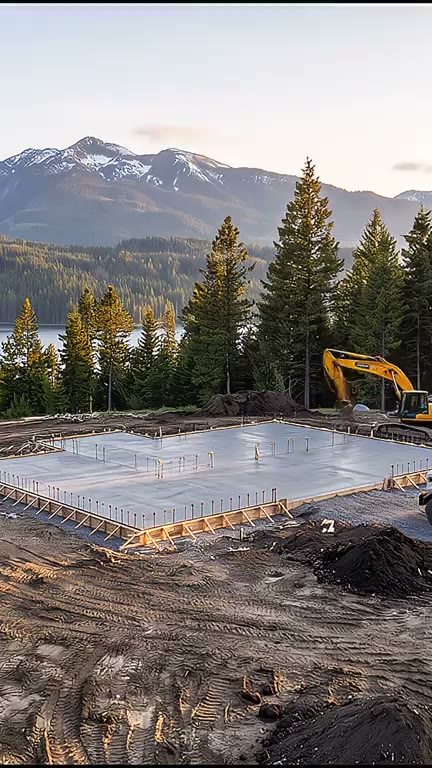
AI Tiny House Build Video Generator. A tiny home built start to finish, one camera.
Describe the tiny house and what it sits on, a trailer, piers or a slab, and Treza plans six build stages, draws them from one fixed camera, and animates the work between them. The result is a vertical tiny house build video for Shorts, Reels and TikTok.
Everything on this page was made on Treza.
One sentence, six build stages
A language model reads your tiny house and plans the finished home plus five earlier stages, each a believable step for that build, from the empty trailer or plot to the stage just before finished.
A small build that stays its size
The finished tiny house is drawn first, then every stage is an edit of that still with the camera, the framing and the footprint locked, so a small build does not grow, shrink or slide across the frame between stages.
The curved roof is curved every time
Name the shape that makes your tiny house yours, a curved metal roof, a loft dormer, a steep shed roof, and the plan repeats it in every stage that shows the structure.
Finishes wait their turn
Each stage lists what is not there yet, the siding, the windows, the porch step, the lights, and removes it. Around the build the yard stays a working site until the finished stage.
Animated on Veo 3.1, cut into one
Each pair of neighbouring stages goes to Veo 3.1 as a first and a last frame, prompted as a fast-motion timelapse from a locked-off camera, and a Sequence node joins the five clips with short crossfades into one 1080p vertical video.
Two versions at checkout
The checkout offers the five animated clips on Veo 3.1, or a cheaper version with the same six stages as stills and a slow camera push. It shows the price of each before anything runs.
A full-size house this template built
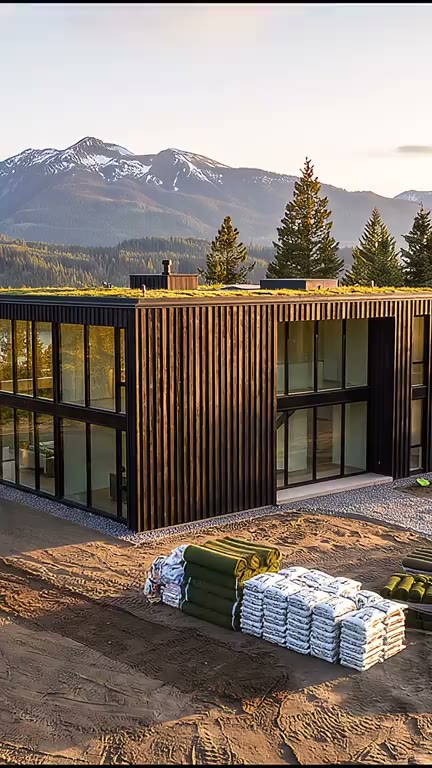
The only run we can show is a two-storey timber house above a mountain lake, not a tiny house. It shows what any build gets: the footprint held, the stages in order, the camera locked.
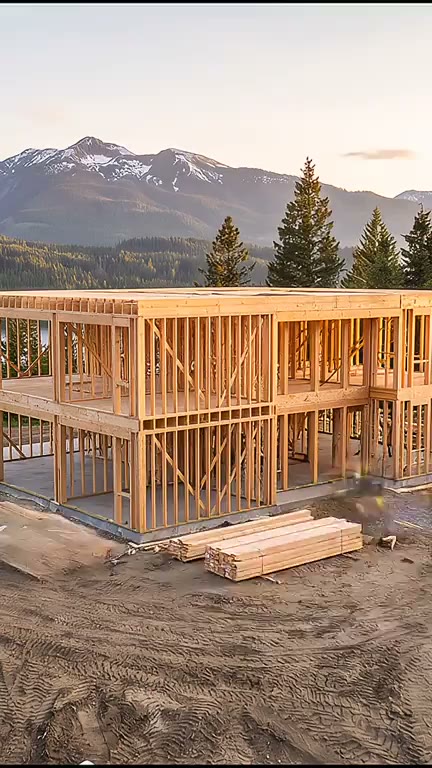
Closed in and wrapped
The same footprint a stage later, scaffolding along the front.
Build Timelapse
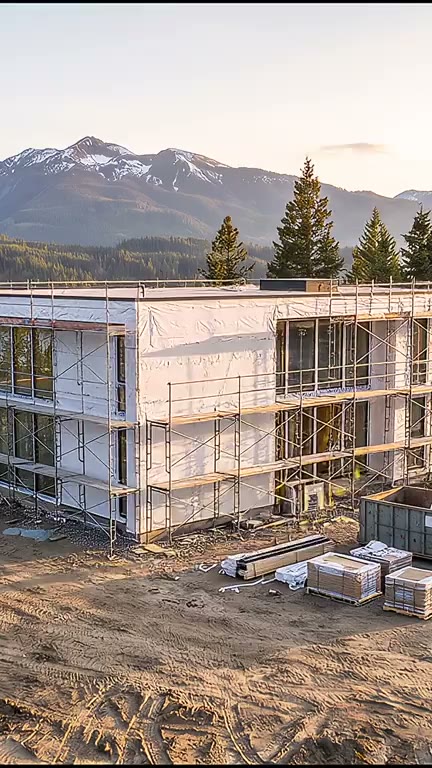
The siding goes on
House wrap gives way to dark timber cladding.
Build Timelapse
Lights on
Finishes and landscaping arrive on the last stage.
Build Timelapse
From idea to finished video
- Step 01
Describe the tiny house
Open the Build Timelapse template and type the tiny house into What gets built: its siding, roof, windows and porch, and what it stands on, like an empty flatbed trailer in a gravel yard.
- Step 02
Run it
The plan, the finished house, the five stage edits, the five clips and the cut run in one go, and the tiny house build video comes back in the chat.
- Step 03
Add a music bed
The clips render silent. On the canvas, wire a music node into the cut and the track runs as one bed under the whole build.
- Step 04
Post it to your channel
Add a YouTube Upload node after the cut set to Short, or a TikTok node. YouTube uploads use the visibility you pick, so test on Unlisted or Private first.
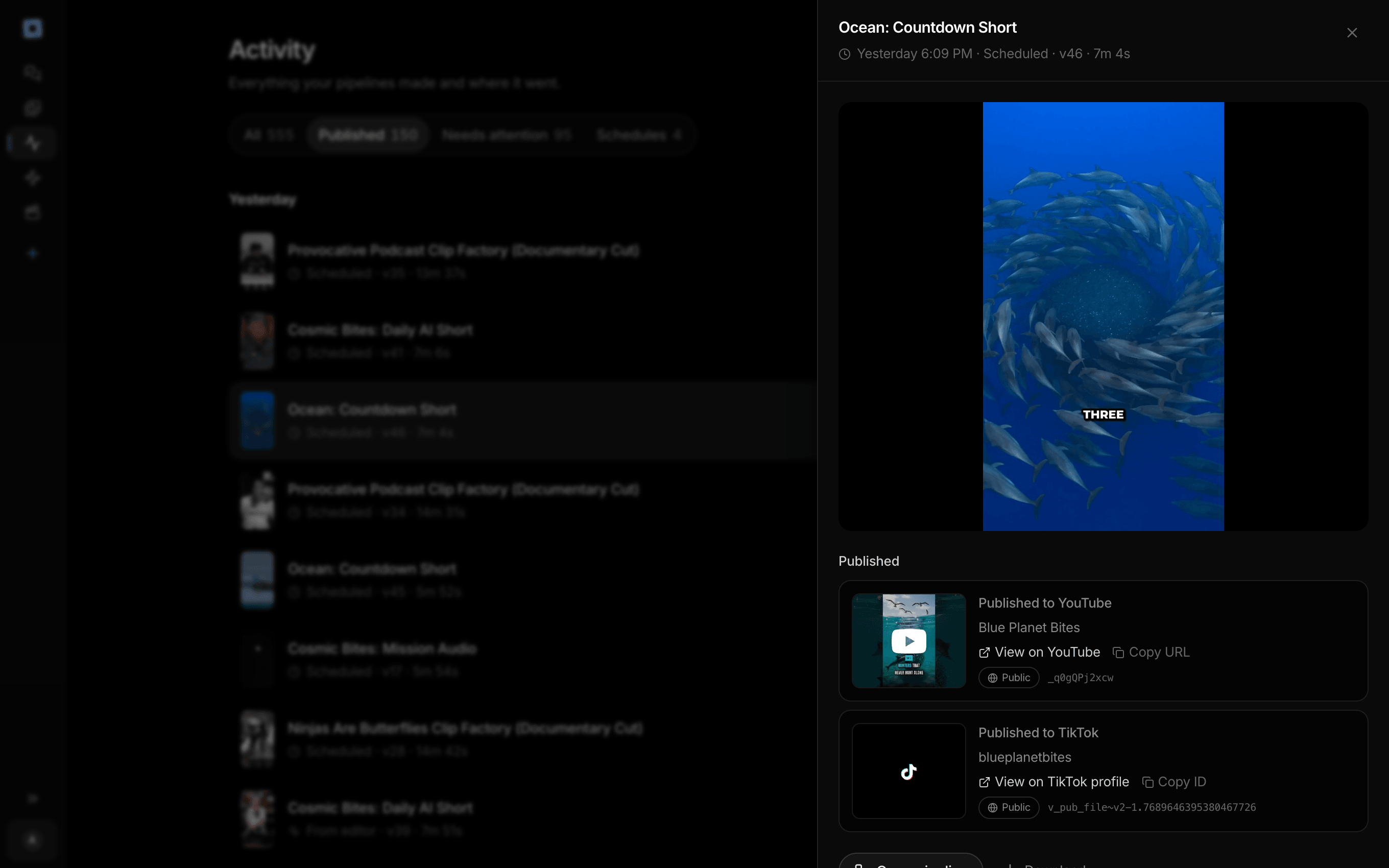
Every run the account has made, and what each one published.
What people build with it
Tiny houses on wheels
Start from an empty flatbed trailer and end on a finished tiny home with a porch step and a window box. The trailer stays in the same spot from the first frame to the last.
Shipping container tiny homes
Concrete piers, a container set in place, openings cut for windows and a door, a deck at the end. Describe the container home and its plot, and the stages are planned for it.
A tiny house build channel
Each video is one sentence, so a tiny house channel can post a new build as often as you can write one, with no workshop, no trailer and no months of filming.
A new model before the first one exists
A tiny house builder can show a new model going up, start to finish, before building it. It is generated from a description, so present it as a concept, not as footage from your workshop.
Backyard studios and garden offices
A backyard studio, a garden office, a guest cabin on a slab. Anything small built in place runs through the same six stages.
A lake house, from one sentence.
Yours can be a tiny house on a trailer. Same template, same fixed camera.
AI tiny house build video generator, answered
How do I make a tiny house build video with AI?
Describe the tiny house and what it stands on, and Treza's Build Timelapse template plans six stages from the empty trailer or plot to the finished home, draws them from one camera that never moves, animates the work between each pair on Veo 3.1, and joins the clips into a vertical tiny house build video. Copy the tiny house prompt
Can it start from an empty trailer?
Yes. Say the tiny house is built on a flatbed trailer, and describe the start, like a bare trailer parked on a gravel yard. Every stage is an edit of the finished still, so the trailer stays the same size and in the same place throughout.
Will the tiny house keep its shape from frame to finish?
Every stage is drawn from the finished still with the footprint held, and when the house has a distinctive shape, like a curved roof or a loft dormer, the plan says in every stage that shows the structure that the shape is the same. If one stage still drifts, rerun only that stage.
Can I write the build steps myself?
Yes. One sentence is enough for the planner, but you can spell the stages out in order: a floor fixed to the trailer, the walls framed, the roof on, siding and windows, finished. Writing them yourself keeps your order.
What format is the tiny house video?
Vertical 1080p: five clips on Veo 3.1 joined with short crossfades, sized for Shorts, Reels and TikTok without cropping. The clips are silent, so add a music node on the canvas before you post.
Can it post to my YouTube channel?
Yes. On the canvas, add a YouTube Upload node after the cut, connect your channel and pick Short. Every upload uses the visibility you set, so use Unlisted or Private while you test. A TikTok node posts there too.
How much does it cost to make a tiny house build video with Treza?
Treza runs on prepaid credits with no subscription. Each generation is charged at the model's own rate from your balance, and a failed generation costs nothing. A typical video generation settles around $1.06, and credit packs start at $5 and never expire.
Can I call this as an API instead of using the canvas?
Yes. Every pipeline can be published as a versioned HTTP endpoint. Call the typed /invoke endpoint with JSON in and JSON out, or point any OpenAI SDK at the OpenAI-compatible endpoint. Swap a model on a node later and the API your product calls does not change.
Do I need to know how to edit video?
No. Start from a template, change the topic, and run it. If you do want frame-level control, the timeline editor is there with multi-track video and audio, per-clip trims, fades, and volume, but nothing about the automated path requires opening it.
Related tools
AI timelapse video generator
Construction timelapses from an empty site to finished, from one camera
AI cabin build video generator
Log cabin and A-frame build timelapses from a bare clearing
AI house building video generator
House construction timelapses, from a marked-out lot to lights on
AI garden build video generator
Garden and landscaping timelapses, from bare ground to finished
See every tool, compare the models, read what an AI video pipeline is, or earn 30% sharing these tools.
Your first video is one prompt away.
Generate your first video, image, or draft today. Prepaid credits, no subscription.