

Bigfoot Vlog Generator. Sasquatch holds the camera and talks.
Describe today's entry and Treza renders Bigfoot recording a selfie vlog in the woods, saying one line in a generated voice, with captions burned in. Each run is one 8-second vertical clip.
Everything on this page was made on Treza.
Bigfoot is the built-in example
The Character Vlog template ships with a Bigfoot entry about a cooler of snacks, so it runs with the box left empty. Type your own entry to replace it.
Selfie framing, forest behind
The shot is written as a handheld selfie at arm's length on a slightly wide lens, face and shoulders in the frame, eyes on the lens, with the woods visible over one shoulder.
One line per entry
Each clip carries one short spoken line, generated with the picture on Veo 3.1 Fast. Give the line in quotes to choose the words yourself.
Described the same way every time
Put the same fur colour, build, and face in each entry and Bigfoot stays recognisable from one clip to the next, even though every clip is generated fresh.
Captions on every line
The clip is transcribed after it renders and the words are burned in a few at a time, so the joke lands with the sound off.
Any cryptid, same template
A yeti, a lake monster, a swamp creature. Change who is holding the camera and the rest of the template works the same way.
Made on this platform
Real output, credited under every frame.

Architectural
A dolly through a sunlit room.
Seedance 2.5

Product
A macro turn under a sweeping light.
Kling 3.0 Pro

A channel cut
Written, voiced, captioned, and published on a schedule.
Seedance 2.5
From idea to finished video
- Step 01
Write today's entry
Open the Character Vlog template and say what Bigfoot is up to: where, what happened, and the line if you have one.
- Step 02
Describe Bigfoot once
Add a short description you will reuse, such as reddish-brown fur, a heavy brow, and a calm, deep voice.
- Step 03
Run it
Check the version and its price, then run. The entry is written, rendered with its voice, and captioned in one go.
- Step 04
Post it and write the next one
Download the clip or post it from a YouTube or TikTok node on the canvas, then change the entry for tomorrow.
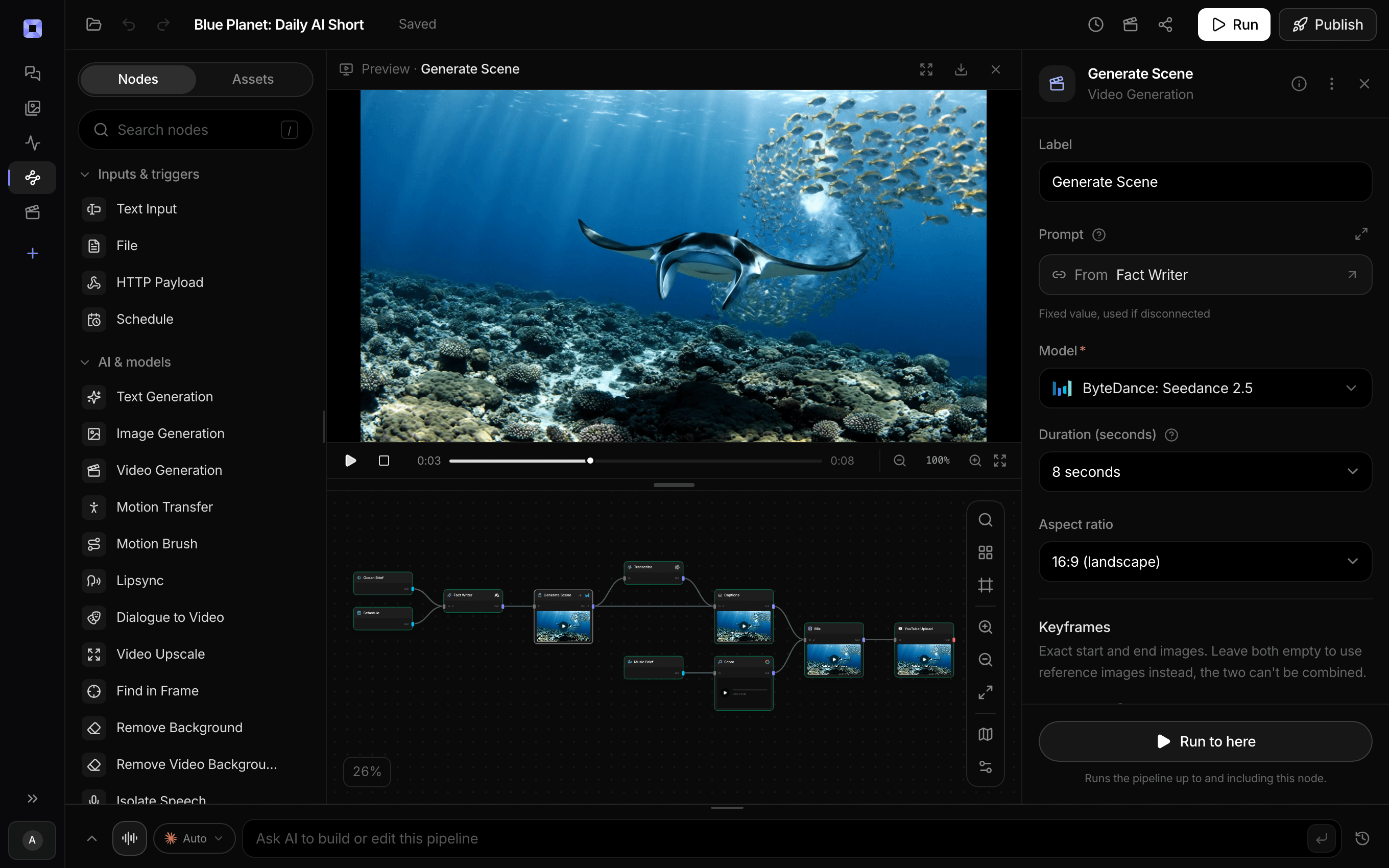
Ask for the pipeline in the composer, or send it from Claude over MCP.
What people build with it
Daily Bigfoot vlog entries
Day 12 of avoiding hikers. One sentence a day keeps a character channel posting.
Yeti and other cryptid vlogs
A yeti with opinions about ski season, a lake monster reviewing the new pier. The same shot with a different creature.
Camping and hiking humour
Bigfoot reviewing trail mix, rating tents, or reacting to a drone. Outdoor jokes told by the one resident who never leaves.
Seasonal entries
First snow, tourist season, hunting season. A calendar gives a creature vlog something new to say all year.
A recurring character for a brand's Shorts
An outdoor shop or a campsite can run a creature host. The character is generated from your description and is not tied to any existing mascot.

Generate it, cut it, publish it, in one place.
Prepaid credits, no subscription.
Bigfoot vlog generator, answered
How do I make a Bigfoot vlog with AI?
Write what Bigfoot is doing in one sentence. On Treza, the Character Vlog template turns it into a handheld selfie shot with one spoken line, renders it on Veo 3.1 Fast with a generated voice, and burns in captions. Each run returns one 8-second vertical clip.
Why is each Bigfoot vlog only 8 seconds?
That is the longest single clip Veo 3.1 Fast renders with speech. Longer vlogs are made the way the well-known ones are: several short entries, joined. The timeline editor does the joining.
Will Bigfoot look the same in each entry?
Mostly, if you describe Bigfoot the same way each time. Every clip is a fresh generation from text, so small differences in fur and face between entries are normal.
Can I choose exactly what Bigfoot says?
Yes. Put the line in quotes in your entry and keep it to about a dozen words. A longer line is shortened so it fits the clip.
Is the voice the same in every entry?
Not exactly. The voice is generated with each clip and Treza does not clone voices. Describing it the same way each time, for example low and unhurried, keeps it close.
How much does it cost to make a Bigfoot vlog with Treza?
Treza runs on prepaid credits with no subscription. Each generation is charged at the model's own rate from your balance, and a failed generation costs nothing. A typical video generation settles around $1.06, and credit packs start at $5 and never expire.
Can I call this as an API instead of using the canvas?
Yes. Every pipeline can be published as a versioned HTTP endpoint. Call the typed /invoke endpoint with JSON in and JSON out, or point any OpenAI SDK at the OpenAI-compatible endpoint. Swap a model on a node later and the API your product calls does not change.
Do I need to know how to edit video?
No. Start from a template, change the topic, and run it. If you do want frame-level control, the timeline editor is there with multi-track video and audio, per-clip trims, fades, and volume, but nothing about the automated path requires opening it.
Related tools
AI vlog generator
Selfie vlog clips of a character you describe, spoken and captioned
AI talking animal video generator
A described animal speaking one line to the camera, voiced and captioned
AI animal video generator
Cute 20 second animal reels from one written idea
See every tool, compare the models, read what an AI video pipeline is, or earn 30% sharing these tools.
Your first video is one prompt away.
Generate your first video, image, or draft today. Prepaid credits, no subscription.