
Freeze frame intro. Stop the shot and put a name on it, free.
Drop in a clip, type a name or a title, and it comes back with the frame held and your words on it. It runs on Treza's FFmpeg node, which costs nothing.
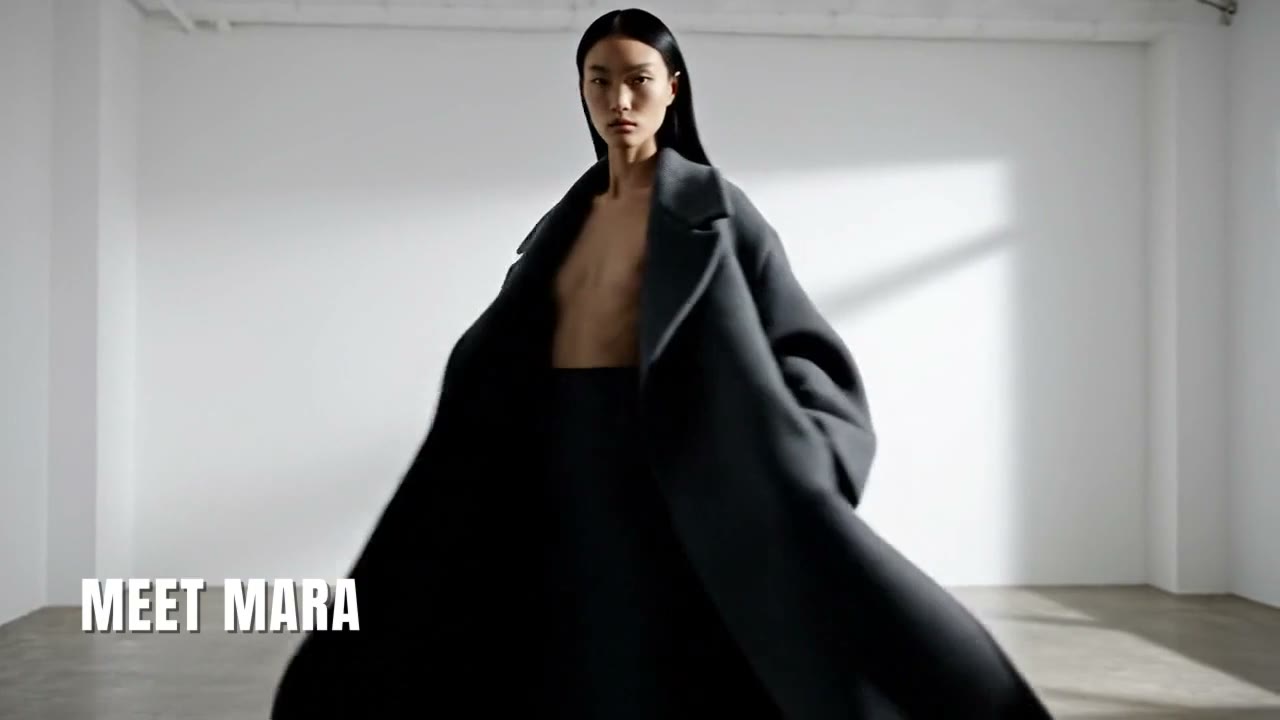
Look
Free. It lands in your chat.
Everything on this page was made on Treza. See pricing
The same freeze on other footage
Each one is the FFmpeg node's own output, from the same command the button sends.
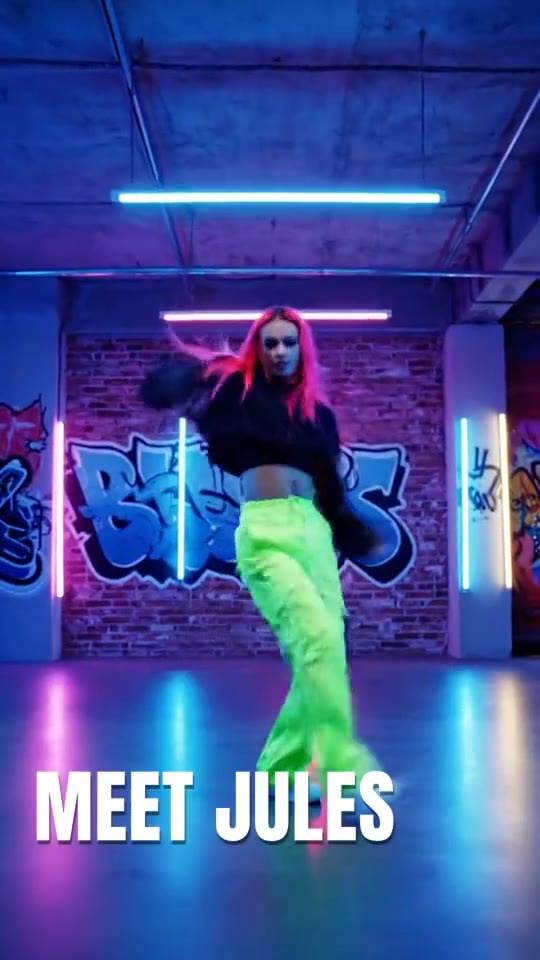
A name mid move
The dancer stops, gets a name, keeps going.
FFmpeg node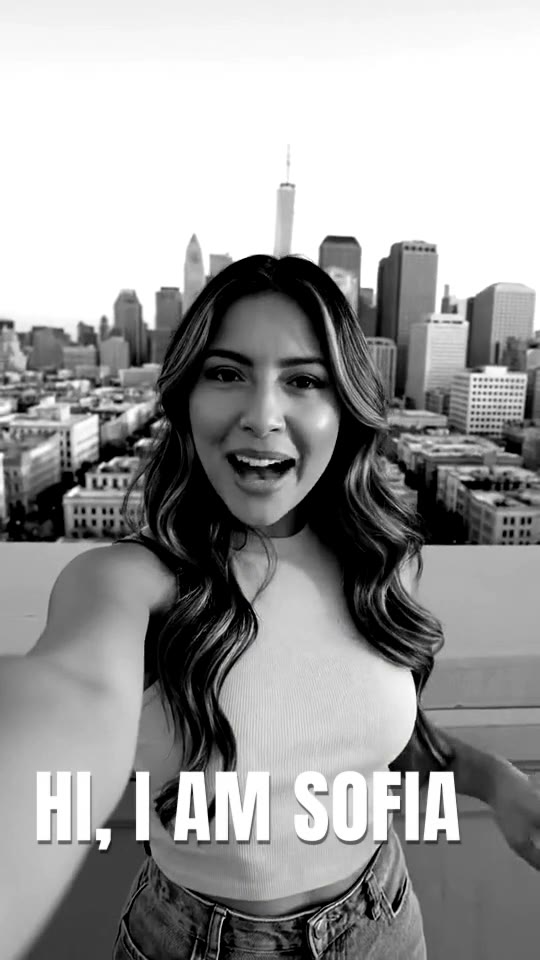
A vlog intro in grey
The selfie holds in black and white, then talks on.
FFmpeg node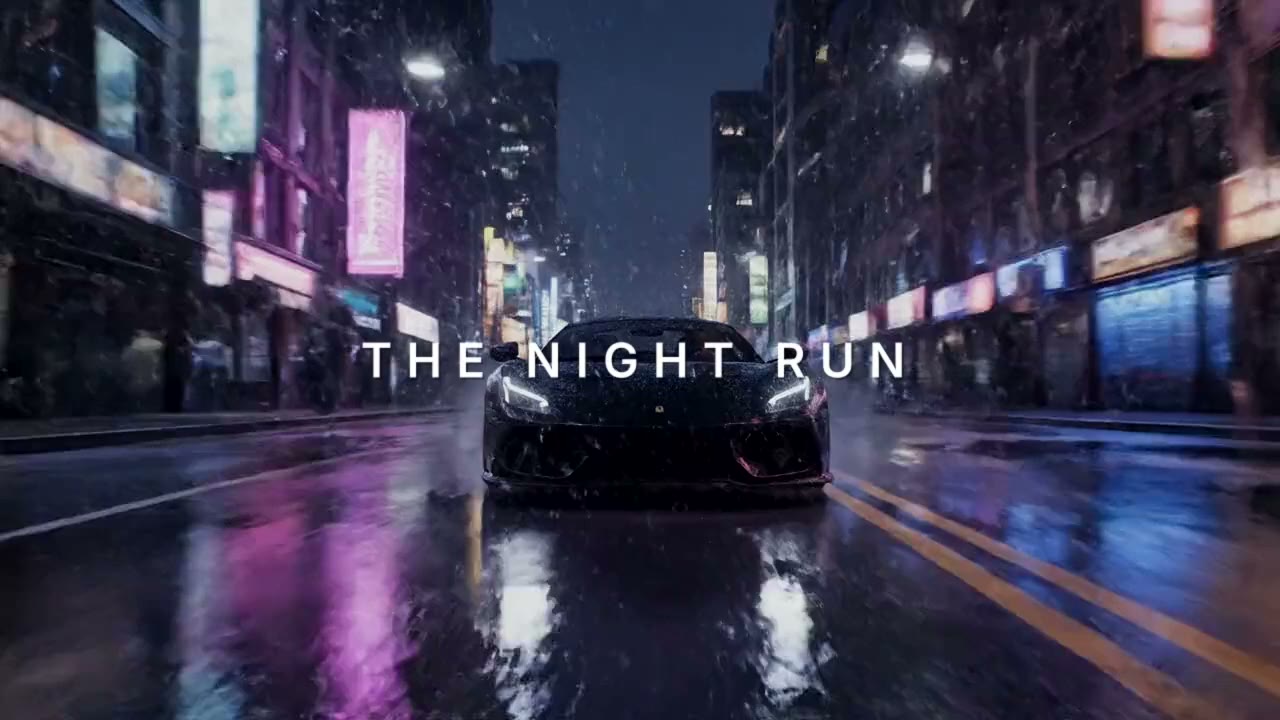
An opening title on a held frame
The first frame waits for the title, then the car moves.
FFmpeg nodeHow it works
- 01
Drop in a clip
Any video from a phone or a camera. No footage? Switch to "Make it for me" and write one line about the shot.
- 02
Pick a freeze, type a name
Freeze mid clip, freeze in black and white, or hold the opening frame. Every preview here is real output of the command your clip gets.
- 03
Sign in and it runs
Google sign-in, then the finished clip appears in your chat, usually within a couple of minutes. Free: the FFmpeg node costs nothing.
What the button sends
Each option is one FFmpeg command run by Treza's FFmpeg node on your clip: the frame held for 2.5 seconds, the sound kept in step, and your words as an ASS script burned in during the hold.
- Freeze and name
split[a][b];[a]trim=end=1.5,tpad=stop_mode=clone:stop_duration=2.5[h];[b]trim=start=1.5,setpts=PTS-STARTPTS[t];[h][t]concat=n=2:v=1:a=0,ass={subtitles}:fontsdir={fonts}Sound:
-af "asplit[a][b];[a]atrim=end=1.5,apad=pad_dur=2.5[h];[b]atrim=start=1.5,asetpts=PTS-STARTPTS[t];[h][t]concat=n=2:v=0:a=1"The ASS script in the node's Subtitles field, with your title in it
[Script Info] ScriptType: v4.00+ PlayResX: 1280 PlayResY: 720 ScaledBorderAndShadow: yes WrapStyle: 0 [V4+ Styles] Format: Name, Fontname, Fontsize, PrimaryColour, SecondaryColour, OutlineColour, BackColour, Bold, Italic, Underline, StrikeOut, ScaleX, ScaleY, Spacing, Angle, BorderStyle, Outline, Shadow, Alignment, MarginL, MarginR, MarginV, Encoding Style: Name,Anton,104,&H00FFFFFF,&H00FFFFFF,&H00000000,&H80000000,0,0,0,0,100,100,2,0,1,0,3,1,80,80,70,1 [Events] Format: Layer, Start, End, Style, Name, MarginL, MarginR, MarginV, Effect, Text Dialogue: 0,0:00:01.55,0:00:03.95,Name,,0,0,0,,{\fad(150,200)\blur0.4}MEET MARA- Freeze in black and white
split[a][b];[a]trim=end=1.5,tpad=stop_mode=clone:stop_duration=2.5[h];[b]trim=start=1.5,setpts=PTS-STARTPTS[t];[h][t]concat=n=2:v=1:a=0,hue=s=0:enable='between(t,1.5,4)',eq=contrast=1.2:enable='between(t,1.5,4)',ass={subtitles}:fontsdir={fonts}Sound:
-af "asplit[a][b];[a]atrim=end=1.5,apad=pad_dur=2.5[h];[b]atrim=start=1.5,asetpts=PTS-STARTPTS[t];[h][t]concat=n=2:v=0:a=1"The ASS script in the node's Subtitles field, with your title in it
[Script Info] ScriptType: v4.00+ PlayResX: 1280 PlayResY: 720 ScaledBorderAndShadow: yes WrapStyle: 0 [V4+ Styles] Format: Name, Fontname, Fontsize, PrimaryColour, SecondaryColour, OutlineColour, BackColour, Bold, Italic, Underline, StrikeOut, ScaleX, ScaleY, Spacing, Angle, BorderStyle, Outline, Shadow, Alignment, MarginL, MarginR, MarginV, Encoding Style: Name,Anton,104,&H00FFFFFF,&H00FFFFFF,&H00000000,&H80000000,0,0,0,0,100,100,2,0,1,0,3,1,80,80,70,1 [Events] Format: Layer, Start, End, Style, Name, MarginL, MarginR, MarginV, Effect, Text Dialogue: 0,0:00:01.55,0:00:03.95,Name,,0,0,0,,{\fad(150,200)\blur0.4}MEET MARA- Opening freeze
tpad=start_mode=clone:start_duration=2.5,eq=brightness=-0.08:enable='lt(t,2.5)',ass={subtitles}:fontsdir={fonts}Sound:
-af "adelay=2500:all=1"The ASS script in the node's Subtitles field, with your title in it
[Script Info]
ScriptType: v4.00+
PlayResX: 1280
PlayResY: 720
ScaledBorderAndShadow: yes
WrapStyle: 0

[V4+ Styles]
Format: Name, Fontname, Fontsize, PrimaryColour, SecondaryColour, OutlineColour, BackColour, Bold, Italic, Underline, StrikeOut, ScaleX, ScaleY, Spacing, Angle, BorderStyle, Outline, Shadow, Alignment, MarginL, MarginR, MarginV, Encoding
Style: Held,Inter SemiBold,58,&H00FFFFFF,&H00FFFFFF,&H00000000,&H90000000,0,0,0,0,100,100,14,0,1,0,2,5,60,60,0,1

[Events]
Format: Layer, Start, End, Style, Name, MarginL, MarginR, MarginV, Effect, Text
Dialogue: 0,0:00:00.15,0:00:02.40,Held,,0,0,0,,{\fad(400,250)\blur0.6}MEET MARA
For a video the chain goes into -i {input} -vf "<chain>,format=yuv420p" -fps_mode passthrough -c:v libx264 -crf 20 -preset medium <sound> -movflags +faststart {output}. <sound> is the row's sound setting.
Freeze frame intro, answered
Is the freeze frame intro free on Treza?
Yes. It runs on the FFmpeg node, which costs nothing; an account with no credits can run it ten times a day. Having the footage generated instead of uploading it is priced like any clip, about $0.28 for a four second one.
Where does the frame freeze?
At 1.5 seconds into your clip for Freeze and name and the black and white version, and on the very first frame for Opening freeze. The hold lasts 2.5 seconds each time, and your words show only while it holds.
Does the freeze cut anything out of my clip?
No. The held frame is added, not laid over the footage, so every frame of your clip still plays and the result is 2.5 seconds longer.
What happens to the sound?
It stays in step with the picture. The sound pauses in silence while the frame holds and picks up where it stopped; with Opening freeze it starts when the clip starts to move.
Can I write my own name or title?
Yes. Type it on this page before you run it, up to 48 characters, and it is set in capitals. It goes in as one line of an ASS script that the FFmpeg node burns in during the hold.
Does it work on vertical video?
Yes. A vertical phone clip comes back vertical at its own size, with the name breaking onto two lines if it is long. Clips longer than two seconds work best for the mid clip freezes.
What formats and sizes can I upload?
MP4, MOV, WebM and the usual phone formats. Keep a file under 25 MB here; longer footage can be uploaded in chat directly.
Your first video is one prompt away.
Generate your first video, image, or draft today. Prepaid credits, no subscription.