
Glitch effect. Digital glitches on your own clip, free.
Drop in a clip or a picture, pick a glitch, and it comes back with split colour, torn lines and static in your chat. It runs on Treza's FFmpeg node, which costs nothing.
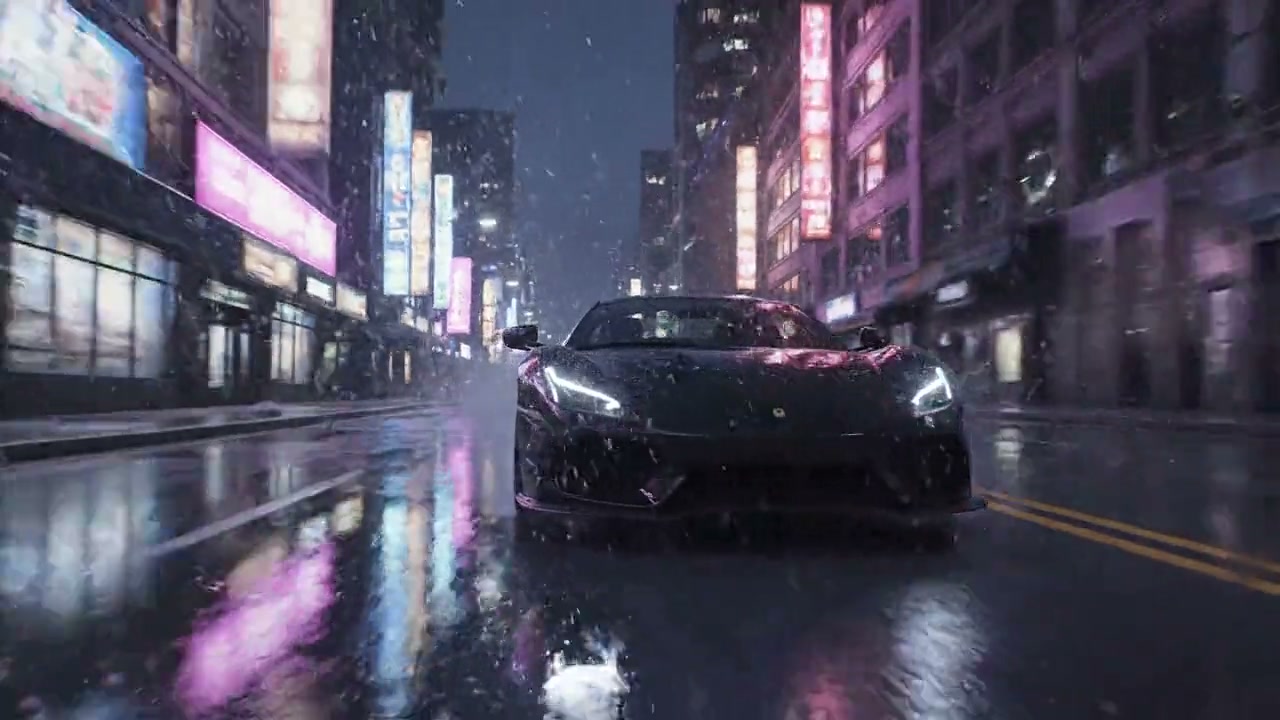
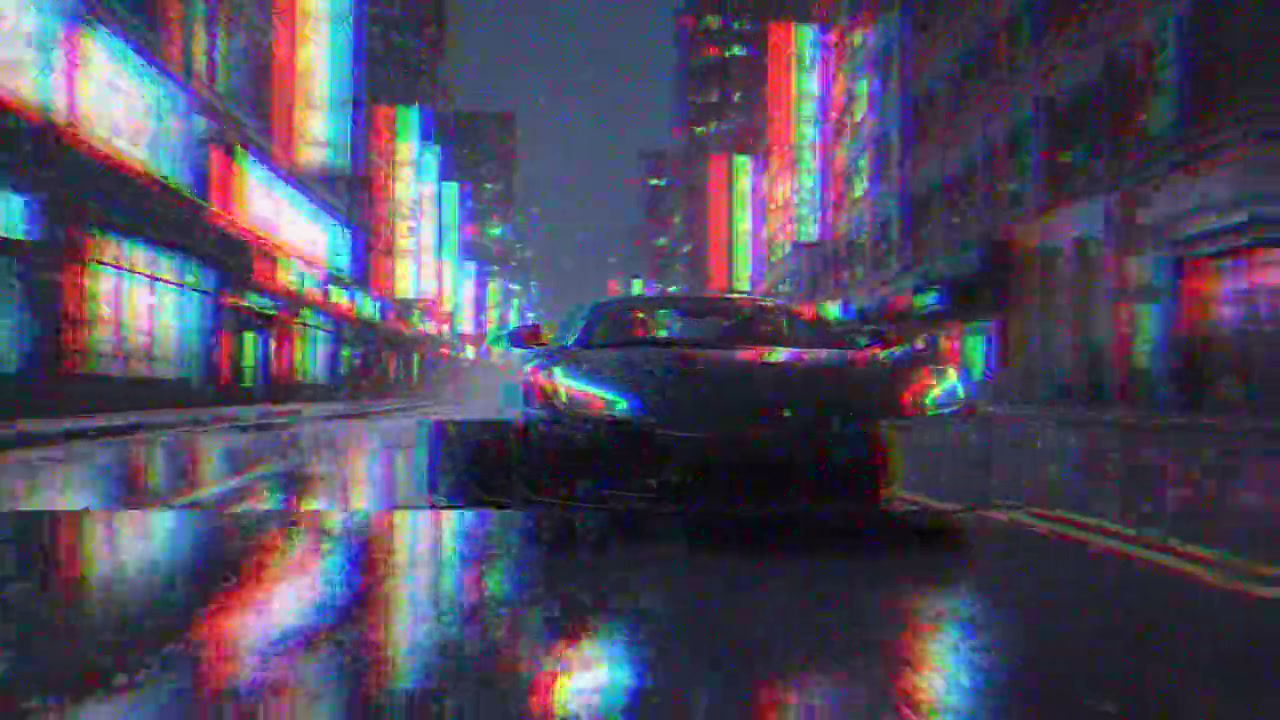
Look
Free. It lands in your chat.
Everything on this page was made on Treza. See pricing
The same glitches on other footage
Each one is the FFmpeg node's own output, from the same command the button sends.
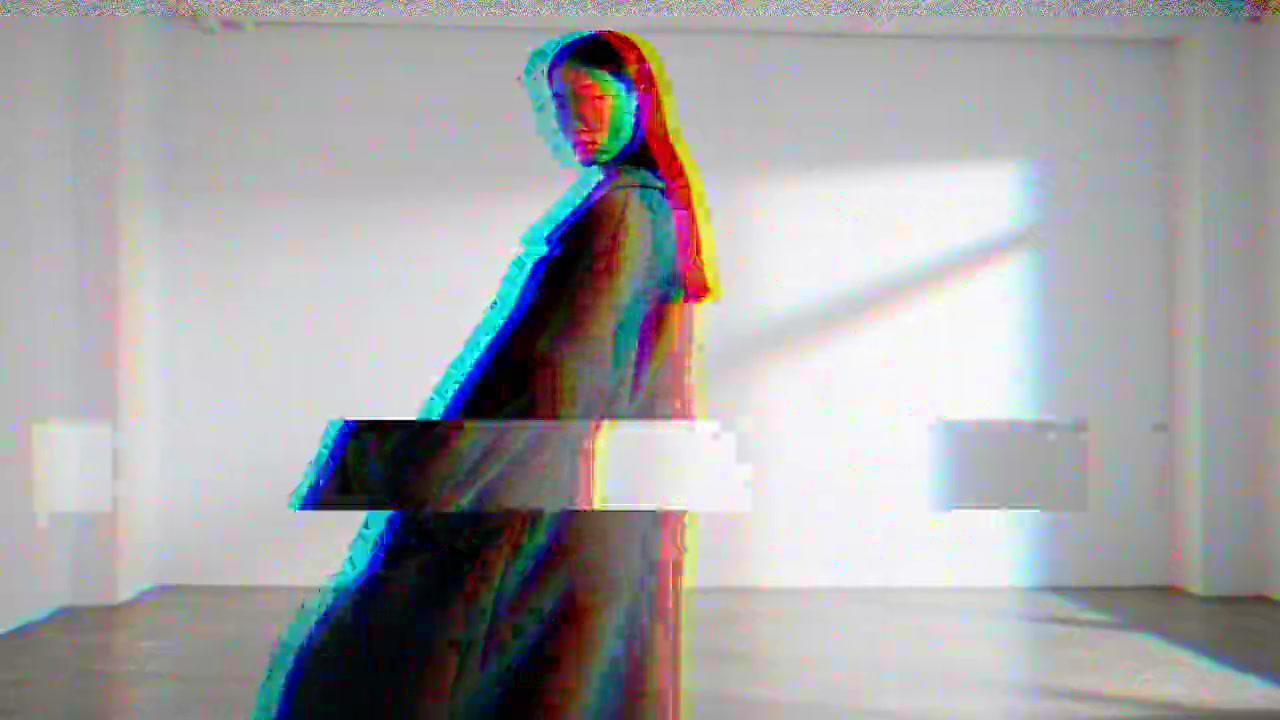
Digital glitch on a fashion shot
A lookbook clip that breaks up.
FFmpeg node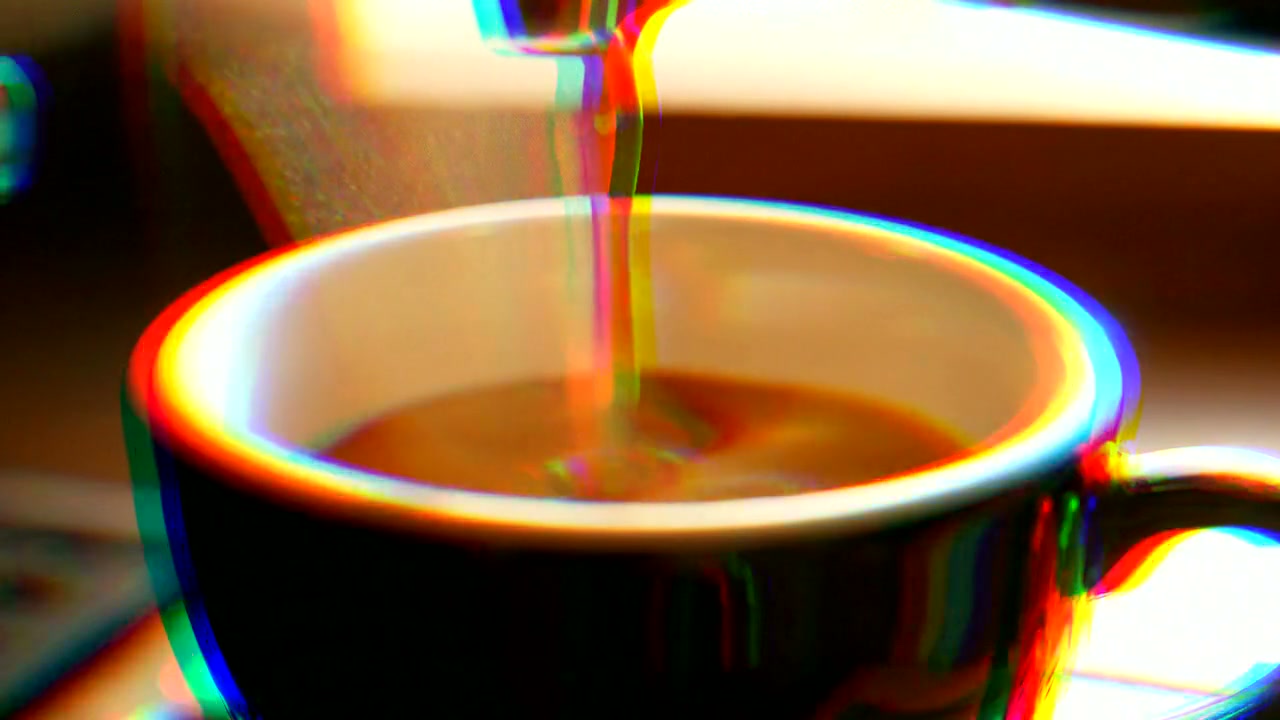
RGB split on a pour
Product b-roll with an edge.
FFmpeg node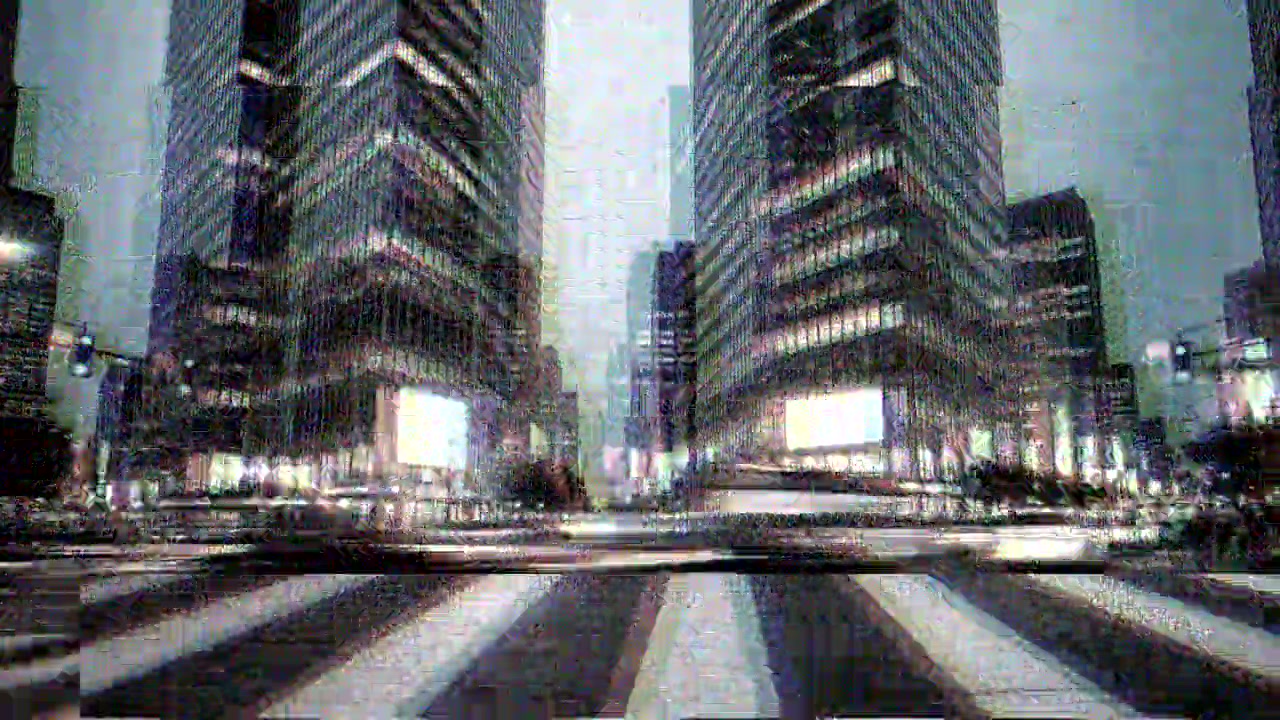
Signal loss on a city street
Traffic through a broken feed.
FFmpeg nodeHow it works
- 01
Drop in a clip or a picture
Any video or photo from a phone or a camera. No footage? Switch to "Make it for me" and write one line about the shot.
- 02
Pick a glitch
Digital glitch, RGB split or signal loss. Every preview on this page is real output of the command your file gets.
- 03
Sign in and it runs
Google sign-in, then the finished file appears in your chat, usually within a couple of minutes. Free: the FFmpeg node costs nothing.
What the button sends
Each glitch is one FFmpeg filter chain, run by Treza's FFmpeg node on your file: the colours pulled apart, strips of the picture torn sideways and static added, in bursts on a fixed rhythm.
- Digital glitch
scale='if(gte(iw,ih),-2,720)':'if(gte(iw,ih),720,-2)',split[m][s];[s]crop=iw:ih/8:0:'ih*(0.08+0.8*abs(sin(t*23)))',rgbashift=rh=-14:bh=14[t];[m]rgbashift=rh=-3:bh=3,rgbashift=rh=-16:gh=5:bh=16:enable='lt(mod(t,1.3),0.12)+between(mod(t,3.1),1.9,2.06)'[mm];[mm][t]overlay=x='W*0.08*sin(t*71)':y='H*(0.08+0.8*abs(sin(t*23)))':eval=frame:enable='lt(mod(t,1.3),0.12)+between(mod(t,3.1),1.9,2.06)',noise=alls=36:allf=t:enable='lt(mod(t,1.3),0.12)+between(mod(t,3.1),1.9,2.06)',noise=alls=5:allf=t- RGB split
scale='if(gte(iw,ih),-2,720)':'if(gte(iw,ih),720,-2)',rgbashift=rh=-9:bh=9:rv=2:bv=-2,rgbashift=rh=-14:gh=4:bh=14:enable='lt(mod(t,0.5),0.08)',eq=saturation=1.15:contrast=1.05,noise=alls=4:allf=t- Signal loss
scale='if(gte(iw,ih),-2,720)':'if(gte(iw,ih),720,-2)',split[m][s];[s]crop=iw:ih/5:0:'ih*(0.1+0.7*abs(sin(t*17)))',rgbashift=rh=-24:bh=24[t];[m]rgbashift=rh=-4:bh=4,split[k][r];[r]rgbashift=rh=-20:bh=20[rr];[k][rr]overlay=x=0:y='H*0.25*abs(sin(t*9))':eval=frame:enable='between(mod(t,2.4),0,0.35)+between(mod(t,3.7),2.2,2.4)'[mm];[mm][t]overlay=x='W*0.12*sin(t*53)':y='H*(0.1+0.7*abs(sin(t*17)))':eval=frame:enable='between(mod(t,2.4),0,0.35)+between(mod(t,3.7),2.2,2.4)',hue=s=0.2:enable='between(mod(t,2.4),0,0.35)+between(mod(t,3.7),2.2,2.4)',eq=brightness=0.06:contrast=1.3:enable='between(mod(t,2.4),0,0.35)+between(mod(t,3.7),2.2,2.4)',noise=alls=55:allf=t+u:enable='between(mod(t,2.4),0,0.35)+between(mod(t,3.7),2.2,2.4)',noise=alls=6:allf=t
For a video the chain goes into -i {input} -vf "<chain>,format=yuv420p" -c:v libx264 -crf 20 -preset medium -c:a aac -b:a 192k -movflags +faststart {output}; a picture comes back as a JPEG. The sound is carried through.
Glitch effect, answered
Is the glitch effect free on Treza?
Yes. It runs on the FFmpeg node, which costs nothing; an account with no credits can run it ten times a day. Having the footage generated instead of uploading it is priced like any clip, about $0.28 for a four second one.
How does it glitch a video?
It pulls the red and blue of each frame sideways, tears strips of the picture out of line and adds static, in short bursts. Nothing is redrawn: the shapes and the motion are your clip's own.
What is the difference between the three glitches?
Digital glitch keeps a faint colour split all the way through and breaks up for a split second about every second. RGB split pulls the colours wider and jumps twice a second, with no tears. Signal loss drops out for about a third of a second every couple of seconds: grey, static and a picture that slips down.
Can I choose where the glitches land?
Not on this page. The bursts follow the same rhythm on every clip, starting on the first frame, so a picture comes back as a glitched frame.
Does it keep the sound?
Yes. A video comes back as an MP4 at the same length with its sound carried through unchanged. A picture comes back as a JPEG.
What size does it come back at?
720 pixels on the short side, so a 1080p or 4K clip comes back at 720p and a vertical phone clip at 720 by 1280. That keeps the split and the tears the same size on any file.
What formats and sizes can I upload?
MP4, MOV, WebM and the usual phone formats, and JPEG, PNG or WebP for pictures. Keep a file under 25 MB here; longer footage can be uploaded in chat directly.
Your first video is one prompt away.
Generate your first video, image, or draft today. Prepaid credits, no subscription.