One Set, Every Angle: Shooting an HY-World 2.1 Panorama Like a Stage
Prompt each shot on its own and you get a different room every time. We made the room once, as one HY-World 2.1 panorama, cut three camera angles out of it with FFmpeg, put one character into each with Seedream 5.5 and animated them on Seedance 2.5. Here is the graph, the camera settings, the prompts, what it cost and what went wrong.

Ask a video model for three shots of the same room and you get three rooms. The desk moves, the window changes shape, the light comes from somewhere else. Each prompt is drawn from scratch, so nothing ties one background to the next.
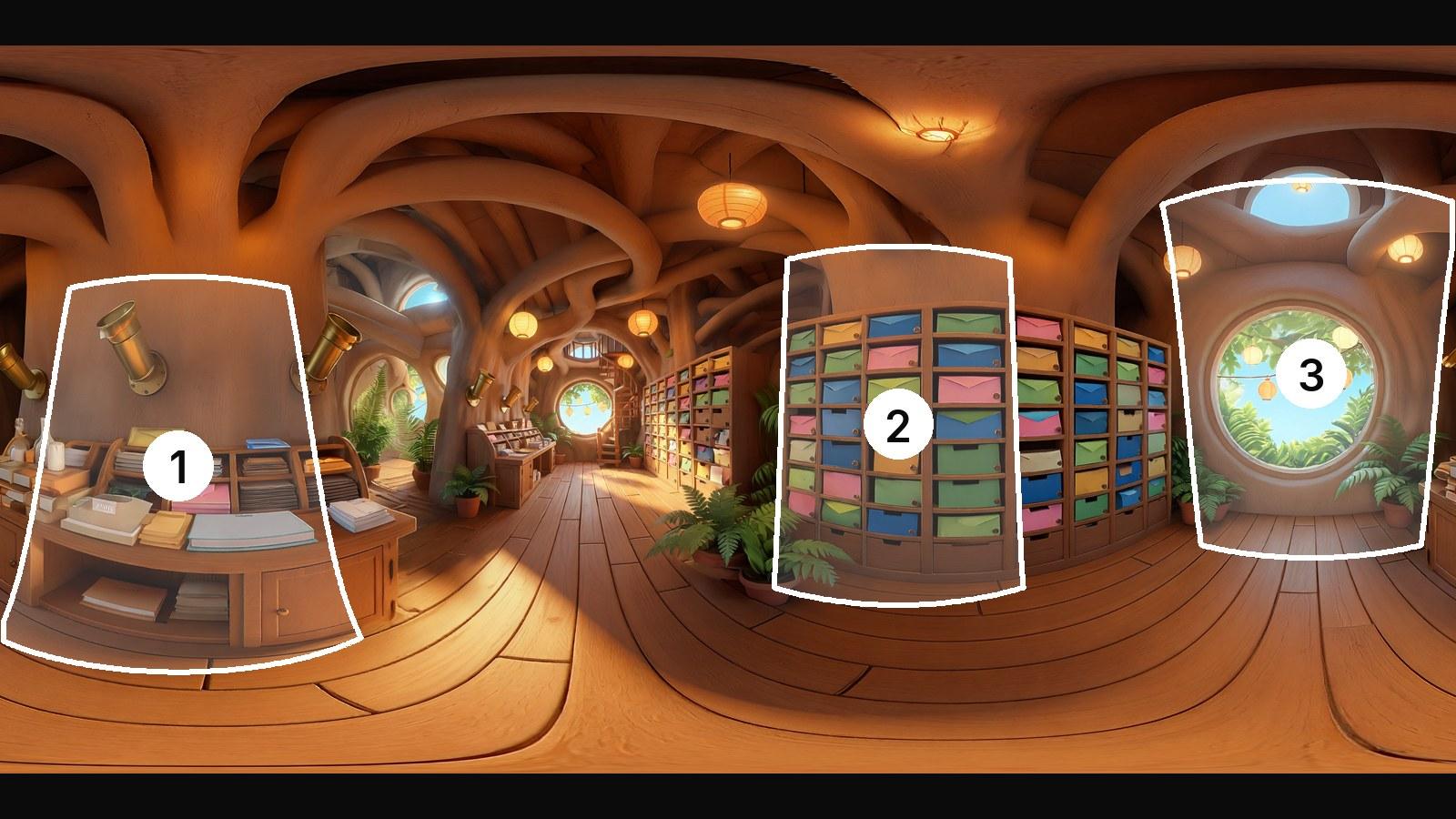
A 360 panorama is the whole room in one picture. Point a camera at different parts of it and every shot has the same walls, the same props and the same light, because they all come from the same picture. HY-World 2.1 Panorama makes that picture from a text prompt, so we treated it like a stage: build it once, then put cameras in it.
The set
HY-World 2.1 Panorama takes a prompt and returns one 360 degree panorama: a PNG 7680 pixels wide and 3840 tall, about 35 MB, in the flat equirectangular layout that 360 viewers use. Ours came back in under a minute and a half and was charged $1.08.
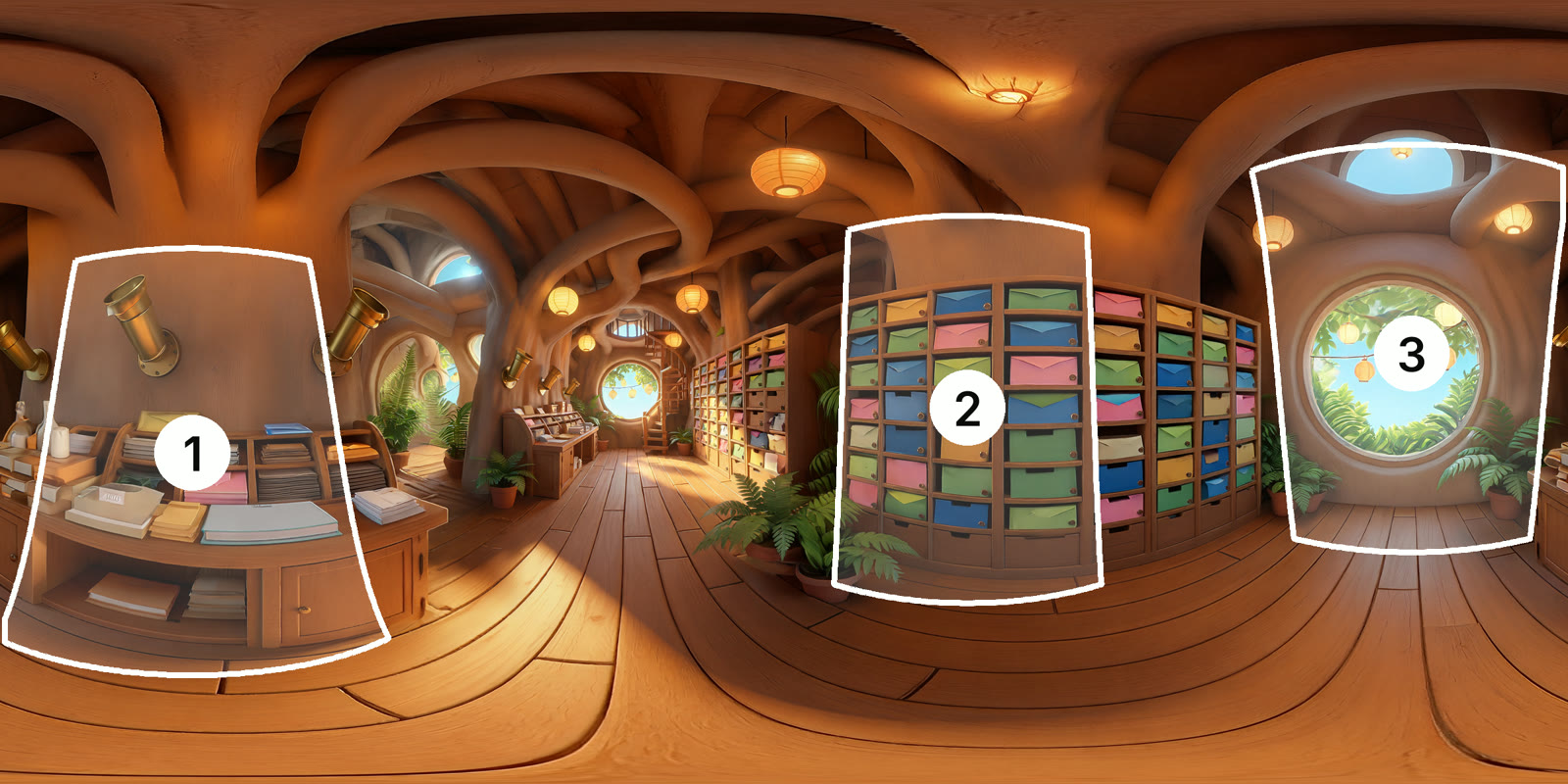
The prompt describes the room by direction, because every direction is going to be a shot:
360 degree panorama of the inside of a cozy treehouse post office built into a giant hollow tree. Stylized 3D game world, matte hand-painted textures, chunky rounded shapes, soft global illumination, bright warm golden hour light. On one side a wide wooden sorting desk covered in stacks of letters and small parcels. To the right a tall wall of wooden pigeonhole mail slots stuffed with colourful envelopes. Behind, a big round open window looking out on sunny leafy branches, glowing paper lanterns strung outside and blue sky. Warm paper lanterns hang from the ceiling, brass mail chutes, potted ferns, a little spiral wooden staircase, wooden plank floor. No people, no animals, no text, no signs.
The desk, the pigeonholes and the window each landed in a different part of the panorama, which gave us three angles worth shooting. "No people, no animals" keeps the set empty for the character that goes in later.
Three cameras in one picture
A flat view out of a panorama is what a camera standing in the middle of the room would see. FFmpeg's v360 filter does exactly that, so each camera is one FFmpeg step with the panorama wired in and a PNG out:
-i {input} -vf "v360=e:flat:yaw=78:pitch=-4:h_fov=58:v_fov=89.16:w=1080:h=1920:interp=lanczos" -frames:v 1 {output}
e:flat reads an equirectangular panorama and writes a flat picture. yaw turns the camera (0 is the middle of the panorama, positive turns right, and it only takes -180 to 180). pitch tilts it (positive looks up). h_fov and v_fov are how wide and how tall the view is in degrees, and w and h are the picture size.
For a vertical 1080 by 1920 frame, the height follows from the width: v_fov = 2 × atan(tan(h_fov ÷ 2) × 16 ÷ 9). Get it wrong and the picture is stretched.
To find an angle, find the thing in the flat panorama. If it sits at x pixels from the left of a 7680 pixel panorama, its yaw is x ÷ 7680 × 360 - 180. If it sits at y pixels from the top of 3840, its pitch is 90 - y ÷ 3840 × 180. Then nudge from there.
| Camera | Looking at | Yaw | Pitch | Width (h_fov) | Height (v_fov) |
|---|---|---|---|---|---|
| 1 | The sorting desk, from above | -100 | -16 | 66 | 98.2 |
| 2 | The pigeonhole wall | 78 | -4 | 58 | 89.16 |
| 3 | The round window, from low down | 180 | 10 | 62 | 93.78 |
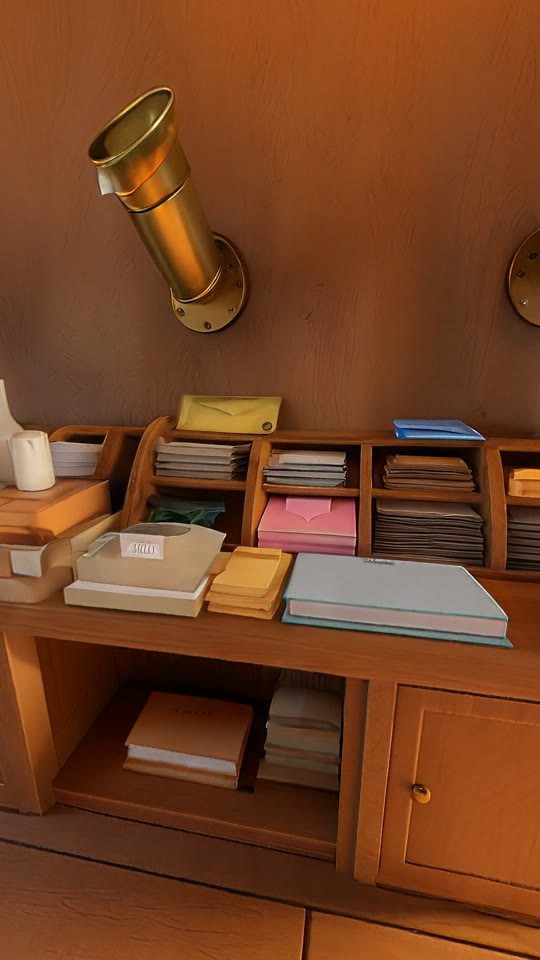
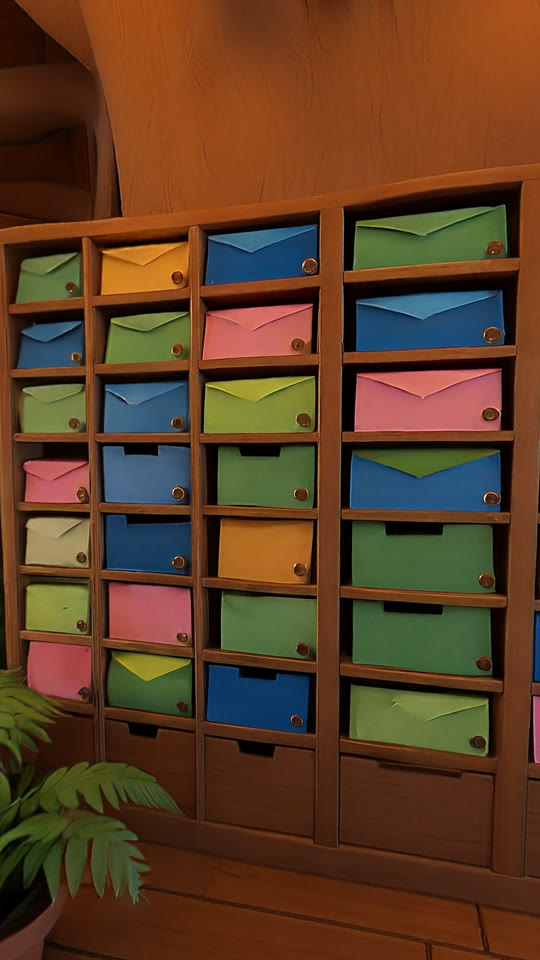
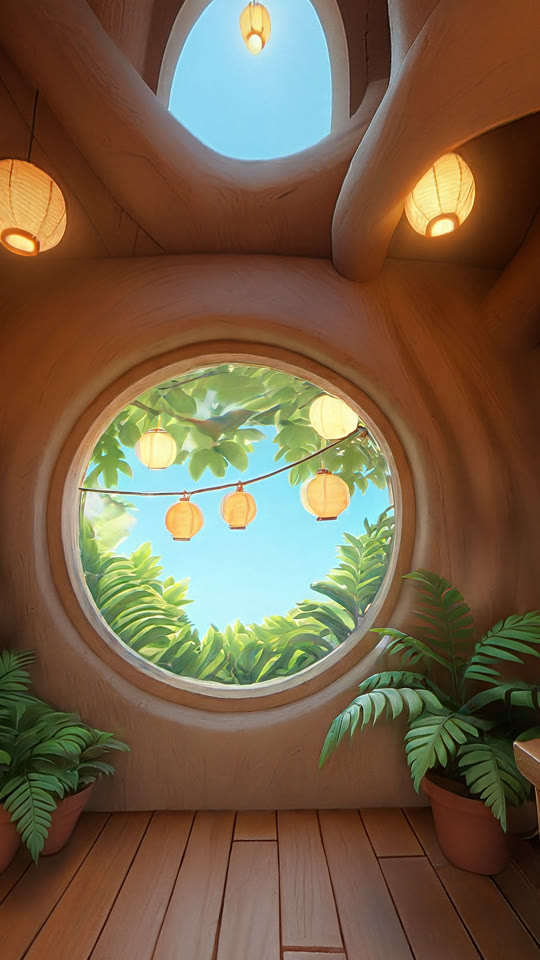
Keep the field of view around 60 degrees. The panorama spreads 7680 pixels around 360 degrees, about 21 pixels a degree. A 1080 pixel wide frame at 58 to 66 degrees uses about that many, so the crops above are sharp. Go below about 50 degrees and the frame asks for more detail than the panorama has: the picture gets soft, because you are enlarging it.
Camera 3 looks straight at the panorama's seam, where its left and right edges meet. The crop has no line in it. HY-World's left and right edges join cleanly, and v360 treats the panorama as a sphere, so a camera can point anywhere.
Here is what a camera sees as it turns from one angle to the next. Every frame is a flat view of the same picture:
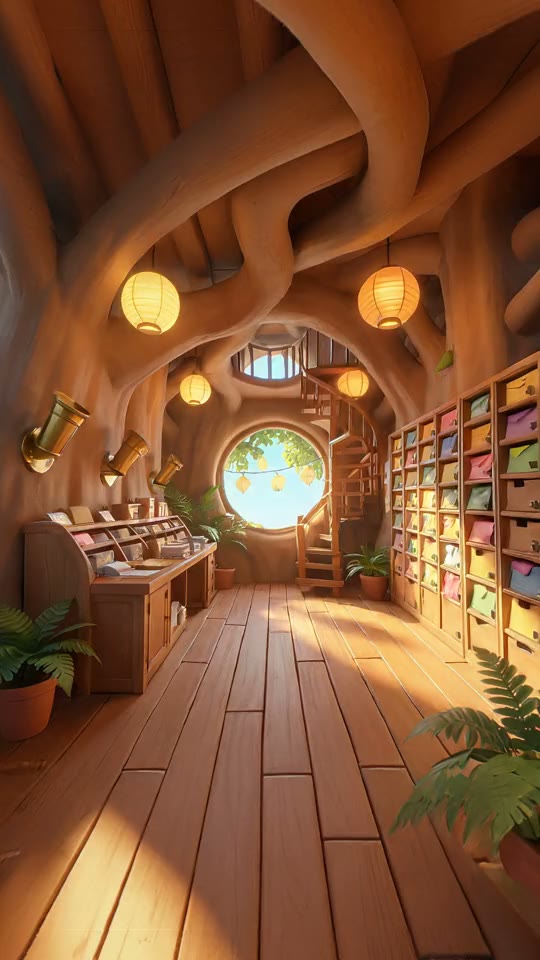
The crops are free. They run on Treza's own compute, with no AI model.
Putting the character in
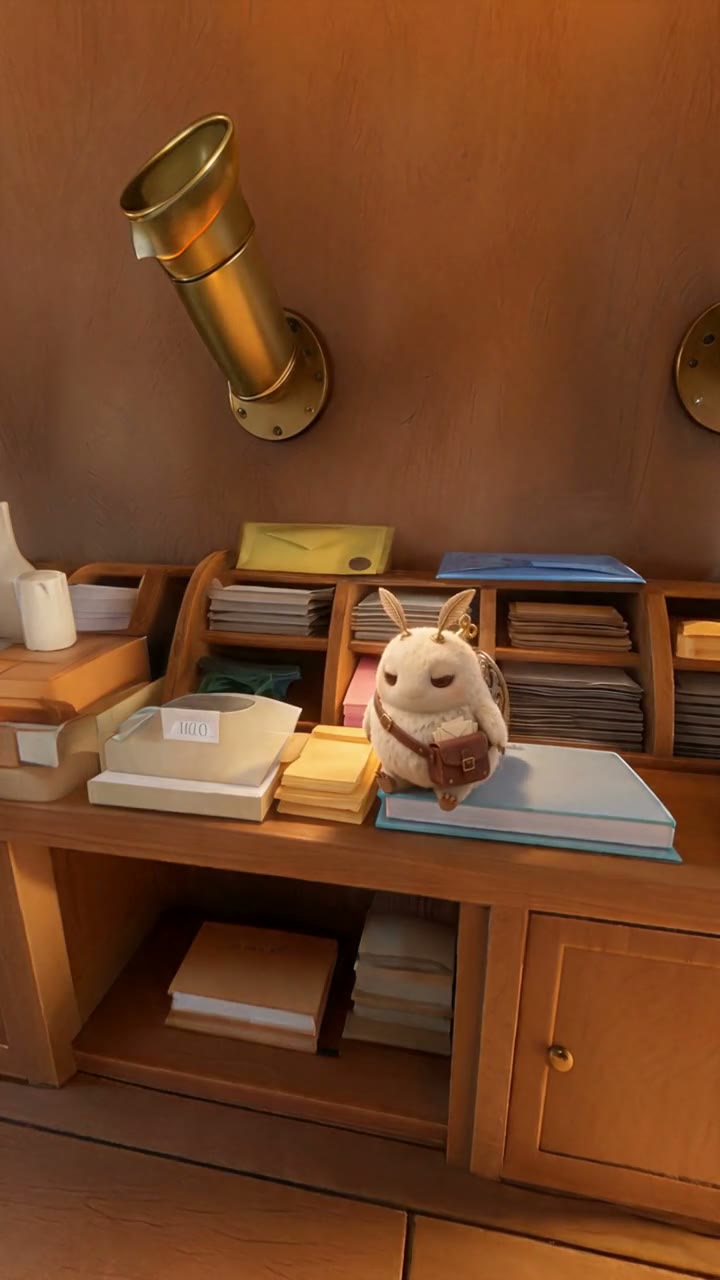
The character is a small clockwork mail moth with brass gear wings and a leather satchel. It starts as one turnaround sheet on Seedream 5.5, at 2K and 16:9:
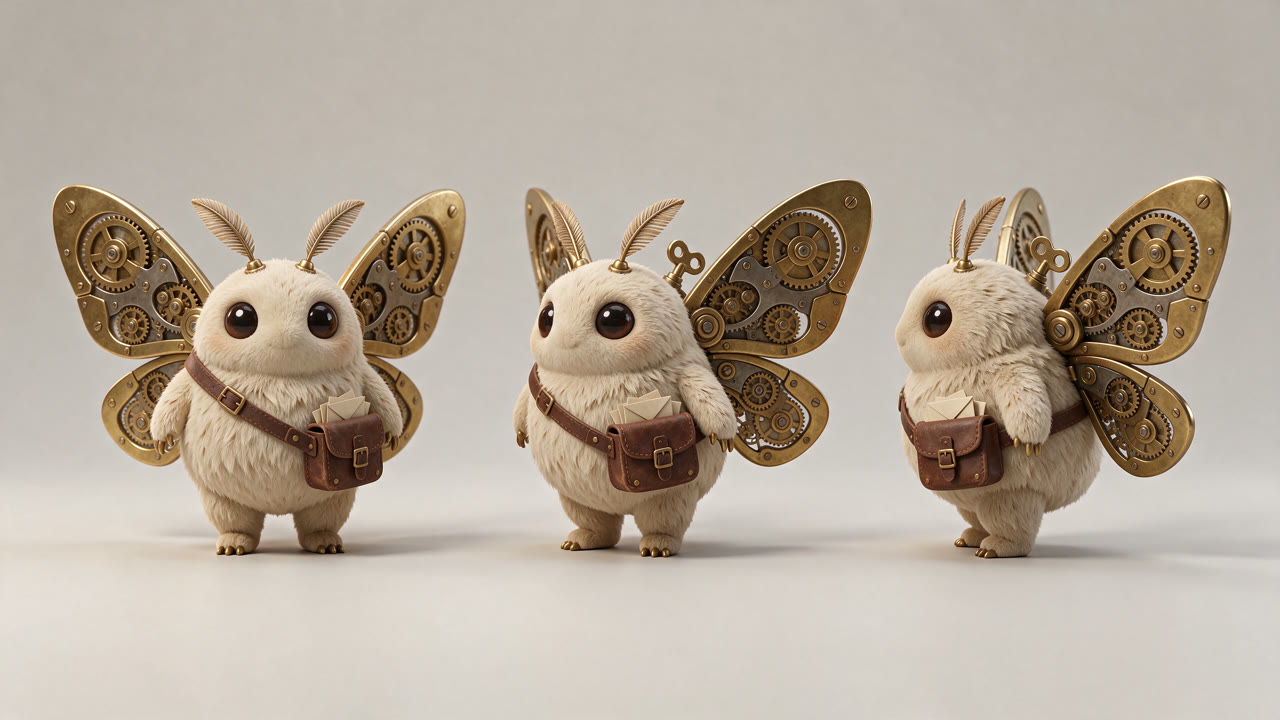
Each crop then goes into its own Image Generation step on Seedream 5.5, at 9:16, with two pictures wired into its reference input: the crop and the sheet. The prompt says where the moth goes, what it is doing and how big it is, then tells the model to leave the room alone:
Edit the picture of the treehouse post office room: add the small clockwork mail moth from the character sheet, hovering just above the wooden sorting desk in the middle of the frame, brass wings spread mid-flap, about to land, three-quarter view toward the camera, about one quarter of the frame wide. Keep the room exactly as it is: same camera angle and framing, same desk, brass chute, light and colours. Warm golden light on the moth to match the room and a soft shadow on the desk below it. Same matte stylized 3D game look. Only one moth, no text.
"About one quarter of the frame wide" is the line that sets the size. Give one in every placement prompt, so the character is the same size from angle to angle.
Seedream 5.5 kept the room where it was. Lay a placement over its crop and every shelf, envelope and floorboard lines up; fine texture is redrawn, the layout is not. That matters for the next step, because the placement is where the shot starts.
Animating each angle
Each placement goes into a Video Generation step on Seedance 2.5 as the first frame: 5 seconds, 9:16, 720p, sound on. A Sequence step joins the three.
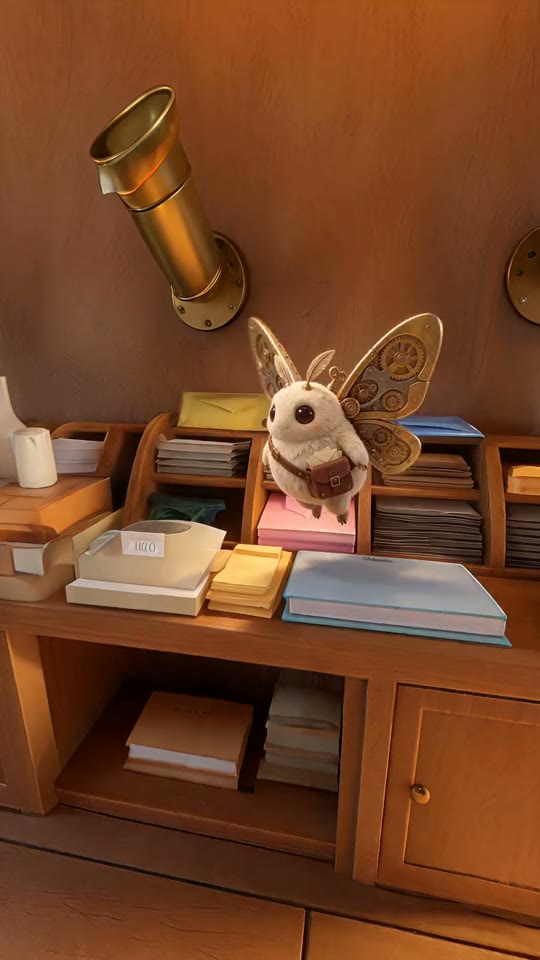
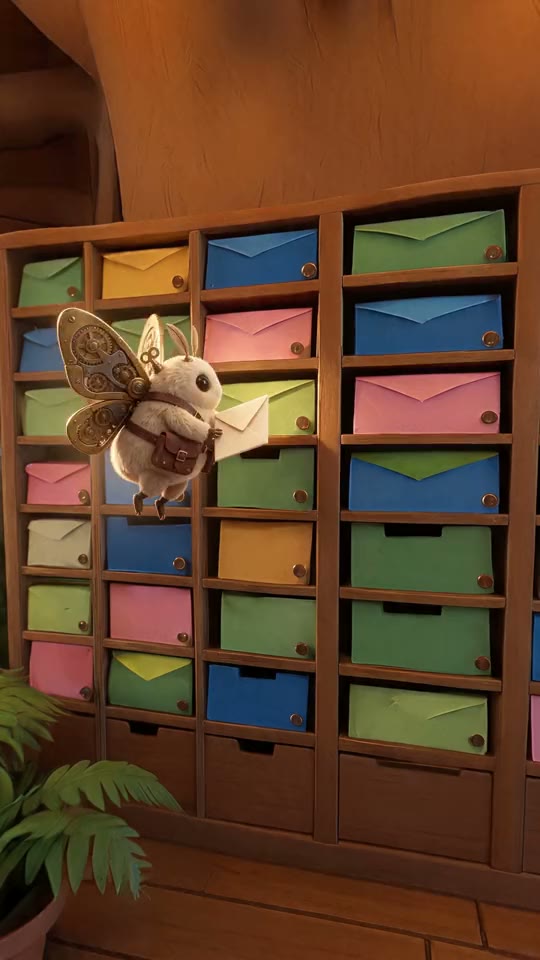
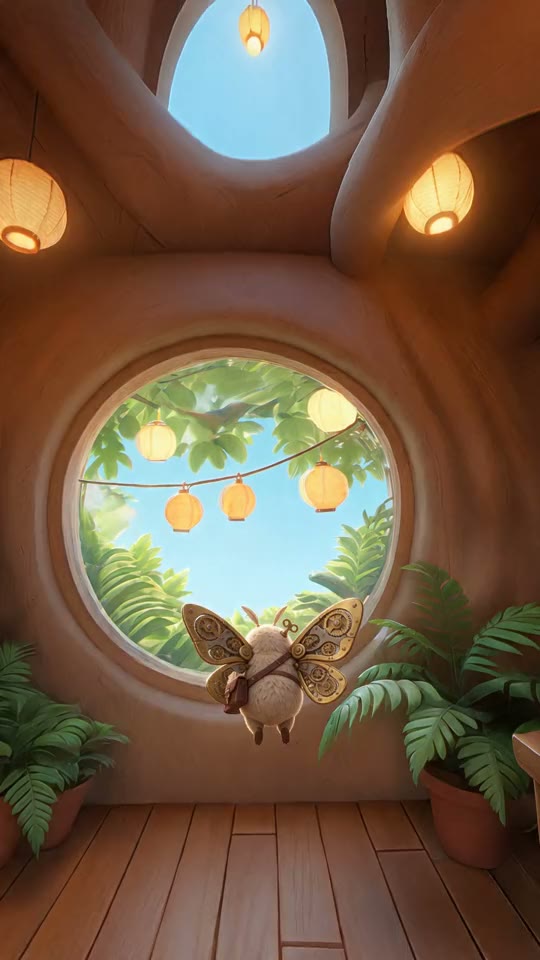
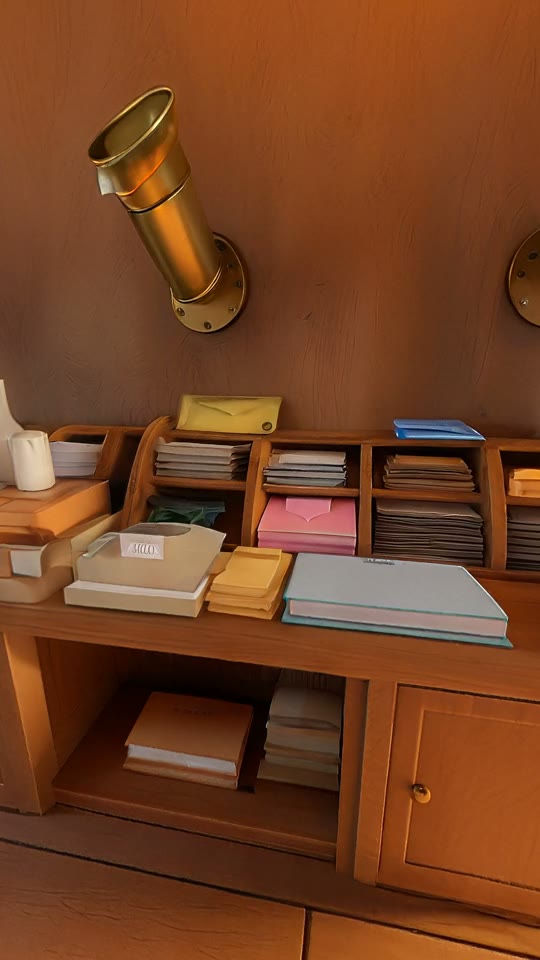
Every prompt has the same shape: the action, then "Locked-off static camera, the room stays perfectly still", then the sounds, then "No music, no speech."
| Shot | Camera | What happens | Sound asked for |
|---|---|---|---|
| 1 | Desk, from above | The moth lands on the desk, folds its wings and pats its satchel | Clockwork ticking, a wing whirr, a tap on wood |
| 2 | Pigeonholes | It pushes an envelope into a slot and flies off left | Wings, paper sliding into wood |
| 3 | Window, low | It flies across the room and out through the window | Wings fading, birdsong, leaves |
Because each shot starts on its placement, and each placement is its crop, each shot starts in its own corner of the same room. Here is the first one, sweeping between the crop and the shot:
The short at the top of this post adds the flat panorama and the camera turns between shots. We rendered those on a laptop with the same v360 filter, frame by frame. The pipeline's own Sequence step joins the three shots with straight cuts.
What went wrong
A yaw of 240 failed. The first plan had the cameras at 0, 120 and 240 degrees. FFmpeg refused the third with "Numerical result out of range": v360 takes yaw from -180 to 180 only. 240 degrees is the same direction as -120. The FFmpeg step is free, so the mistake cost nothing but a rerun.
The planned angles were guesses. That first plan also had every camera 90 degrees wide. Once we had the panorama, we put the cameras where the desk, the pigeonholes and the window actually were, and narrowed them to around 60 degrees so the props filled the frame.
Shot 3 moved the camera. The prompt said "locked-off static low camera". Seedance pushed the camera forward after the moth and out through the window anyway. It reads as an ending, so we kept it. If you need a camera to stay put, check every take for it.
The sound came out quiet. Seedance 2.5's sound on these shots measured about -31 LUFS, much quieter than most clips in a feed. We raised it by 14 dB with a limiter in the short.
Nothing needed a redo. Every step rendered once.
What it cost
Charged on Treza, in prepaid credits:
| Step | Charged |
|---|---|
| One HY-World 2.1 panorama | $1.08 |
| Character sheet on Seedream 5.5 | $0.05 |
| Three crops with FFmpeg | $0.00 |
| Three placements on Seedream 5.5, two references each | $0.21 |
| Three 5 second shots on Seedance 2.5 at 720p with sound | $4.90 |
| Total | $6.24 |
The panorama is the cheapest part of the shoot and the one everything else depends on. A fourth angle costs a free crop, a seven cent placement and one more shot.
The three shots and the join finished in about five minutes, because the three video steps run at the same time.
Since this test
The same day, we added a Panorama View step to the canvas, so you no longer have to write the v360 command. Wire a panorama in and the settings panel shows the view: drag to turn and tilt, scroll or pinch to zoom. It has the same four settings as the table above, named Turn, Tilt, Field of view and Shape, and it works out the height for you. It is free, like the FFmpeg step.
There is also a template, One Set → Every Angle, with this whole graph in it: a set, three Panorama Views at 9:16, a character sheet, three Seedream 5.5 placements, three Seedance 2.5 shots and a Sequence. It starts from a World Labs world (the Make World step), which also gives you a 3D world you can walk around in. To use HY-World instead, put an Image Generation step on HY-World 2.1 Panorama where Make World is. HY-World's panorama is 7680 pixels around and Make World Standard's is 4608, so HY-World gives you more to crop from.
What we have not tested
- Camera moves inside a shot. All three prompts asked for a still camera. A slow push in on a placement should work, and we have not tried it.
- Two characters in one room. One moth in every shot here.
- HY-World's panorama into Make World. Make World takes a 2:1 picture as the panorama of its world, so an HY-World set should become a walkable world. We have not run it end to end.
- 1080p shots. These are 720p.
Make your own
Open the pipeline editor, go to the Templates tab and pick One Set → Every Angle. Write your room into the box called The set, saying what is on each side of it, and your character into The character.
Run as far as the Panorama Views first. Turn each one until it frames something worth shooting, at a field of view around 60. Then run the placements and look at all three stills side by side before you render a second of video: if the character is the wrong size or the room has changed, fix the prompt there, where a redo costs cents.
When the stills are right, render the shots.
Frequently Asked Questions
What does HY-World 2.1 Panorama make?
One 360 degree panorama from a text prompt: a 7680 by 3840 PNG in the equirectangular layout. It takes text only. On Treza one panorama is charged $1.08.
How do I keep the same location across AI video shots?
Make the location once, as a 360 panorama. Cut each camera angle out of it, add your character to each angle with an image edit that keeps the background, and use each edited still as the first frame of a shot. Every background then comes from the same picture.
How do I cut a flat view out of a 360 panorama with FFmpeg?
Use the v360 filter: v360=e:flat:yaw=Y:pitch=P:h_fov=H:v_fov=V:w=1080:h=1920. Yaw turns the camera (from -180 to 180), pitch tilts it, and h_fov and v_fov set how wide and tall the view is. For a 9:16 frame, v_fov is 2 × atan(tan(h_fov ÷ 2) × 16 ÷ 9). On Treza's canvas the Panorama View step does the same thing with a drag-to-look preview.
What field of view should I use when cropping a 360 panorama?
For a 1080 by 1920 frame from HY-World's 7680 pixel panorama, 58 to 66 degrees wide stayed sharp in our test. Below about 50 degrees you are enlarging the panorama's pixels and the picture goes soft.
How much does a three-angle set cost?
Our test was charged $6.24 on Treza: $1.08 for the panorama, $0.05 for the character sheet, $0.21 for three placements and $4.90 for three 5 second Seedance 2.5 shots at 720p. The crops are free.