How to Make an Animated YouTube Series with AI (Same Characters Every Episode)
The hard part of an AI animated series is not one good episode. It is episode two looking like episode one. This guide shows the method that holds a cast steady: write a series bible, draw one character sheet, save it, and draw every scene of every episode from that same picture. With two real episodes, prices and the template that does it.

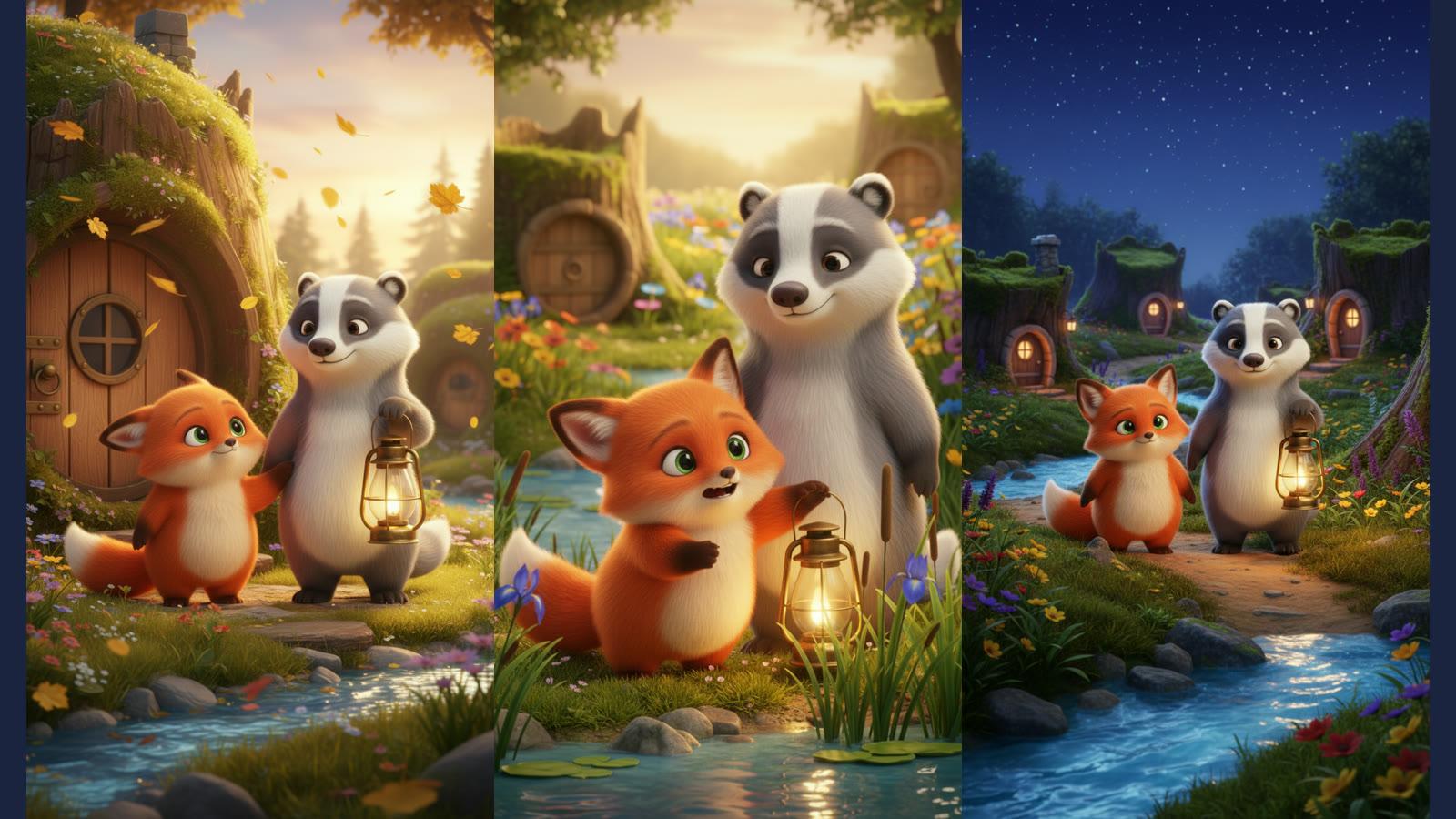
Making one animated short with AI is easy now. Making a series is not. Run the same prompt twice and you get two different foxes: the fur shifts colour, the ears change, the friend grows a new stripe. Viewers forgive a lot in a kids' cartoon, but not a main character who looks different every week.
The fix is not a better prompt. It is to stop describing the characters to the model at all and show it a picture instead: one character sheet, drawn once, saved, and handed to every scene of every episode.
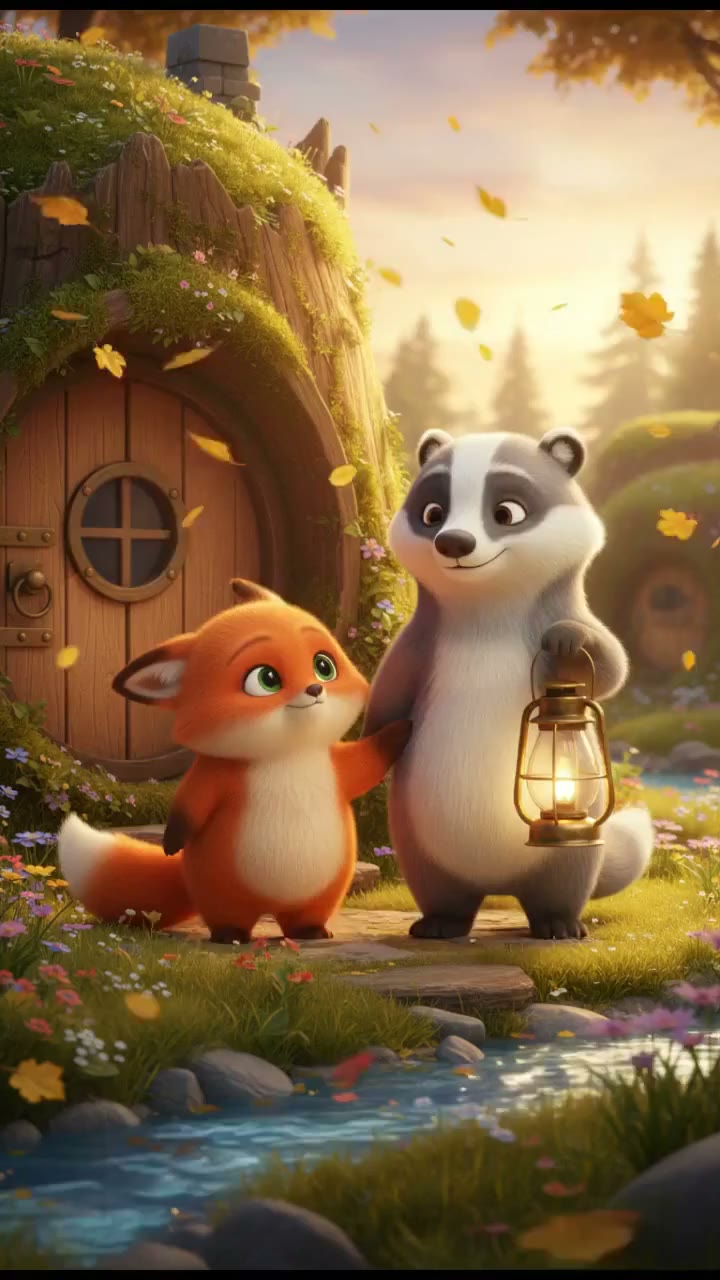
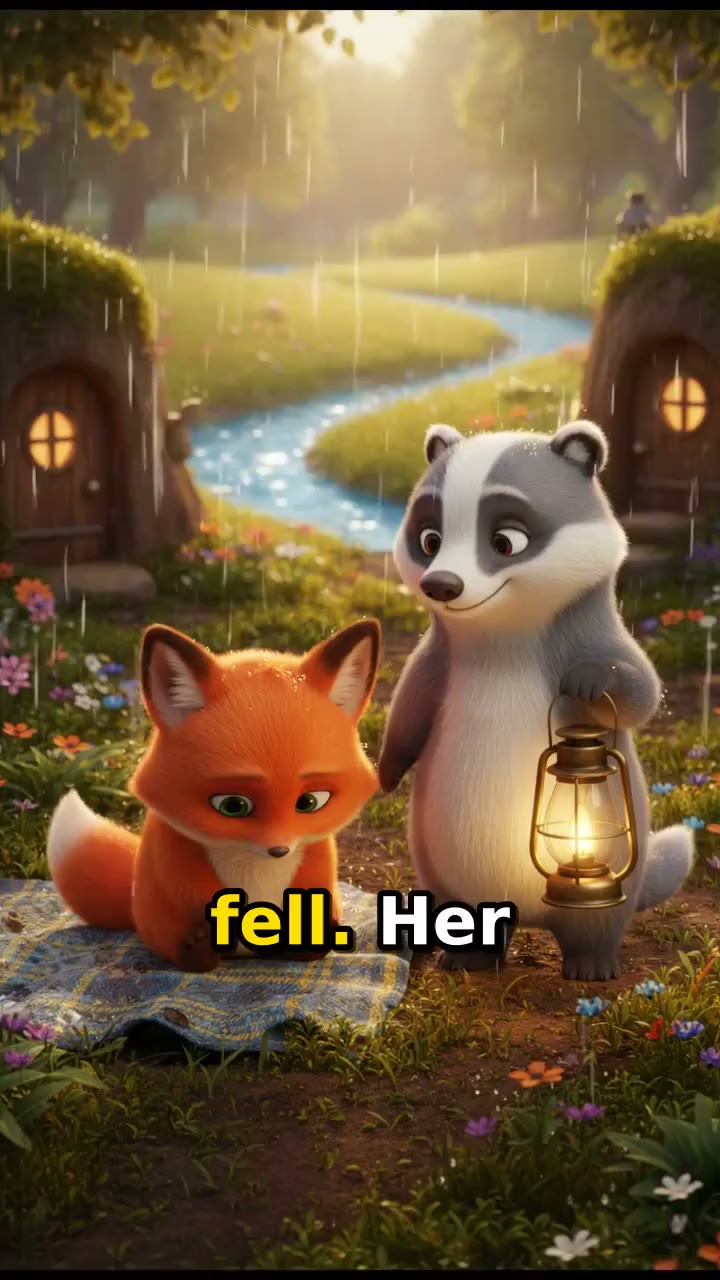
Below are two episodes of an original series, Juniper and Bo, made this way with the Animated Series template. Episode two was drawn from the sheet episode one saved, and no new sheet was drawn.
Why AI characters drift between episodes
An image or video model does not remember anything between runs. Every scene starts from the words you give it, and words leave a lot of room. "A small red fox with green eyes" describes thousands of foxes, and the model picks a new one each time.
Most series workflows make it worse by drawing a fresh character sheet at the start of every episode. The sheet keeps the cast steady within that episode, then the next episode's sheet is a slightly different drawing, and the drift starts again.
So there are two rules:
- Draw every scene from a picture, not a description. A reference image pins the face, colours and shapes in a way text cannot.
- Draw that picture once for the whole series. Episode one makes it. Every later episode reuses it.
Step 1: Write a series bible
The series bible is a short block of production notes you paste at the top of every episode. It is never read aloud. Ours, for Juniper and Bo:
Series: Juniper and Bo Recurring cast: Juniper, a small round young red fox with bright orange fur, a cream chest and tail tip, big green eyes and one ear that always flops down. Bo, a tall, gentle grey badger with a white stripe down his face, round ears, small dark eyes and a slow, kind smile. Setting: Thistledown Hollow, a cozy woodland village of mossy tree stumps, round wooden doors, wildflower meadows and a winding blue stream. Look: bright, soft 3D animated look for all ages, warm golden light, rounded shapes, gentle saturated colours. Narrator: warm and calm, like a bedtime story.
What makes a bible hold up over many episodes:
- One or two details nobody else has, and check the sheet drew them. Our bible gave Juniper one flopped ear; the sheet drew both ears up, so every episode has two upright ears. If a detail matters, make sure it is on the sheet before you make episode two, because the sheet, not the bible, is what the scenes copy.
- Few, strong colours. Bright orange and grey survive every render. Fine patterns and small accessories are the first thing a model drops.
- The same words every time. Copy the bible, do not retype it. The template's writer is told to keep the cast in the bible's exact words in every scene.
- Original characters. Image and video models refuse well-known cartoon characters, and an original cast is the only kind you own.
Step 2: Episode one draws the character sheet
Under the bible, write what happens in this episode: a beginning, a turning point and an ending. Then run it.
The first thing the run draws is a character sheet: every recurring character, full body, side by side on a plain background. Each of the eight scenes is then drawn with that sheet as its reference image, animated on Veo 3.1, given one narrator line in your language, and cut together with a music bed and captions.
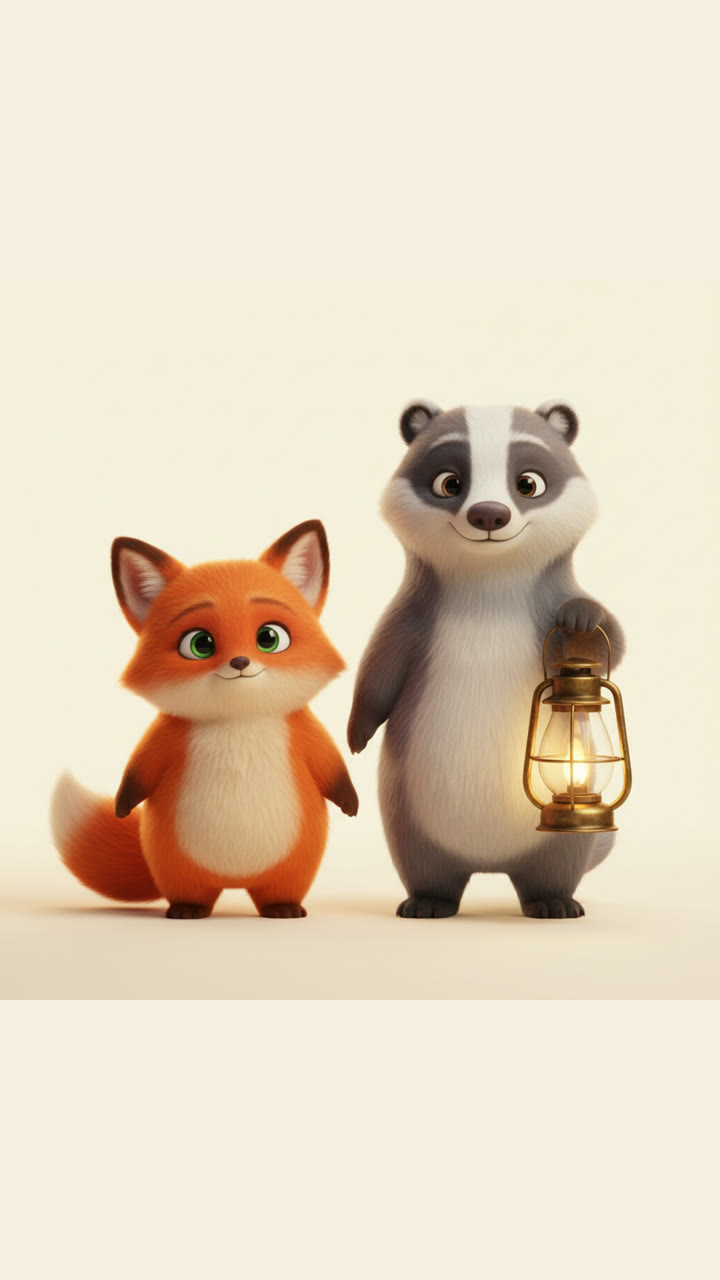
The run returns two things: the episode, and the sheet as a link (character_sheet_url). Keep that link. It is the series.
Look at the sheet before you go on. Ours put Bo's lantern in his paw, because episode one is about the lantern. A prop that belongs to one story does not belong on the sheet every later episode copies, so the template now tells the writer to draw the cast empty-handed. If one still shows up, rerun episode one before you make episode two.
Step 3: Every later episode reuses the sheet
For episode two, paste the same bible, add one line with the sheet link, and write the new story:
Character sheet: https://…/the-link-episode-one-returned.png Series: Juniper and Bo … Episode 2: The Rainy Day Picnic. …
With a saved sheet, the template skips drawing a new one and draws every scene of the new episode from the old one. That one line is the difference between a series and a set of loosely related cartoons. (From the API, ChatGPT or Claude, the link goes in the sheet input instead.)
Small details can still wander between renders: a stripe a little wider, an ear on the other side. A scene that drifts can be rerun on its own. A simpler design drifts less.
What one episode is, and what it costs
| Length | Up to 60 seconds, vertical 9:16 |
| Scenes | 8, each drawn from the sheet, then animated (Veo 3.1 Lite, 720p) |
| Sound | One narrator line per scene (ElevenLabs v3, any language you write in), a music bed (Lyria 3) ducked under it |
| Captions | Word by word, from the narrator's own timings |
| Price | About $4.18 an episode, or $1.49 as illustrated stills with camera movement |
The price shows before anything renders, and a failed render costs nothing. Ten episodes come to about $42.
Episodes are narrated, which suits storybook series, folk tales, moral stories and kids' learning shows. For a scene where the characters speak their own lines, the Character Skit starter generates the voices with the picture.
Making it a recurring series
A series is a schedule as much as a cast. Three ways to keep episodes coming:
- In chat. Open the Animated Series starter, paste the bible with the sheet line and the new story, and run. The cast and the look carry over because the sheet does.
- From ChatGPT or Claude. Connect Treza and ask for "episode 3 of Juniper and Bo", with the bible and the sheet link from episode one in the chat. The template tells the assistant where the link goes, and the price is quoted before it runs.
- From an automation. The template is a normal pipeline, so n8n, Zapier or Make can run it from a spreadsheet of episode ideas, one row a week, and send the finished episode on.
Then post it. Connect a YouTube channel and Treza can upload the episode, or download it and upload it yourself. For a children's series, mark it as made for kids in YouTube Studio.
A note on writing episodes that work in 60 seconds
Eight scenes of about seven seconds is a tight format. The episodes that land:
- One problem per episode. The lantern blows away. The picnic gets rained on. Not both.
- A turning point at scene five or six. That is where the small act of courage or kindness happens.
- An ending that brings the pair back together, so every episode closes on the same image of the cast. It is the series' signature, and it is free continuity.
- Gentle action. Walking, reaching, turning, laughing. Fast chases and crowds are where animation models go wrong.
Start your series
- Run the Animated Series template with your own bible and episode one.
- See more of what it makes on the AI cartoon series maker page.
- For one-off stories with no series, the AI cartoon video generator is the simpler start, and the kids story video generator covers bedtime and moral stories.