One Character, Four Angles: Gemini Omni 1.2 Flash With Reference Images
Reference images are how you keep one character looking like itself from shot to shot. We wired the same three stills of a lantern robot into four Gemini Omni 1.2 Flash shots, then ran the same four prompts with nothing wired in. Here are both results side by side, the graph, the prompts, what it cost, and the two things that went wrong.

If you make a series, your character has to look like itself in every shot. A video model given only words draws a new character each time, even when the words are identical. Reference images fix that: you hand the model pictures of the character along with the prompt, and it draws that character in a new scene.
Gemini Omni 1.2 Flash takes reference images, so we tested it the way a story would use it. One robot, four shots, four camera angles, and the same three stills wired into every shot.
The three stills
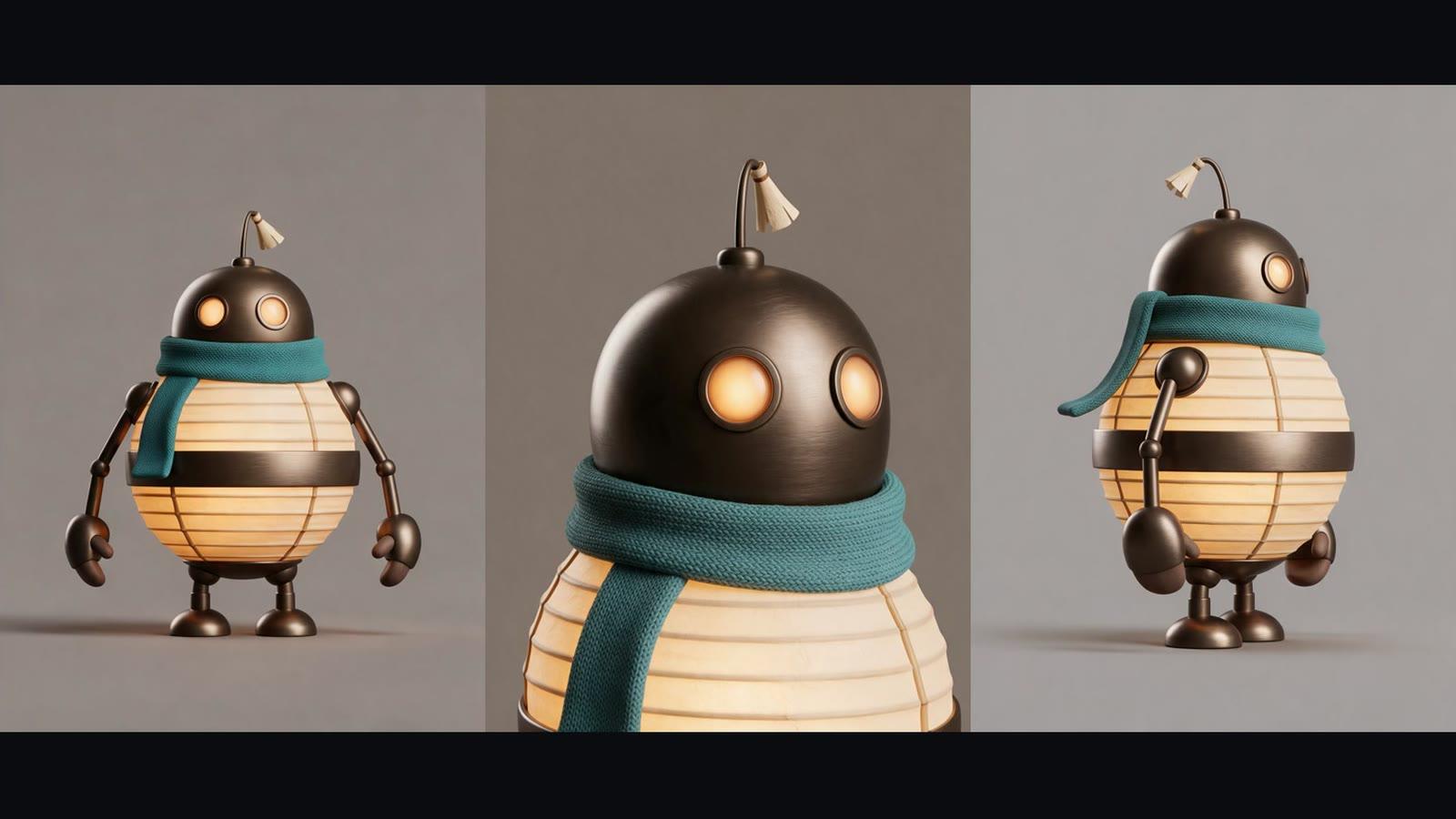
The character is a small round robot with a paper-lantern body, a bronze dome head and a teal scarf. We made one turnaround sheet of it on Nano Banana Pro, then drew three single views from that sheet on Seedream 5.0 Pro: a full-body front view, a close-up and a full-body side view, each on a plain grey backdrop.
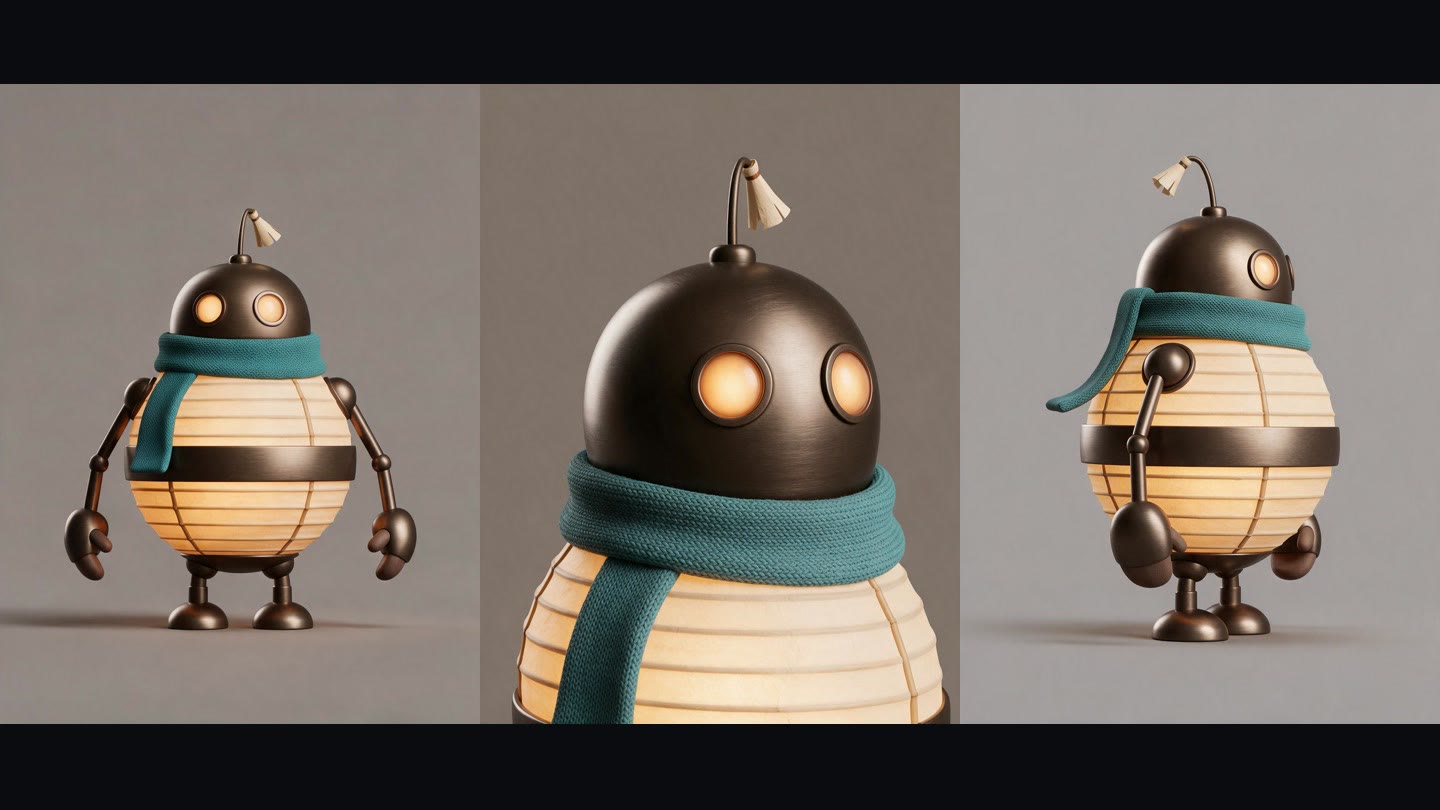
Three views is a deliberate number. Google's documentation gives Gemini Omni 1.2 Flash up to six reference images a request and up to three for one character. A front view, a close-up and a side view cover what the four shots need: the whole body, the face, and the profile.
Plain backdrops matter too. A reference with a busy background invites the model to bring the background along.
The graph
On the canvas this is nine nodes:
- Three File nodes, one per still.
- Four Video Generation nodes set to Gemini Omni 1.2 Flash, 8 seconds, 9:16, 720p, audio on.
- A Sequence node that joins the four shots, and an Output.
Each still is wired into the input of all four video nodes. That is the whole technique. When a model takes reference images, an image wired into a video node goes to the model as a reference. When a model does not, the same wire becomes the clip's first frame, which is a different thing: a first frame is where the clip starts, and a reference is who is in it.
Every prompt describes the shot and the robot in words, then ends with one sentence that points at the pictures:
The robot is the character in the reference images: match its design, colours and proportions exactly.
The four shots:
| Shot | Camera | What happens |
|---|---|---|
| 1 | Wide, slow push in | The robot wakes on a market stall shelf and stands up |
| 2 | Close-up | It turns its head to follow a moth |
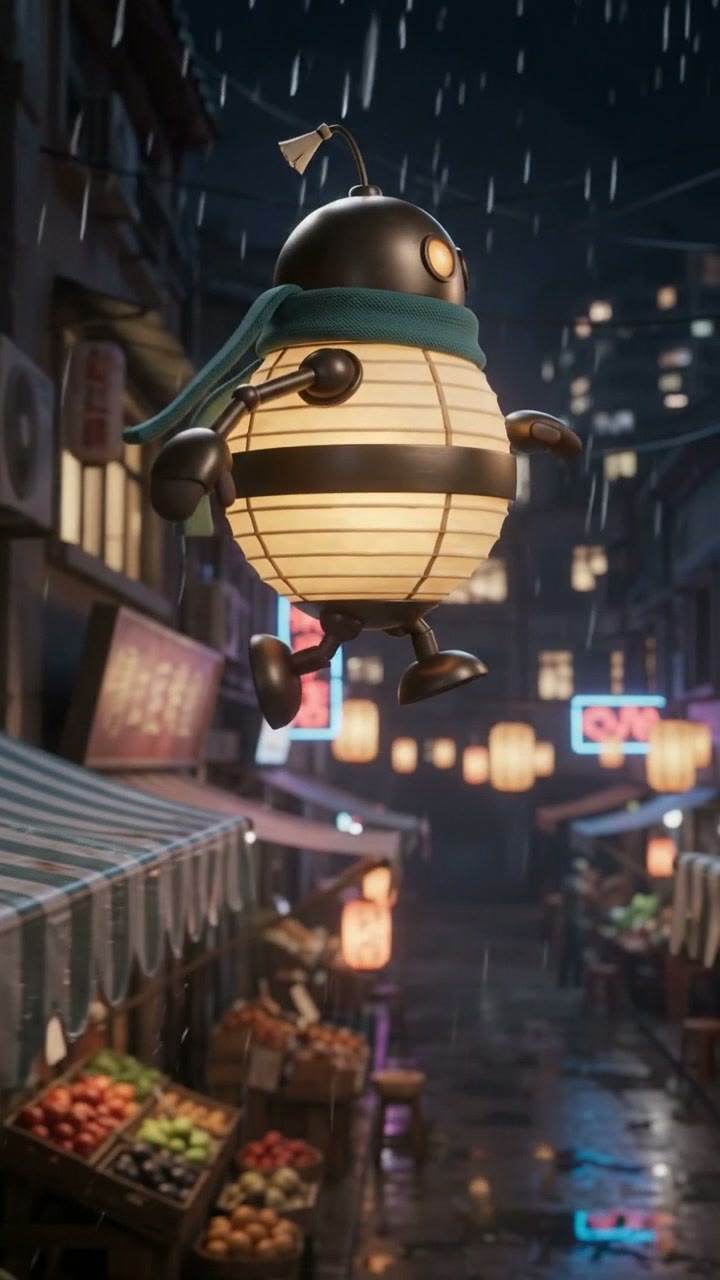
| 3 | Side tracking | It hops across awnings in the rain |
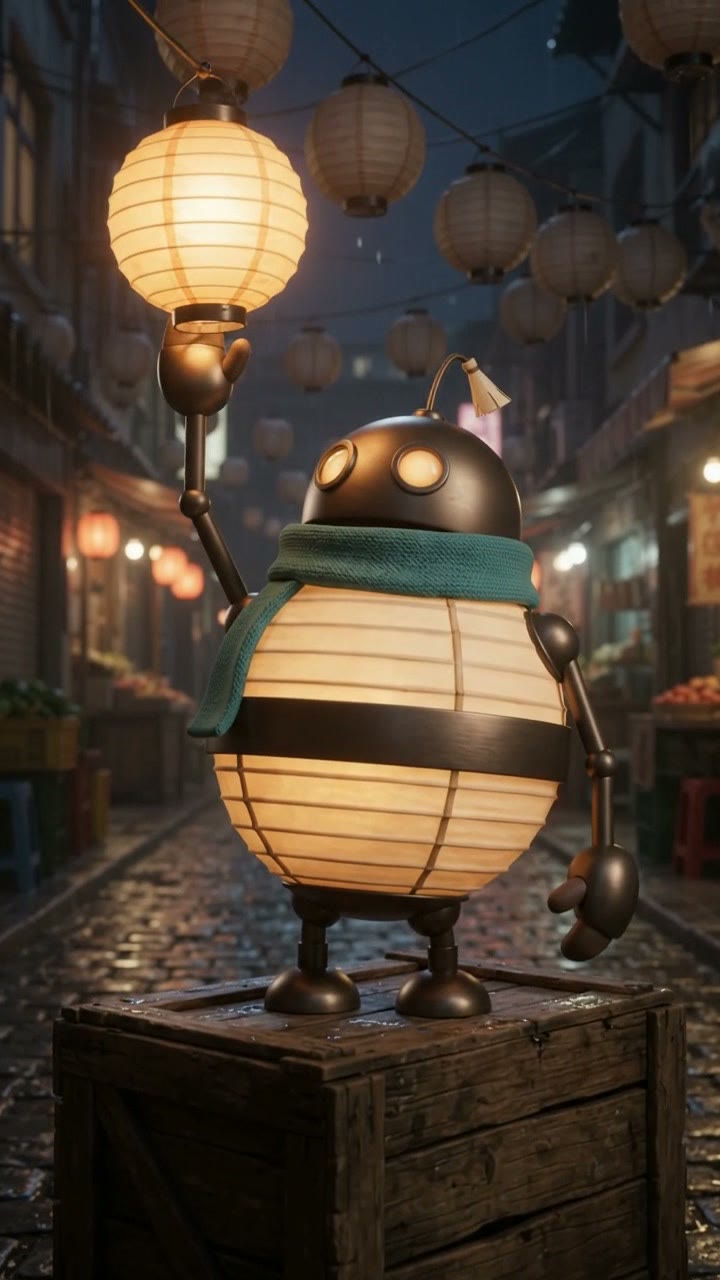
| 4 | Low angle | It lights a string of lanterns |
With references and without
For the comparison we copied the pipeline, removed the three stills and deleted that one sentence from each prompt. Everything else is word for word the same, including the full description of the robot.
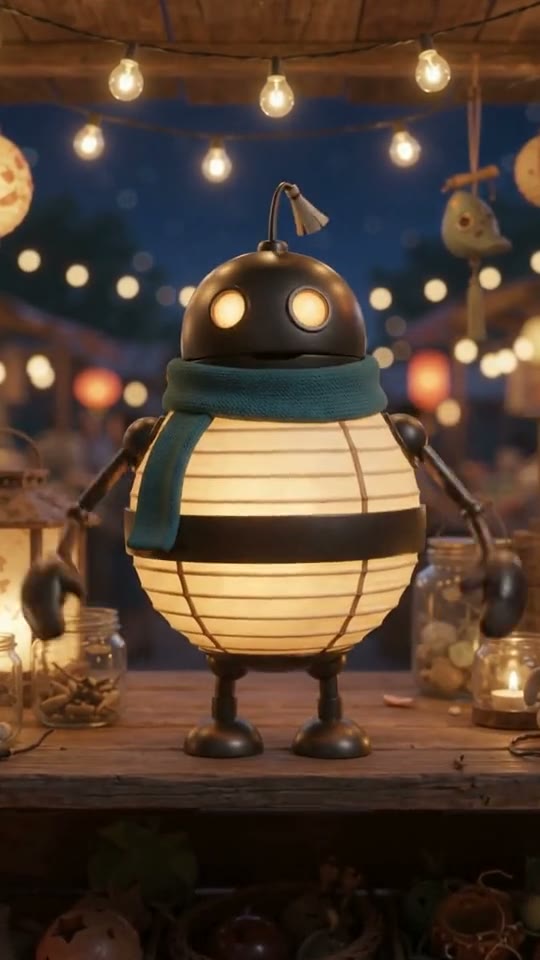
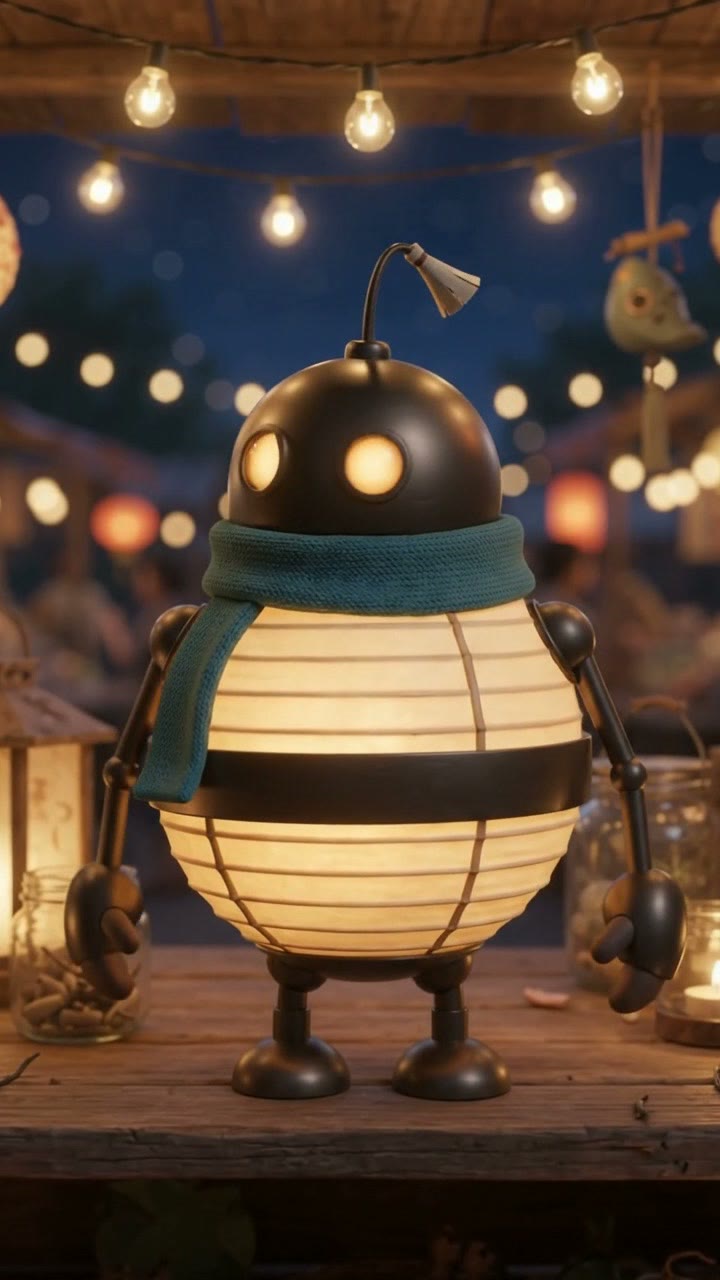
With the stills wired in:
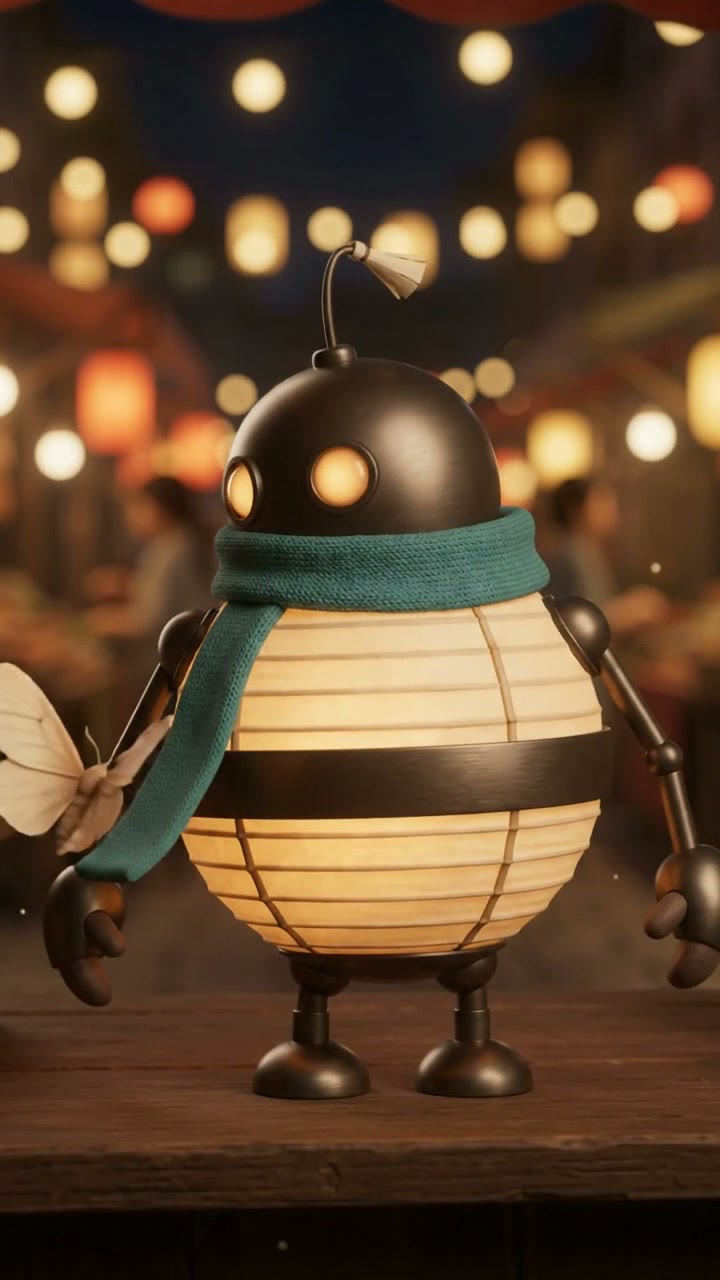
With nothing wired in:
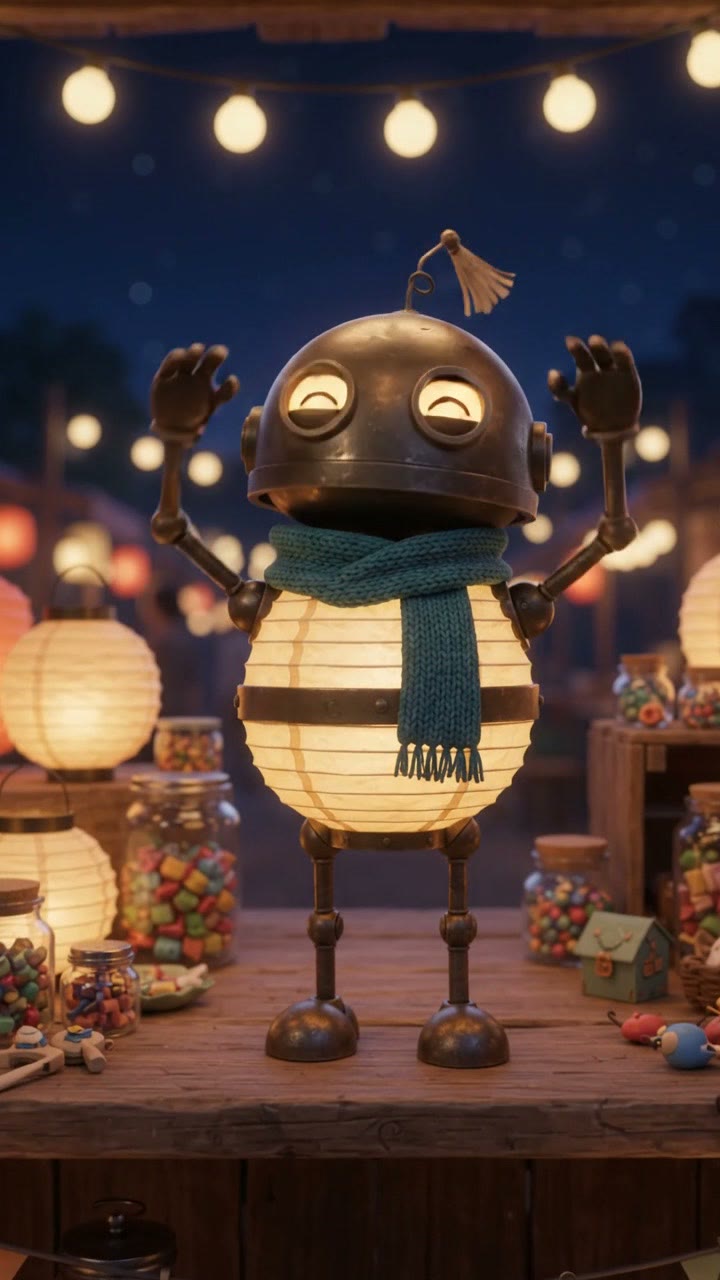
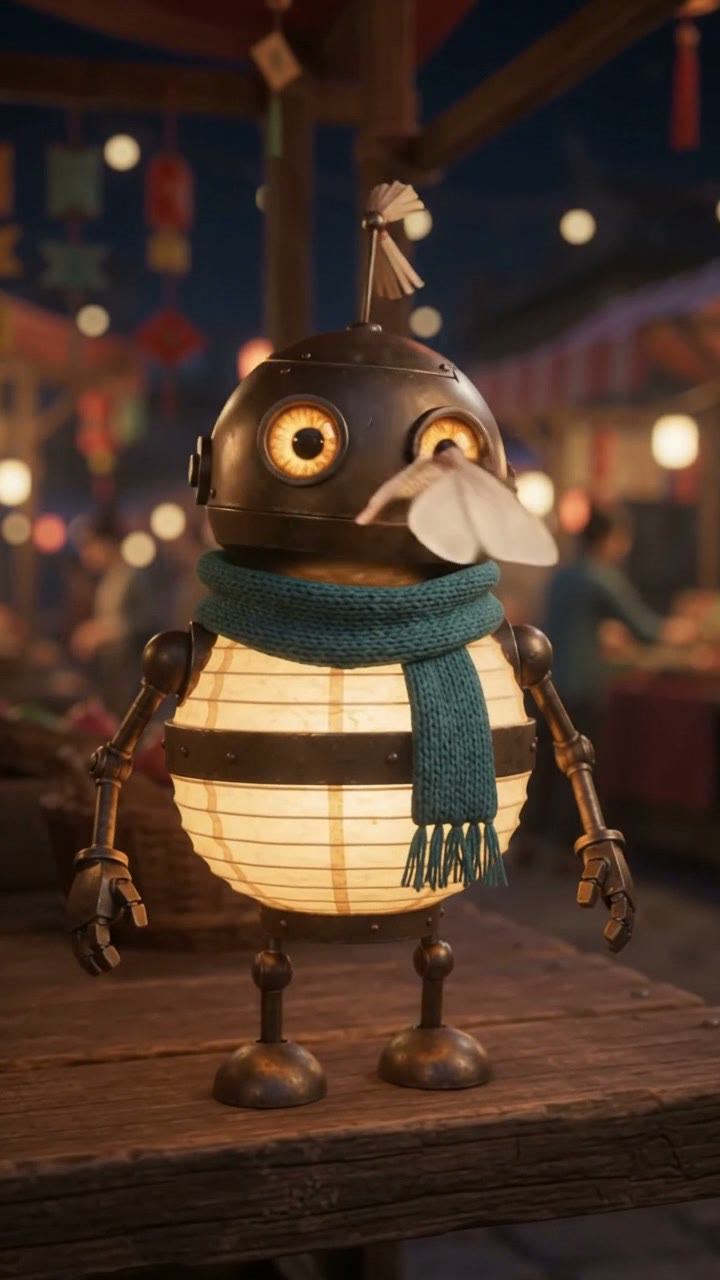
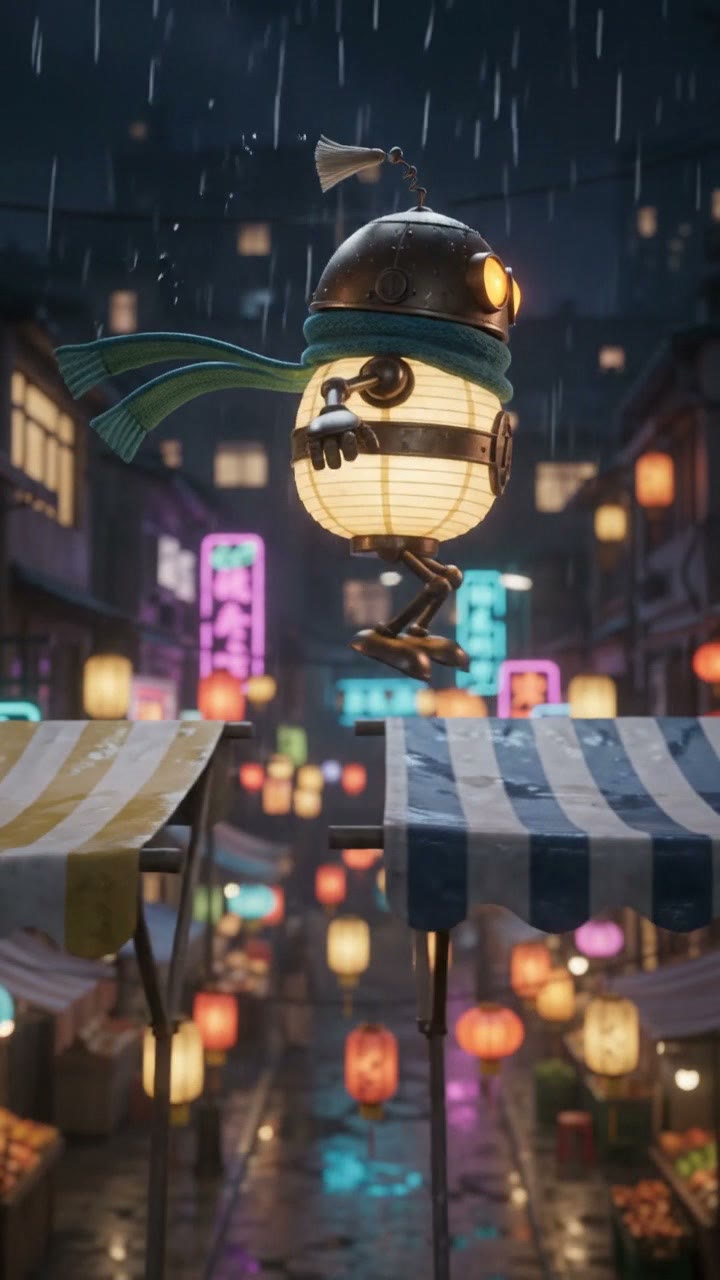
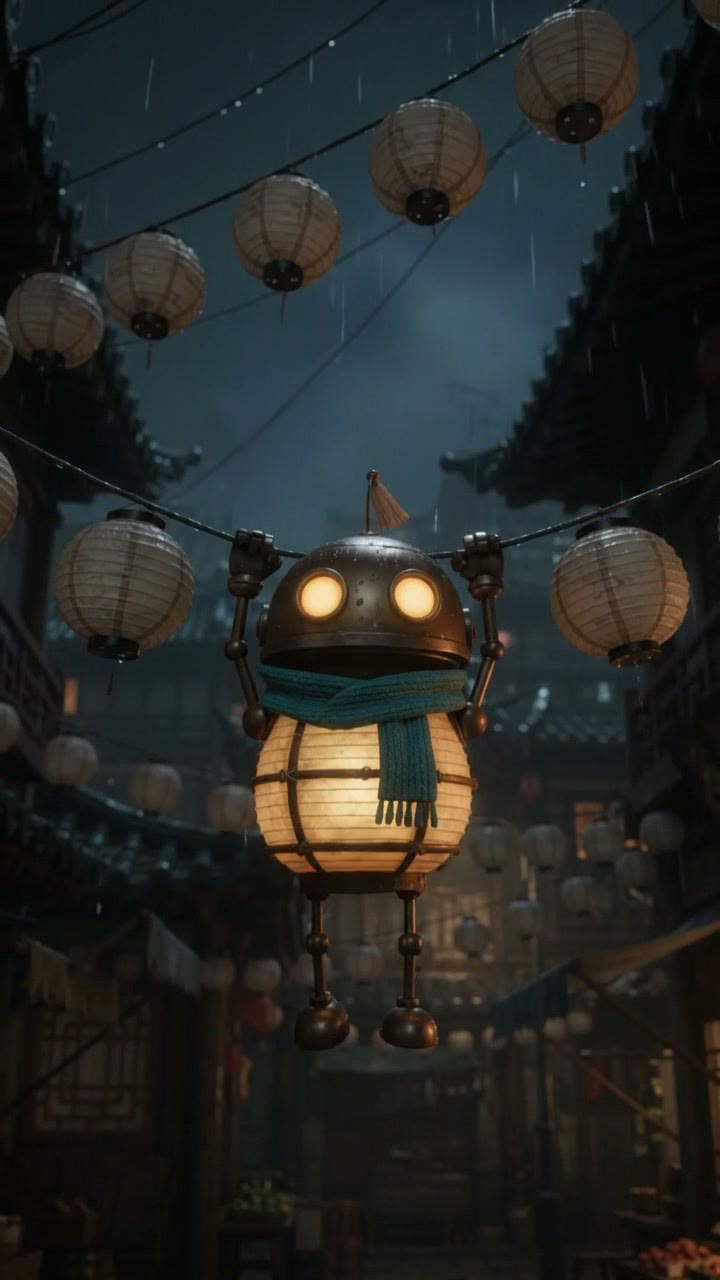
Every frame in the second row fits the prompt. Each has a lantern body, a bronze dome, amber eyes, a teal scarf and an antenna with a tassel. They are still four different robots. Shot 1 has eyelids, fingers and long jointed legs. Shot 2 has pupils and claws. Shot 3 has a riveted helmet and a striped scarf. Shot 4 has a cage for a body.
With the stills, the body shape, the single bronze band, the scarf, the mitten hands and the round feet are the same in all four shots, from the front, up close, in profile and from below.
Here are both cuts playing:
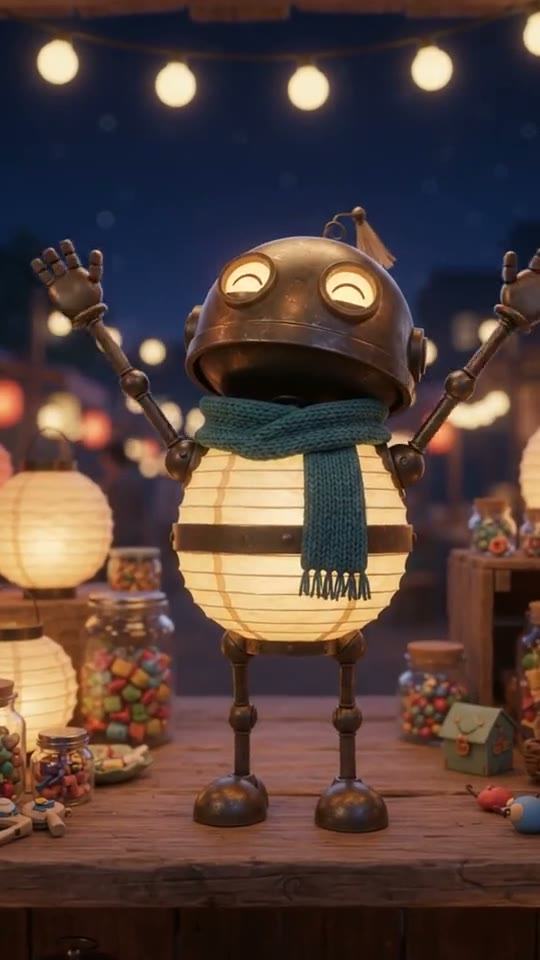
The vertical format held as well. All eight clips came back 720 by 1280 at 24 frames a second, each with its own sound.
What went wrong
The robot floated. The first prompt for shot 4 had the robot drop into frame, catch the lantern string and hang from it. It caught the string, then let go and stayed in the air.
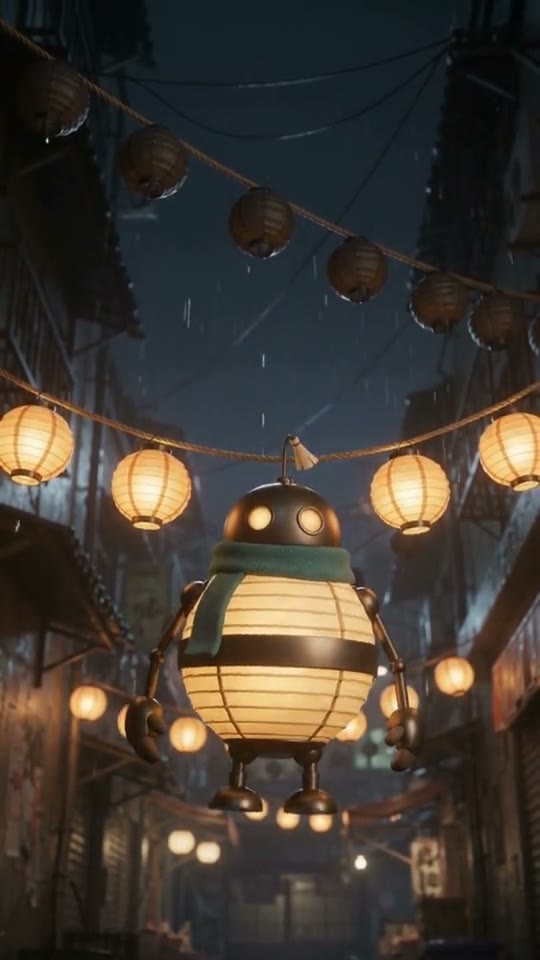
The robot is on model in that take. References keep a character's design, and they do nothing for physics. We rewrote the shot so nothing depends on a grip: the robot stands on a crate "with both feet planted on the crate the whole time" and reaches up to touch the nearest lantern. That take worked. Its nearest lantern goes dark again near the end, so the cut uses the first 5.6 seconds.
Shot 1 changes the face for a moment. While the robot stretches, its eyes go dark and a mouth opens for about a second. The stills have no mouth. The design returns before the shot ends, and we kept the take.
One still timed out. The side view took longer than our three minute limit for an image and was drawn again. Seedream 5.0 Pro at 2K with a reference image runs close to that limit.
The model was down for an evening. On 9 November, Google failed every Gemini Omni 1.2 Flash job for about four hours, prompts with no images included. It came back around midnight Pacific and the shots rendered on the first try. Failed generations are not charged, so the outage cost time and nothing else.
What it cost
Charged on Treza, in prepaid credits:
| Step | Charged |
|---|---|
| Turnaround sheet and three stills | $0.57 |
| Four 8 second shots at 720p with sound | $3.14 |
| One redo of shot 4 | $0.78 |
| The short above | $4.49 |
The comparison run without references was another $3.14. Each 8 second shot is $0.78, and reference images add nothing to the price: the model bills per second of output at the resolution you set. The rate card is in Gemini Omni 1.2 Flash API and pricing.
The four shots and the join finished in 79 seconds, because the four video nodes run at the same time.
What we have not tested
- Two characters in one shot. The six image limit suggests it is meant to work. We have rendered one character only.
- Shots longer than 8 seconds. The model renders up to 15. Whether a design holds through a 15 second take is a separate question.
- 1080p and 4K with references. These clips are 720p.
One more date to know: Google's pricing page says requests to Gemini Omni 1.1 Flash will be served by 1.2 from 3 December 2026. Reference images work on 1.1 as well.
Make your own
Start with the stills, because they decide everything after. Make one clean image of your character, draw two or three single views from it on plain backdrops, and look at them side by side before you render a second of video. Fixing a still costs cents.
Then open a pipeline, add a Video Generation node set to Gemini Omni 1.2 Flash, and wire the stills into it. Add the sentence that points at the reference images. Draft the shot at 360p, where 8 seconds costs a third of the 720p price, and render the keeper once.
In chat it is the same idea with less wiring: attach the stills, ask for Gemini Omni 1.2 Flash by name, and say the images are references for the character.
Frequently Asked Questions
Does Gemini Omni 1.2 Flash support reference images?
Yes. In our test on 10 November 2026, three stills of one character went into four 8 second shots as reference images, and the character kept its design in all four. Google's documentation allows up to six reference images a request and up to three for one character.
What is the difference between a reference image and a first frame?
A first frame is the opening picture of the clip, so the clip starts on it. A reference image tells the model what a character or object looks like, and the model draws it in whatever scene the prompt describes. Use a first frame to control where a shot begins and references to control who is in it.
How many reference images should I use for one character?
Three worked for us: a full-body front view, a close-up of the face and a full-body side view, all on plain backdrops. That is also the most Gemini Omni 1.2 Flash takes for a single character.
Do reference images cost extra on Gemini Omni 1.2 Flash?
No. The model bills per second of output at the resolution you set. An 8 second 720p shot was charged $0.78 on Treza with three references and the same without.
Why did my character still look wrong with reference images?
Check the stills first. If the views disagree with each other, the model has to pick one. Then check the prompt: describe the character the same way the stills show it, and add a sentence telling the model that the character is the one in the reference images. References hold a design. They do not fix motion, so rewrite a shot when the action fails.