
Glow effect. A soft, dreamy bloom on your footage, free.
Drop in a clip or a picture, pick how much glow, and it comes back softly lit in your chat. It runs on Treza's FFmpeg node, which costs nothing.
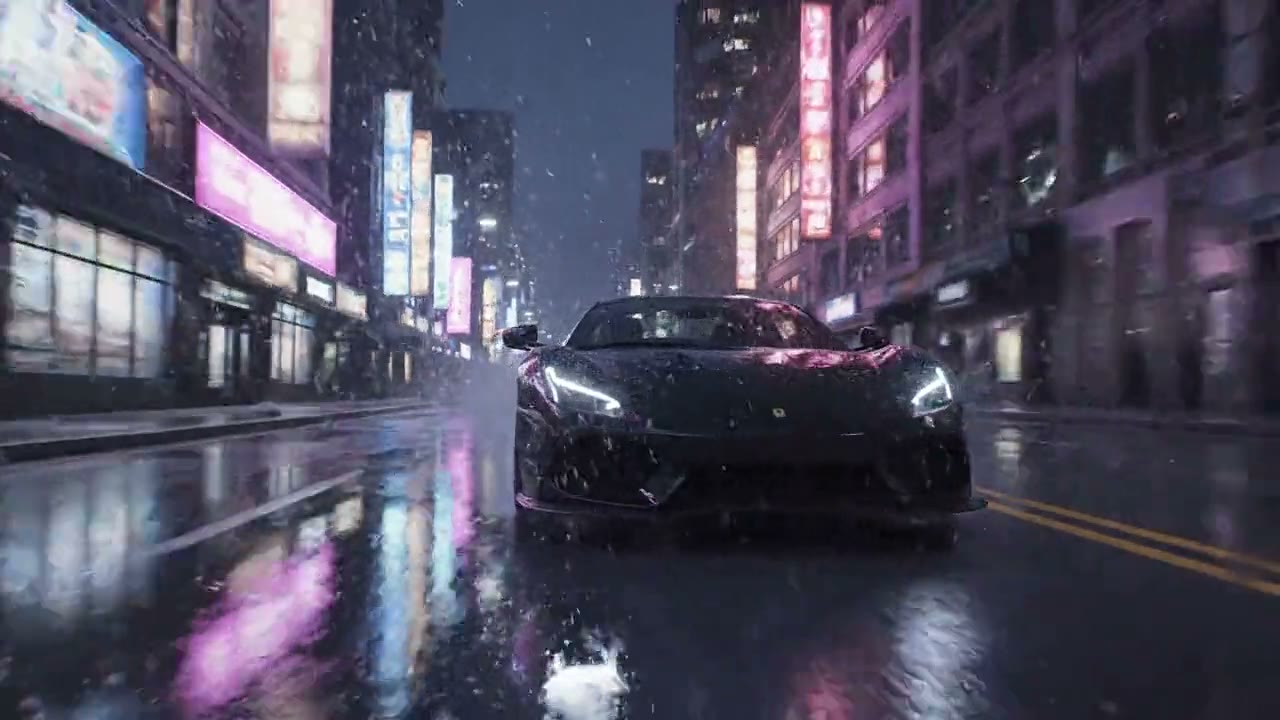
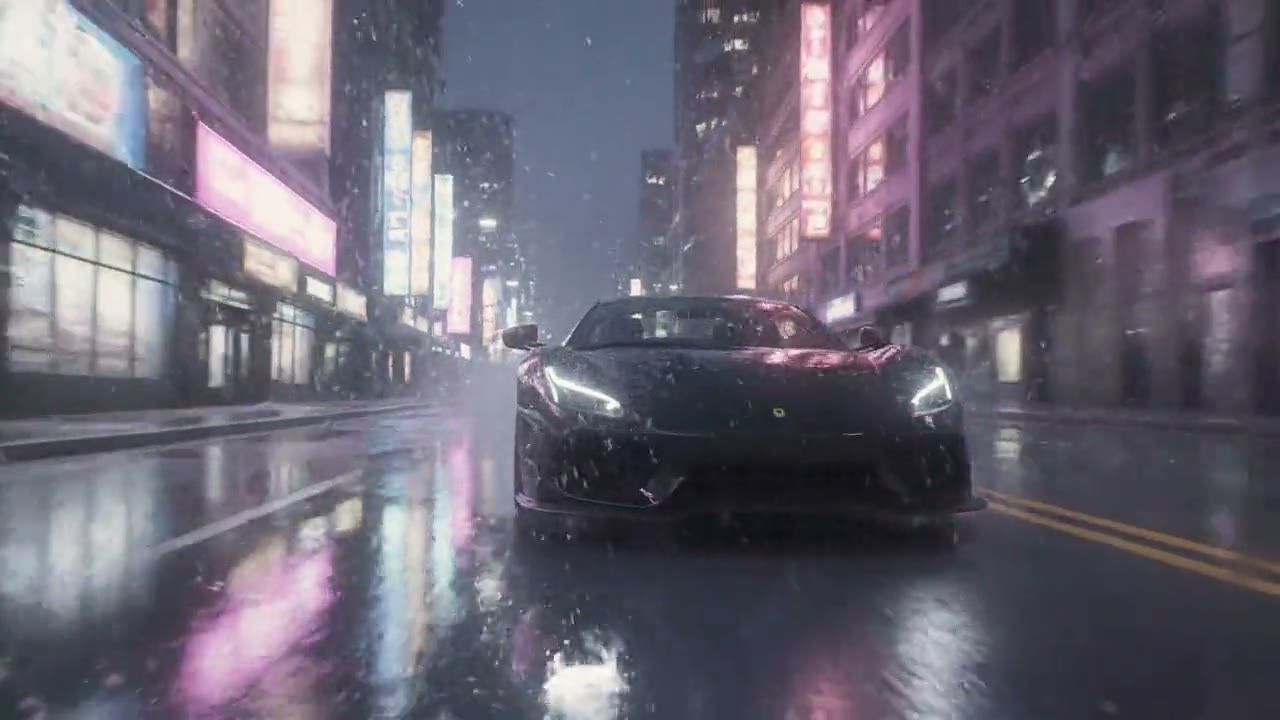
Look
Free. It lands in your chat.
Everything on this page was made on Treza. See pricing
The same glow on other footage
Each one is the FFmpeg node's own output, from the same command the button sends.

Dreamy in a kitchen
Morning light turned to a memory.
FFmpeg node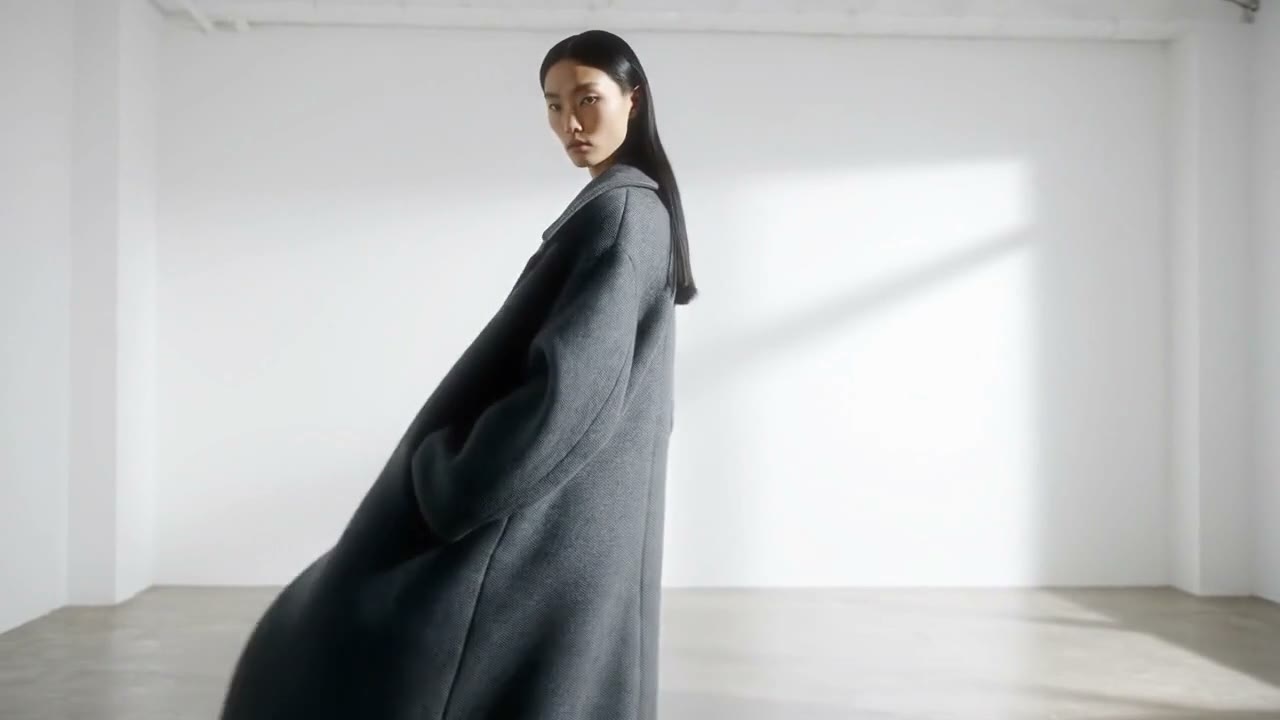
Soft glow in the studio
A fashion shot with the window light hazed.
FFmpeg node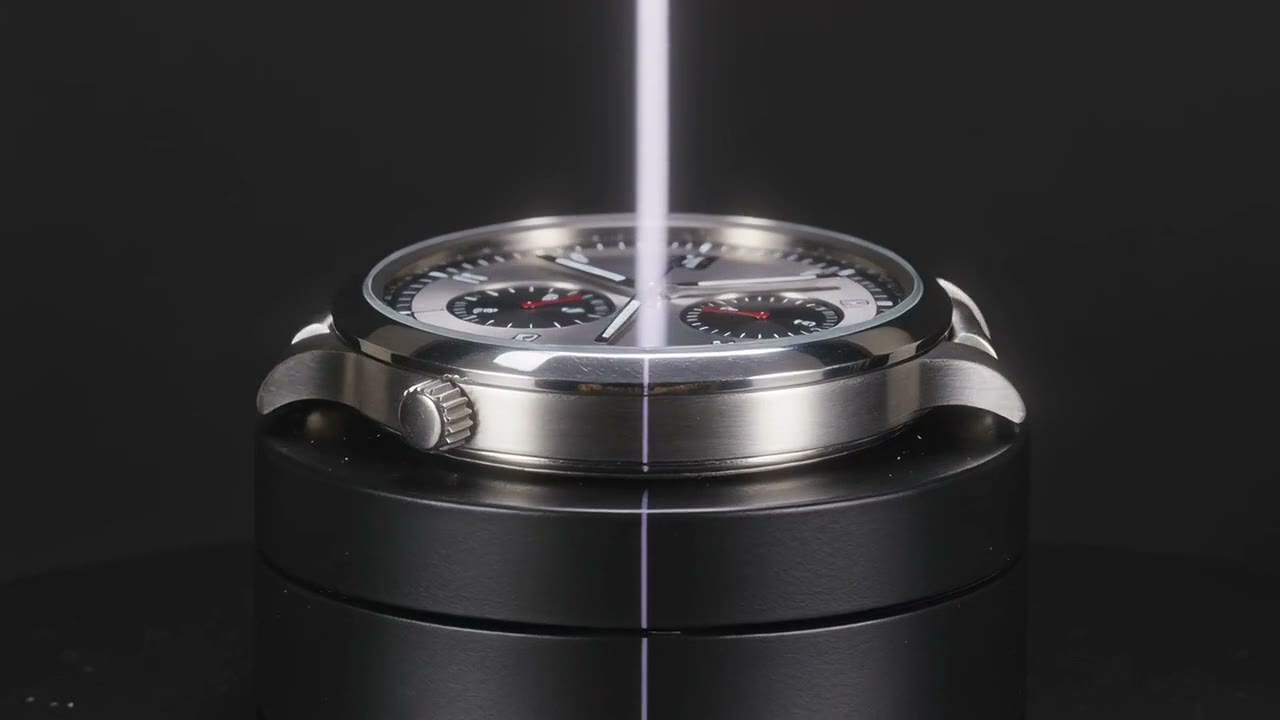
Highlight bloom on a product
The light catches the steel and spreads.
FFmpeg nodeHow it works
- 01
Drop in a clip or a picture
Any video or photo from a phone or a camera. No footage? Switch to "Make it for me" and write one line about the shot.
- 02
Pick how much glow
Soft glow, dreamy or highlight bloom. Every preview on this page is real output of the command your file gets.
- 03
Sign in and it runs
Google sign-in, then the finished file appears in your chat, usually within a couple of minutes. Free: the FFmpeg node costs nothing.
What the button sends
Each option is one FFmpeg filter chain, run by Treza's FFmpeg node on your file: a blurred copy of the frame laid back over it with a screen blend.
- Soft glow
format=gbrp,split[a][b];[b]gblur=sigma=18[g];[a][g]blend=all_mode=screen:all_opacity=0.45- Dreamy
format=gbrp,split[a][b];[b]gblur=sigma=30[g];[a][g]blend=all_mode=screen:all_opacity=0.55,colortemperature=temperature=5600:mix=0.5,eq=saturation=0.92- Highlight bloom
format=gbrp,split[a][b];[b]curves=all='0/0 0.5/0 1/1',gblur=sigma=30[g];[a][g]blend=all_mode=screen:all_opacity=1
For a video the chain goes into -i {input} -vf "<chain>,format=yuv420p" -c:v libx264 -crf 20 -preset medium -c:a aac -b:a 192k -movflags +faststart {output}; a picture comes back as a JPEG. The sound is carried through.
Glow effect, answered
Is the glow effect on Treza free?
Yes. It runs on the FFmpeg node, which costs nothing; an account with no credits can run it ten times a day. Having the footage generated instead of uploading it is priced like any clip, about $0.28 for a four second one.
How does a glow effect work?
A blurred copy of the frame is laid over the sharp one with a screen blend. Screen only ever brightens, so light areas spread a soft halo while the blacks stay black. It is the look of a diffusion filter on a lens, made in the edit.
What is the difference between the three?
Soft glow is a light haze that keeps the picture crisp. Dreamy is a wider, stronger glow with a warmer tint and a little less colour. Highlight bloom blurs only the brightest parts, so lights glow and everything else stays as it was.
Does it work on photos as well as video?
Yes. A picture gets the same glow and comes back as a JPEG. A video comes back as an MP4 at its own size, with its sound unchanged.
What footage suits it best?
Anything with light in the frame: night streets, candles, string lights, sun on water, a window behind someone. On a flat, evenly lit shot the soft glow is subtle, so try dreamy there.
What formats and sizes can I upload?
MP4, MOV, WebM and the usual phone formats, and JPEG, PNG or WebP for pictures. Keep a file under 25 MB here; longer footage can be uploaded in chat directly.
Your first video is one prompt away.
Generate your first video, image, or draft today. Prepaid credits, no subscription.