Burned-In Captions vs SRT Subtitle Files: When to Generate Each
One transcription pass can produce a subtitle file, words burned into the picture, or both. They are not interchangeable: an SRT carries segment timings and the burn carries word timings, and only one of them survives being handed to a social platform. Here is how to choose per destination.

Both outputs start in the same place. You transcribe the audio once, and from that pass you can write a .srt file that travels beside the video, or render the words into the pixels so they are part of the picture forever. The question worth answering is not what the formats are. It is which one to generate for the video you are about to publish, and whether picking wrong costs you a re-render.
The short answer: burn the captions in when the video is going to a muted vertical feed, and ship an SRT when the destination has its own subtitle player or a human is going to edit the text afterwards. Most production pipelines want both, for different artifacts in the same run.
They come from one pass, not two
In a Treza pipeline, transcription is a single node with four outputs. It returns the plain text, a timestamped transcript as JSON, an SRT, and a small result object with the language, duration, and segment count. You do not run transcription twice to get both formats. You run it once and wire whichever output the next step needs.
That matters for cost. The transcription is the paid step. Writing an SRT out of a transcript you already have is free text formatting. Burning captions is a render pass, so it costs render time on top and produces a new MP4 rather than annotating the old one.
The real difference is which timings they carry
This is the part that gets skipped in most comparisons, and it is the part that decides how each one looks.
An SRT is built from the transcript's segments. A segment is roughly a sentence or a clause, so a subtitle file reads as lines of text, each holding for a couple of seconds. That is right for a player rendering subtitles at the bottom of a frame, and it is what every editor and platform expects a subtitle file to look like.
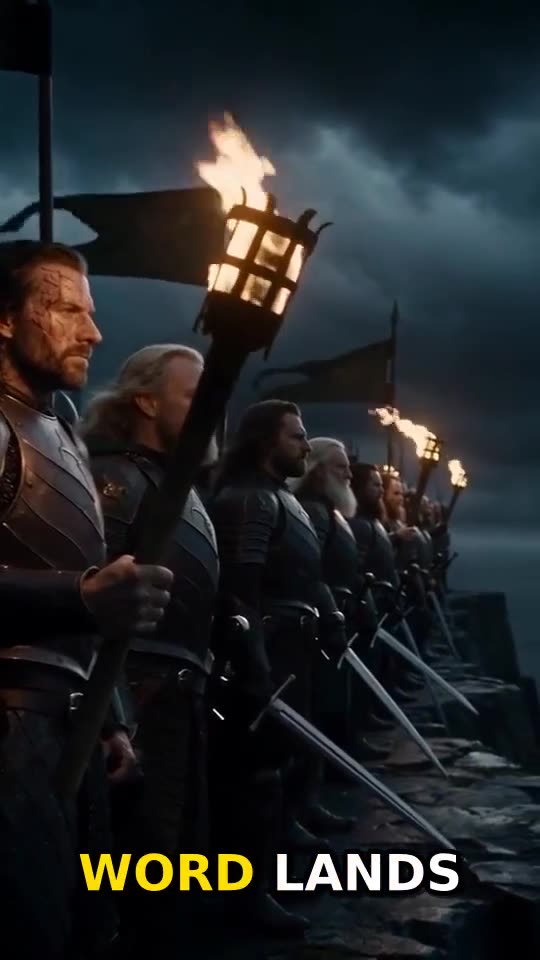
Burned-in captions are built from the transcript's words. Whisper returns a timestamp per word, which is what lets the Captions node show one to twelve words at a time, land each group exactly when it is spoken, and highlight the word currently being said. Set words per caption to zero and it falls back to full sentences from the segment timings, which is the closest the burn gets to looking like an SRT.
One practical consequence: word-level timing only exists if you transcribed with a Whisper model. The GPT-4o Transcribe models are faster and return text only, so they are the right choice when you want a document and the wrong choice when you want either captions or a precise subtitle file.
Speaker labels split the same way. Turn labelling on and the transcript tags every word with who said it, which the burn can show as a color change per speaker. A subtitle file has no concept of color, so the SRT carries the words and their timings but not the separation.
When to burn the captions in
Burn them in when the caption has to arrive with the video and you cannot rely on the viewer, or the player, to turn anything on.
- Shorts, Reels, and TikTok. Short-form video autoplays muted, so the words are the first thing that has to work. A sidecar file does not help you here.
- When the caption is part of the design. Style, position, size, color, font, uppercase, entrance animation, and spoken-word highlight are all settings on the node. None of that survives in a subtitle file, because a subtitle file is text and timings.
- When the MP4 is the only artifact that travels. A review link, an ad platform upload, a client handoff, an embed in a deck. If the video leaves your pipeline as one file, anything not in the pixels is gone.
- When the next step is another node. The captioned MP4 is a node output, so it goes straight into a Sequence, a thumbnail step, or a publisher.
Here is what the highlight setting alone does to the same four seconds, none of which a subtitle file can carry:
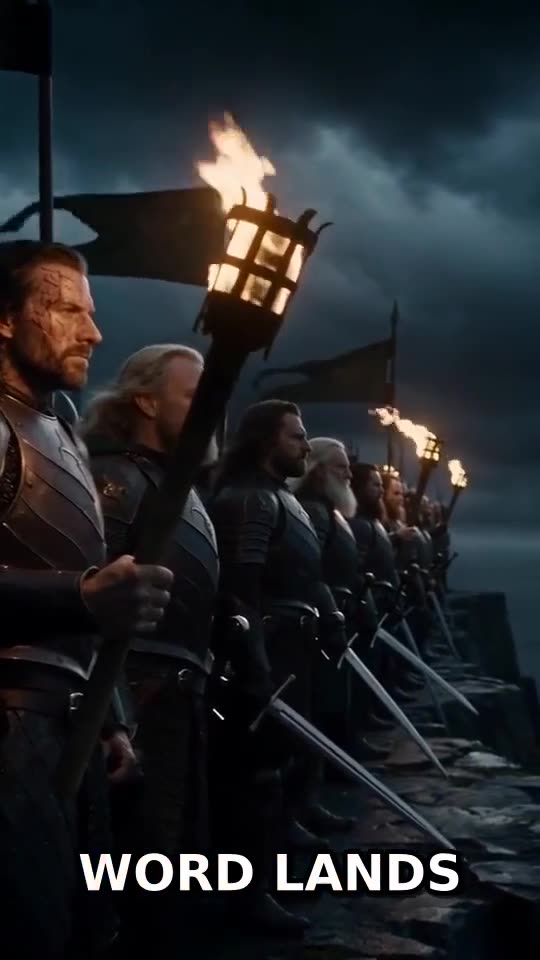
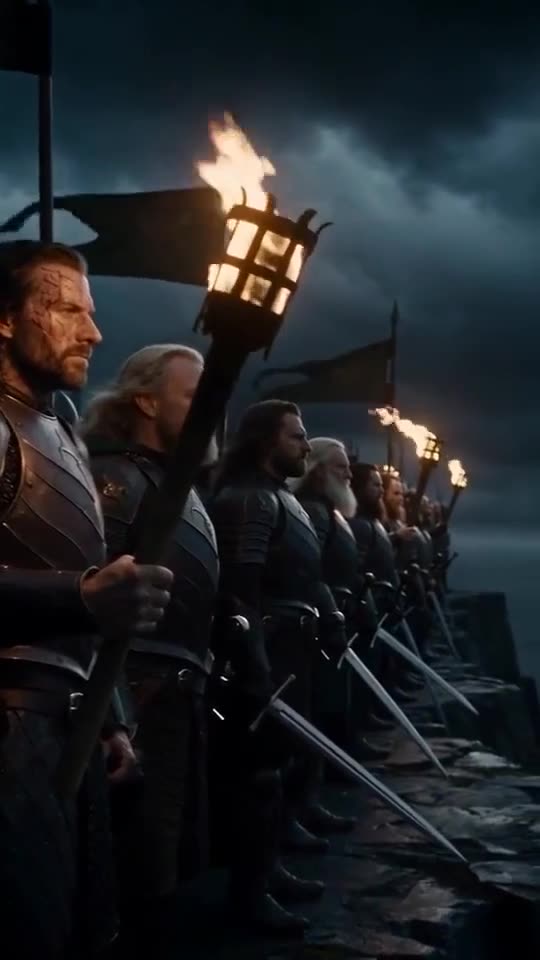
The cost of burning is that it is permanent. You cannot turn the words off, you cannot translate them afterwards, and a wrong spelling means re-rendering rather than editing a line. Guard against that rather than accepting it: when the audio came from your own narration, wire the script into the transcription node and it respells misheard proper nouns to match, keeping the original timings. It can also fail the run when too little of the transcript matches the script, which stops a drifted take from publishing with confident, wrong captions baked in.
When to generate an SRT instead
Ship the subtitle file when something downstream is going to render, read, or edit the text itself.
- Long-form on a platform with its own subtitle player. Viewers get a toggle, a language menu, and their own font size preferences. Burning over that is a downgrade.
- Accessibility and compliance. A machine-readable track is the artifact that satisfies a requirement. Pixels are not.
- When a human edits after you. Names, jargon, and product terms get corrected in a text file in seconds. Correcting a burn means another render.
- When the deliverable is text with timecodes. Editors, localization vendors, and legal review want the file, not the video.
- Translation. Run the transcript through a language model node before it becomes either output, the chain the Video Dubbing template uses.
One honest limitation to plan around. The publishing nodes upload the video, a title, a description, and an optional thumbnail. They do not attach a caption track, so an SRT is a deliverable your pipeline hands you rather than something it staples to the upload. If subtitles have to be on the platform, either burn them in or attach the file yourself after the run.
The timing trap when you clip
This is the mistake that costs an afternoon. An SRT's timings are relative to the file it was transcribed from. Transcribe a two hour podcast master, cut a 45 second moment out of it, and the master's SRT is useless for that clip: every cue is offset by however far into the episode you cut.
The fix is to transcribe the extracted clip on its own timeline rather than rebase the master's file. That is what the podcast clip flow does: the master is transcribed once so a language model can find the strongest passage by timestamp, the clip is cut in place, and the clip is transcribed again so its captions land on its own audio. The second pass is cheap because it runs on 45 seconds rather than two hours.
Doing both in one run
The two outputs are not a fork in the road. A typical production graph makes both and uses each for a different artifact.
- Wire the source into a transcription node with a Whisper model, and with the script attached when the audio came from your own narration.
- Take the SRT output as the archive deliverable for the master: the file that goes to the client, the localization vendor, or your own upload.
- Take the timestamped transcript output into the Captions node for the vertical cuts, where the words have to be in the picture.
- Send the captioned MP4 on to the publisher, and keep the SRT with the run.
If you already have a subtitle file from somewhere else, the Captions node also accepts SRT text directly as its transcript input and uses its timings. You lose the word-by-word grouping and the spoken-word highlight, because an SRT does not carry word timings, but the words land where the file says they land.
Set that up once and it stops being a per-video decision. Every master leaves with a subtitle file, every vertical cut leaves with the words in the picture, and nobody opens an editor. Build the chain on a canvas or start from a template in the AI video generator.
Frequently Asked Questions
What is the difference between burned-in captions and an SRT file?
Burned-in captions are rendered into the video frames and cannot be turned off. An SRT is a separate text file of timed lines that a player renders on top of the video, which means the viewer can switch it off, restyle it, or swap languages. In a pipeline, both come from the same transcription pass: the SRT is an output of the transcription node, and the burn is a separate node that renders words into the picture.
Which one should I use for YouTube Shorts and TikTok?
Burn them in. Short-form video autoplays muted, so the captions have to be visible without the viewer doing anything, and the styling that makes them readable in a fast feed only exists in the burn. Word-grouped captions with the spoken word highlighted are the format those feeds have settled on.
Can I produce both from one transcription?
Yes, and you should. The transcription node returns plain text, a timestamped transcript, and an SRT at the same time. Wire the SRT wherever you want the file and wire the timestamped transcript into the Captions node for the burn. The transcription is the paid step and it only runs once.
Do burned-in captions need a different transcription model?
They need a Whisper model, because burned-in captions are timed per word and only the Whisper models return word-level timestamps. The GPT-4o Transcribe models return text without timings, which is fine for a document or a summary and not enough for captions or a precise subtitle file.
Why are my subtitle timings wrong after I cut a clip?
Because an SRT is timed to the file it was made from. If you transcribed a long master and then cut a short clip out of it, every cue in the master's SRT is offset by the clip's start time. Transcribe the extracted clip on its own timeline and the timings are correct with no arithmetic.
Can the pipeline upload the SRT to YouTube with the video?
No. The publishing nodes send the video with its title, description, and optional thumbnail, and they do not attach a caption track. If the subtitles need to be on the platform, either burn them into the video or upload the SRT yourself after the run. The SRT is still produced and kept with the run either way.
Do speaker labels show up in the SRT?
No. Speaker labelling tags every word in the transcript with who said it, and the Captions node can render that as a color change per speaker. An SRT carries text and timings only, so the labels are visible in the transcript and in the burn, but not in the subtitle file.